


Recommendations
No more digging through tabs or starting from scratch. Brisk Next suggests lessons, activities, and checks for understanding that match your grade, standards, and classroom insights.
You’ll see ideas organized by Prepare (instruction), Engage (student activities), and Assess (formative checks). Preview, tweak, or assign with one click.
.png)
Chat to Adjust
Brisk Next gives you a strong starting point — but you're always in charge.
Use the built-in chat to:

Adjust the reading level
Update the prompt or question focus
Change the format (like turning a reading into a slide deck)
Create differentiated versions for different learners
You ask, Brisk adapts — instantly.
.png)
Build a Bundle
Need a few connected pieces for tomorrow's lesson? Use Add to Bundle to group resources you need – like a reading passage, activity sheet, and exit ticket – into one organized folder.
Not sure what to add next? Next Ideas surfaces smart recommendations based on what's already in your Bundle, so you can round out your lesson in a few clicks.
Everything stays editable, so you can make quick changes or reuse it later.
.png)
Assign to Students
Turn any Brisk resource into a safe, student-ready activity — no student accounts or logins needed. You control when and how students access it, and you can see their progress in real time.
No wasted time for you or your students.
.png)
Batch Feedback
Brisk helps you tackle a full stack of student work in minutes — essays, PDFs, lab reports, math work, you name it. It drafts feedback for each student, but you approve and edit every comment before it's sent.
Students get meaningful feedback right away, not weeks later.
.png)
.svg)
Get Started
Start using Brisk Next
Brisk Next gets your next resources every day. However you log in, Brisk is right there with you.
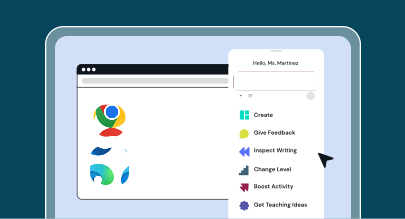
Brisk Extension
Click on the 🏠 NEXT button from Brisk extension — wherever you are on the web — to get to your Brisk Next homepage.
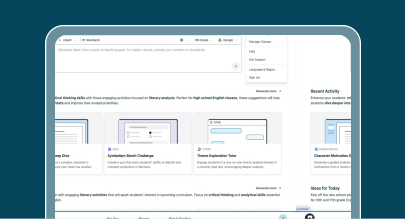
Brisk Web Experience
Click the 'Try Brisk Next' button above to enter into Brisk Next.
How to use Brisk Next
Get a bite-sized overview of how to use Brisk Next to plan, engage, and assess with ease.

Frequently Asked Questions
Brisk Next is a teacher hub where you can get smart recommendations, generate content, assign Boost activities, and organize all of your resources in one place.
The Brisk extension lives in your browser and works across tools like Google Docs, Microsoft Word, and YouTube.
Brisk Next is dedicated space to plan, assign, and give feedback. In Brisk Next, you can see classroom insights, create multiple resources, and manage interactive student-facing activities — all in one centralized hub.
You’ll see content tailored to your grade level, subject, standards, recent activity in Brisk, and the time of year. You can also upload files (such as rubrics and standards) or enter specific prompts to generate even more specific resources.
Yes. You can create and edit Brisk resources inside Word, PowerPoint, and OneDrive.
Yes. Head to Brisk Next, click on the My Library tab, and browse all of the resources you’ve created – including Bundles and activities.
While the Next feature is in Beta, most Next features are free for individual teachers though content generation limits will apply. Premium features – like student tracking, admin tools, and standards alignment – are part of our school and district plans.
Brisk never tracks activity unless you’re actively using it. It only reads the content you choose to work with and deletes it after generating a resource. We comply with FERPA, COPPA, and other key K–12 privacy standards.