


Recommendations
No more digging through tabs or starting from scratch. Brisk Next suggests lessons, activities, and checks for understanding that match your grade, standards, and classroom insights.
You’ll see ideas organized by Prepare (instruction), Engage (student activities), and Assess (formative checks). Preview, tweak, or assign with one click.
.png)
Chat to Adjust
Brisk Next gives you a strong starting point — but you're always in charge.
Use the built-in chat to:

Regola il livello di lettura
Aggiorna il prompt o il focus della domanda
Cambia il formato (ad esempio trasformando una lettura in una presentazione)
Crea versioni differenziate per diversi studenti
You ask, Brisk adapts — instantly.
.png)
Build a Bundle
Need a few connected pieces for tomorrow's lesson? Use Add to Bundle to group resources you need – like a reading passage, activity sheet, and exit ticket – into one organized folder.
Not sure what to add next? Next Ideas surfaces smart recommendations based on what's already in your Bundle, so you can round out your lesson in a few clicks.
Everything stays editable, so you can make quick changes or reuse it later.
.png)
Assign to Students
Turn any Brisk resource into a safe, student-ready activity — no student accounts or logins needed. You control when and how students access it, and you can see their progress in real time.
No wasted time for you or your students.
.png)
Batch Feedback
Brisk helps you tackle a full stack of student work in minutes — essays, PDFs, lab reports, math work, you name it. It drafts feedback for each student, but you approve and edit every comment before it's sent.
Students get meaningful feedback right away, not weeks later.
.png)
.svg)
Inizia ora
Inizia a usare Brisk Next
Brisk Next ti fornisce le tue prossime risorse ogni giorno. Ovunque tu faccia il login, Brisk è lì con te.
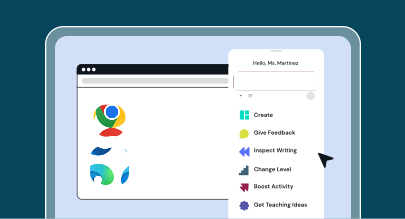
Estensione Brisk
Fai clic sul pulsante 🏠 NEXT dall'estensione Brisk, ovunque tu sia sul web, per accedere alla tua homepage di Brisk Next.
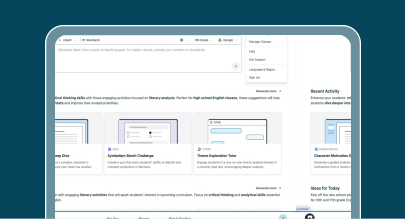
Esperienza web di Brisk
Fai clic sul pulsante "Prova Brisk Next" qui sopra per accedere a Brisk Next.
Come utilizzare Brisk Next
Scopri in breve come utilizzare Brisk Next per pianificare, coinvolgere e valutare con facilità.

Domande frequenti
Brisk Next è un hub per insegnanti dove puoi ricevere suggerimenti intelligenti, generare contenuti, assegnare attività Boost e organizzare tutte le tue risorse in un unico posto.
L'estensione Brisk risiede nel tuo browser e funziona su strumenti come Google Docs, Microsoft Word e YouTube.
Brisk Next è uno spazio dedicato alla pianificazione, all'assegnazione di compiti e alla fornitura di feedback. In Brisk Next puoi visualizzare approfondimenti sulla classe, creare molteplici risorse e gestire attività interattive rivolte agli studenti, tutto in un unico hub centralizzato.
Vedrai contenuti su misura per il tuo livello scolastico, la tua materia, gli standard, la tua recente attività in Brisk e il periodo dell'anno. Puoi anche caricare file (come rubriche e standard) o inserire prompt specifici per generare risorse ancora più mirate.
Sì. Puoi creare e modificare le risorse Brisk all'interno di Word, PowerPoint e OneDrive.
Sì. Vai su Brisk Next, clicca sulla scheda La mia libreria e sfoglia tutte le risorse che hai creato, inclusi Bundle e attività.
Mentre la funzione Next è in versione Beta, la maggior parte delle funzionalità di Next è gratuita per i singoli insegnanti, sebbene si applichino limiti alla generazione di contenuti. Le funzionalità Premium, come il monitoraggio degli studenti, gli strumenti di amministrazione e l'allineamento agli standard, fanno parte dei nostri piani per scuole e distretti.
Brisk non traccia mai l'attività a meno che tu non la stia utilizzando attivamente. Legge solo il contenuto con cui scegli di lavorare e lo elimina dopo aver generato una risorsa. Siamo conformi a FERPA, COPPA e ad altri standard chiave per la privacy nel settore K–12.