In a social and educational landscape shaped by smartphones, generative AI, and 1:1 classrooms, striking the right balance between screen-centric and screen-free learning is only getting increasingly challenging.
Some districts have rolled out restrictions on student-facing AI. Others have introduced caps on classroom screen time. Many states have mandated bell-to-bell phone bans. At their core, these policies are all attempts to build classrooms where students are able to focus and learn.
While we at Brisk believe there are many ways that technology is conducive to learning, we also recognize that technology isn’t automatically the best solution to every educational challenge. That’s why we’re skeptical of student-facing AI agents, why we built a Printables Generator for the 2026–2027 school year, and why we’ve always asked, “How can we help teachers achieve specific learning outcomes?” — not, “How can we make education more tech-centric?”
Below, we explore how teachers can use Brisk to support student learning while scaling back screen time in their classrooms.
1. Create the perfect printable
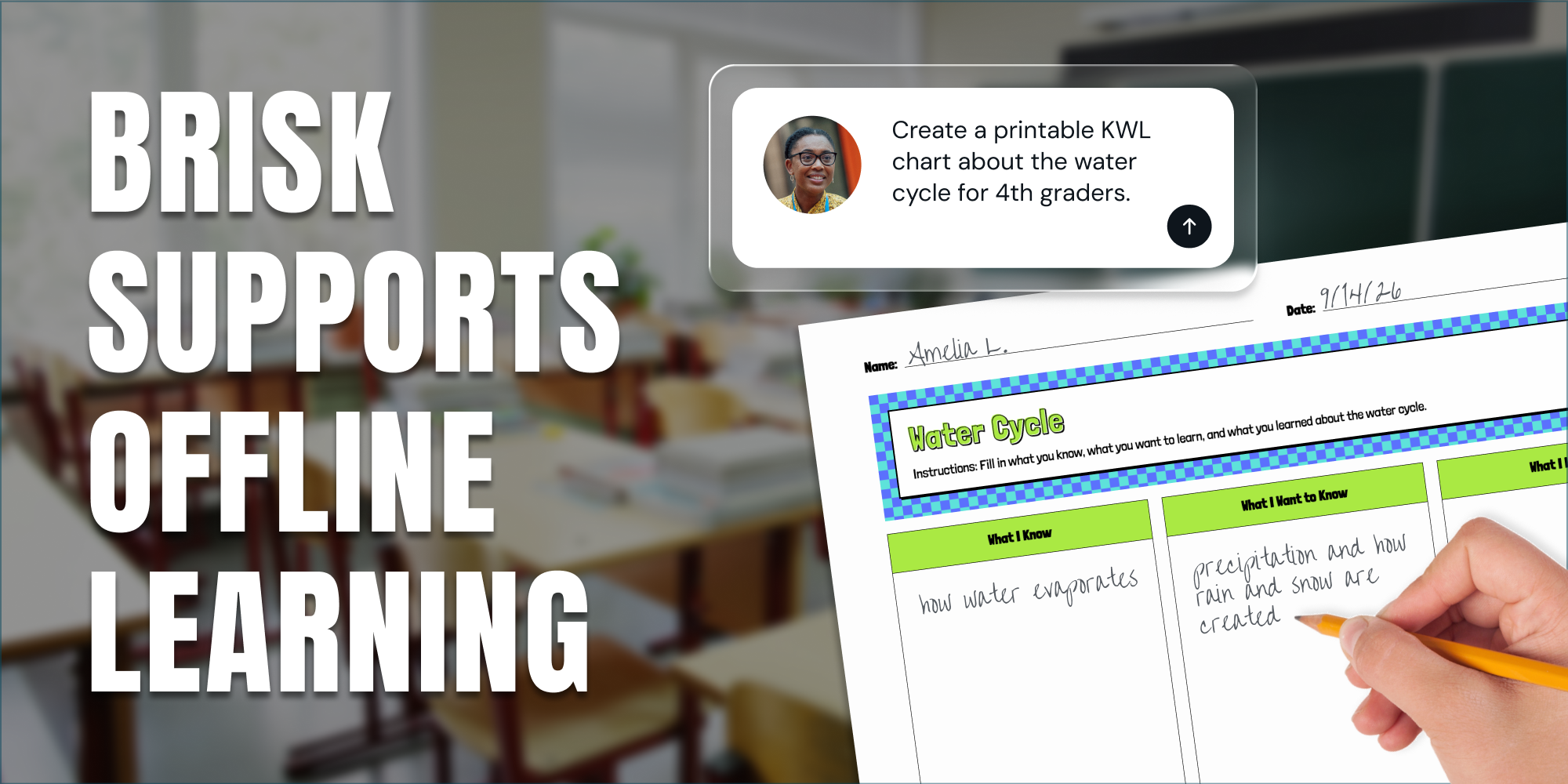
To ease pivots from online to offline learning, Brisk’s Printables Generator helps teachers transform whatever digital resources they’ve been using into print-ready pencil-and-paper activities.
Maybe a high school social studies teacher wants to have students fill out a Venn diagram as a way of comparing and contrasting the Roman Republic and Roman Empire. Or maybe an elementary school teacher wants to have students complete a KWL chart before the start of a unit on the water cycle.
Instead of having to invest extensive time in aligning boxes, matching colors, and formatting (and re-formatting and re-re-formatting) design files, these teachers can use Brisk to create printable resources based on any source material or topic with just a few clicks.
Teachers can currently use Brisk to build seven types of printables (Frayer Models, KWL Charts, Venn Diagrams, Q&As, Worksheets, Mind Maps, Newsletters) and customize them with five design themes (editorial, groovy, minimal, playful, simple). They can also chat back and forth with Brisk to adjust the formatting of a printable or add scaffolds like word banks or sample responses.
For many teachers, the lift associated with putting together a worthwhile pencil-and-paper activity makes it easier to default to online learning. Why spend hours moonlighting as a graphic designer when they can just pull a serviceable activity from any number of apps or websites? Brisk’s Printables Generator changes this calculus by letting teachers tap into the benefits of offline learning without having to take on any extra prep work.
2. Make offline learning accessible to all
Proponents of online learning argue that technology simplifies the process of differentiating instruction for English Language Learners and students with IEPs. In many cases, this is true, but Brisk tools make it easy for teachers to quickly adapt and print resources so every student is able to participate in offline learning.
For instance, in a matter of seconds, Brisk can make any text more accessible by translating it into nearly 60 languages or adjusting its reading level. The differentiated versions of texts are generated directly in Google or Microsoft Docs, so they’re ready to print and hand to students for manual annotation or other screen-free work.
Similarly, Brisk can transform any digital resource into an offline activity like an escape room or science lab or an engaging podcast complete with a print-ready synced transcript.
In short, Brisk gives teachers a straightforward way to leverage the full depth and breadth of the internet to support a wide range of offline learning activities.
3. Provide timely feedback on handwritten work
As generative AI has proliferated, some teachers have started asking students to draft at least certain writing assignments by hand. This protects academic integrity, but it also makes feedback slower and more labor-intensive for the teacher.
To mitigate these downsides, Brisk lets teachers upload photos or scans of handwritten essays into its feedback tools. (Brisk always prioritizes privacy and security, and never uses student or teacher data to train or fine-tune our AI models.)
Brisk generates specific, high-quality feedback on student work in a fraction of the time it would take a teacher to write it manually. The teacher then reviews the feedback, makes adjustments as they see fit, and confirms that it’s ready to return to students. As a result, students end up receiving timely feedback on their writing even when they work with pencil and paper.
4. Get the most out of limited screen time
There are some cases in which screen-based learning offers unique benefits, which is why even districts that have capped classroom screen time haven’t eliminated it altogether.
While many online activities can isolate students from their peers or disengage them from the material they’re supposed to be mastering, Brisk Boost helps teachers make the screen time they do incorporate into their classrooms feel focused, intentional, and collaborative.
By projecting a Boost activity and working through it as a class, a teacher gives students the opportunity to build confidence, critical thinking skills, and digital literacy. These activities can take any number of shapes, from character chats and debates to math word problems and brainstorms. Teachers can further customize these activities by specifying learning objectives and setting AI guardrails during the setup process.
As the class progresses through an activity, Brisk will deliver scaffolding that actually deepens student thinking without simply leading them to an answer like an autonomous AI agent would.
Helping teachers teach the way they want to
Ultimately, there’s no magic formula for landing on the ideal use of screens in the classroom. There are some cases in which technology helps learning; there are others in which it hinders it.
As districts across the country continue to test policies aimed at striking the right balance between screen-centric and screen-free learning, Brisk will continue to evolve in order to support the ways teachers want to — and should — teach.