All Blog Posts

Turn Any Quiz Into a Kahoot! – Right From Brisk

Teachers already know how powerful a good Kahoot! can be. The energy shifts, participation jumps, and review suddenly feels more alive in the room.

The real challenge isn’t engagement – it’s time.

Building a quality quiz takes planning. And when you’re already creating questions in one place, recreating or transferring that work adds extra steps. When your day is packed, interactive review can feel like something you want to do… but don’t always have time to set up.

That’s where Brisk’s Kahoot! integration fits naturally into your workflow.

Instead of jumping between tools, you can create a quiz in Brisk and send it straight into Kahoot! in just a few clicks. The goal isn’t to replace how teachers build quizzes – it’s to make interactive review practical enough to use whenever it helps students most.

Here’s what it looks like in practice.

‍

Interactive review that fits into your workflow

Teachers already use Brisk to generate questions, checks for understanding, and quick formative assessments. Now those same quizzes can become Kahoot! activities without starting over.

That means you can:

  • Turn lesson content into a live class review
  • Create a fast warm-up activity
  • Reinforce key concepts after instruction
  • Add energy to an end-of-unit check
  • Run small-group practice in a different format

‍

Because the quiz starts in Brisk, you skip the extra steps: no rebuilding questions and no switching workflows.. Just a faster path from idea to activity in front of students.

‍

How it works

The process lives inside the Brisk extension you’re already using.

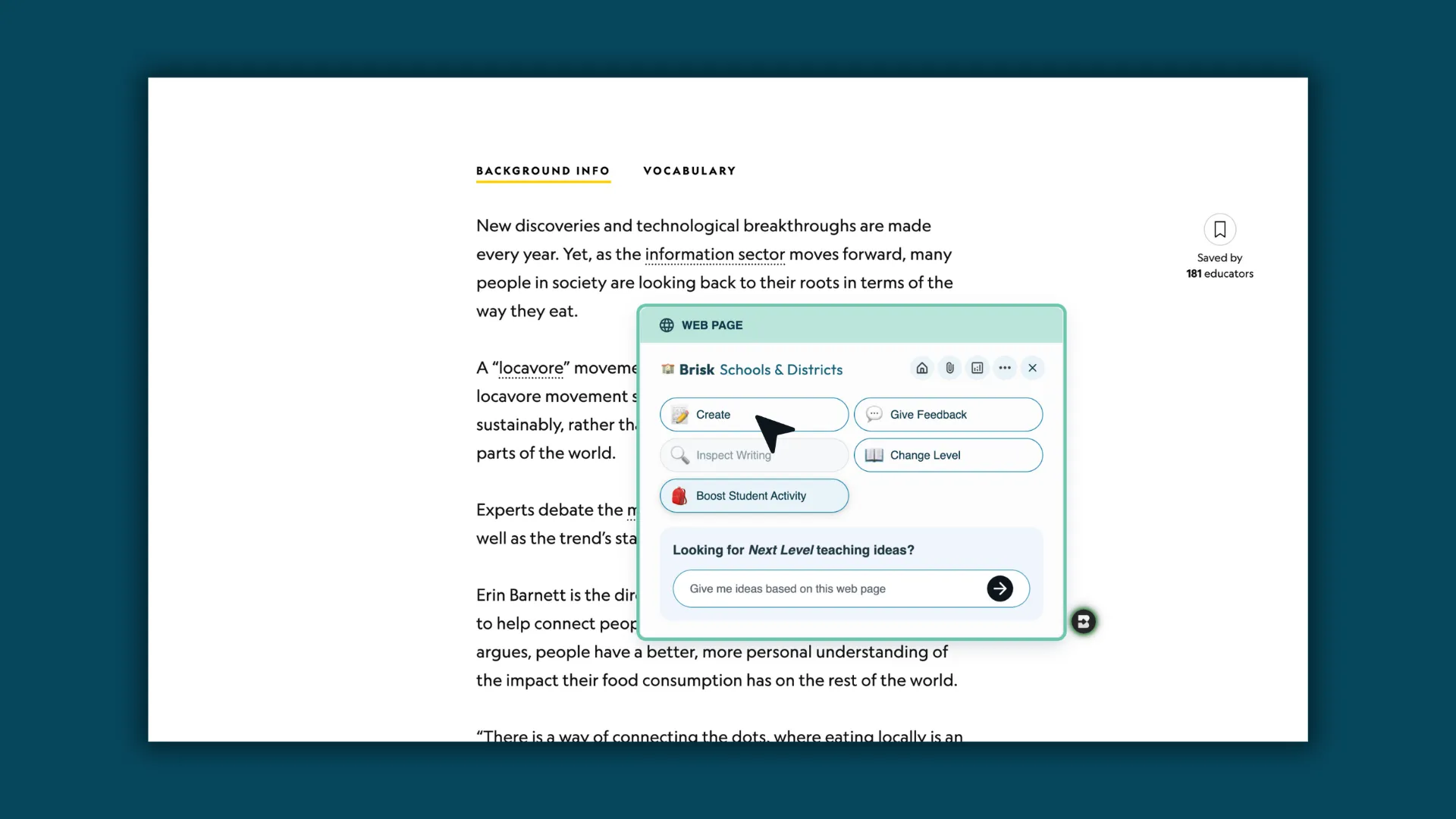
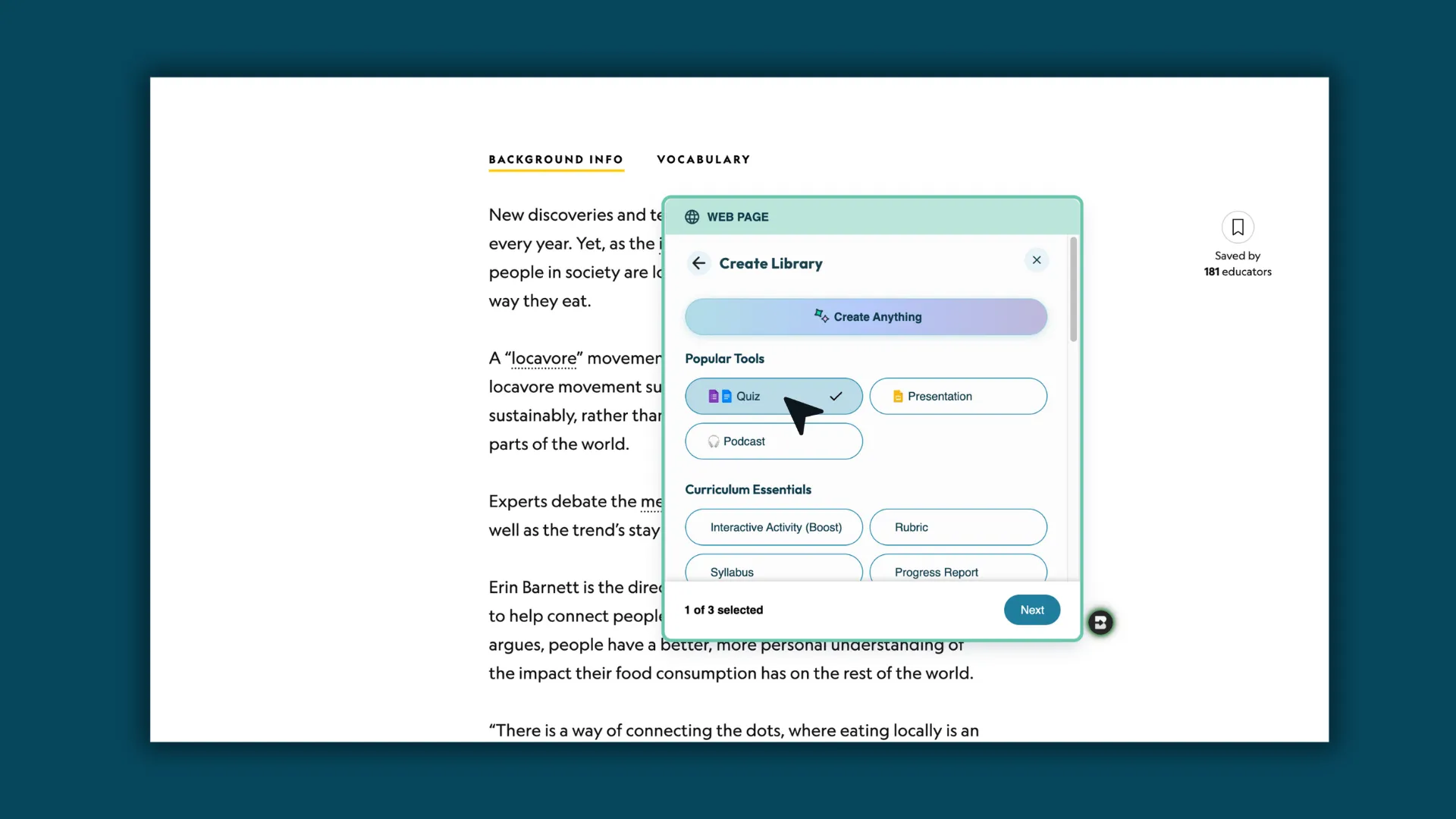
  1. Open Create in Brisk: Open the Brisk extension and select Create.
‍

  1. Select Quiz: Choose Quiz as your content type.
‍

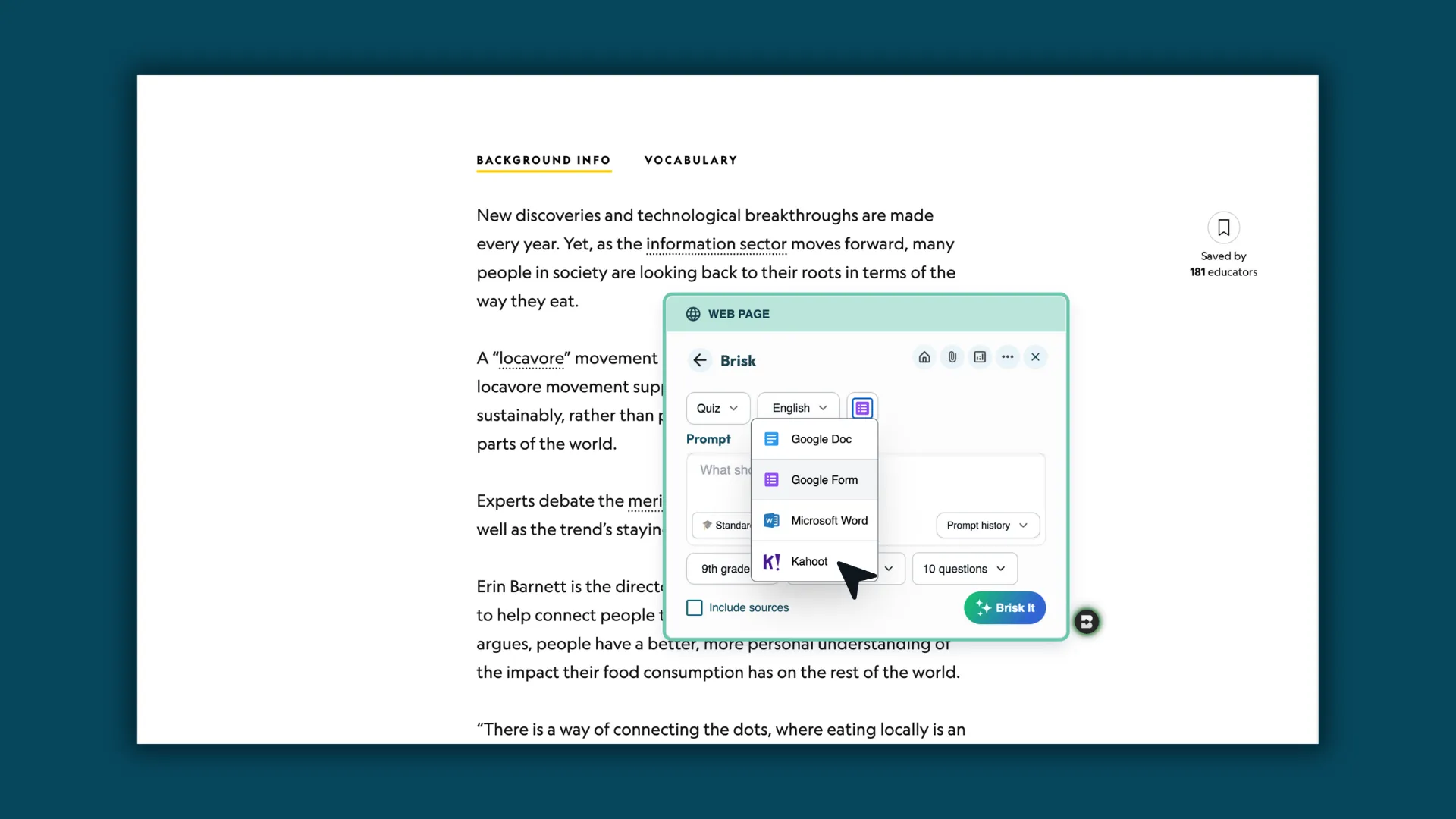
  1. Select Kahoot!: From the options dropdown, choose Kahoot! as your output.
‍

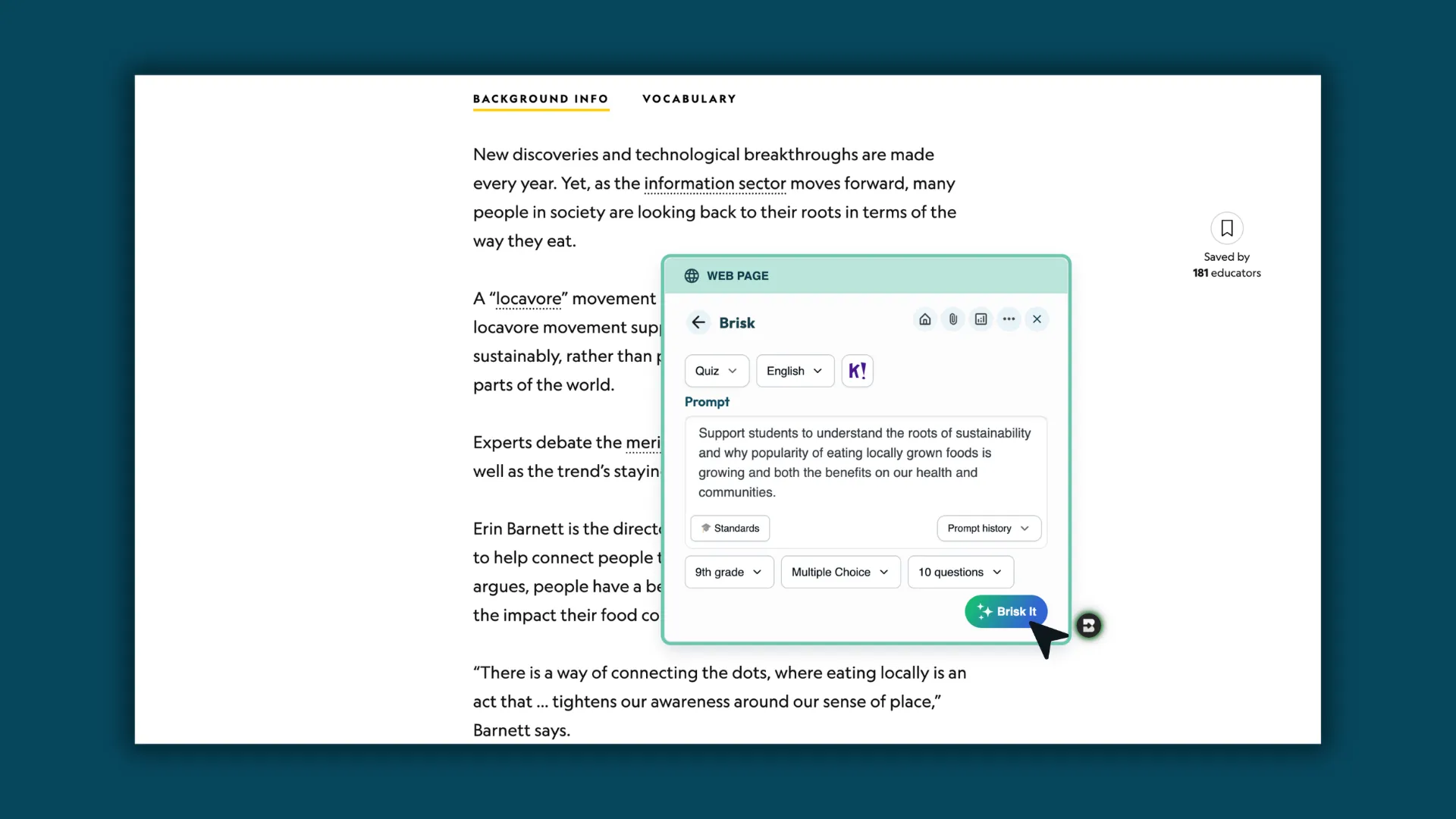
  1. Customize your quiz: Adjust grade level, standards, language, and question count. Then, Brisk It!
‍

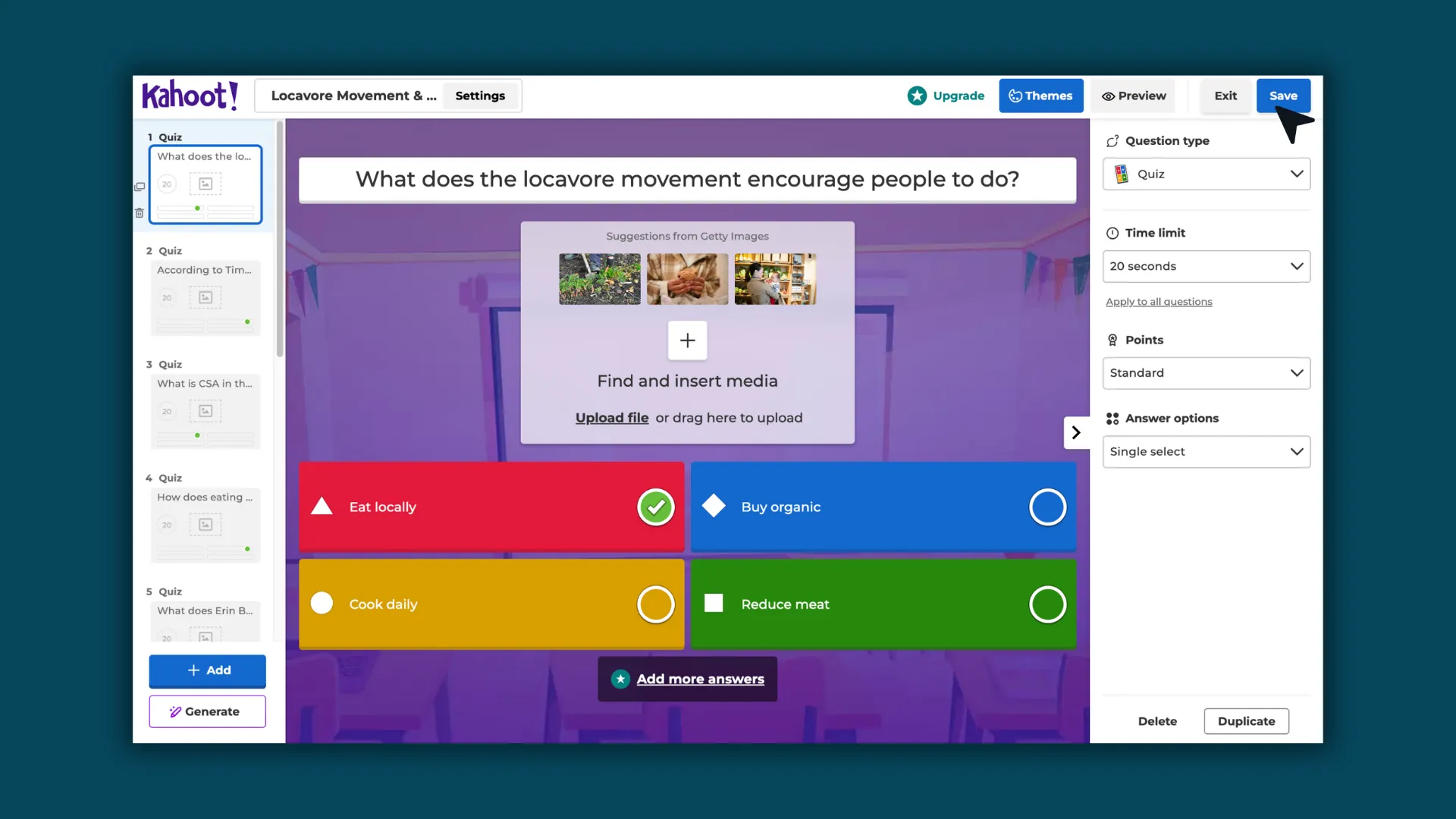
  1. Generate your quiz: Brisk creates your quiz and sends it directly into your Kahoot! account.
‍

  1. Edit and launch your Kahoot!: Make any adjustments in Kahoot!, then play with students like any other Kahoot! activity.
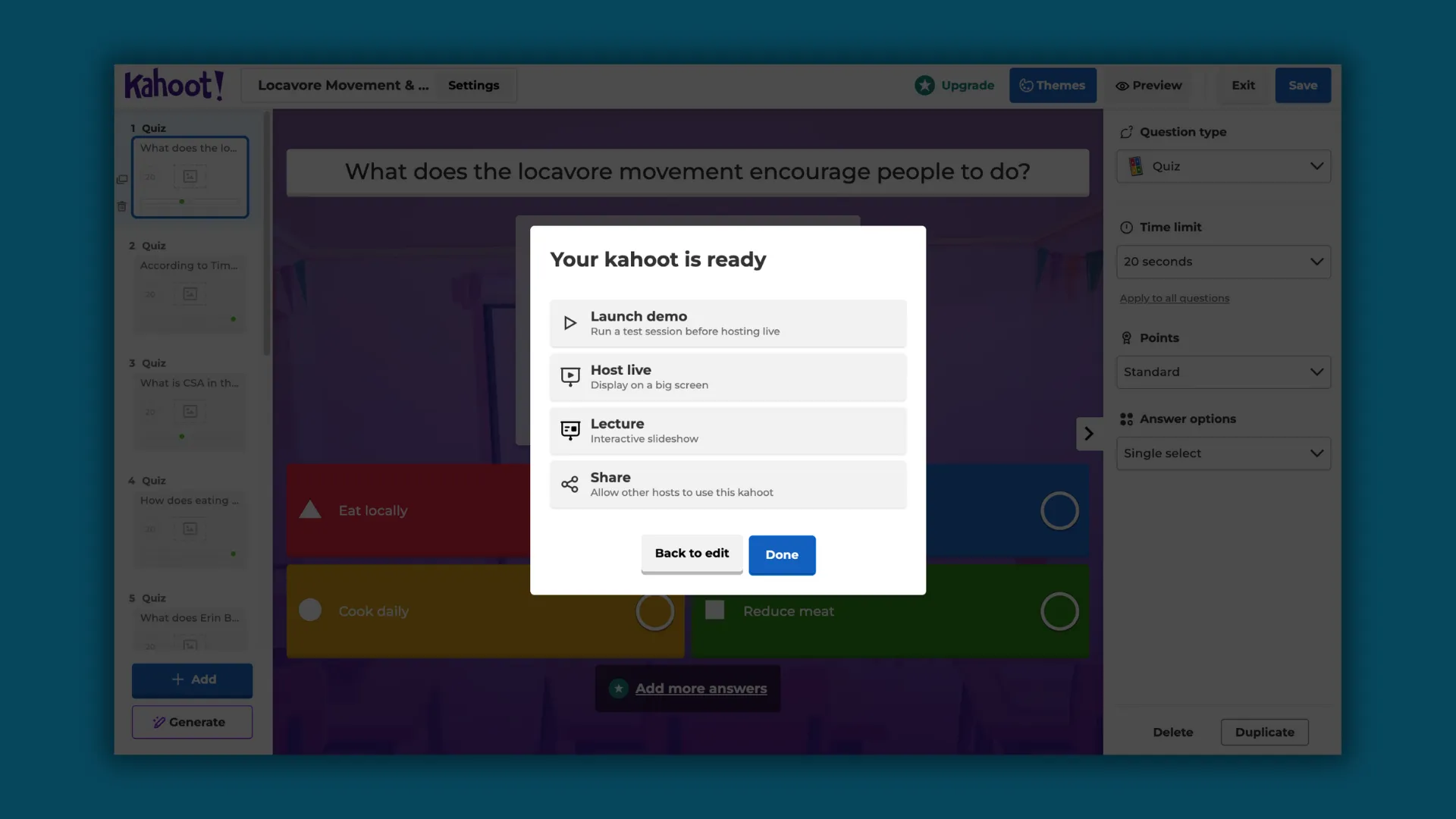

See it in action here.

‍

Classroom moments where this shines

This integration isn’t about changing how teachers teach, it’s about making interactive review easier to use in everyday moments.

Imagine:

  • A quick Kahoot! review before a test to build confidence
  • A mid-lesson check to see what students retained
  • A Friday recap game to revisit the week’s learning
  • A re-engagement moment during a long block period
  • A small-group station activity

‍

When prep takes seconds instead of extra steps, those moments become routine rather than occasional.

‍

Practical notes

A few things to keep in mind:

  • You’ll need to be logged into your Kahoot! account.
  • Kahoot! quiz generation works from the Brisk Chrome or Edge browser extension.
  • Each quiz supports one grade level and one language selection.
  • You can edit everything inside Kahoot! after generation.

‍

Brisk helps you build the quiz. Kahoot! gives you another way to run it with students right away.

‍

Teaching with momentum

Kahoot! works because students respond to learning that feels active and shared. Brisk makes it easier to bring those moments into class without adding more prep.

If you’re already creating quizzes in Brisk, turning them into a Kahoot! becomes a natural next step, one that saves time and gives you another option for review.

Sometimes the best classroom moments come from simple review done well,  and this makes those moments easier to reach.

‍

Create a Kahoot! quiz in Brisk.

Latest Posts

Latest from the Brisk Blog

Explore practical articles for K–12 educators, from classroom-ready strategies to thoughtful guidance on using AI in ways that support real teaching.

Library shelves filled with books
September 18, 2026
Administrators

Everyone Has Questions About AI — Here’s How Leaders Can Address Them

As district leaders face a growing number of questions about how they’re handling AI, they need both visibility into AI use and the power to shape it.

Library shelves filled with books
September 14, 2026
Brisk Features

Print It, Project It, or Skip the Screen: How Brisk Fits Any Classroom

Brisk provides teachers with a variety of ways to support student learning, even when they’re focused on scaling back screen time in their classrooms.

Library shelves filled with books
August 14, 2026
Thought Leadership

Brisk in New White Paper on AI's Instructional Impact

Brisk founder Arman Jaffer shares his key takeaways from Whiteboard Advisors’ new white paper on measuring the instructional impact of AI in the classroom.

Library shelves filled with books
8
min
March 18, 2025
Tips for Teachers

How to Design Quizzes That Help Students Learn

Let's be real—quizzes are about as popular with students as Monday mornings. But here's the thing: research shows that frequent quizzing helps students crush it academically (Next time your class groans at the Q-word, you've got some solid backup).

Designing quizzes is not particularly fun for teachers either, seeing how they can feel like a second job. The process often involves quizzing yourself with questions like: Is 10 questions too few? Is 50 too many? Are these questions testing anything besides my patience?

But before you scream into your pillow, we've got your back with some tried-and-true tips to make quizzes work (for you and your students).

1. Mix Up the Type of Questions

You’d be surprised how many students have gotten scarily good at gaming multiple-choice questions. So keep them on their toes by throwing in a mix of question types:

  • True or false questions to test their core knowledge
  • Fill-in-the-blanks-style questions to check if they were awake in class
  • Short-answer questions to make them flex those critical thinking muscles
  • Matching questions to see if they can connect those mental dots

‍

Got some extra prep time? (as if!) Turn that quiz into a Jeopardy-style showdown. Or better yet, throw in real-world scenarios that'll make them go, "Oh, so THAT'S why we're learning this!"

2. Feedback Is Your Friend

The great thing about a quiz (apart from the mutual torture) is that students learn better when they know why they got something wrong. Mind-blowing, right?

Research shows students nail final tests when practice tests come with feedback. So after each question, drop a quick explanation about the right answer—think tweet-length, not dissertation-style. Because, let's be honest, students’ attention spans are shorter than a TikTok video.

‍

3. Ditch the Trick Questions

We get it—adding those "gotcha" questions to quizzes is tempting. But let's leave the riddles and brainteasers for game night, shall we? Trick questions can leave students feeling confused and frustrated instead of helping them learn something extra or valuable.

Remember, we’re going for a focused vibe that helps students learn, so it’s best to keep the quiz simple and honest.

‍

4. Time It Right

Who says quizzes have to be end-of-class punishment? Instead, here’s a radical idea: try dropping a quiz mid-lesson, especially when you notice your students’ eyes glazing over during chemical equations. A mid-lesson quiz is like hitting the refresh button on your students’ brains. Even science says quizzing students when they're still processing new info helps them learn better.

Here are a few more timing hacks:

  • Start the class with a quick quiz to wake up those brain cells and refresh the material from the last class.
  • Space out your quizzes instead of administering them all before tests.

Remember: too many quizzes = burnout for everyone (and nobody wants that).

‍

5. Work Smarter With an Online Quiz Maker

Look, we know you became a teacher to change lives, not to spend your evenings crafting the perfect quiz. That's where Brisk's free Quiz Maker comes in clutch. Think of it as a quiz-writing assistant—just tell it what you're teaching, and you'll have a ready-to-go quiz in seconds. The best part? Get it in a ready-to-use format, either on Google Docs or Google Forms. Plus, it comes with answer keys baked right in (no more grading until midnight, yay).

Ready to make your quiz game both stronger and easier? Give Brisk's Quiz Maker a shot. Your future self will thank you.

READY TO BRING BRISK TO YOUR DISTRICT?

See how 20,000+ districts adopted AI with full compliance and teacher buy-in from day one.