.webp)
Teachers already know how powerful a good Kahoot! can be. The energy shifts, participation jumps, and review suddenly feels more alive in the room.
The real challenge isn’t engagement – it’s time.
Building a quality quiz takes planning. And when you’re already creating questions in one place, recreating or transferring that work adds extra steps. When your day is packed, interactive review can feel like something you want to do… but don’t always have time to set up.
That’s where Brisk’s Kahoot! integration fits naturally into your workflow.
Instead of jumping between tools, you can create a quiz in Brisk and send it straight into Kahoot! in just a few clicks. The goal isn’t to replace how teachers build quizzes – it’s to make interactive review practical enough to use whenever it helps students most.
Here’s what it looks like in practice.
Interactive review that fits into your workflow
Teachers already use Brisk to generate questions, checks for understanding, and quick formative assessments. Now those same quizzes can become Kahoot! activities without starting over.
That means you can:
- Turn lesson content into a live class review
- Create a fast warm-up activity
- Reinforce key concepts after instruction
- Add energy to an end-of-unit check
- Run small-group practice in a different format
Because the quiz starts in Brisk, you skip the extra steps: no rebuilding questions and no switching workflows.. Just a faster path from idea to activity in front of students.
How it works
The process lives inside the Brisk extension you’re already using.
- Open Create in Brisk: Open the Brisk extension and select Create.
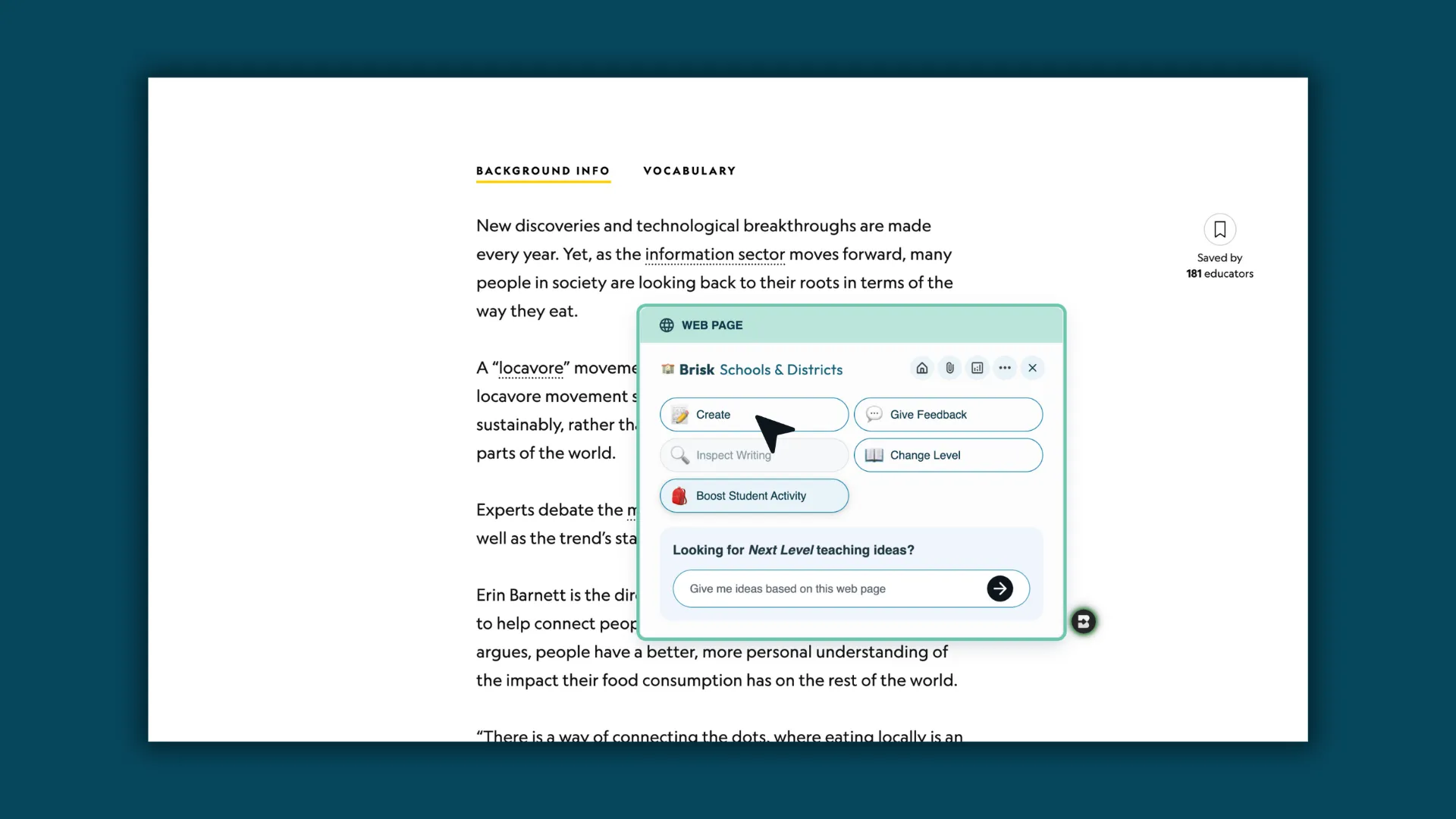
- Select Quiz: Choose Quiz as your content type.
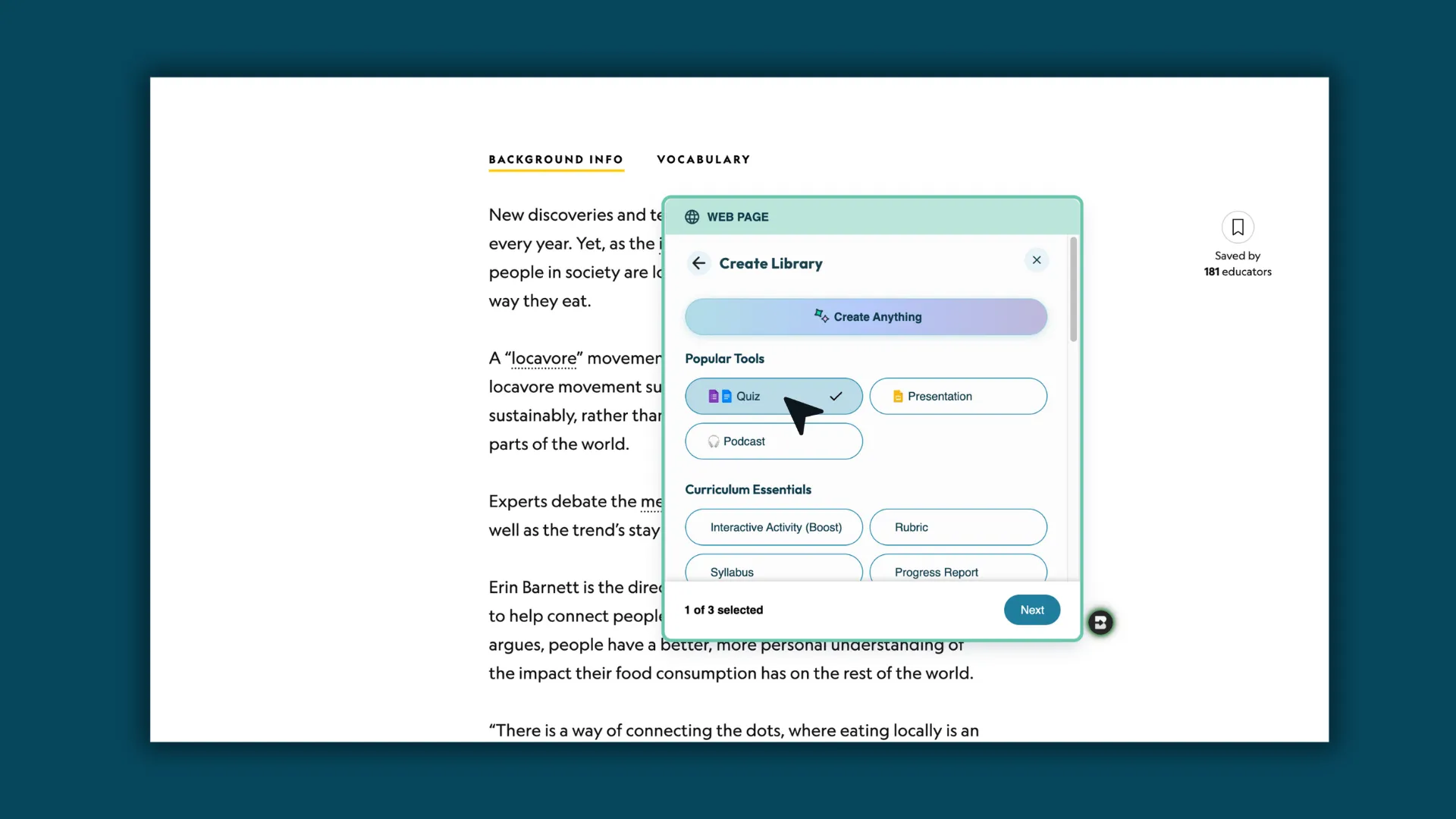
- Select Kahoot!: From the options dropdown, choose Kahoot! as your output.
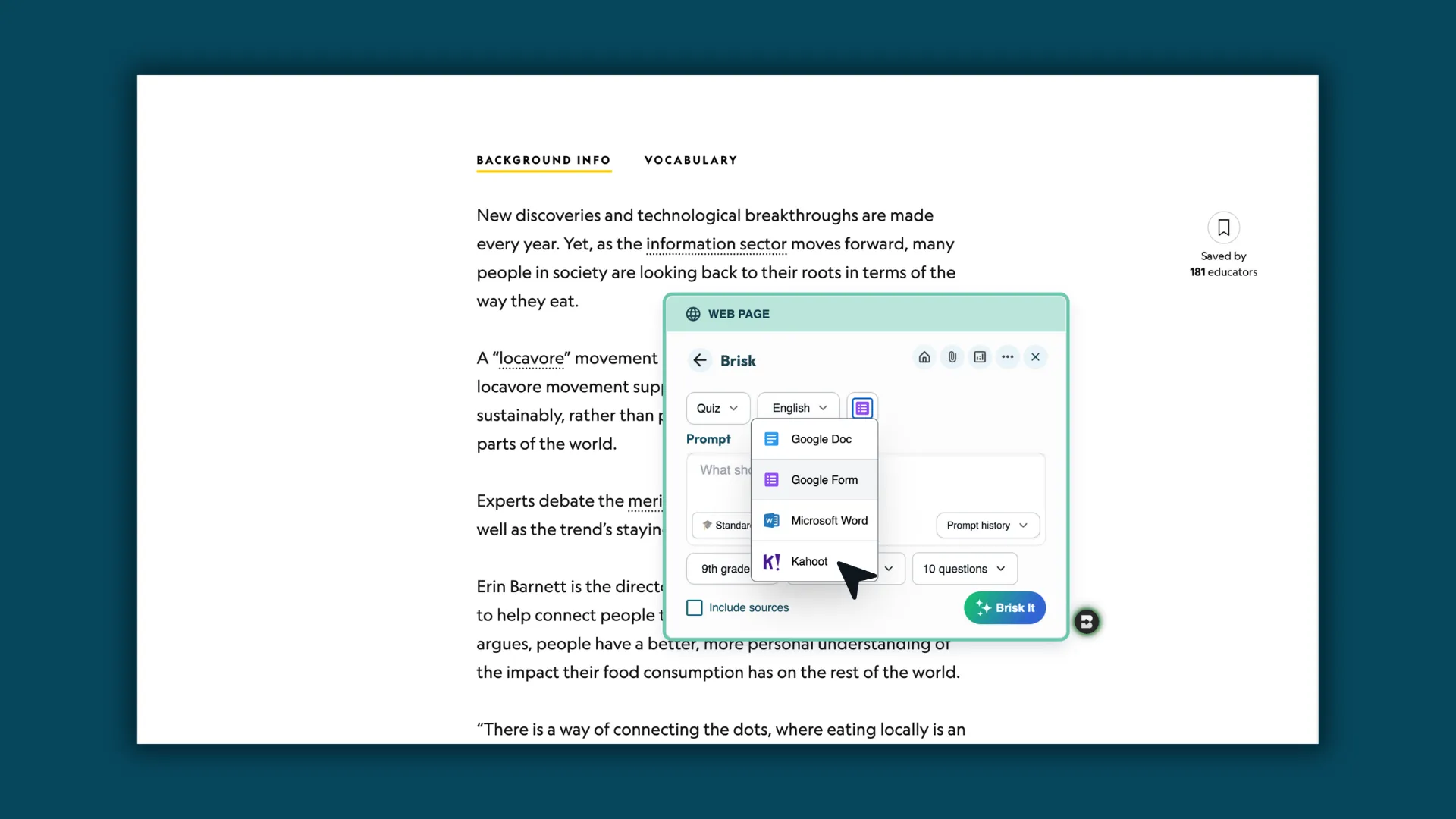
- Customize your quiz: Adjust grade level, standards, language, and question count. Then, Brisk It!
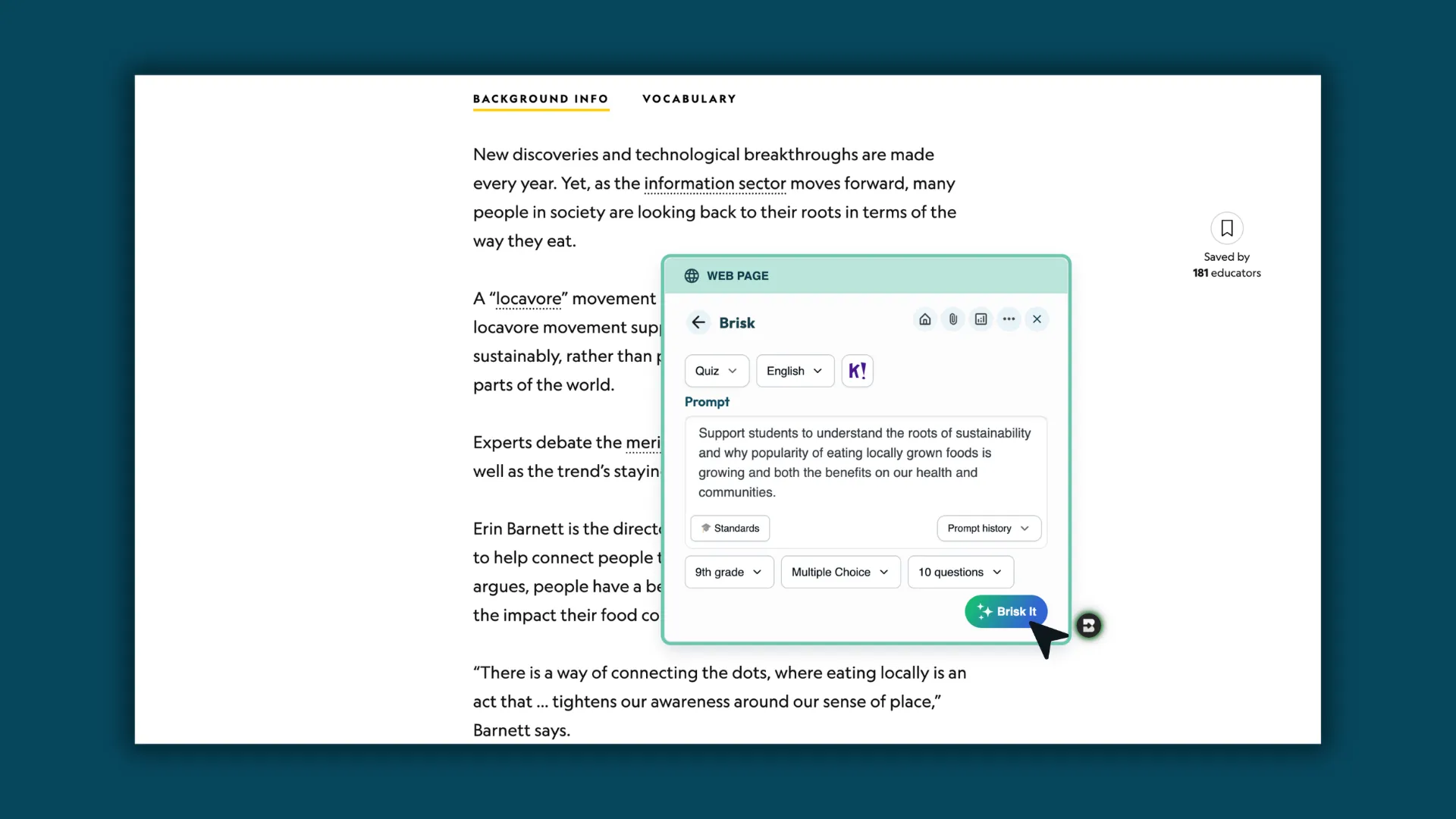
- Generate your quiz: Brisk creates your quiz and sends it directly into your Kahoot! account.
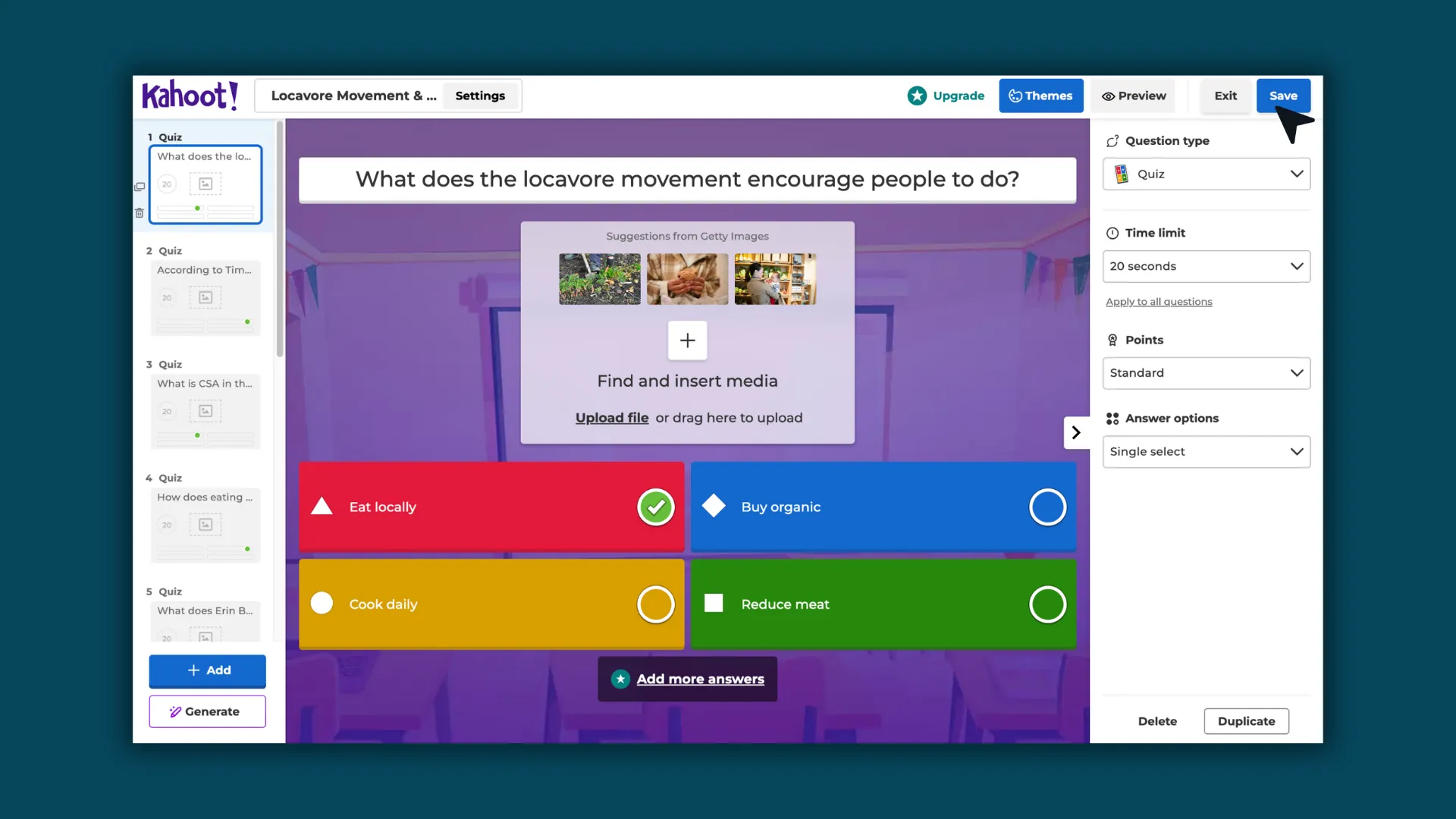
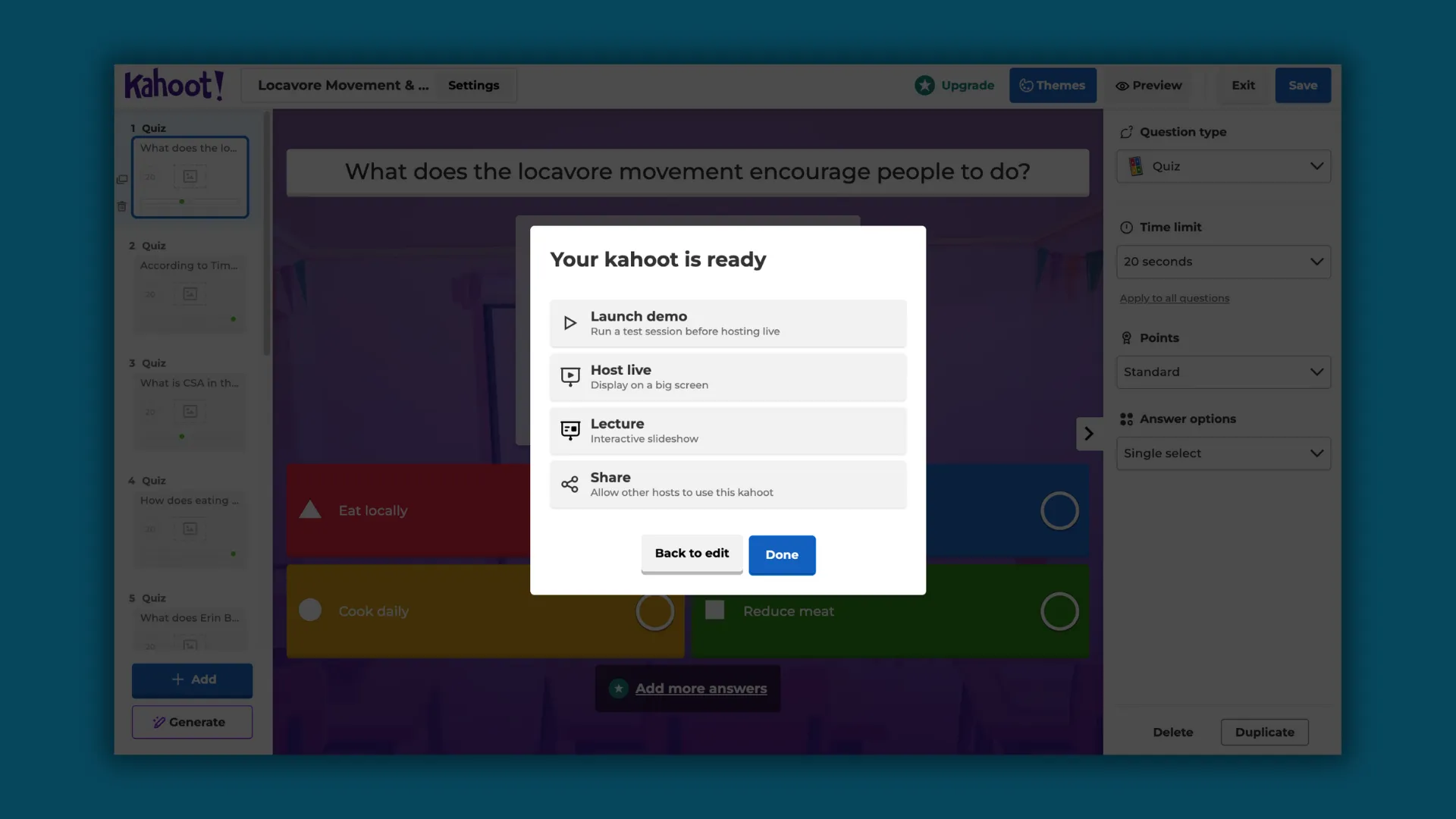
- Edit and launch your Kahoot!: Make any adjustments in Kahoot!, then play with students like any other Kahoot! activity.
Classroom moments where this shines
This integration isn’t about changing how teachers teach, it’s about making interactive review easier to use in everyday moments.
Imagine:
- A quick Kahoot! review before a test to build confidence
- A mid-lesson check to see what students retained
- A Friday recap game to revisit the week’s learning
- A re-engagement moment during a long block period
- A small-group station activity
When prep takes seconds instead of extra steps, those moments become routine rather than occasional.
Practical notes
A few things to keep in mind:
- You’ll need to be logged into your Kahoot! account.
- Kahoot! quiz generation works from the Brisk Chrome or Edge browser extension.
- Each quiz supports one grade level and one language selection.
- You can edit everything inside Kahoot! after generation.
Brisk helps you build the quiz. Kahoot! gives you another way to run it with students right away.
Teaching with momentum
Kahoot! works because students respond to learning that feels active and shared. Brisk makes it easier to bring those moments into class without adding more prep.
If you’re already creating quizzes in Brisk, turning them into a Kahoot! becomes a natural next step, one that saves time and gives you another option for review.
Sometimes the best classroom moments come from simple review done well, and this makes those moments easier to reach.