
.webp)
With Boost Whiteboard, students can work through ideas and get in-the-moment support as they learn. They think visually, express ideas, and show understanding across subjects — while teachers see how learning is developing and what to teach next.
Boost Whiteboard is Brisk’s new multimodal whiteboard experience, built to make student thinking visible while learning is still happening.
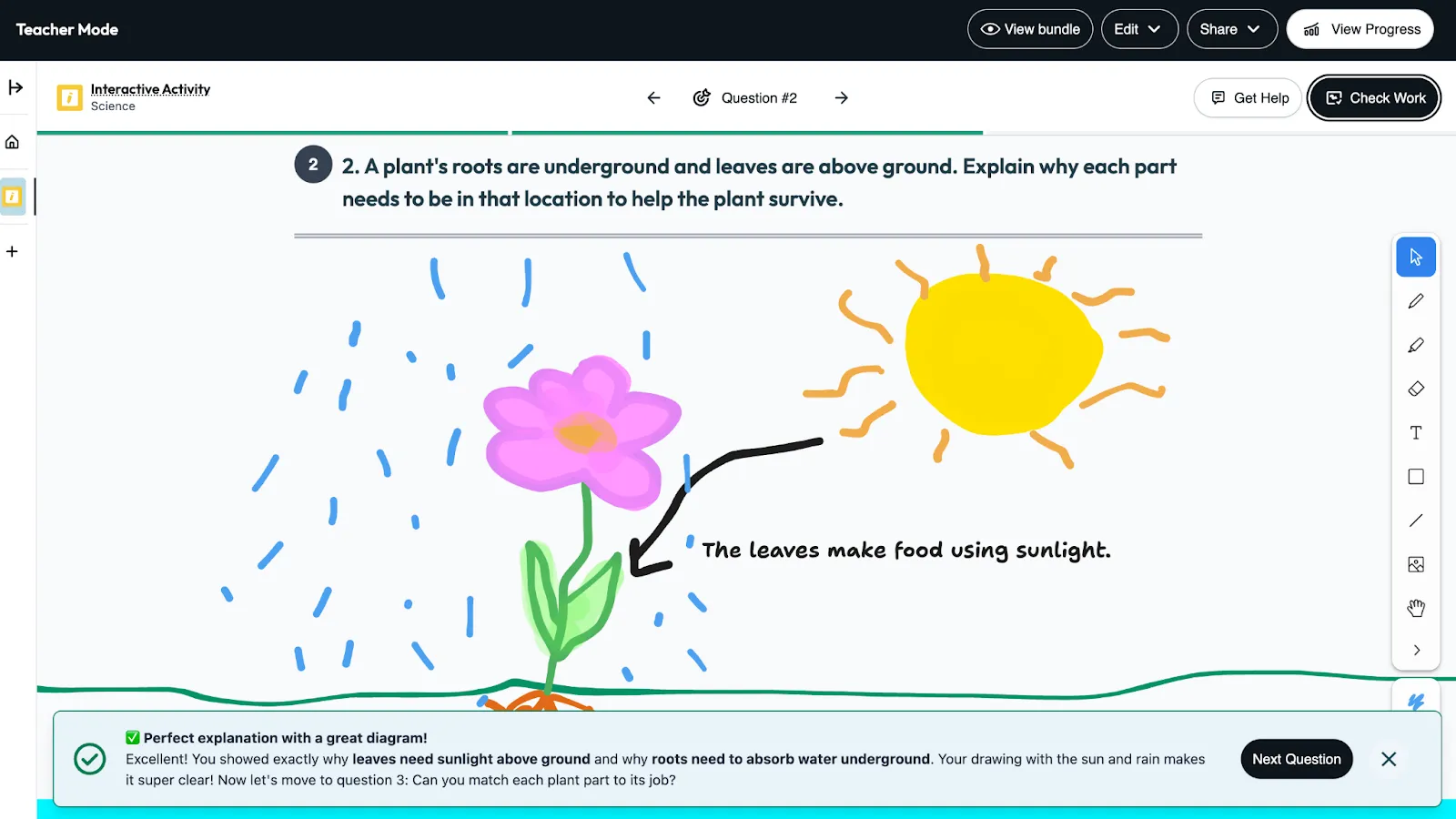
Seeing thinking while it’s happening
In most classrooms, we only see what students know after the work is finished. By the time we notice confusion or misconceptions, the learning moment has already passed.
But learning doesn’t happen at the end, it happens while students are still thinking, trying, revising, and explaining.
Boost Whiteboard was created for that moment.
It gives students a space to sketch, organize, label, and explain their ideas visually, and gives them support while they’re still working, when the feedback matters most.
A new kind of learning space
Boost Whiteboard isn’t just a digital whiteboard. It’s where students work through their thinking.
Instead of turning in a finished answer, students can:
- Sketch and model ideas
- Label and explain their thinking
- Show steps and reasoning
- Revisit and revise as they go
And when they get stuck, learning doesn’t pause. Students can check their work, ask questions, and keep moving forward.
How Boost Whiteboard works
1. Create a Boost activity
Start with Quick Create at app.briskteaching.com or the Boost Activity button in the Brisk extension.
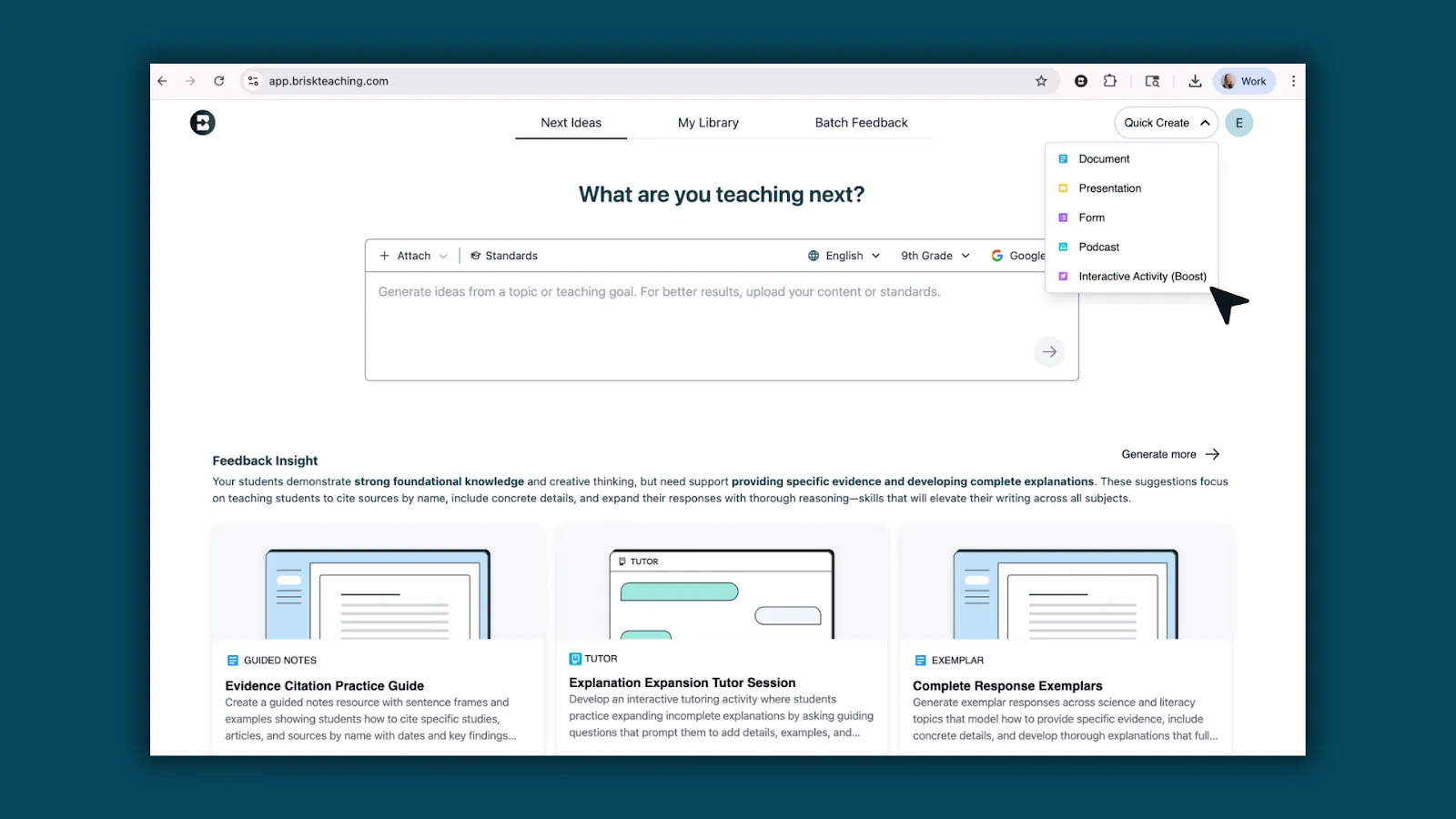
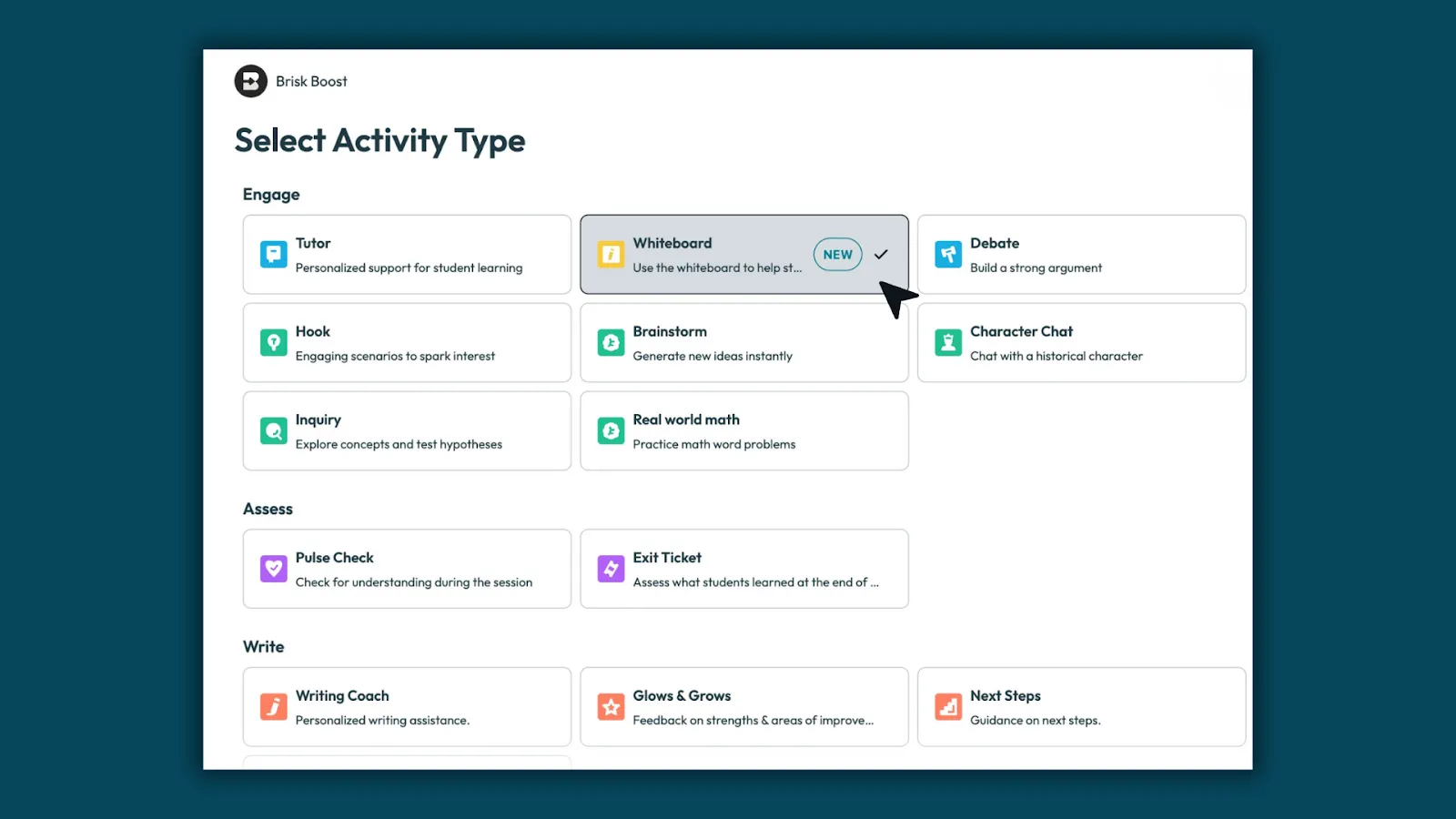
2. Set up your whiteboard
Select Whiteboard as the activity type. Enter your topic, then choose standards, grade level, and language.
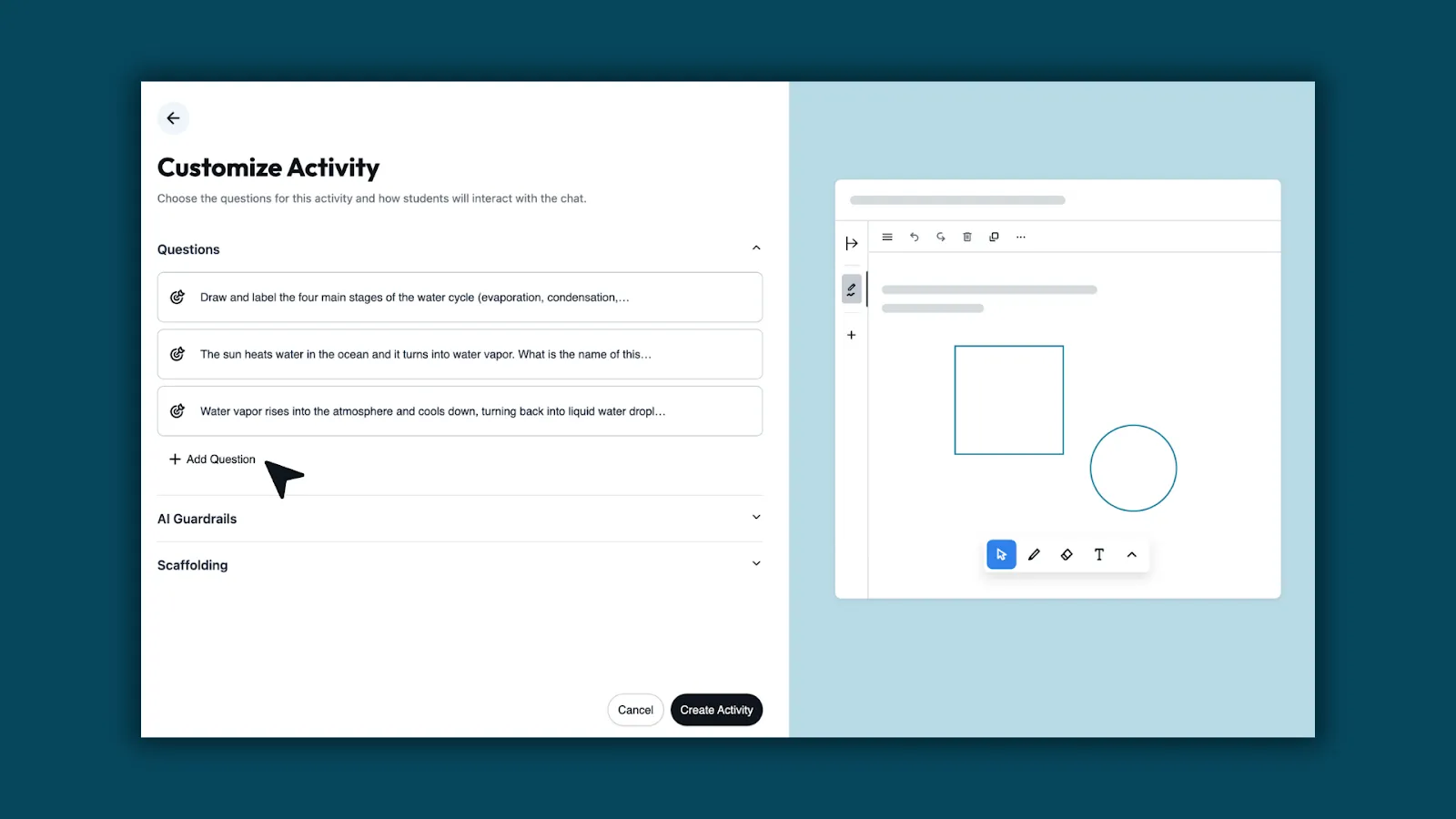
3. Customize your activity
Brisk generates questions designed specifically for visual responses, so students know how to show their thinking.
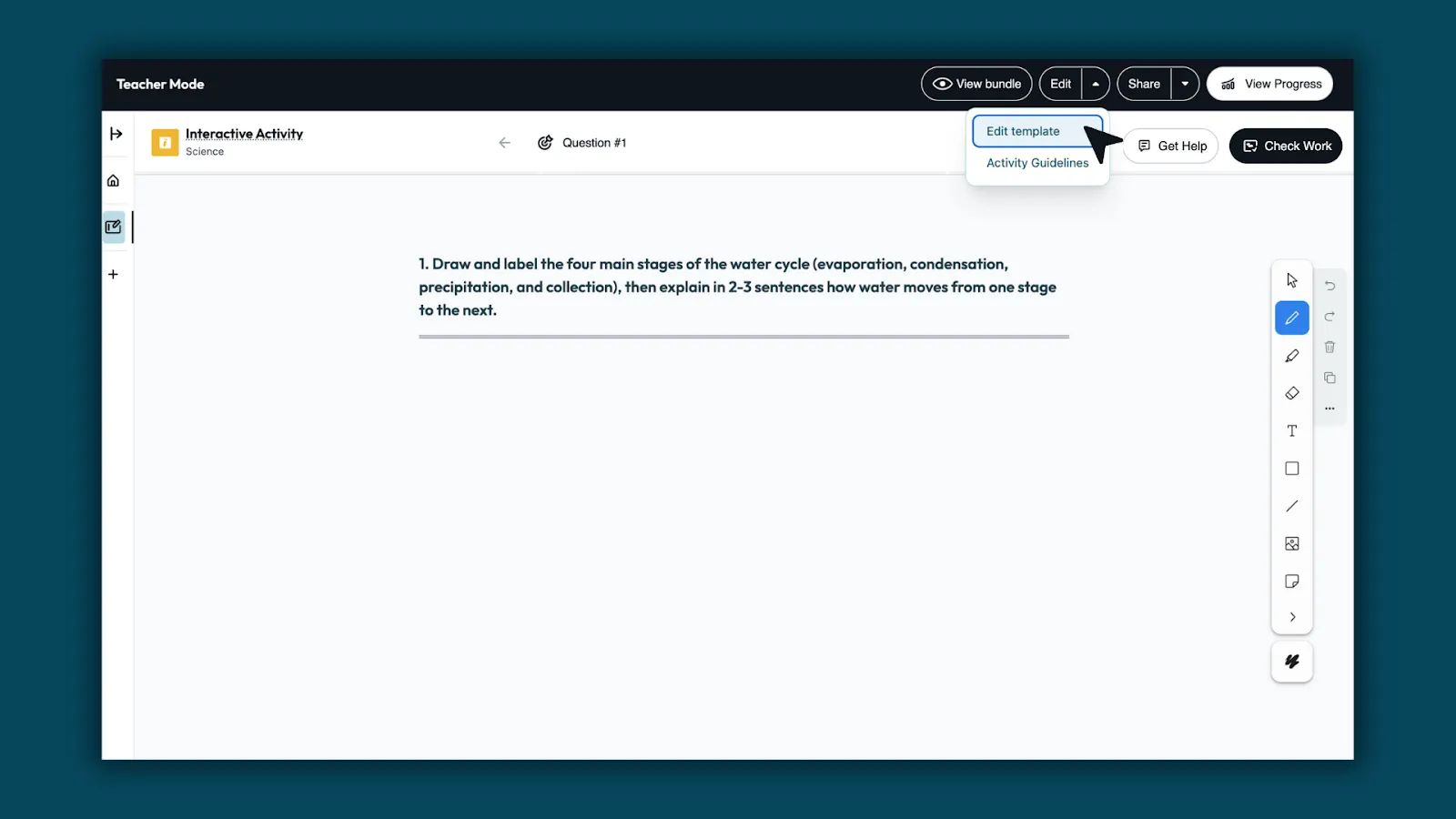
4. Edit template
Use Edit Template to refine the question, add images, or include visual supports.
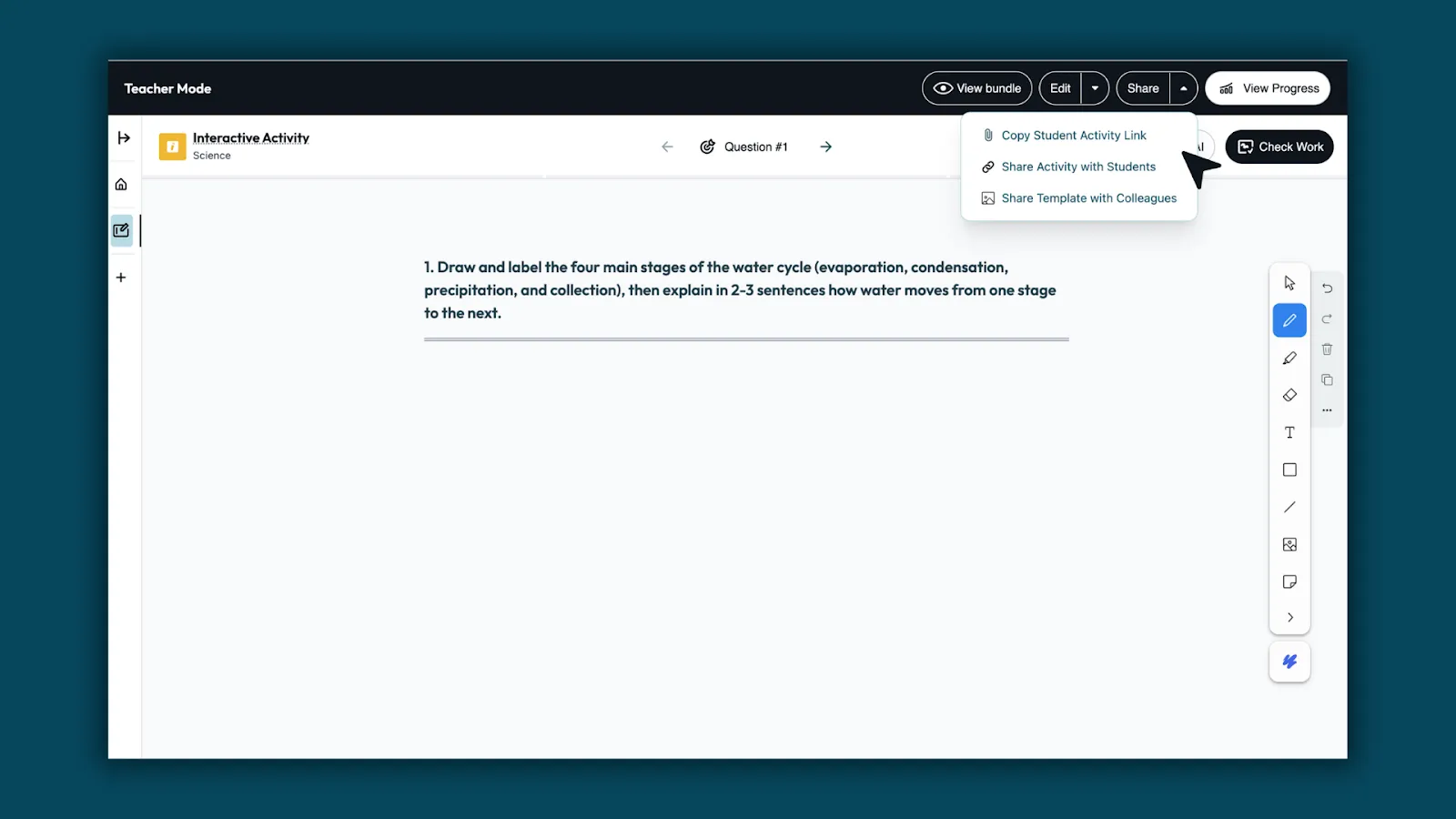
5. Share with students
Send the activity link or post it in your LMS. Students can open the whiteboard and begin working right away.
What students experience
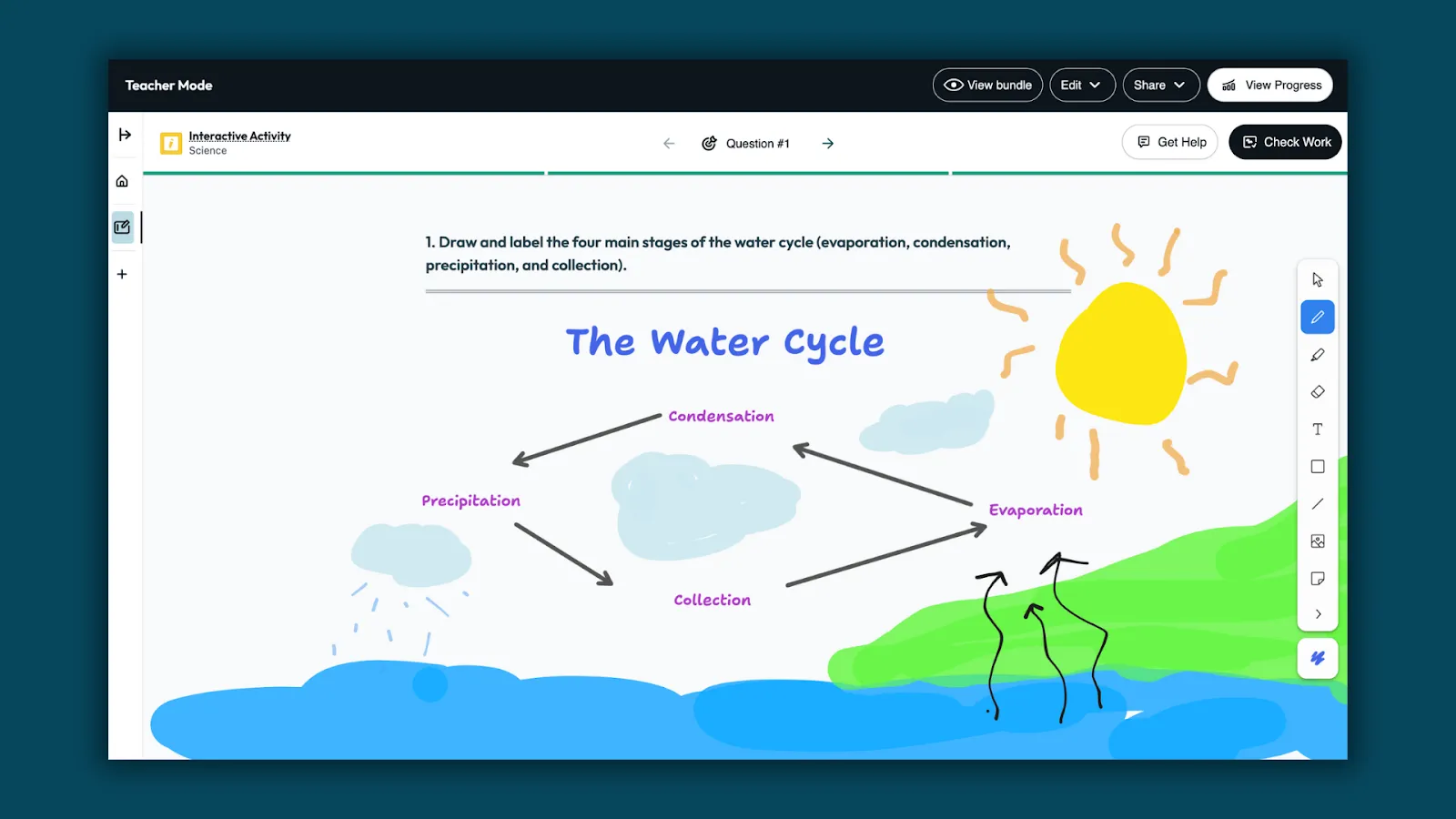
Show thinking visually
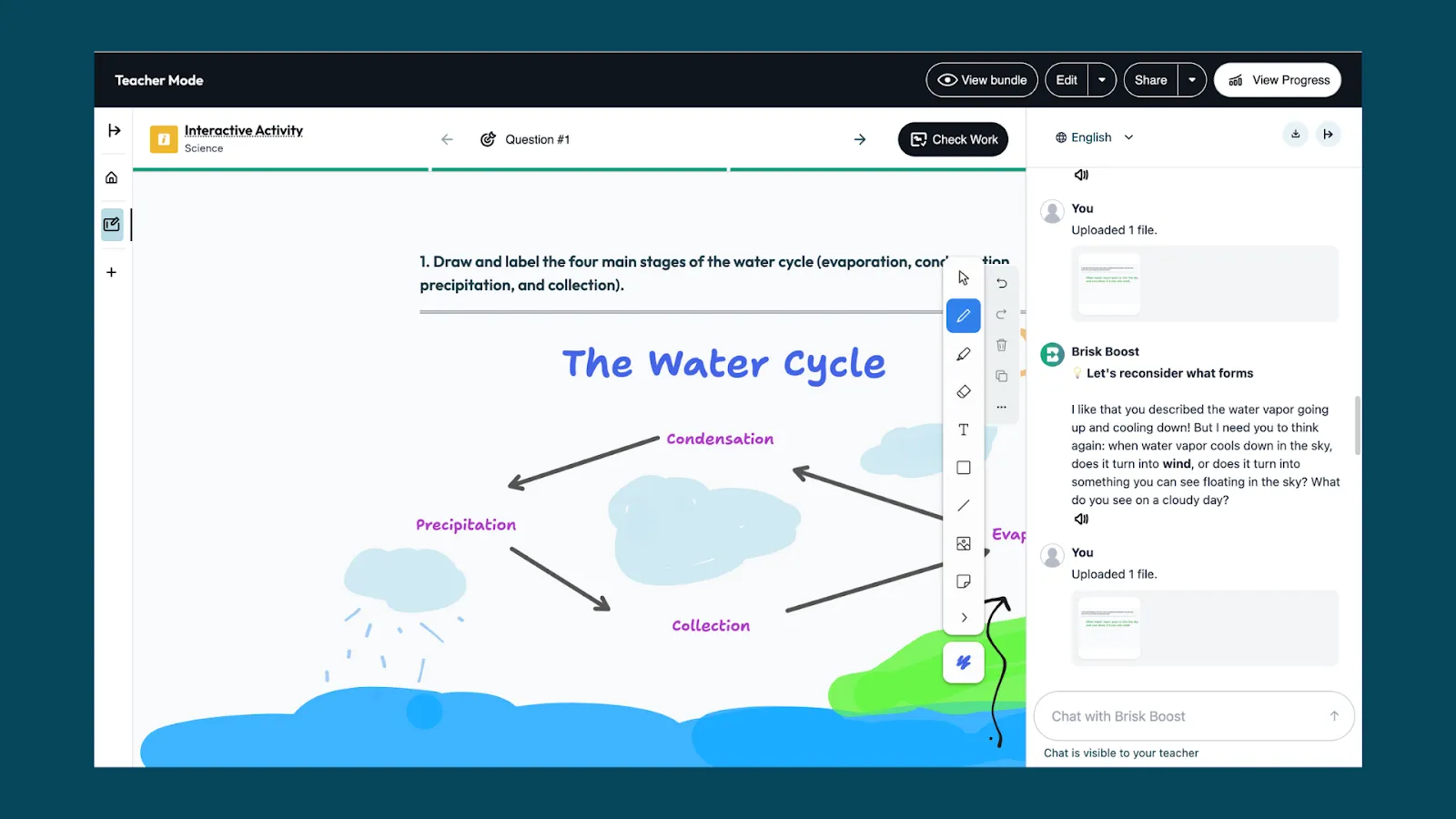
Students draw, label, and explain ideas directly on the whiteboard.
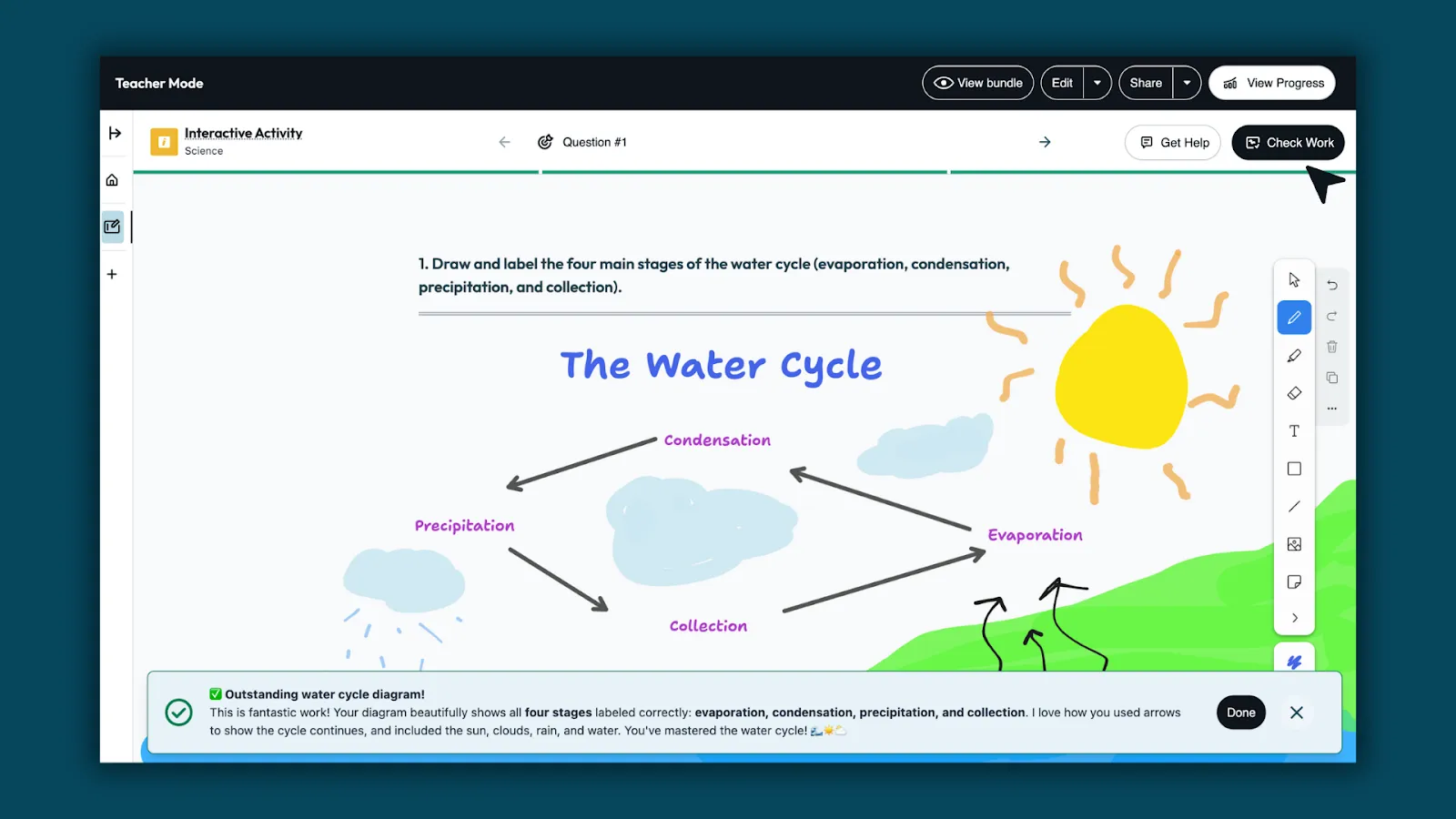
Get feedback with Check Work
When ready, students select Check Work to receive feedback from Brisk Boost. Feedback highlights what’s correct and points out where revisions may help, so learning keeps moving.
Use Get Help for support
Students can use Get Help to clarify ideas, reflect, and decide what to do next—without being given answers.
What teachers see
Classwide insights
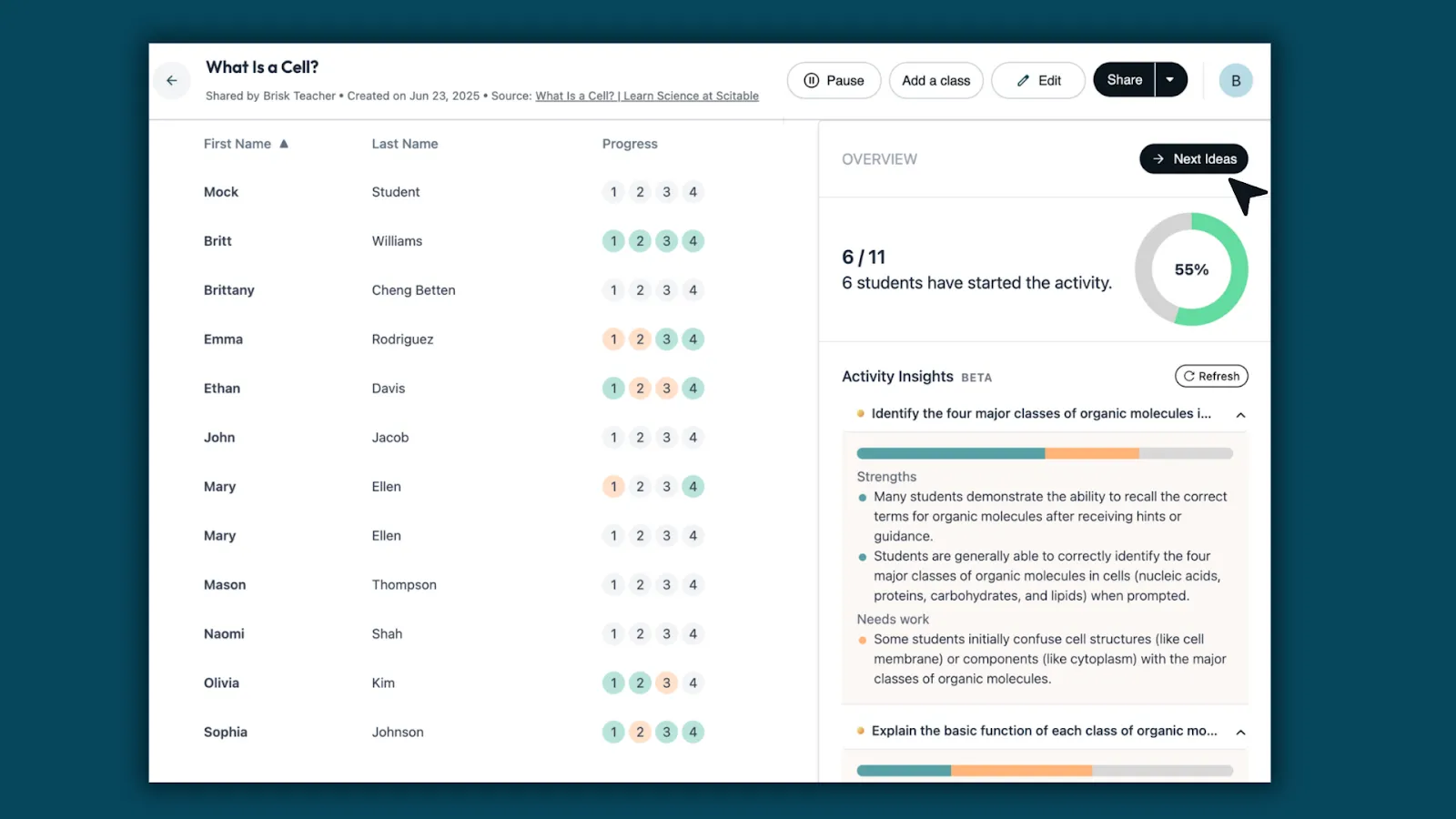
Teachers can review all student whiteboards in one place. Brisk surfaces patterns across the class, showing what students understand, where they need support, and who’s ready to move forward.
Next-level teaching ideas
Based on those insights, Brisk recommends next steps and learning materials — helping teachers decide what to teach next with confidence.
Built for every subject
Boost Whiteboard isn’t tied to one content area, it supports how students think and explain across the curriculum.
- Math: Model strategies, show steps, compare solutions.
- Science: Draw and label systems, show processes, explain cause and effect.
- ELA: Map stories, plan writing, track character thinking.
- Social Studies: Create timelines, compare perspectives, show relationships.
- STEM & Engineering: Sketch designs, label parts, explain how solutions work.
- SEL: Reflect on emotions using drawings or mood maps.
- Music: Map song structure, label instruments, show rhythm patterns.
- Physical Education: Diagram movement, reflect on teamwork, visualize goals.
- Art: Sketch ideas, plan designs, explain creative choices.
- Health: Visualize routines, reflect on habits, show cause and effect.
- World Languages: Visualize vocabulary, map sentence structures, show meaning.
- Career & Technical Education (CTE): Diagram processes, plan workflows, explain decisions.
- Computer Science: Map algorithms, trace logic, explain how code works.
From math to music, Boost Whiteboard gives students a way to think visually and show understanding in any classroom.
Learning in motion
Boost Whiteboard brings student thinking into view while learning is still happening, so support and understanding grow together. Get started with Boost Whiteboard.
* Multi-question whiteboards are available for S&D only.