Three steps to assessment readiness in 2026. Less time building. More learning that lasts.
If you've ever spent a Sunday night manually building review questions, copying them into three different platforms, and hoping your students will actually engage, this guide is for you.
Here's the three-step workflow making review faster to build and more engaging for students — without starting from scratch.
|
Step
|
What It Does
|
Brisk Feature
|
|---|---|---|
|
1. Brisk It
|
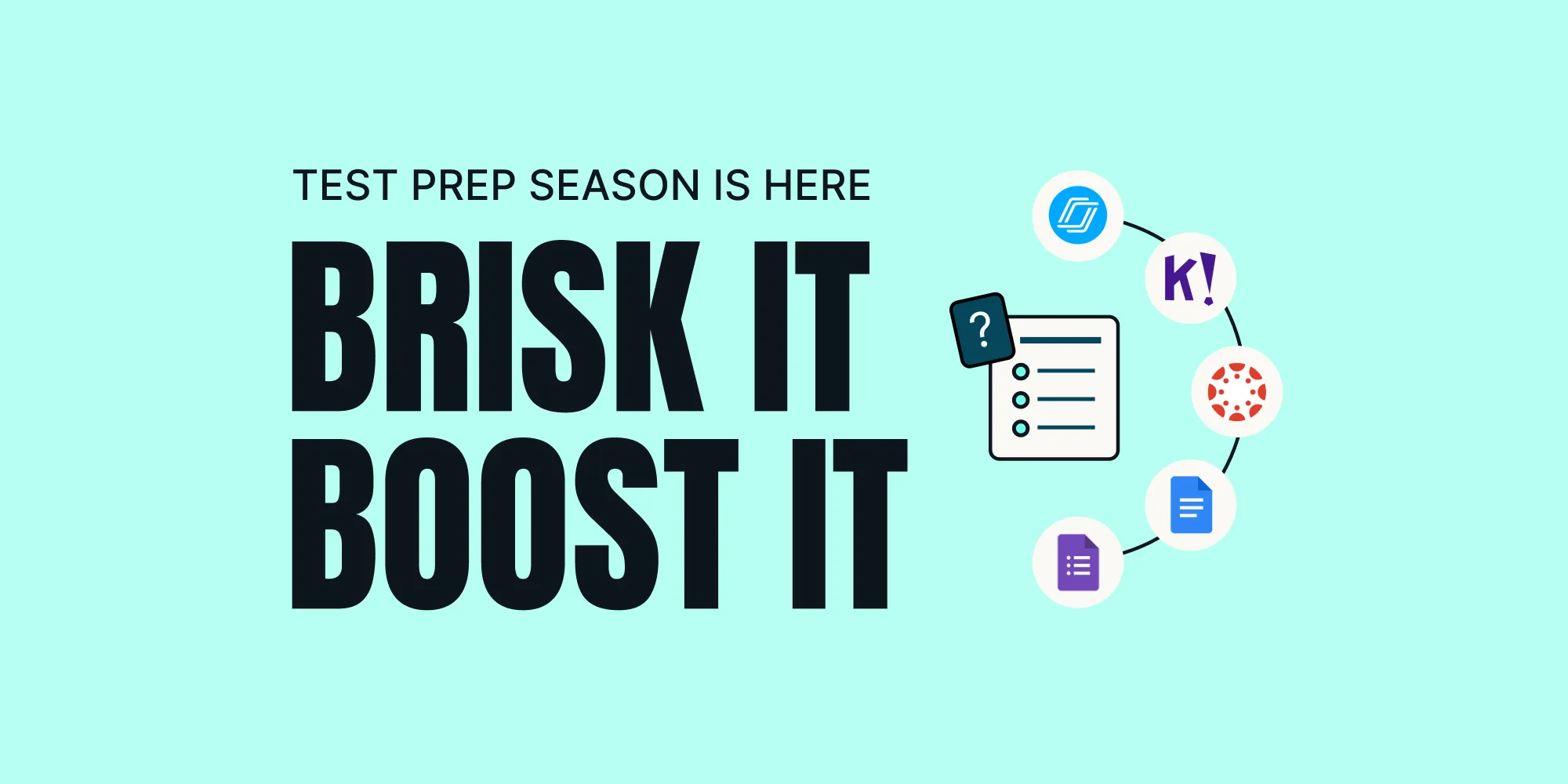
Create a quiz from anything, export to any format your students already engage with
|
Create + 7 Quiz Outputs
|
|
2. Boost It
|
Give every student a personalized review experience
|
Brisk Boost
|
|
3. Analyze It
|
See what students know, where they're stuck, and what to do next
|
Learning Insights
|
Why Most Review Doesn't Stick
Without active reinforcement, most new information is gone within 24 hours. Re-reading feels productive, but it mostly builds familiarity, not actual recall. What works is getting students to actively retrieve what they know, through quizzes, varied formats, and support that keeps them thinking rather than guessing.
The goal of review isn't to cover content again. It's to make students reconstruct what they know. That's what transfers to a test, and sticks past it.
Step 1: Brisk It
The problem: Hours spent rebuilding review materials from scratch, for multiple classes, across multiple formats, on top of everything else. And even when you build it, one format doesn't fit every class.
The shift: The most effective review isn't new content, it's familiar content revisited. When students work through questions built from your own slides, readings, and materials, they're not starting cold. They're reconnecting with something they've already learned. Build it once from what you already have, then send it wherever your students are.
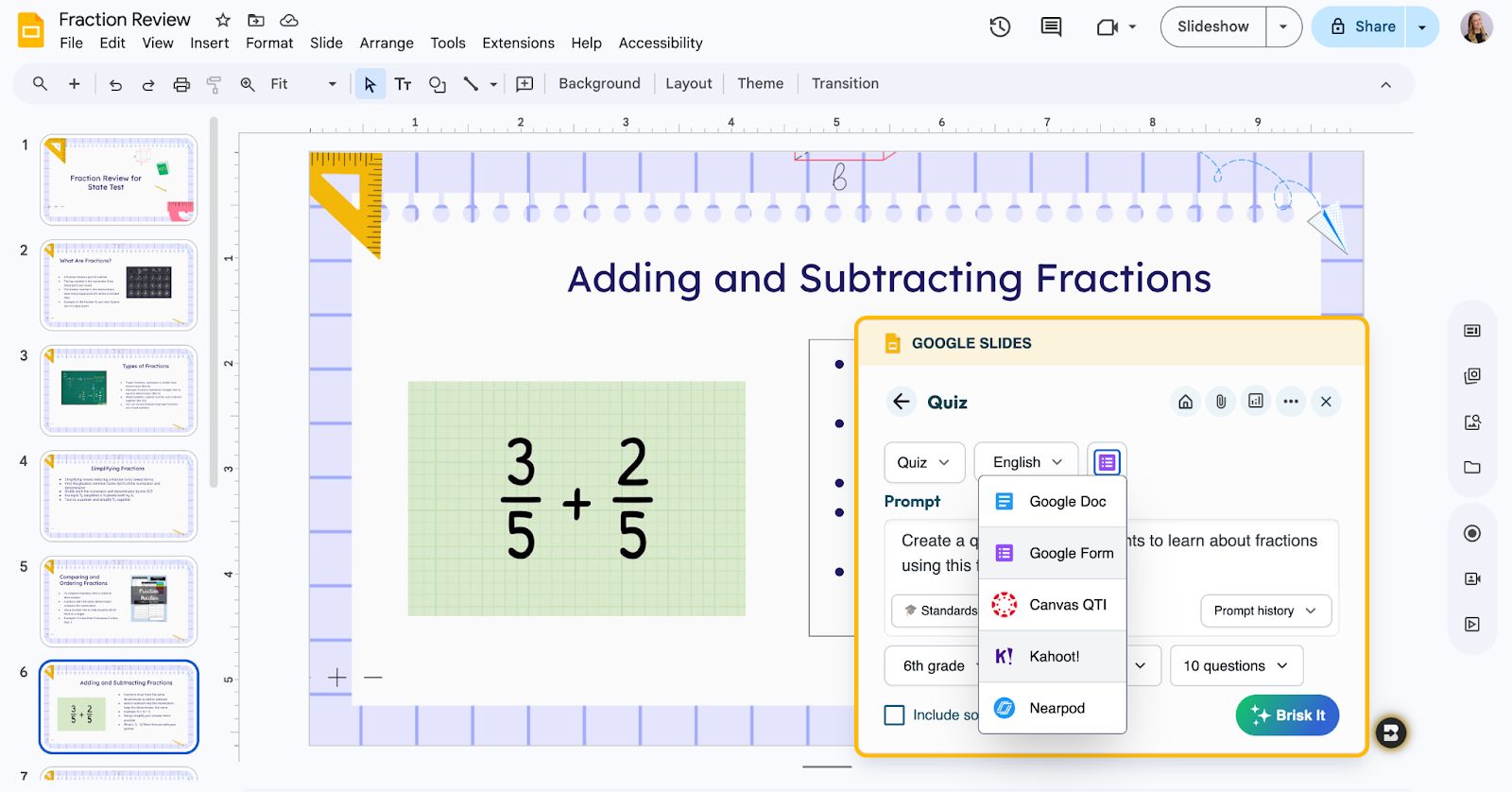
How it works: Open any Google Doc, Slide, PDF, YouTube video, or web article. Generate a standards-aligned quiz in seconds. Choose your quiz output, number of questions, and enter a prompt.
Brisk supports 7 quiz output formats, the broadest connected assessment library of any AI teaching tool.
|
Format
|
Best for
|
|---|---|
|
Nearpod
|
Immersive, interactive review, students respond in real time
|
|
Canvas QTI
|
Assigns directly into Canvas, no reformatting required
|
|
Kahoot!
|
Live game-based warm-ups, great for energy and re-engagement
|
|
Microsoft Forms
|
Independent practice for Microsoft 365 schools
|
|
Google Forms
|
Independent practice, easy to assign and collect
|
|
Google Docs / Microsoft Word
|
Editable or printable versions
|
No blank page. No copy-paste. No switching tabs. All free for teachers.
→ Try Brisk this review season:
Your fractions unit slides are already open. Open Brisk, select Quiz, and choose your output — Google or Microsoft Forms or Docs, Kahoot, Nearpod, Canvas, wherever your students are. Your first period loves competition? Send it to Kahoot. Third period is test-anxious? Push it to Nearpod. Same quiz. Any format. Thirty seconds of work.
Step 2: Boost It
The problem: Students sit down with a review quiz and when they hit a question they don't know, they guess. They move on. The moment a teacher could have caught a misconception just disappears.
The shift: What if every student had a tutor beside them while they worked? Not one that gives them the answer, but one that asks the right question back, breaks the concept down, and keeps them thinking instead of guessing.
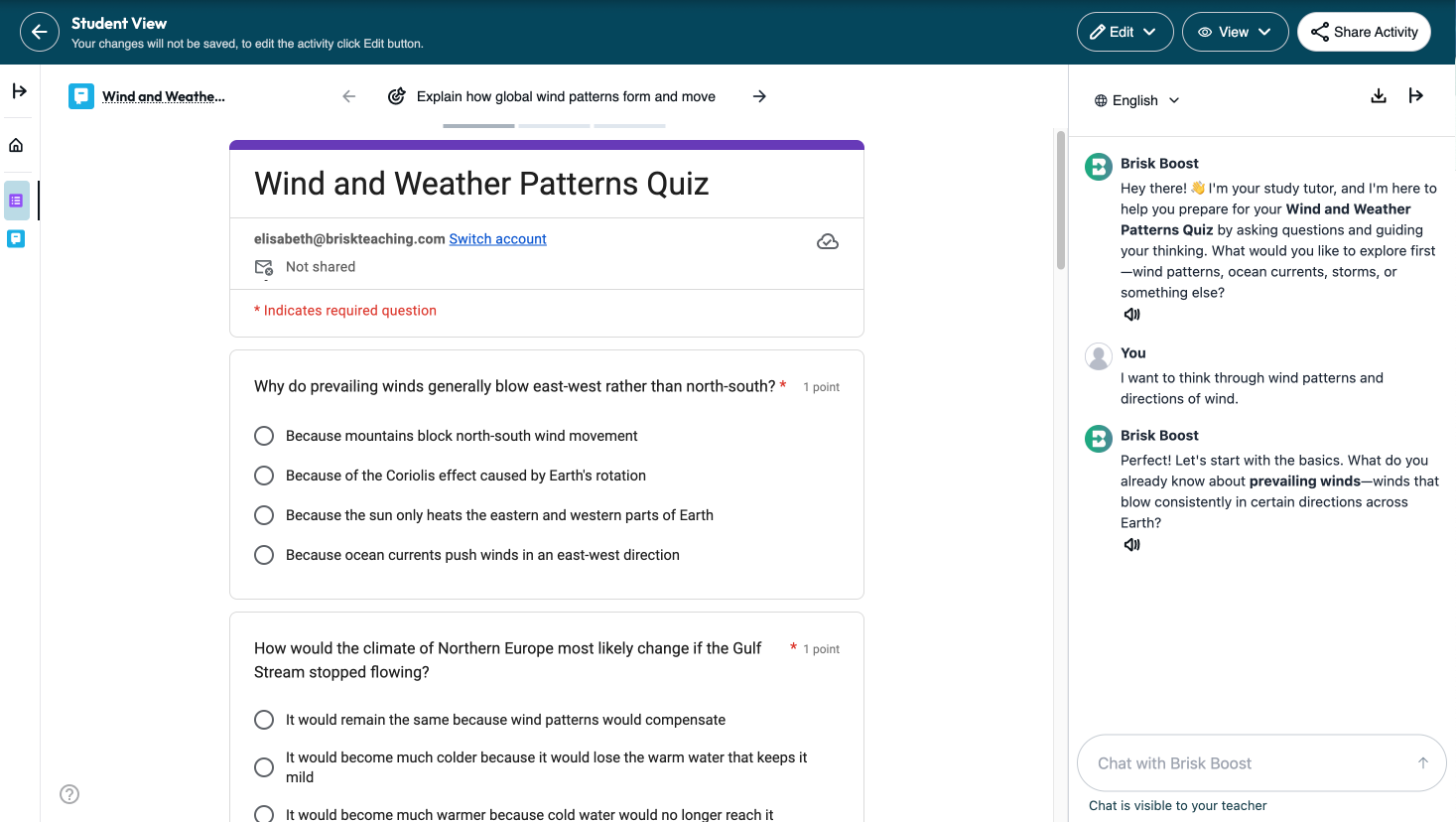
How it works: Once you've generated a quiz, launch it as a Boost Student Activity. Students take the quiz with Brisk Boost open as a chat sidebar. When they're stuck, they can ask for help, and Boost guides them toward the answer through questions and hints, not by handing it over.
Brisk builds in guardrails and scaffolding, and you customize both to fit your class. The chat is visible to you the whole time. After students complete the activity, you get learning insights for each student: who got it, who needs more support, and suggested next steps so your follow-up is targeted.
→ Try Brisk this review season:
When a student opens the activity, the quiz and Boost are already there. They work through questions and when they need support, Boost is ready — asking questions, building on their thinking, keeping them moving forward. Students get support. You stay in control.
Step 3: Analyze It
The problem: Students finish the activity. You have a sense of how it went. But knowing exactly where each student landed and what to do next takes time most teachers don't have.
The shift: What happened after a review activity matters just as much as the activity itself. When you can quickly see where students landed and where gaps still exist, you can adjust instruction before the next lesson, not after the next test.
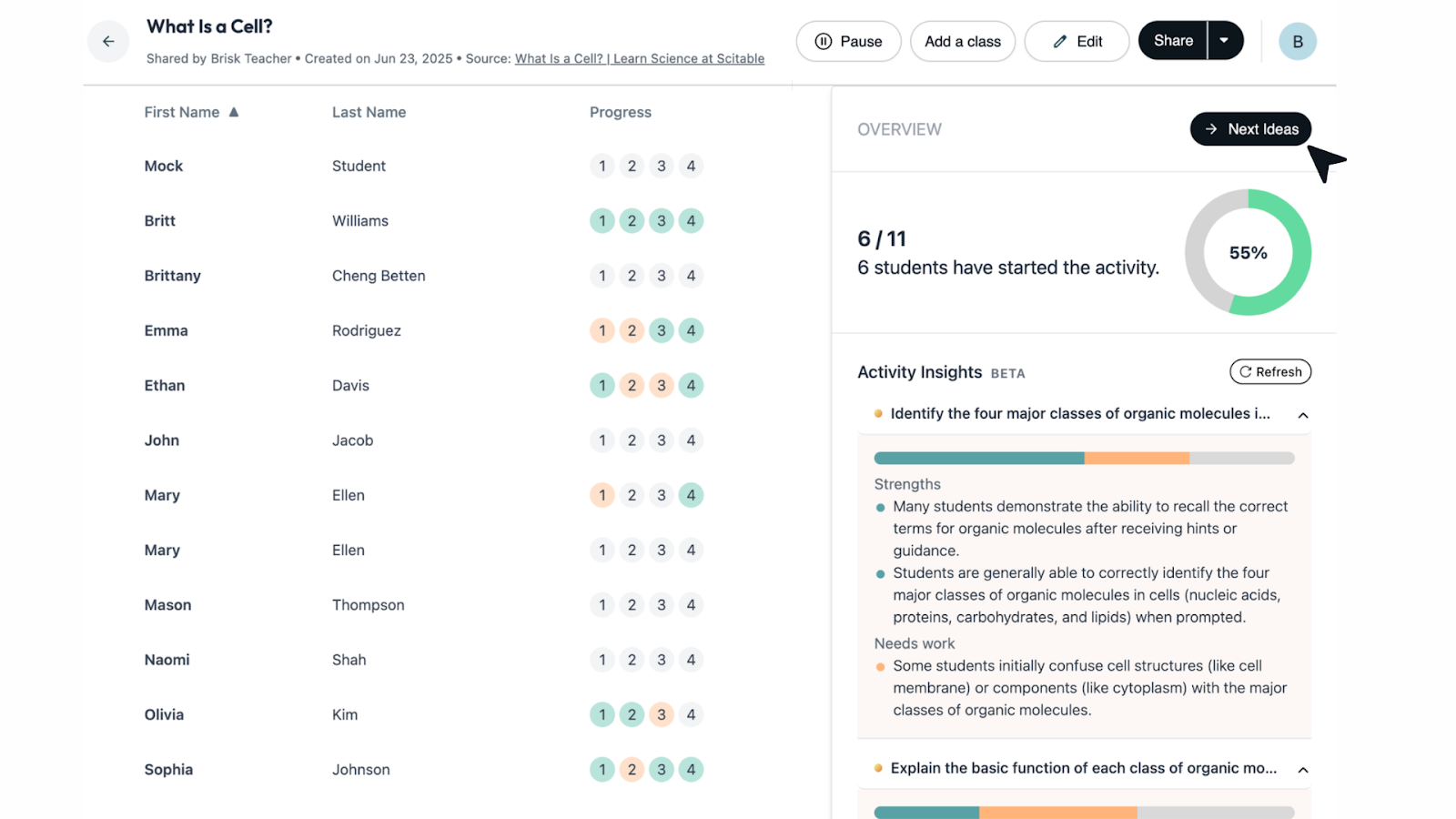
How it works: After students complete a Boost activity, Brisk's Learning Insights gives you a summary of your class's progress — areas of strength, what still needs support, and Next Level Ideas with targeted learning activities aligned to exactly where your students are.
*Learning Insights is available for School and District accounts
→ Try Brisk this review season:
Your class just finished a Boost activity on What Is a Cell. Brisk’s Learning Insights shows 6 of 11 students have completed it. Strengths: most students can identify the four major classes of organic molecules. Needs work: some are still confusing cell structures with organic molecules. Next Ideas is one click away. You walk in tomorrow knowing exactly what to do next.
The Cycle: Brisk It, Then Boost It
When teachers have this picture, the whole school moves forward together. Test prep doesn't have to mean students sitting alone with a worksheet, guessing and moving on. It can be active, supported, and actually useful.
Step 1 — Brisk It: Start from anything, a doc, a slide, a PDF, a video. Generate a quiz in seconds. Choose your format. Assign.
Step 2 — Boost It: Launch as a Boost Student Activity. The quiz and Boost are already there when students open it. Boost guides their thinking without giving away answers. You customize the guardrails. You see student work in progress.
Step 3 — Analyze It: Once students complete the Boost activity, Brisk's Learning Insights gives you a summary of your class's progress: areas of strength and what still needs support. From there, Brisk delivers Next Level Ideas — targeted learning activities aligned to exactly where your students are.
Then repeat. New resource. New quiz. New Boost. Then analyze. Same workflow, every time.
Less time building. More learning that lasts.
Brisk is free for teachers — whether you're new or coming back. All 7 quiz output formats are available at no cost. Brisk Boost is available with a teacher or school account.
Brisk works where you work.