Teaching has always demanded more hours than the school day provides. Planning lessons, creating worksheets, giving feedback on thirty student essays, differentiating lessons for unique learning needs… this quickly builds to more work than teachers reasonably have time for.
In 2026, AI tools have advanced to be able to meaningfully absorb some of that load in specific, practical, time-saving ways:
- A quiz generated in two minutes instead of thirty
- Feedback on a class set of essays before the period ends
- A lesson plan scaffolded to your standards before you've finished your coffee.
This guide is for teachers who want to understand which tools are actually worth their time and how each one can fit into a real classroom workflow. We've covered what each tool does well, who it's best for, and what it costs.
What makes an AI teaching tool worth your time?
Before getting into specific tools, it helps to have a shared standard. A genuinely useful AI tool for teachers should do at least one of the following:
- Save meaningful preparation time (hours, not minutes!)
- Produce outputs that are close to classroom-ready, so you don’t have to spend hours editing something that you may as well have written from scratch
- Work inside the tools you already use, so you’re not trying to incorporate a new tool into your existing workflow
- Understand your students' context, so you can customize to your grade level, subject, and students’ learning needs
- Respect student privacy. FERPA/COPPA compliance is non-negotiable, not a bonus feature
The tools below meet the above requirements and genuinely offer teachers meaningful returns on their time without compromising instructional quality.
The best AI tools for teachers in 2026
1. Brisk Teaching – AI Built Into Your Workflow
Best for: Teachers who want a full suite of AI tools (lesson planning, feedback, differentiation, student engagement) without switching between platforms.
What it is:
Brisk is an AI education platform that works inside the tools you already use: Google and Microsoft Docs, Google Slides, YouTube, Canvas, and many more.
The core of what Brisk does maps to four things teachers do constantly:
- Create instructional materials
- Review and give feedback on student work
- Personalize learning for students
- Plan what's next based on where your class actually is
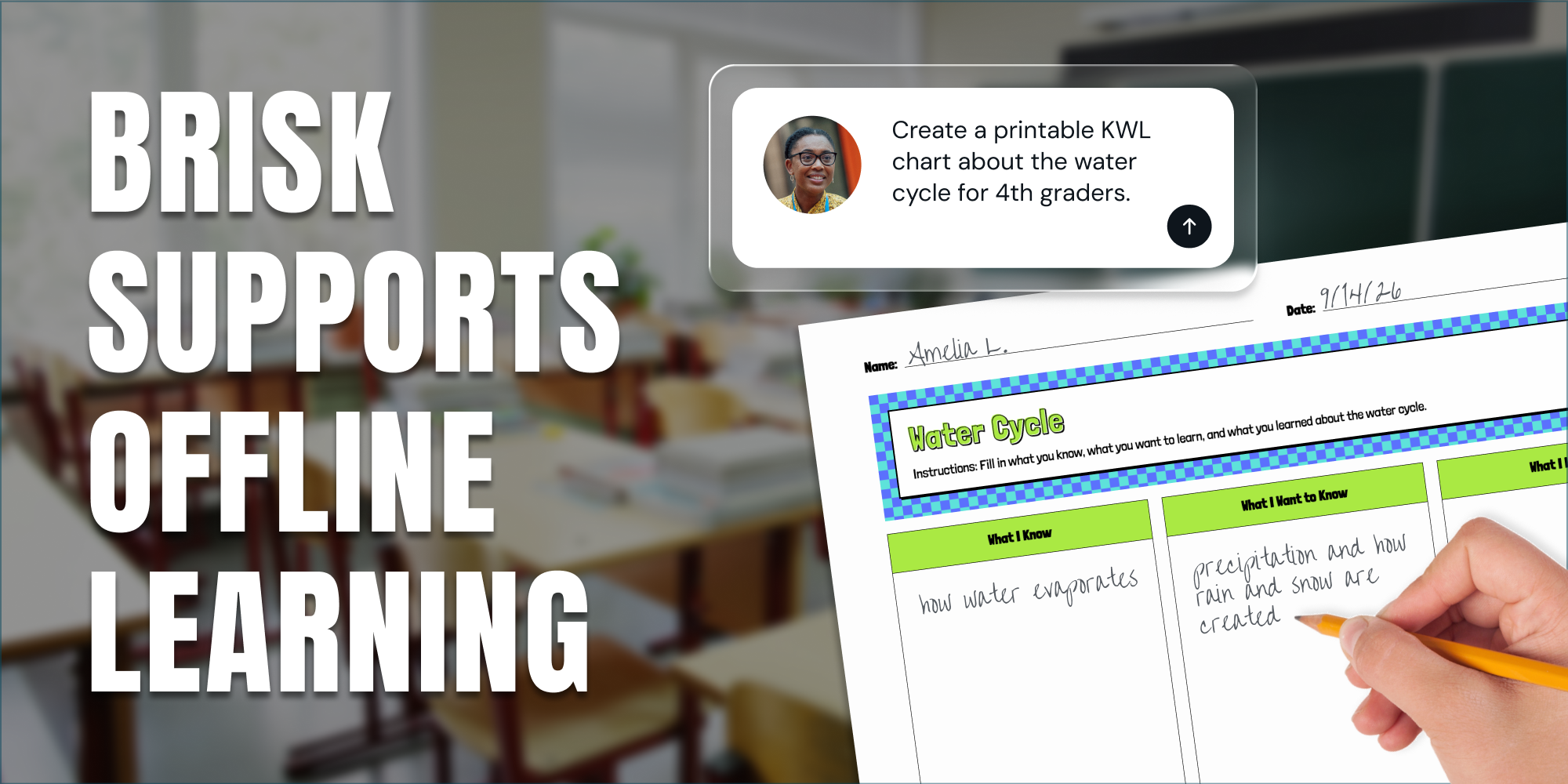
Brisk can generate a quiz, give essay feedback to your whole class at once, rewrite a passage at a different reading level, or build out a full lesson plan in seconds and within your existing toolkit. What separates Brisk from general AI tools is that it can use PDFs, articles, online textbooks, and videos to inform what it produces.
Brisk Boost, the student-facing side of the platform, gives students a safe AI workspace where teachers stay in control. Teachers can take any resource on the web and personalize it for each learner, while getting real-time visibility into student engagement and understanding. And Brisk Next, Brisk's planning hub, uses real data from your classroom to suggest what to teach next, so planning decisions come from evidence rather than gut feel.
Brisk holds a 93% Common Sense Privacy rating (the highest among education tools) and is FERPA, COPPA, and GDPR compliant.
One caveat: the Brisk extension runs in Chrome and Microsoft Edge only. If your school uses a different browser, the extension won't work. You’ll also need access to Google or Microsoft tools in order to create instructional materials. However, Brisk Next and Brisk Boost are both web-based and work on any device.
Pricing: Brisk’s Educator Free plan is free for teachers forever and includes access to 35+ tools with usage limits. No credit card required. For more usage and extra tools, teachers can purchase Educator Pro for $14.99. Brisk’s Schools & Districts plan has custom pricing.
Get started with Brisk for free →
2. Gemini – Google's AI Assistant, Made More Useful for Teachers
Best for: Teachers already working in Google Workspace who want an AI assistant that understands their documents, not just their prompts.
What it is:
Gemini is built directly into Google's suite, which means it shows up inside the tools you're already working in. In Gmail, it can draft parent communications. In Google Docs, it can help you write, summarize, or rework what's on the page. In Google Slides, it can generate speaker notes or fill out a slide you're building. You're not switching tabs — the assistance is inline.
The context window is large, which is useful for teachers who need to work with dense material: paste in a full curriculum guide, a long research paper, or several student essays, and Gemini can synthesize across all of it at once. That makes it particularly practical for pulling learning objectives from a standards document or identifying themes across multiple readings.
The limitation is that Gemini is general-purpose. As of May 2026, it doesn't know your grade level, subject, or students unless you spell it out, so the quality of output depends heavily on the quality of your prompts. For teachers who want an AI that already understands classroom context without extra work, a purpose-built tool will feel more immediately useful.
Pricing: Gemini is free with a Google account. Gemini Advanced requires a Google One subscription.
.
💡Tip: Use Brisk with Gemini to enhance your prompts with grade-level framing, standards, and scaffolding automatically.
3. Google NotebookLM – AI for Reading, Research, and Sense-Making
Best for: Teachers in content-heavy subjects who need to process dense reading material quickly, or anyone building resources from primary sources
What it is:
NotebookLM lets you upload documents – textbooks, PDFs, curriculum guides, research papers, Google Docs – and then ask questions about them, generate summaries, pull key vocabulary, and create study guides grounded in exactly what you uploaded rather than the broader internet. It's useful for getting oriented in unfamiliar content quickly, or for building resources from primary sources without reading everything cover to cover.
For unit planning, the workflow is straightforward: upload the chapter or source material, ask for the key concepts, suggested discussion questions, and a vocabulary list, and you have a working starting point in a few minutes. The Audio Overview feature generates a conversational summary of uploaded documents, which some teachers have found useful as a student review tool.
As of May 2026, NotebookLM doesn't generate lesson plans, align to standards, or build structured assessments. Its scope is comprehension and synthesis, helping you and your students understand and work with material that would otherwise take longer to process.
Pricing: NotebookLM is free with a Google account. NotebookLM Plus is available through Google One AI Premium.
4. Canva for Education – Visual Content Creation for Every Classroom
Best for: Teachers who create a lot of visual materials (classroom displays, worksheets, presentations, infographics) and want them to look professional without spending hours on design
What it is:
Canva for Education is free for eligible K-12 teachers, and it's earned its place in millions of classrooms by making design genuinely accessible. The drag-and-drop interface, thousands of education-specific templates, and AI features like Magic Write (for generating text) and text-to-image (for generating visuals) mean that creating a polished handout, a classroom anchor chart, or a visually engaging presentation is now a matter of minutes rather than hours.
What Canva does particularly well is visual differentiation: it's easy to create multiple versions of the same resource at different complexity levels, adjust layouts for different print formats, and build materials that look engaging. The AI features help generate starting points, but the real strength is the template library and the ease of editing.
The important caveat is that Canva is a design tool, not a curriculum tool. As of May 2026, it doesn't digest learning objectives, can't align to standards, and won't generate pedagogically sound content on its own. You supply the instructional thinking and Canva helps you present it well.
Pricing: Canva for Education is free for verified K-12 teachers and their students.
5. Kahoot! – Engagement and Formative Assessment Through Games
Best for: Teachers who want to check for understanding in real time, boost participation, and make review sessions feel less like review sessions
What it is:
Kahoot! runs game-based quizzes where students join from any device, answer timed questions, and see a live leaderboard. The format tends to generate participation because of the competitive element. The live results view shows you which questions the class got wrong, so you can see in real time where understanding broke down.
The platform has expanded beyond the classic live game format to include self-paced challenges and homework assignments. The existing quiz library is large, and you can edit any quiz or build from scratch.
Pricing: Kahoot! has a free plan for teachers with basic game features. Kahoot! EDU plans start at $17/month.
💡Tip: With Brisk, you can turn any content on the web (a YouTube video, a Google Doc, a PDF) into a Kahoot! quiz without leaving your browser.
6. Nearpod – Interactive Presentations and Real-Time Formative Assessment
Best for: Teachers who want to embed formative checks, collaborative activities, and discussion prompts directly inside their lessons
What it is:
Nearpod adds an interactive layer to presentations. Instead of slides students watch passively, a Nearpod lesson has polls, short-answer questions, drawing activities, and collaborative boards built directly into the flow; you see every student's response in real time as it comes in. You can build lessons from scratch or import existing Google Slides or PowerPoint decks and add interactivity on top.
The lesson library includes thousands of pre-built lessons across subjects and grade levels, which is useful if you want a starting point rather than building everything yourself. The core value of Nearpod is visibility: you know what students understood and what they didn't while you're in the room.
Pricing: Nearpod has a free plan with core features and a 50-student capacity. Gold and Platinum plans are available for expanded features.
💡Tip: Brisk can generate curriculum-aligned quizzes and send them straight to Nearpod, ready to assign.
Comparison Table: A side-by-side view
How do you choose the right AI tools for your classroom?
The most common mistake teachers make when exploring AI tools is trying to adopt everything at once. Two or three tools that genuinely fit your workflow will save more time than six that you use occasionally.
A practical approach is to start with the task that takes the most time out of your week. If it's feedback on student writing, start with Brisk's Give Feedback feature. If it's creating visually engaging worksheets, start with Canva for Education.
Once one tool is part of your routine, see where there’s room to save even more time.
The bottom line
The best AI tools for teachers are the ones that save meaningful time on preparation work, produce outputs that are close to classroom-ready, and fit into the workflow you already have, rather than asking you to rebuild your routine around them.
The tools above cover the full range of what teachers actually spend time on: building materials, giving feedback, engaging students, creating visuals, checking for understanding, and processing content. You don't need all of them. But most teachers who find the one or two that fit how they work don't end up going back!