.webp)
.webp)
Brisk gives you tools to return high-quality feedback on assignments the same day — saving hours without lowering the bar.
Save Time - Everywhere You Work
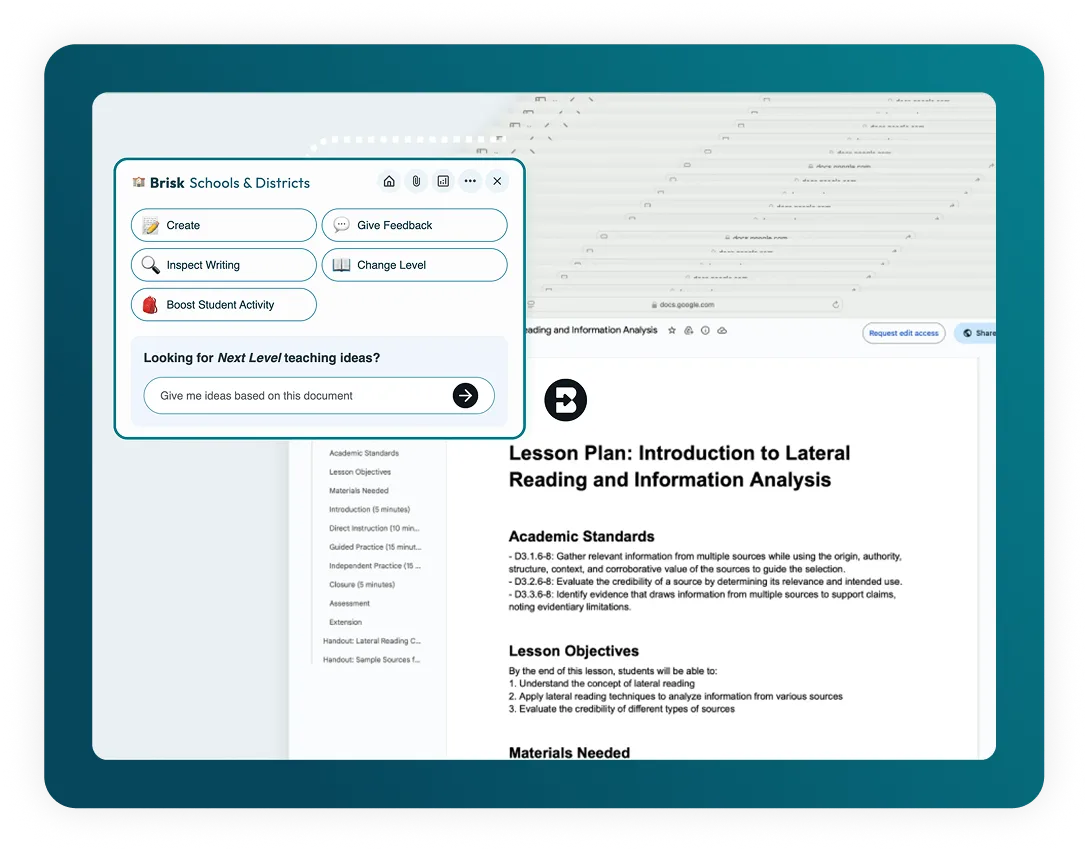
Brisk Teaching fits seamlessly into your Chrome workflow.
Pin Brisk to your Chrome toolbar for quick, easy access. Once you have the extension installed, Brisk works wherever you are, so no more jumping between apps - stay focused and productive.
Works with Your Favorite Tools
Open resources like YouTube videos, web articles, or PDFs in your Chrome browser, and instantly generate and manage instructional materials in Google Docs, Slides, Forms, or Classroom.
Automatic Google Drive Sync
Everything you create with Brisk saves directly to Google Drive, with no exporting or copying needed.
📊 KI-Quiz-Ersteller
Erstellen Sie Quizfragen in Google Forms und Docs mit eingebetteten Antwortschlüsseln.
Feedback zu den nächsten Schritten
Geben Sie Feedback zum Unterricht in den nächsten Schritten, um die nächste Phase der Arbeit der Schüler zu skizzieren.
✨ Feedback zu Glow & Grow
Bieten Sie „Glow & Grow“ -Feedback an, um Stärken und Wachstumsbereiche hervorzuheben.
💻 KI-Präsentationsersteller
Erstellen Sie Google Slides-Präsentationen aus einer beliebigen Idee, einem Artikel, einer Website oder einem Video.
Brisk Boost (Chrome Extension)
With Brisk's student-facing Boost Chrome extension, available exclusively to Schools and Districts partners, students can generate detailed, targeted feedback on their own work.