All Blog Posts

5 Steps to Teach Civil Discourse with Brisk

One of a teacher’s most important roles is preparing students to engage thoughtfully and respectfully in discussions. Teaching civil discourse skills is essential for developing informed, engaged citizens who can discuss complex issues productively.

It can also feel overwhelming to facilitate discussions about current events in a way that strengthens the connections among students rather than undermining them. Brisk and Boost can help every step of the way and make it fun for you and your students.

Here are a few examples:

1. Create ground rules for classroom discussions:

Blank Google Doc>Brisk>Create>Something Else> select your grade level & standards 

Prompt: “Create ground rules for having civil discourse during class discussions.”

Ground Rules 

2. Teach Essential Discussion Skills

Explicitly teach skills like active listening, asking clarifying questions, and disagreeing respectfully. Provide sentence stems students can use to voice differing opinions constructively, such as:

• “I feel that....”

• “I suggest that....”

• “I would like to add....”

• “I respectfully disagree with ___ because ____.”

• “I have a different idea about that....”

3. Generate low-stakes topics to practice discussions:

Blank Google Doc>Brisk>Create>Something Else> select your grade level & standards 

Prompt: “Create ten low-stakes discussion topics for my class to practice sharing opinions respectfully”

Low-Stakes Discussion Topics

4. Boost an activity for students to practice discussion skills

Open an online resource on the topic of homework. It can be an article, video, or PDF like this one from Time for Kids. > Brisk > Boost student activity > Debate > select grade level and standards > Brisk It > Preview > Share with students > Select a class > Share  

Then monitor students’ progress toward learning goals.

5. Build Background Knowledge about elections

Select a topic around the elections such as the Electoral college. Select an online resource on the topic you choose. It might be your online social studies curriculum, an article, PDF or video like this one from PBS Learning, What is the Electoral College? You may want to create a presentation, a worksheet, or DOK questions for a discussion about the electoral college or Boost the video to students as a Pulse Check, Debate, or Tutoring experience. 

Electoral College Depth of Knowledge Questions

Conclusion

By explicitly teaching civil discourse skills, we equip our students to thoughtfully engage with diverse perspectives and complex issues. These abilities will serve them well not just in school, but as active participants in our democracy. Remember that civil discourse is challenging even for adults. Be patient with your students (and yourself) as you work to create a classroom culture of respectful, evidence-based dialogue. The skills you're nurturing are vital for students to develop their voices, build critical thinking skills, and strengthen their communities.

Latest Posts

Latest from the Brisk Blog

Explore practical articles for K–12 educators, from classroom-ready strategies to thoughtful guidance on using AI in ways that support real teaching.

Library shelves filled with books
September 14, 2026
Brisk Features

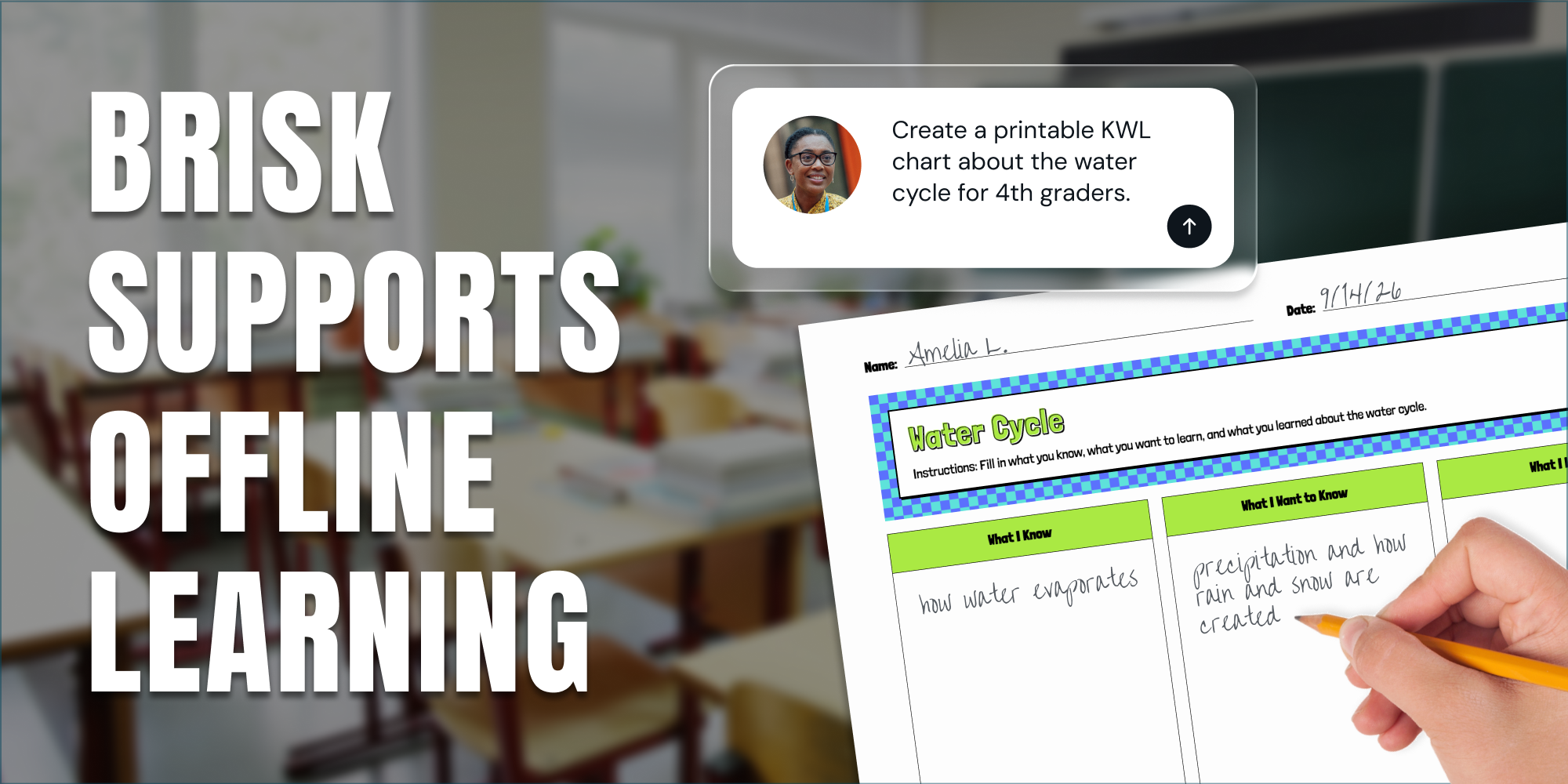
Print It, Project It, or Skip the Screen: How Brisk Fits Any Classroom

Brisk provides teachers with a variety of ways to support student learning, even when they’re focused on scaling back screen time in their classrooms.

Library shelves filled with books
August 14, 2026
Thought Leadership

Brisk in New White Paper on AI's Instructional Impact

Brisk founder Arman Jaffer shares his key takeaways from Whiteboard Advisors’ new white paper on measuring the instructional impact of AI in the classroom.

Library shelves filled with books
July 27, 2026
Tips for Teachers

60 Get-to-Know-You Questions for Students (For Every Grade)

60 get-to-know-you questions for students, organized by category and grade — plus, easy ways to use them for icebreakers, morning warm-ups, and first-day connection.

Library shelves filled with books
8
min
October 17, 2024
Social Studies Resources

A Fifth Grade Lesson on Elections and Voting Process in the U.S.

Teaching about elections and the voting process provides students with an opportunity to engage with one of the most essential aspects of civic life. This lesson promotes inquiry-based learning, allowing students to ask questions, research, and develop a deeper understanding of how elections work and why they matter. As educators, we can empower our students to explore these processes critically and collaboratively. Through group discussions and research activities, students will learn how elections ensure a representative democracy and the importance of participating in this process.

Why Students Need to Understand Voting and Elections to Become Engaged Community Members

Teaching students about voting and elections helps them develop a strong sense of civic responsibility. When students understand how elections work and why voting matters, they learn that their participation can influence real change in their community. This knowledge encourages critical thinking, respect for different viewpoints, and the importance of staying informed. Ultimately, students who grasp the value of voting are more likely to become active, engaged citizens who contribute positively to society.

Creating a Lesson Plan in 2 Minutes with Brisk: Step-by-Step Guide

Step 1: Install the Brisk Extension and pin Brisk to your browser toolbar.

Step 2: Open up a blank Google Doc and click the Brisk Chrome extension (“B” icon) in the bottom right corner of your screen.

Step 3: Click the ‘Create’ button and then click ‘Lesson Plan’.

Step 4: In the text box, type: “Election and Voting Process Inquiry-Based Lesson Plan ”

Step 5: Select the appropriate Grade level and Standard (optional).

Lesson Plan: Elections and the Voting Process in the US

Grade Level: 5th Grade

Duration: 50 minutes

Topic: Elections and the Voting Process in the US

Lesson Type: Inquiry-Based Learning

Common Core Standards:

- CCSS.ELA-LITERACY.RI.5.1: Quote accurately from a text when explaining what the text says explicitly and when drawing inferences from the text.

- CCSS.ELA-LITERACY.RI.5.2: Determine two or more main ideas of a text and explain how they are supported by key details; summarize the text.

- CCSS.ELA-LITERACY.W.5.7: Conduct short research projects that use several sources to build knowledge through investigation of different aspects of a topic.

Objectives:

- Students will understand the basic concepts of elections and the voting process in the United States.

- Students will engage in inquiry-based learning by asking questions and conducting research.

- Students will summarize their findings and present them to the class.

Materials Needed:

- Whiteboard and markers

- Chart paper and markers

- Access to books and articles about elections (print or digital)

- Inquiry question handouts

- Sticky notes

Lesson Structure:

Introduction (10 minutes)

1. Hook: Start with a question: "What do you think makes an election fair?" Allow students to share their thoughts.

2. Discussion: Write responses on the whiteboard. Introduce key terms: election, voting, candidates, ballot, democracy.

3. Objective Sharing: Explain that today they will explore the voting process and why it is important.

Inquiry-Based Activity (30 minutes)

1. Form Groups: Divide students into small groups of 4-5.

2. Inquiry Questions: Provide each group with a set of inquiry questions to guide their research. Examples:

   - What is the purpose of an election?

   - How do people vote?

   - What are the steps in the voting process?

   - Why is it important to vote?

3. Research Phase:

   - Allow groups to use books, articles, or online resources to find answers to their questions.

   - Encourage students to take notes and highlight key information.

   - As they research, have them write down any new questions that arise on sticky notes.

4. Group Discussion: After 20 minutes of research, have each group discuss their findings and prepare a summary to share with the class.

Presentation and Reflection (10 minutes)

1. Group Presentations: Each group shares their findings with the class (2 minutes per group).

   - Encourage them to use chart paper to illustrate their points if time allows.

2. Class Discussion: After all presentations, facilitate a class discussion on the importance of voting and how it affects their lives.

3. Reflection: Ask students to reflect on one new thing they learned about elections and why it matters. They can write this on a sticky note and place it on a designated "Voting Wall" in the classroom.

Conclusion (5 minutes)

1. Wrap-Up: Summarize the key points discussed in class. Reinforce the importance of participating in elections.

2. Exit Ticket: Ask students to write one question they still have about elections on an index card to be collected as they leave.

Assessment:

- Observe group participation and engagement during research and presentations.

- Review sticky notes from the reflection activity to gauge understanding and interest.

- Collect exit tickets to identify any remaining questions or misconceptions.

Extensions:

- Consider inviting a local election official to speak to the class about the voting process.

- Organize a mock election in the classroom to provide hands-on experience with voting.

Use Brisk to Customize This Lesson Plan in Just a Few Clicks

Here’s how to modify this lesson plan in seconds:

Step 1: Install the Brisk Extension and pin Brisk to your browser toolbar.

Step 2: File > Make a copy of the lesson plan.

Step 3: Click the Brisk Chrome extension (“B” icon) in the bottom right corner of your screen.

Step 4: Click the ‘Something Else’ button.

Step 5: Type in the text box and ask Brisk to adjust the lesson plan for your students. The more specific you are, the more tailored your lesson plan will be!

This will be a great introduction lesson for your fifth-grade students and prepare them for the election and future elections. 

Library shelves filled with books
8
min
September 30, 2024
Thought Leadership

Best Practices for AI Literacy in Education: Empowering Students, Teachers, and School Leaders with Brisk

As AI continues to become more prevalent in the world, ensuring AI literacy is essential in schools. Students, teachers, and school leaders who have the skills to navigate and use AI responsibly will experience greater educational outcomes and be more equipped to handle the technology of the future. With Brisk Teaching, this process can be simple and effective for everyone! Continue reading to learn all you need to know about the best practices for AI literacy while using Brisk. 

AI Literacy Explained

AI literacy refers to the knowledge and skills needed to think critically about AI tools and use them in safe and ethical ways. 

As an AI-powered Chrome extension, Brisk allows you to easily promote AI literacy among students, teachers, and school district administrators. Brisk’s integrated security practices and safeguards enable students to engage with AI in a monitored environment while ensuring adults in the school can use these tools with confidence and responsibility. 

Digital Equity

To address AI literacy, one should consider the importance of digital equity. Every student and teacher deserves access to AI tools regardless of their background or socioeconomic status!

Brisk was designed with accessibility in mind. For starters, Brisk is free for all teachers! Most features are available with the free plan, so no teacher loses out on opportunities to save time and increase productivity. As teachers experience the advantages of Brisk, their students can benefit from these perks as well. 

Brisk also provides free professional development materials. It’s easy to use and adjust when needed— supporting equal access for all!

Using Critical Thinking & The 80/20 Rule

One of the best ways to ensure AI is used effectively is to implement critical thinking and the 80/20 rule. 

Critical thinking is irreplaceable, even when using the most innovative AI technology found with Brisk. Training teachers (and students) to analyze and judge the work generated by AI is essential because, let’s face it, even the best AI tools can make mistakes, too!

Consider critical thinking questions such as these:

  • Are there any biases within the content?
  • What credible evidence supports this information?
  • Is there anything I already know contradicting this information or that wasn’t included?

By preparing educators and students to think critically, you position them to expect to complete a portion of the work themselves— this is the 80/20 rule. Brisk can complete 80% of the work, but individuals should perform 20% by finalizing the content with their personal touch and expertise.

Best Practices for AI Literacy

AI literacy may look a little different for students, teachers, and districts, but it’s necessary across all levels of education:

AI Literacy for Students

When considering best practices for AI literacy and students, It’s important to help students set clear goals. Teach them to critically evaluate and consider their desired goal of using an AI-powered tool before diving in with one such as Brisk. Inform them of the 80/20 rule and demonstrate how to put it into action.  

Show students how AI tools integrate with traditional learning methods like peer feedback, research platforms, and memorization.

Brisk Boost

Brisk Boost is a great option to introduce to students and aid in teaching AI literacy! The student-facing tool from Brisk Teaching was created as a direct result of feedback from real teachers who have used (and loved!) Brisk. It allows students to interact creatively and safely with AI-powered learning activities. With this tool, teachers can monitor student engagement with the content in real time. This ensures total transparency and a focused learning environment as students learn how to responsibly engage with AI. 

As students learn to participate with AI safely and responsibly, learning experiences are enhanced!

*The web version of Brisk Boost is free, while the student-facing Chrome extension is a premium offering for schools and districts.

AI Literacy for Teachers

Teachers can lead by example when it comes to AI literacy. Brisk is designed to make AI integration simple, as it lives exactly where teachers are already working within Google Chrome. 

To maximize AI in the classroom with Brisk, teachers can:

  1. Embrace AI for routine tasks
  2. Utilize professional development
  3. Collaborate easily with students

Brisk can handle timely and mundane teaching tasks like generating slideshows, providing essay feedback, and creating lesson plans. By spending less time on these tasks, teachers can return to doing what matters most— building relationships with students and sharing their expert knowledge.

The professional development options provided by Brisk help teachers stay up-to-date with Brisk’s features as they confidently and responsibly incorporate AI into their classrooms. 

Collaboration with students can also become more seamless by using Brisk to give personalized feedback and provide opportunities for increased classroom community through icebreakers and AI-generated discussion prompts. 

AI Literacy for Schools and Districts

As a district leader, your role in promoting AI literacy is of utmost importance! By modeling this skill, you can help create a forward-thinking and efficient learning environment for students and teachers alike. 

Brisk helps you:

  • Empower teachers as they save time and increase productivity
  • Use data-driven insights to make informed decisions
  • Prioritize privacy
  • Boost student engagement

Brisk for schools and districts is truly the best choice for leaders who want to maximize their staff’s efficiency and effectiveness. You can be confident that the content your teachers create with Brisk is aligned with state and national standards, so your teachers are always on target, and your students are engaged in high-quality learning.

The top-level and detailed reports track usage, progress, and more— allowing you to make data-driven decisions for your school communities. 

Student and teacher privacy is another necessary component of AI literacy! Brisk works with districts to create custom privacy agreements to meet all local regulations and privacy needs. 

Embrace AI Literacy with Brisk

Are you ready to take your next step toward embracing AI literacy within your district?

Book a demo today to learn more about how Brisk can transform the classrooms and schools you lead. 

AI literacy is vital to current and future education, and Brisk provides the tools you need to implement AI safely and responsibly in your schools. Be confident that you are creating an equitable and efficient educational environment for students, teachers, and your district by implementing these best practices for AI literacy.

Library shelves filled with books
8
min
August 12, 2024
Back to School

Build Classroom Community This School Year with the Help of AI

It's no secret that building community in your classroom is essential to creating a positive and effective learning environment. Connecting with students is a must on every teacher's list at the start of a new school year.

It's no secret that building community in your classroom is crucial for creating a positive and effective teaching environment. Connecting with students is a must-do on every teacher's list at the beginning of a new school year.

Creating a supportive classroom community has helped increase my student engagement and expand their social-emotional skills.  Understanding each student’s unique needs and motivations has made our learning environment more positive and effective.

Educational technology is one thing I'll be using to help build our classroom community this fall. I recently started using Brisk AI to generate get-to-know-you activities for my students. I've been incredibly impressed with how user-friendly this AI platform is for teachers.

Interactive Get-To-Know-You Ideas

One of the keys to building a classroom community with students is keeping them engaged and excited about learning.

Remember those first-day jitters at the start of the new school year? A quick way to get students comfortable is with get-to-know-you activities. 

With Brisk AI, teachers can create several interactive get-to-know-you activities in minutes. You’ll first need to install the free Brisk Teaching Chrome Extension

ACTIVITY 1: Who’s Who! Class Book

  1. Open up a blank Google slide deck to get started.
  2. Click on Brisk in the bottom right corner of your screen.
  3. Click ‘Create’.
  4. Click ‘Presentation’.
  5. Type into the text box: “Create a class book where students can share all about who they are and their favorite things.”
  6. Watch the class book create in seconds!
  7. Print out your book or have students complete it digitally inside Google Classroom at the start of the year and help students learn about their classmates.

ACTIVITY 2: Get-to-Know-You Jeopardy

  1. Open up a blank Google doc to get started.
  2. Click on Brisk in the bottom right corner of your screen.
  3. Click ‘Create’.
  4. Click ‘Quiz’
  5. Type into the text box: “Create a get-to-know-you jeopardy game that includes categories and questions based on hobbies, dream jobs, favorite books/movies, etc. Ensure the jeopardy encourages student sharing and builds classroom community around common interests”.
  6. Watch the Get-to-Know-You jeopardy create in seconds!

ACTIVITY 3: Choose Your Adventure Story 

  1. Open up a blank Google doc to get started.
  2. Click on Brisk in the bottom right corner of your screen.
  3. Click ‘Create’.
  4. Click ‘Something Else’
  5. Type into the text box: “Create a choose your own adventure book. Provide different scenarios for students to make choices that lead them to different outcomes. Weave the get-to-know-you element into the storyline by including scenarios where students learn fun facts about each other, guess hobbies, and make decisions on how to navigate social situations, like finding a buddy for a project based on shared interests.
  6. Watch the Choose Your Adventure story create in seconds!

ACTIVITY 4: Olympics-Inspired Class Rules Presentation

  1. Open up a blank Google slide deck to get started.
  2. Click on Brisk in the bottom right corner of your screen.
  3. Click ‘Create’.
  4. Click ‘Presentation’.
  5. Type into the text box: “Create a presentation with 5 classroom rules for our 6th-grade science classroom. Each rule should be themed around Olympic Athletes. Include the following rules: Respect Others, Be Prepared, Stay Focused, Learn from Hard Challenges, Celebrate Each Other.”

These added touches will keep learning from becoming a snooze-fest and increase student engagement and participation!

Add in Student Interests and Needs:

Every student is unique. Their educational content should be, too! Some of your students are into books, some can't get enough of sports, and others might be all about video games or art. The cool part about using AI in class is that it lets you mix things up so that learning feels just right for each student.

Brisk AI quickly helps teachers create, adjust, and differentiate educational content to fit students' personalized learning needs and interests. It lets you tweak lessons to match your specific state standards and students' abilities, making them perfect for everyone. 

Customize the pace of your curriculum by asking Brisk AI to break the tasks down into smaller steps or offer ideas for accommodations and small groups.

  1. Open your lesson plan in Google Drive and tap the Brisk Icon in the bottom corner of your screen.
  2. Choose the ‘Lesson Plan’ feature and enter the grade level and how long the lesson should take. You can also add specific features the lesson plan should have, such as a pacing guide that breaks the lesson down over 5 days or extension activities for gifted learners.

Use Brisk’s ‘Change Level’ feature to change the complexity of a text to help learners better understand the content.

  1. Select a text you want to use in your lesson from your Google Drive or an online resource.
  2. Tap the Brisk Icon in the bottom corner of your screen.
  3. Use the ‘Change Level’ feature on Brisk Teaching to modify the language of the text, simplifying or increasing complexity of vocabulary and sentence structures based on your chosen grade level.

Create presentations that teach concepts using topics your students love! Teaching about the basic needs of living things using Pokémon? Yes, please!

  1. Inside Google Slides, tap the Brisk Icon in the bottom corner of your screen.
  2. Choose ‘Create’ and ‘Add Slides’ along with instructions for what your resource should include - the more specific your directions, the better!

When your students see that you're adding their learning styles, preferences, and needs, they will have more fun!

Boost the Home-School Connection:

Research shows that family involvement in the learning process is critical for establishing a solid classroom community. With Brisk AI, teachers can easily showcase their students' work in family newsletters. Brisk can also generate emails that help maintain the home-school connection.

It's a snap to keep everyone updated and feeling like they're part of the learning process. With just a few clicks, you can copy and paste the information directly into your school's newsletter.

When teachers involve family members, student engagement rates will be higher. Plus, families will love staying informed and knowing what's happening in their child's classroom.

Ready for increased student engagement?

Using AI for teachers in your classroom will help you connect with students and make learning more exciting and hands-on. Building that sense of belonging through one-click lesson plans and resources for teaching and learning has never been easier.

Want to try Brisk AI and experience its positive impact on your classroom community? Install it for free here.

`

READY TO BRING BRISK TO YOUR DISTRICT?

See how 20,000+ districts adopted AI with full compliance and teacher buy-in from day one.