The Challenge Every Teacher Faces
If you’ve ever sat down with a stack of student work and thought, How am I going to get through all of this and still give the kind of feedback my students deserve? — you’re not alone.
Feedback is one of the most powerful ways we move learning forward. It clarifies, motivates, and guides. But it also takes time — sometimes weeks. By the time students see your comments, they’ve already moved on to the next unit.
And here’s the tough part: the first few papers often get your freshest energy, while the later ones get shorter comments. It’s not that you care less. It’s that your time and energy are limited, even when every student deserves your best.
That’s the challenge Batch Feedback is here to solve.
Goodbye Grading Pile. Hello, Batch Feedback.
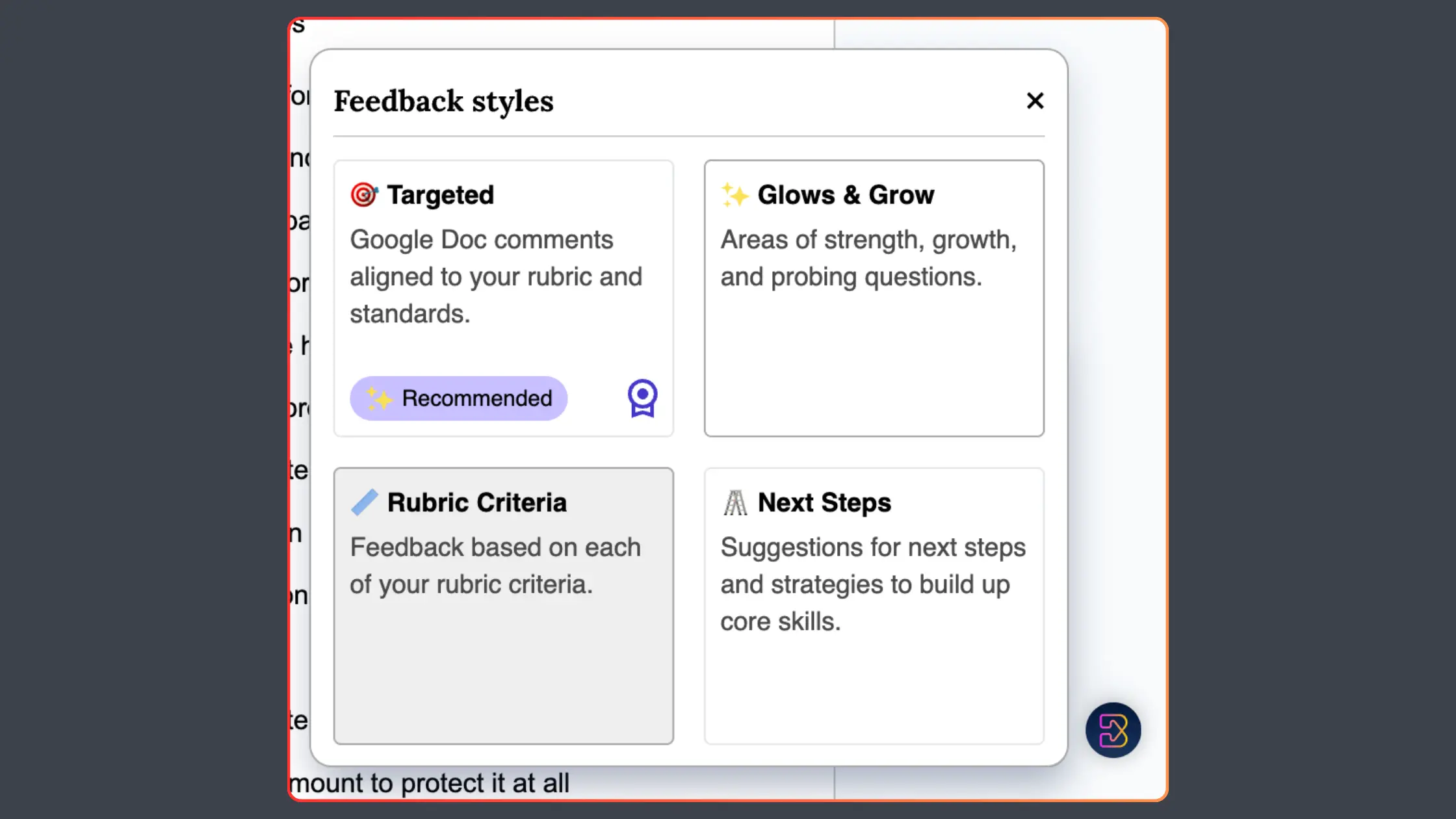
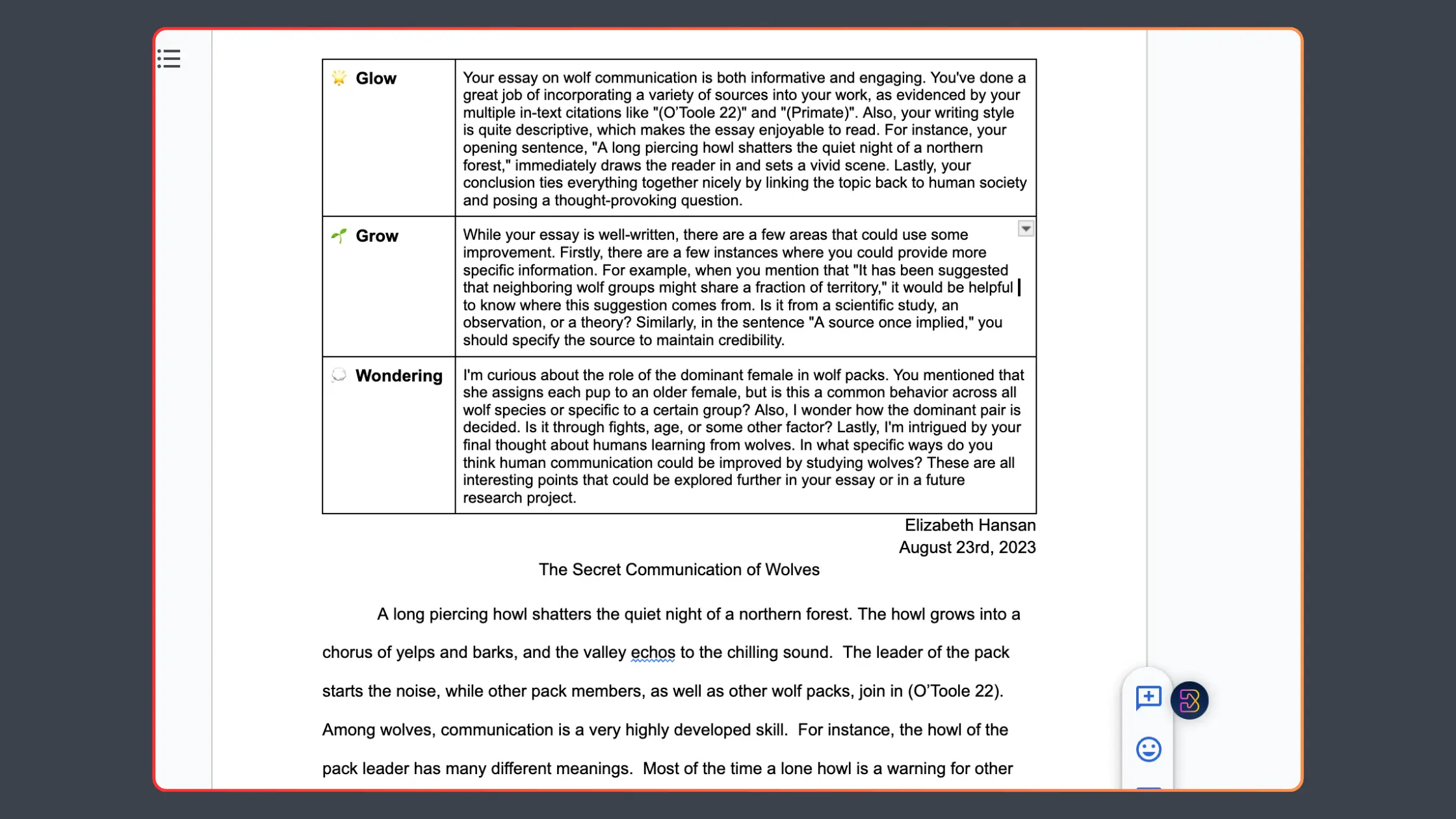
Brisk has always supported teachers with tools like Glows & Grows, Next Steps, and Rubric Criteria. Until now, though, feedback was one doc at a time. Helpful, yes. But still time-consuming when you’re facing a whole class set.
Batch Feedback takes everything you already love about Brisk’s feedback tools and scales it across your class — in one sitting.
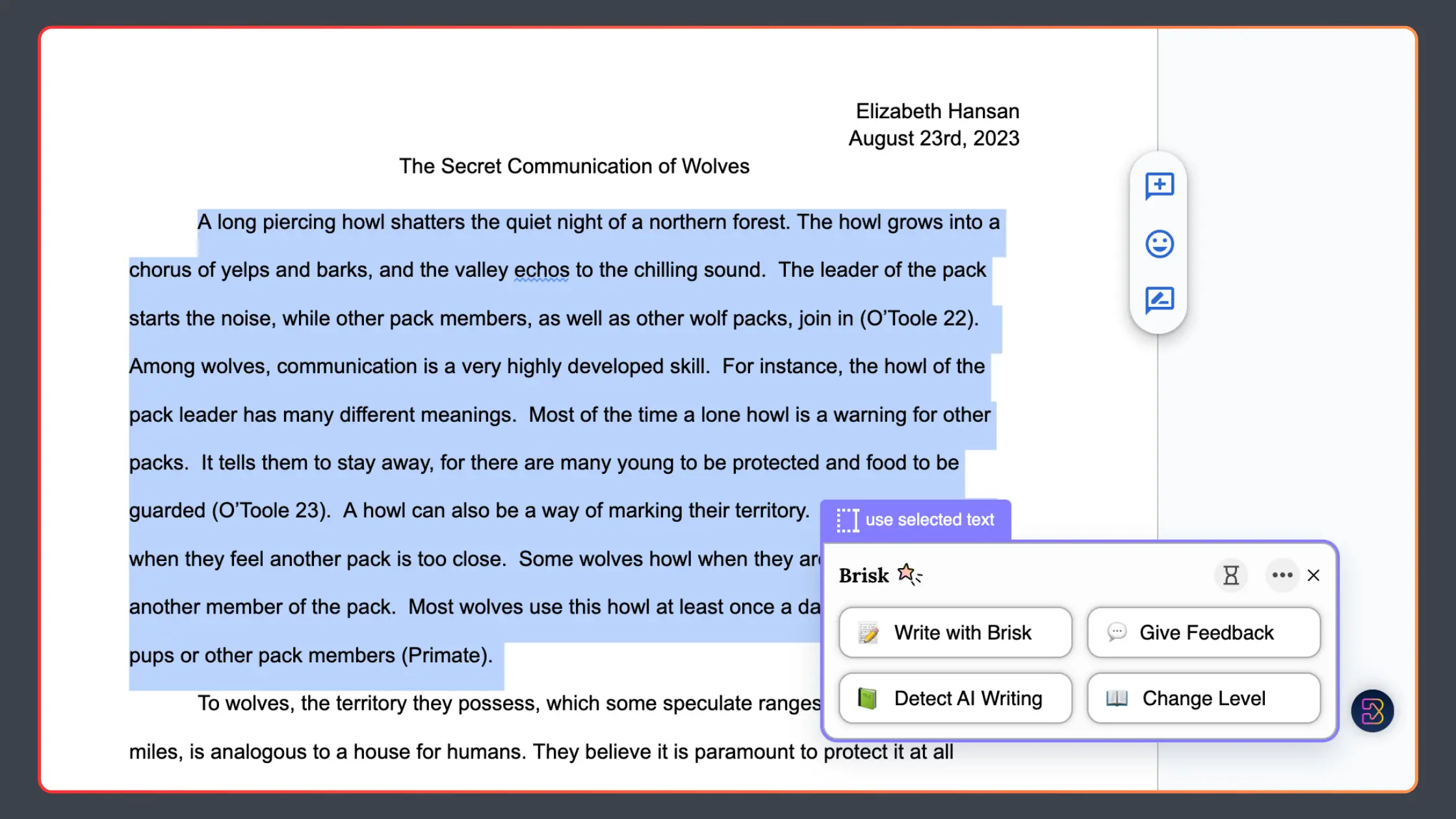
Here’s how it works:
- Upload a folder of student work from Google Drive or Google Classroom. Essays, PDFs, even photos of handwritten math — it all works.
- Pick your feedback style: Glows & Grows, Next Steps, or Rubric Criteria.
- Customize feedback with grade levels, standards, rubrics, or focus areas.
- Review and edit before sending. Nothing is auto-published — you make the final call.
The result? Thoughtful, personalized feedback for every student, delivered while learning is still fresh.
See Batch Feedback in action:
Keeps Kids Learning, Not Waiting.
Feedback is essential — but it loses impact when it takes too long. Batch Feedback changes the timeline so students get the guidance they need, right when they need it.
- Keeps kids learning, not waiting. Students get comments while they’re still engaged with the assignment.
- Closes the timing gap. Typical turnaround is 2–3 weeks. With Batch Feedback, it’s often a single day.
- Consistency across the class. Every student gets clear, actionable feedback, not just the first few in the pile.
- Always your words. Every draft is reviewed and shaped by you before it’s shared.
- Less stress. More teaching. Whole-class feedback in one sitting, without lowering your standards.
Batch Feedback isn’t about lowering the bar. It’s about making high-quality feedback manageable — for every learner, every time.
Feedback That Feels Personal
This is what teachers notice: feedback doesn’t stop being personal just because it’s faster.
Instead of typing the same comment 25 times, you’re refining thoughtful drafts already in place. Students still hear your voice. You still decide what goes back into their work.
The difference? Every learner gets meaningful, supportive feedback — and you don’t have to sacrifice hours of your time to make it happen.
Works on Any Kind of Student Work
Batch Feedback isn’t limited to essays. Whether it’s a PDF, a lab report, or a snapshot of math work, you can return high-quality comments in one go.
Feedback scales across assignments without losing clarity or care. That means more consistency, more equity, and more time back for you.
Try It Today
Batch Feedback is live in Brisk now. Getting started takes just a few clicks:
- Open the Brisk extension.
- Select Feedback → Batch Feedback or click the Home icon → Batch Feedback.
- Import your student work and get started.
Your students get timely, personal feedback that moves learning forward. And you get back the time and energy you need to keep teaching at your best.