Brisk now adapts to your district’s unique goals, curriculum, and teaching approach—because one-size-fits-all doesn’t work in education.
Meet the Admin Tool Manager, a new feature designed for School & District partners who want more control and customization across the platform. Whether you’re rolling out new initiatives or streamlining the tools your teachers use daily, the Admin Tool Manager puts you in the driver’s seat.
With the Admin Tool Manager, you can:
- Create custom tools using your own prompts – aligned to your district’s instructional goals.
- Publish tools directly to every teachers’ Brisk Library – so they’re instantly accessible.
- Hide Brisk’s default tools that aren’t relevant to your context, keeping your team focused on what matters most.
It’s a smarter, more strategic way to use Brisk, ensuring that teachers see the tools that support instructional goals.
How to Use the Admin Tool Manager
Getting started is quick:
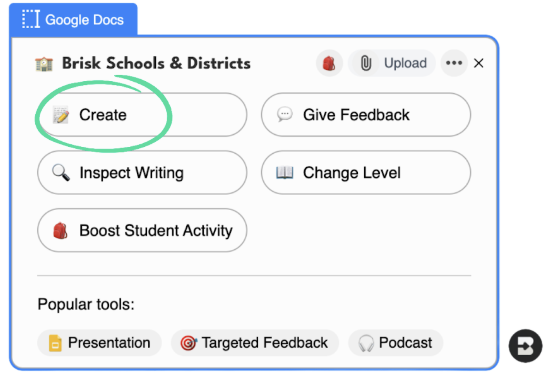
Step 1: Click Brisk in the bottom right corner of your browser.

Step 2: Select Create.
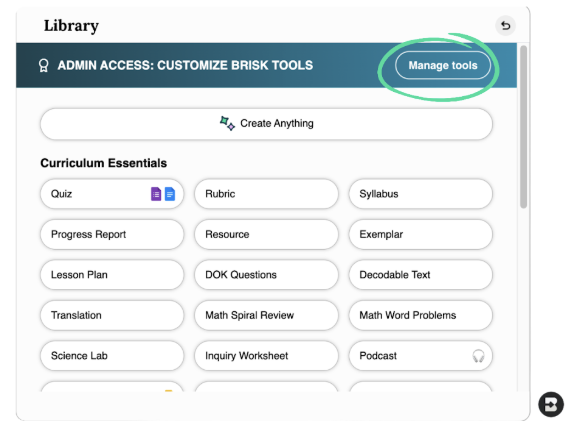
Step 3: At the top of your Library, click manage tools.
Step 4: Customize tools for your school or district’s needs. You can create new tools specifically for your staff.
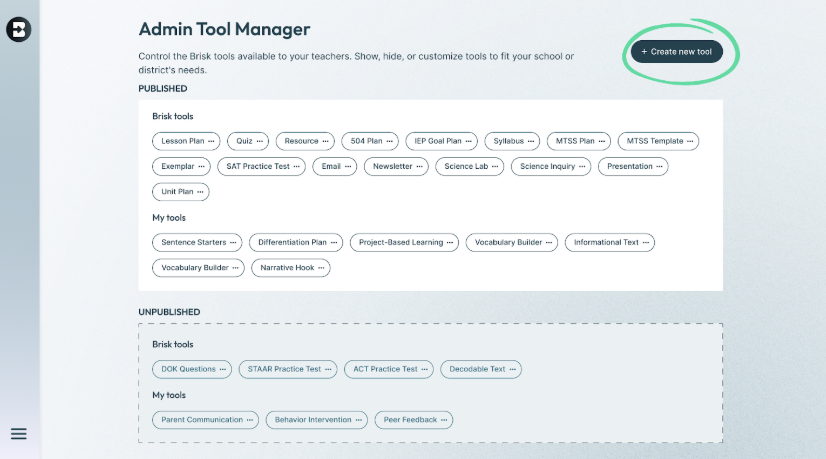
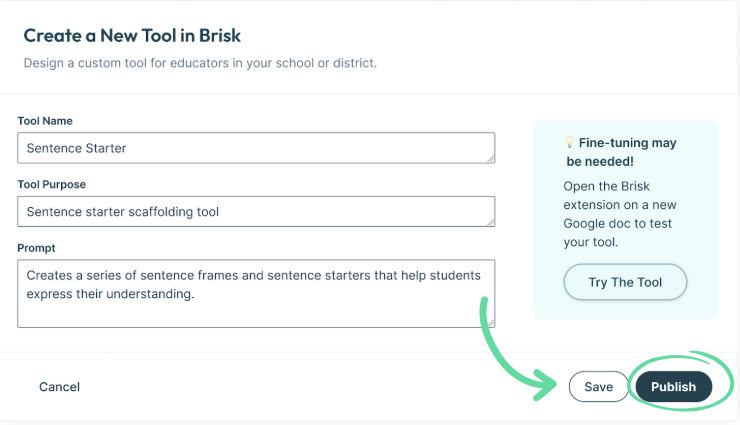
Tip: When creating a new tool, all you need to do is select the name, the purpose of the tool, and provide a prompt. Before publishing it for all staff, you can try it and fine-tune if needed.
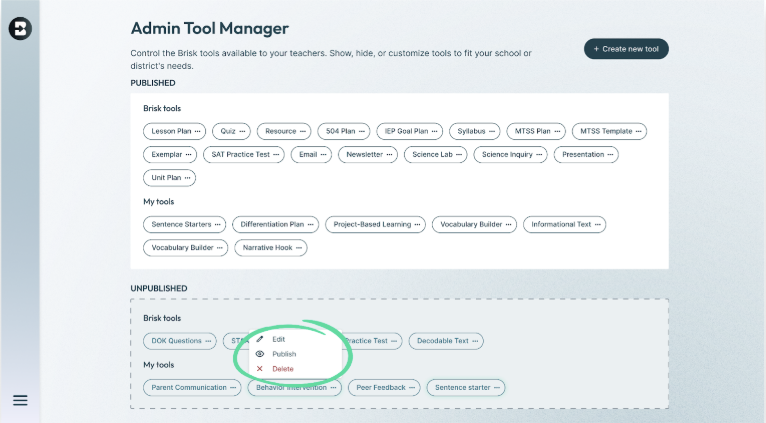
Step 5: In addition to creating new tools, you can also edit, publish, or delete any tools for a customized experience.
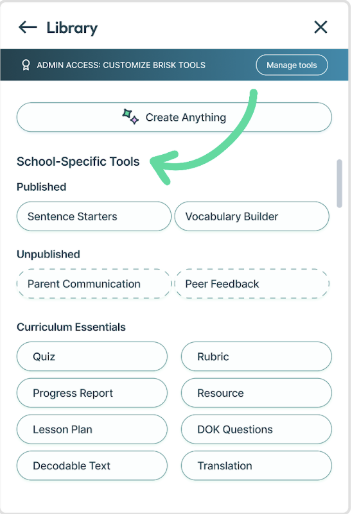
If you return to the Brisk Library, you’ll see any published, school-specific tools available for all staff. Any saved but unpublished tools will only show as a preview on the admin side.
When instructional tools align with your goals, everyone wins. The Admin Tool Manager gives you the flexibility to create consistency, streamline workflows, and keep everything aligned to your goals.
Ready to explore what’s possible? Start customizing in Brisk today!