


Boost Whiteboard
Boost Whiteboard를 사용하면 학생들이 학습하는 동안 실시간으로 사고 과정을 확인할 수 있으며, 학생들은 즉각적인 지원과 피드백을 받을 수 있습니다. 학생들은 아이디어를 스케치하고, 라벨을 붙이고, 설명할 수 있어 교사는 이해도를 파악하고 빠르게 대응하며 다음 수업 방향을 결정할 수 있습니다.
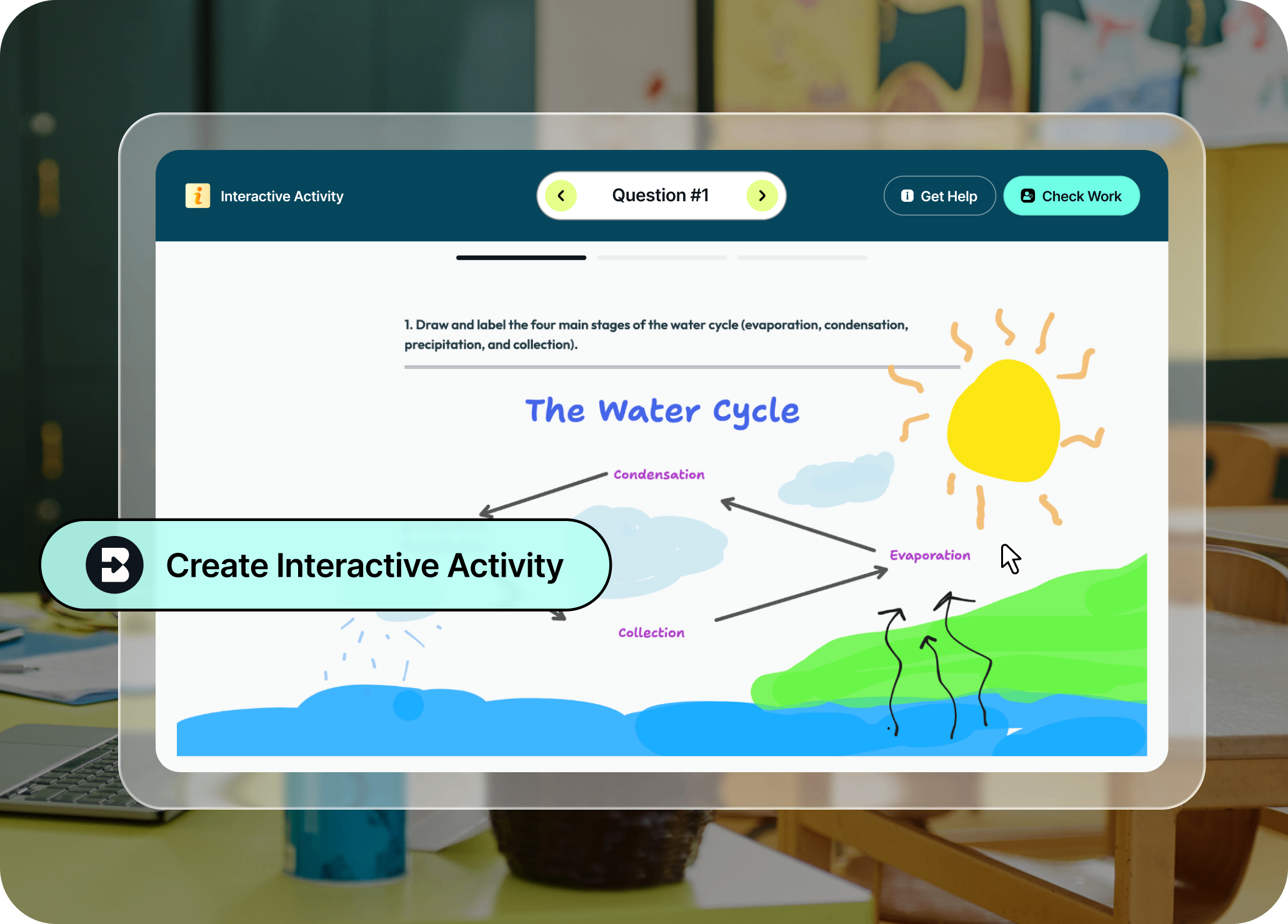
학생들의 사고 과정을 들여다보세요
학생들이 자신감, 비판적 사고력, 디지털 리터러시를 기를 수 있는 안전한 AI 학습 경험을 제공하세요. 학생들이 역동적인 비계 설정(scaffolding)이 포함된 흥미로운 활동을 수행하는 동안, 교사는 학생의 강점과 학습 격차에 대한 실시간 데이터를 확인하여 필요할 때 즉시 개입할 수 있습니다.
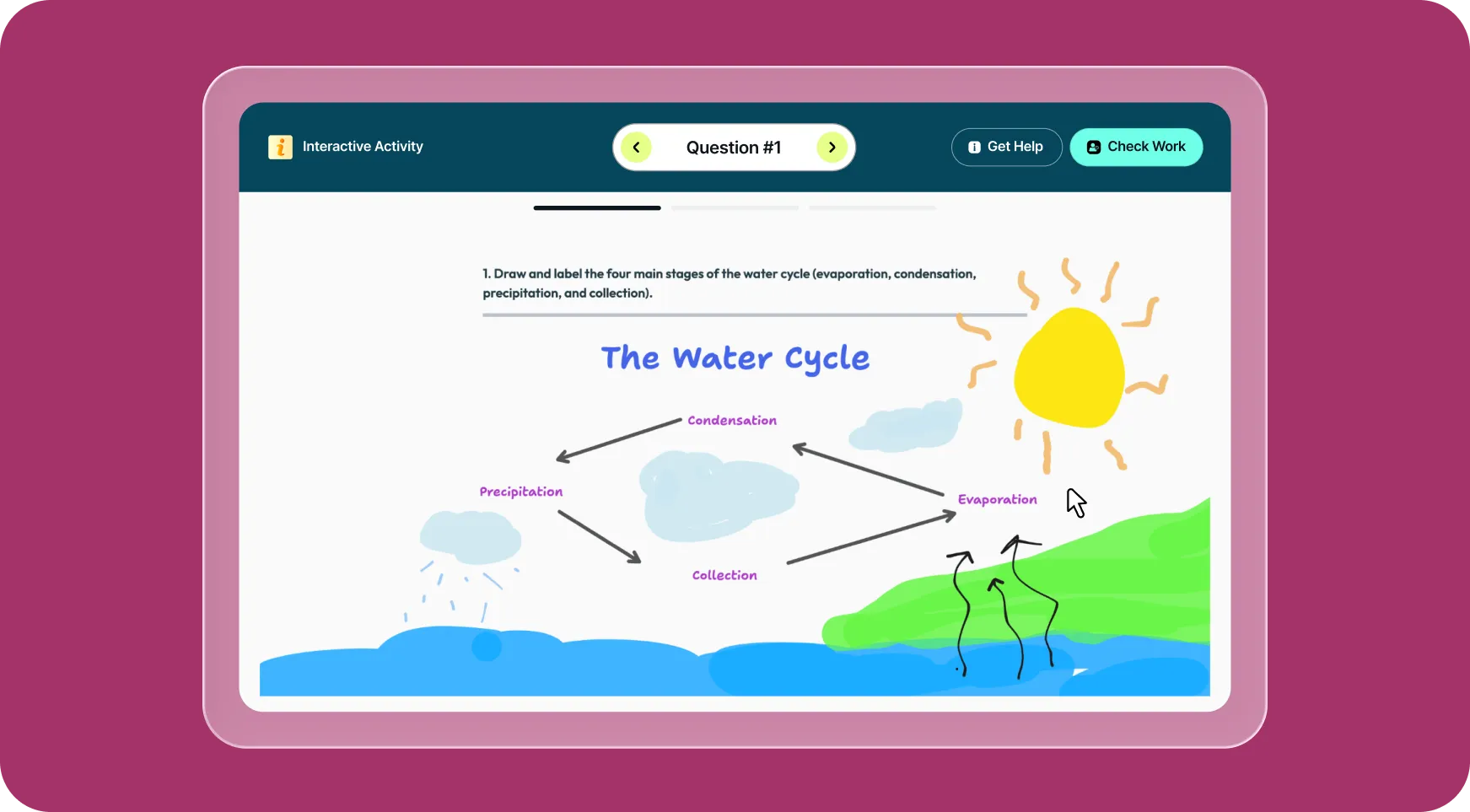
사고 과정을 시각적으로 표현
학생들이 화이트보드에 직접 스케치하고, 라벨을 붙이고, 설명함으로써 자신의 논리를 더 쉽게 표현할 수 있어 교사가 즉각적으로 학습을 지도할 수 있습니다.
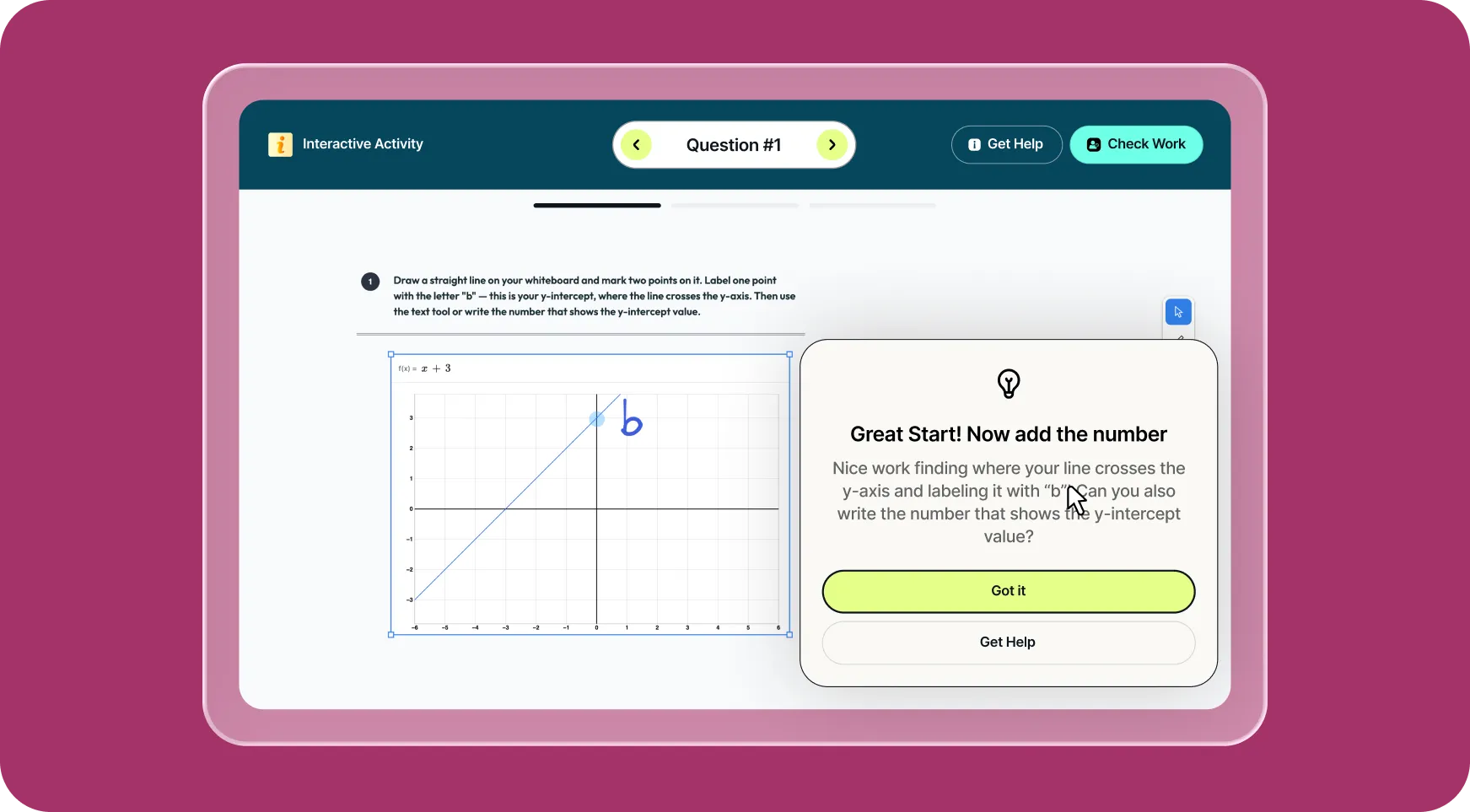
Check Work로 피드백 받기
학생들이 Check Work를 클릭하면 Brisk가 즉각적인 피드백을 제공하여 잘하고 있는 점과 수정이 필요한 부분을 알려줍니다. 학생들은 즉시 성찰하고 수정하며 학습을 계속 이어갈 수 있습니다.
Get Help로 도움 받기
학생들이 막히는 부분이 생기면 Get Help가 실시간으로 안내를 제공하여 다음 단계를 스스로 생각하고 자신 있게 학습을 이어갈 수 있도록 돕습니다.
Brisk 사용 방법
Boost Whiteboard
프롬프트 입력부터 완성된 자료까지 클릭 몇 번으로 해결하세요.
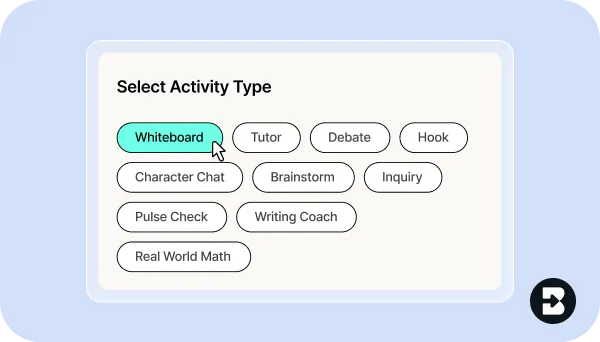
1. Boost 활동 만들기
Brisk Next에서 Quick Create를 클릭하거나 Brisk 확장 프로그램을 열고 검색창에 “whiteboard”를 입력하세요. Boost Whiteboard를 선택합니다.
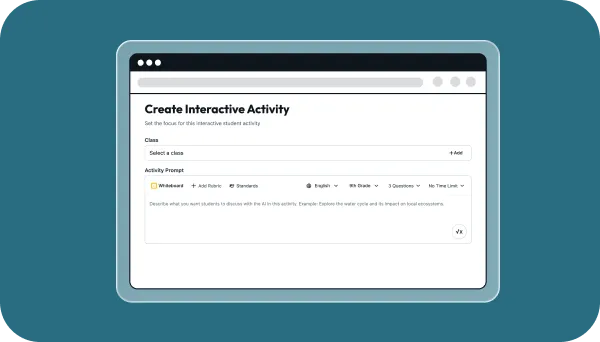
2. 제작 및 맞춤 설정
프롬프트를 입력하고, 학년 수준을 선택하고, 학습 목표를 지정하고, AI 가이드라인을 설정한 뒤 질문을 다듬어 기대하는 바를 명확히 하세요.
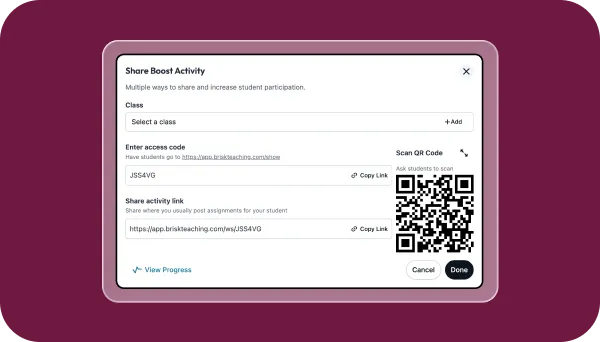
3. 학생들과 공유
Boost 활동 링크를 학생들에게 보내거나 LMS에 직접 게시하세요. 학생들이 활동을 열고 작업을 시작합니다.
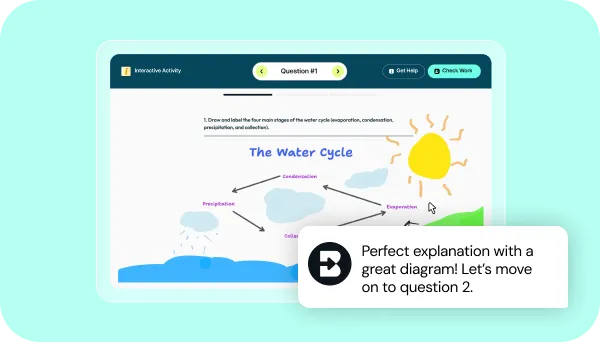
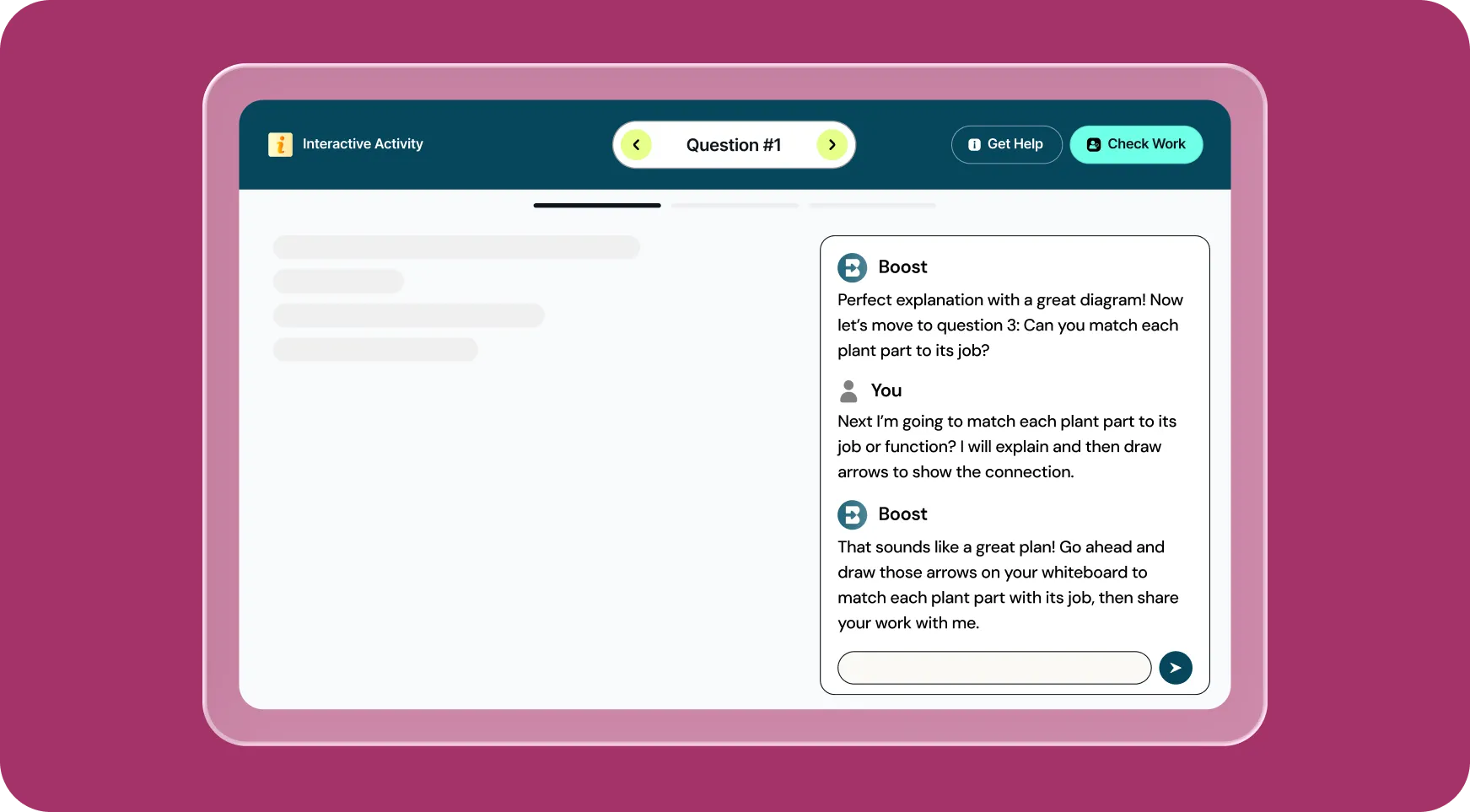
4. 사고 과정 확인
학생들이 그림을 그리고, 라벨을 붙이고, 설명합니다. Brisk는 학생들이 작업하는 동안 도움을 주고 다음에 무엇을 가르쳐야 할지 알려줍니다.
몇 초 만에 가능한 작업 확인하기
Brisk 활용을 위한 영감 얻기
Boost Whiteboard
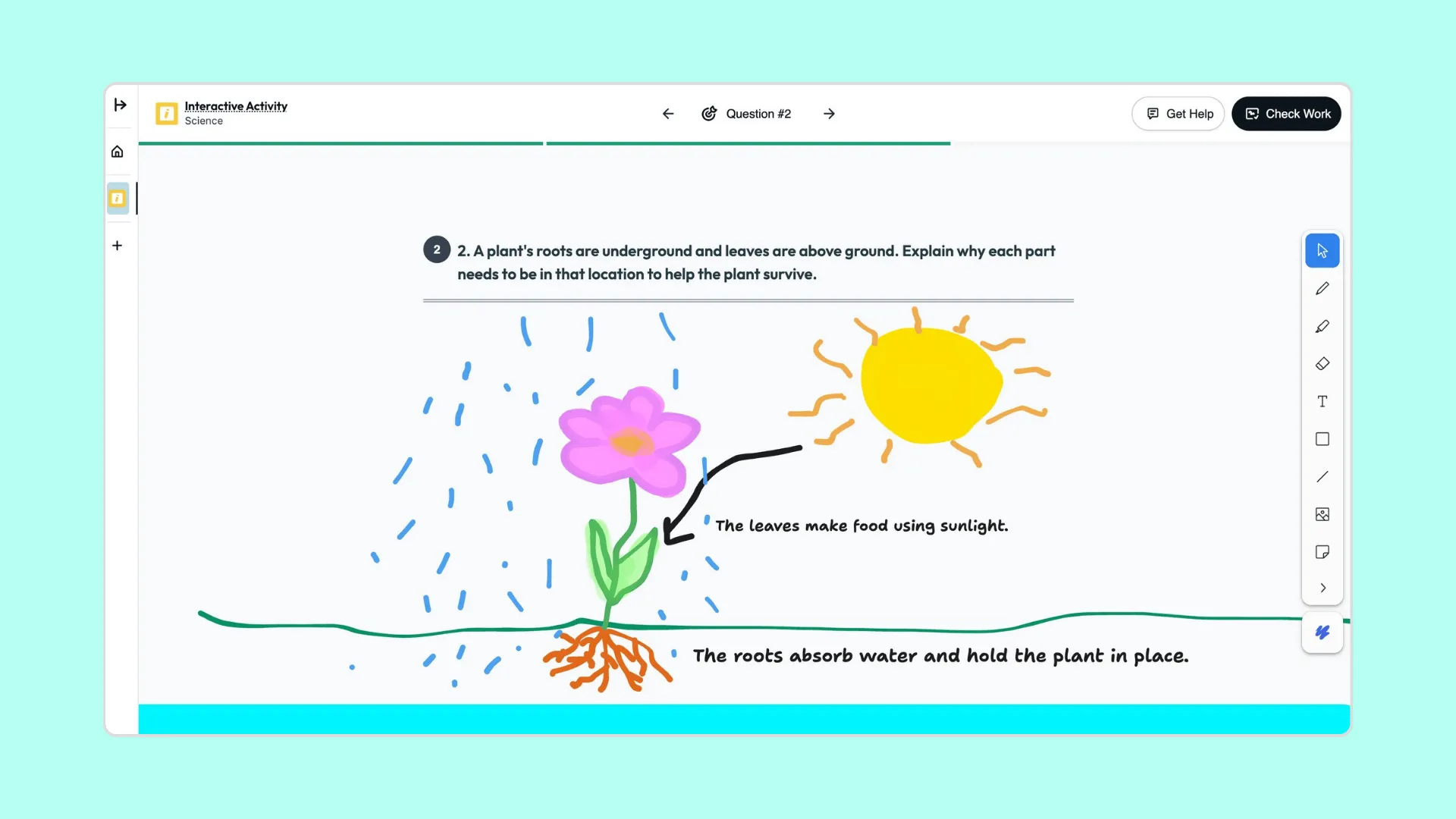
다이어그램: 식물의 각 부분이 생존을 돕는 방법
학생들은 식물을 그리고 라벨을 붙여 뿌리, 줄기, 잎이 어떻게 상호작용하여 식물의 생존을 돕는지 설명합니다.
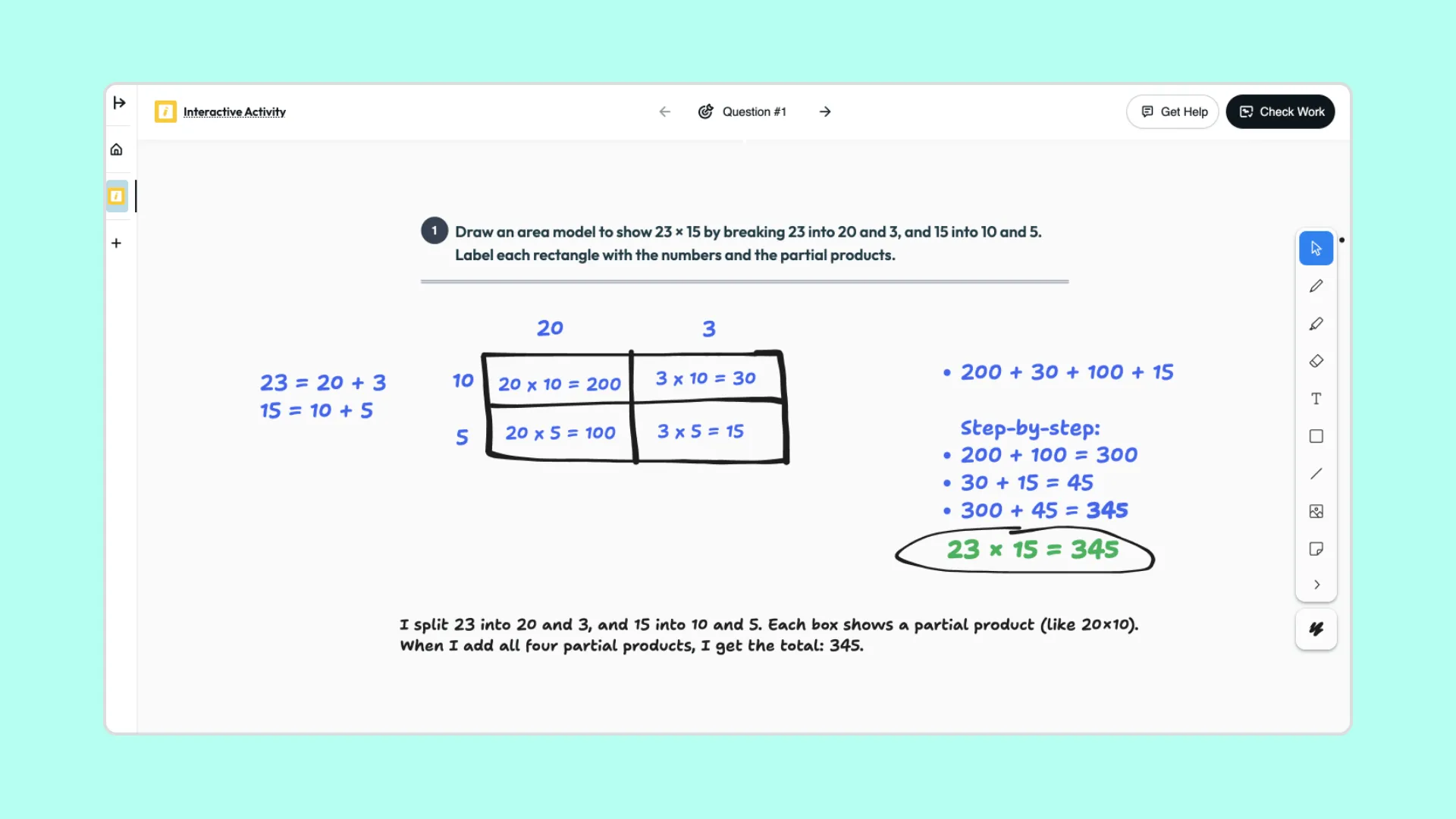
넓이 모델: 두 자릿수 곱셈
학생들은 시각적인 넓이 모델을 사용하여 숫자를 분해하고, 부분 곱을 나타내며, 각 부분이 최종 결과와 어떻게 연결되는지 설명합니다.
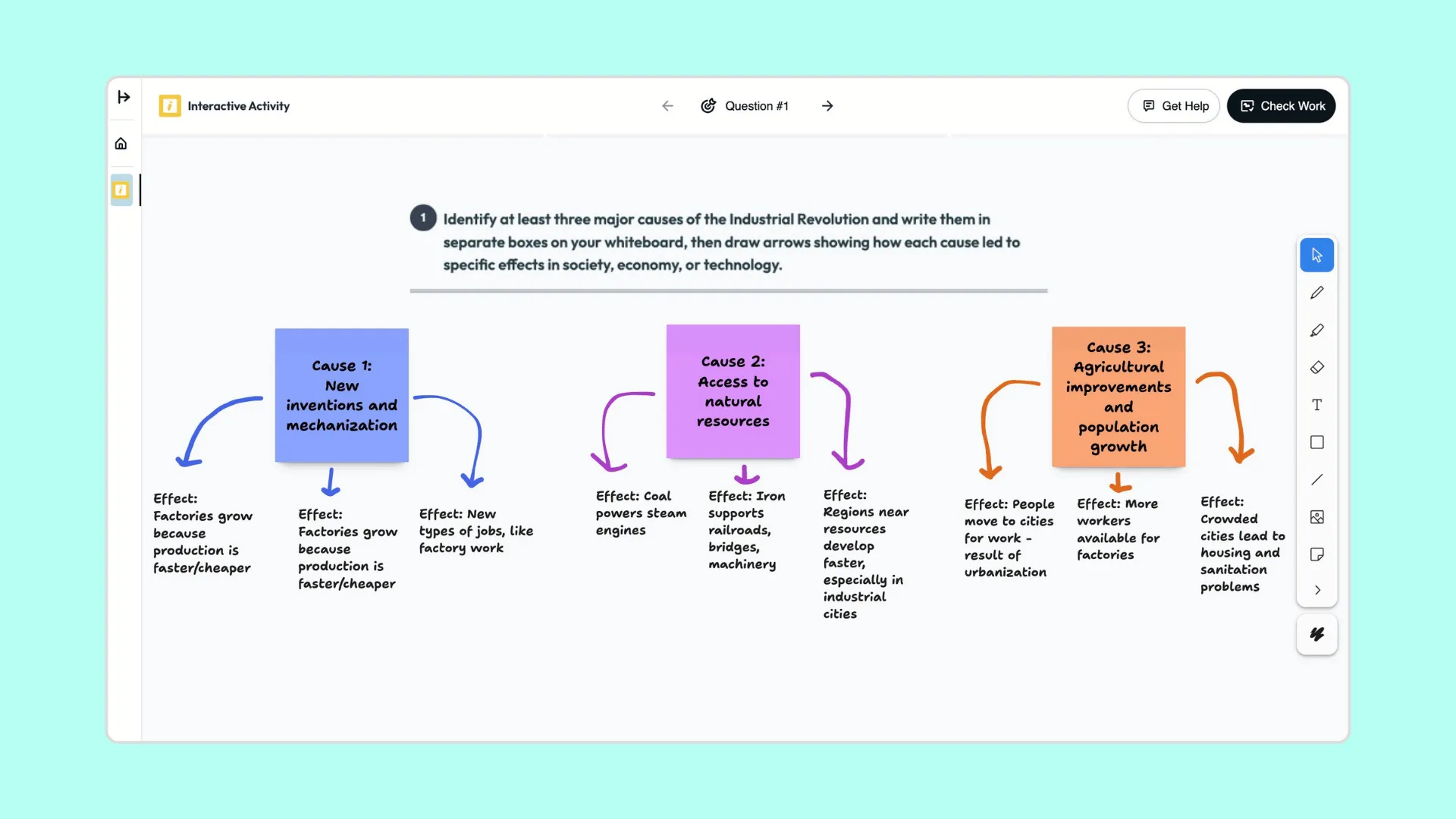
인과관계 웹: 산업 혁명
학생들은 시각적인 인과관계 지도를 만들어 주요 역사적 힘이 사회, 기술, 경제의 변화를 어떻게 이끌었는지 보여줍니다.

계속하기
다음으로 무엇을 하시겠어요?
Brisk는 교육자의 일상 모든 부분에서 활용할 수 있습니다. 교육자들이 즐겨 사용하는 다른 도구들을 소개합니다.


.svg)


움직이는 학습
Boost Whiteboard는 학습이 진행되는 동안 학생들의 사고 과정을 시각화하여 지원과 이해가 동시에 이루어지도록 합니다.