Brisk is for First-Year Teachers of all grade levels

Elementary School
Engage younger students with presentations and brainstorm games for teaching lesson content. Easily change the reading level of articles to make them accessible to your students.
High School
Craft lesson plans, discussion prompts, and activities to support critical thinking and understanding. Create rubrics and grade student essays in just a few clicks.
Middle School
Create the daily agenda, classroom newsletter, introductory slides for new lessons, and pre- and post- assessments on any topic. Give personalized feedback on student writing assignments.
University
Prepare plans for your lectures, generate presentation slides, and create discussion prompts. Write customized letters of recommendation in seconds.

How First-Year Teachers are using Brisk's AI tools

Brisk gives you tools to return high-quality feedback on assignments the same day — saving hours without lowering the bar.

Manage the Classroom

Use Brisk to help you brainstorm ways to encourage positive behavior. Brisk can then write up class rules and a classroom management plan for you.  

How to: Open a new Google doc and click on Brisk. Click Create, then Something Else. Include details about your classroom management goals and tell it to write you a plan, then click Brisk It!

Create Lessons

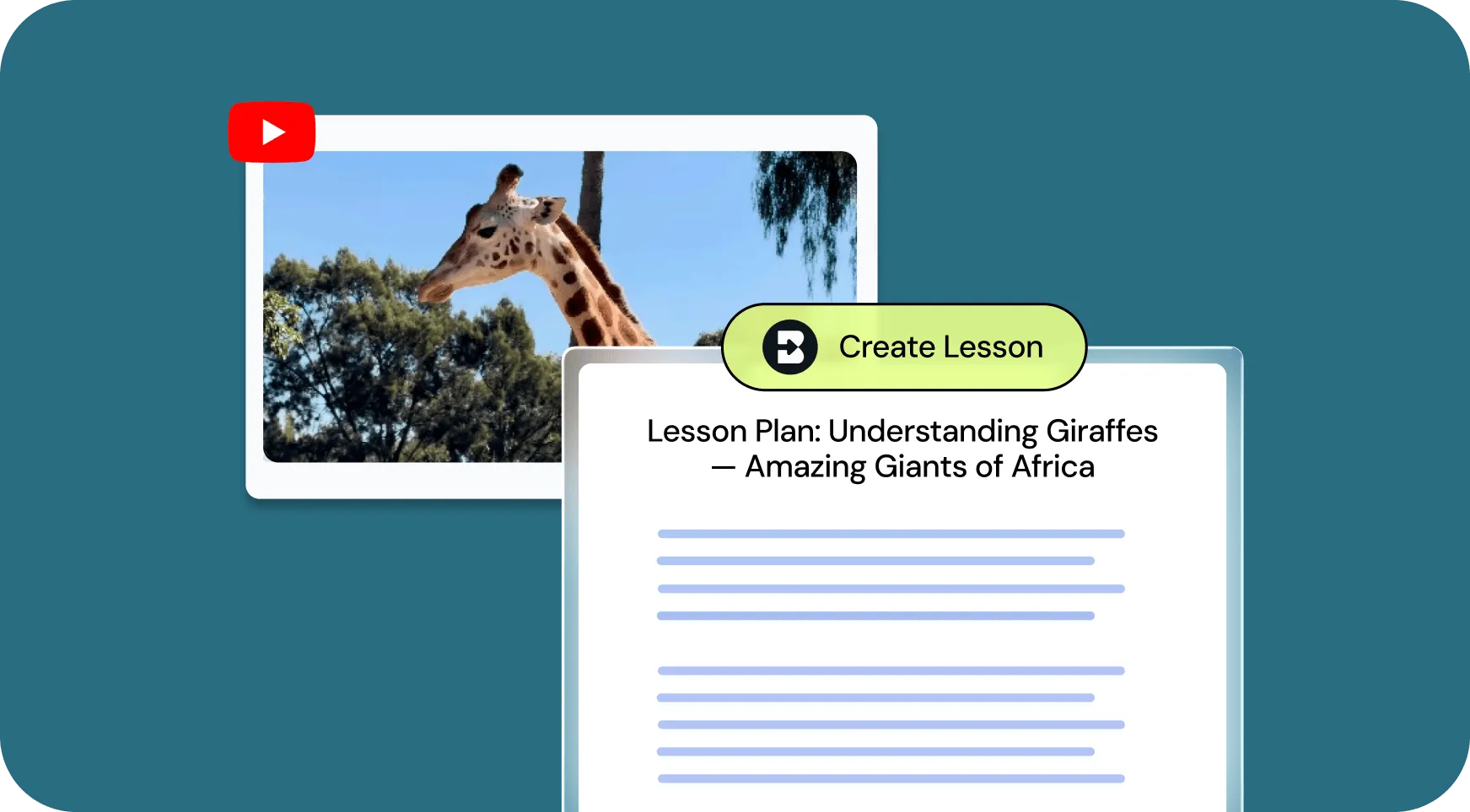
Generate customized lesson plans based on any article, video, PDF, or document.

How to: Open your chosen media and click on Brisk. Click Create, then Lesson Plan. Alternatively, you could choose Change Level to level the text. Then click Brisk It!

Give Feedback

Provide personalized essay feedback in your preferred style directly in students’ Google Docs.

How to: Open a student’s Google doc and click on Brisk. Click Give Feedback, choose your feedback style, and attach your rubric if you want. Then click Brisk It!

Inspect Writing

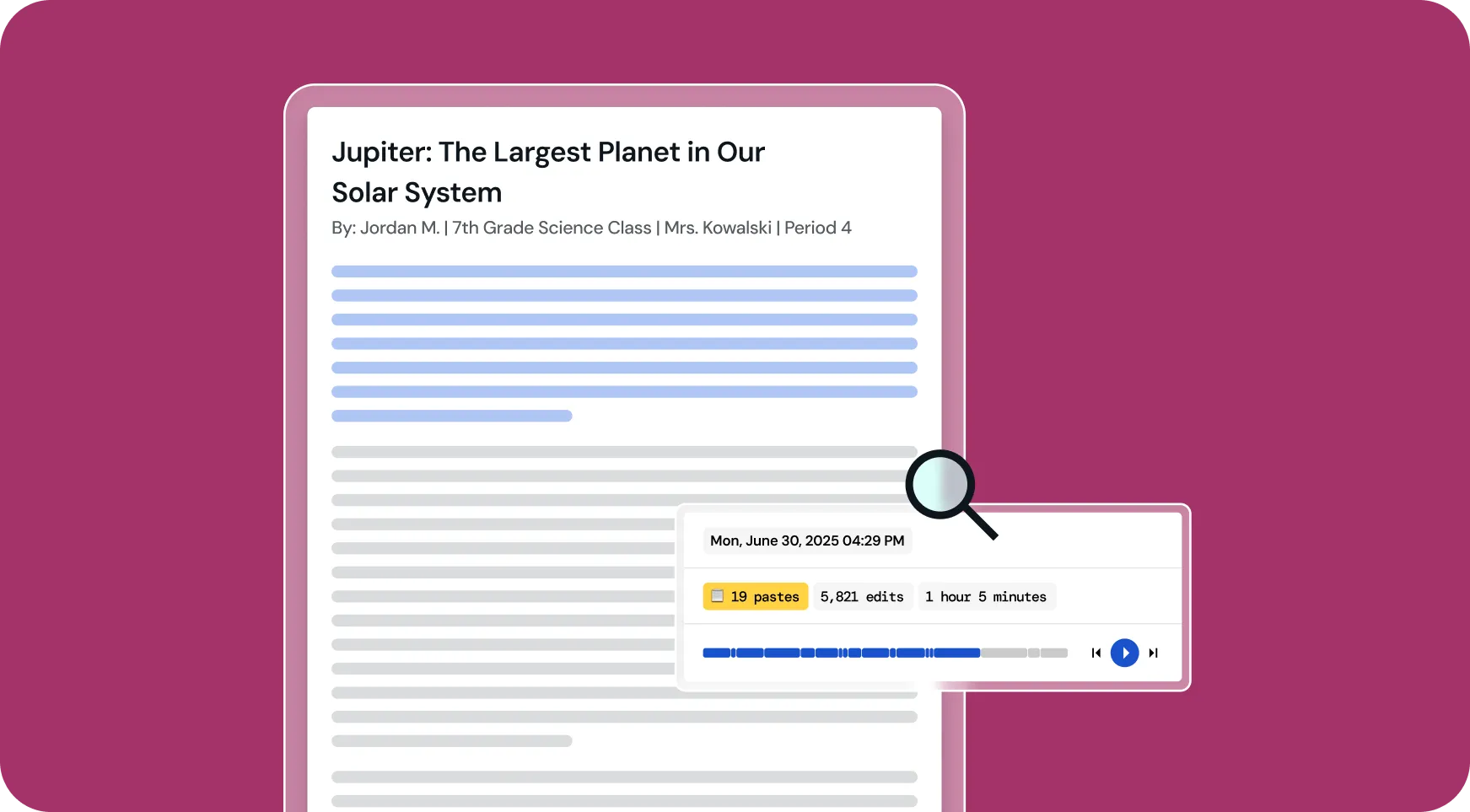
Understand students’ writing processes with a video playback of their document creation from start to finish.

How to: Open a student’s Google doc and click on Brisk. Click Inspect Writing to watch a replay of how the document was created. Click the magnifying glass to see how likely AI was used in the writing process.

All Brisk AI tools for First-Year Teachers

🎯 Trình tạo phản hồi được nhắm mục tiêu
Tạo nhận xét được cá nhân hóa trong Google Doc của bất kỳ học sinh nào.
📊 Trình tạo câu đố AI
Tạo câu đố trong Google Forms và Docs, với các khóa trả lời được nhúng.
💻 Trình tạo bài thuyết trình AI
Tạo bản trình bày Google Slides từ bất kỳ ý tưởng, bài viết, trang web hoặc video nào.
Trình cân bằng văn bản
Điều chỉnh cấp độ văn bản ngay lập tức để phù hợp với khả năng đọc của học sinh.
📗 Trình tạo kế hoạch bài học AI
Tạo kế hoạch bài học toàn diện để hướng dẫn việc giảng dạy của bạn.
🔎 Kiểm tra công cụ viết
Brisk đã hình dung lại phân tích viết của sinh viên. Bạn có thể hiểu cách học sinh sửa đổi công việc của họ theo hai cách.
💌 Trình tạo thư giới thiệu
Tạo thư giới thiệu được cá nhân hóa để làm nổi bật điểm mạnh và thành tích của học sinh.
“Brisk Teaching là một công cụ AI đáng kinh ngạc. Nó đóng vai trò như một bản thiết kế cho phản hồi tức thì của sinh viên - mà bạn có thể chỉnh sửa ngay tại chỗ. Nếu điều này được đưa ra nhiều năm trước, nhiều giáo viên có thể sẽ cảm thấy ít kiệt sức hơn. Bạn có thể biết đây là một sản phẩm được thực hiện bởi giáo viên cho giáo viên. Họ nghĩ về mọi thứ. Nếu bạn là một giáo viên và chưa thử công cụ này, hãy làm điều đó.

Looking for another use case?

From phonics to physics, Brisk helps every teacher support every student. See how Brisk shows up for every subject, grade, classroom, and district.

Make your first year of teaching easier with Brisk

Brisk gives first-year teachers practical, time-saving tools to handle the day-to-day. From building aligned lessons to adapting assignments on the fly, Brisk helps you stay focused on what matters most — your students.