Student engagement is harder to manufacture than it looks. Gallup's research on student engagement found that nearly eight in ten elementary students are engaged with school, but that number falls to four in ten by high school — a steady decline with every year students advance. A follow-up study found that fewer than two in ten students strongly agree that what they're learning feels important, interesting, or aligned with their strengths.
A well-designed activity (that keeps students thinking, participating, and invested) requires material that feels relevant, tasks that match where students actually are, and feedback that arrives when it's still useful. General-purpose AI tools can help with ideation, but they don't know your students, curriculum, or classroom needs.
This guide covers eight approaches to using AI in ways that genuinely impact student engagement, and how Brisk Boost’s AI-powered student-facing activities can help your students grow, think, and develop AI literacy skills.
RUN AN AI-POWERED DEBATE
Debate builds critical thinking and communication skills, but the social pressure of debating in front of peers stops many students before they start. AI removes that barrier: students can practice arguing a position, receive pushback, and refine their reasoning independently before the class discussion begins.
Activity overview
Students choose a position on a topic you're studying and use an AI chatbot as their opponent. The AI argues the other side. Students have to respond to counterarguments they didn't prepare for, which is where the real thinking happens.
Sample prompt
"Have the student argue that [position]. You argue the opposing view. Start with your strongest counterargument, and push back whenever the student’s reasoning is vague or unsupported."
How to use Brisk Boost for AI-powered student debates
- Open Brisk Boost, select the Debate activity type, set your topic and guardrails, and share a link with your students.
- Students engage with the AI opponent in a monitored environment.
- You can read every exchange from your dashboard and see which students are engaging substantively and which are going through the motions.
USE AI AS A WRITING COACH, NOT A WRITING TOOL
The most common misuse of AI in writing instruction is asking it to improve a student's draft. The AI rewrites, the student accepts the changes without reviewing the feedback, and nothing was learned.
A writing coach AI works differently: it reads the draft and asks questions like: What are you trying to argue in this paragraph? What evidence supports it? Where does your reasoning get fuzzy? The student has to answer and iterate themselves.
Activity overview
Students share a paragraph or draft with the AI and answer one question — what is the goal of the paragraph? — before they receive any feedback. The AI responds with one specific observation about whether the writing achieves that goal, then asks another question. Students revise and repeat. The cycle continues until the draft does what the student intended.
Sample prompt
"Have the student share a paragraph they’ve written about [source]. Ask them what their main point is supposed to be. After they answer, tell them one specific thing in the paragraph that works against that goal. Then ask them a question. Don't rewrite anything."
How to use Brisk Boost to help students with their writing
- Select the Writing Coach activity type, upload your rubric or a mentor text as the reference document, and restrict feedback to the dimension you're targeting — thesis, evidence, transitions, specificity.
- Students paste their draft, the AI coaches, and you review conversation logs after to see who engaged with the feedback and who needs a follow-up conference.
HAVE STUDENTS SHOW THEIR THINKING WITH BOOST WHITEBOARD
Written responses tell you what a student concluded. Having them show their thinking visually tells you how they got there.
Activity overview
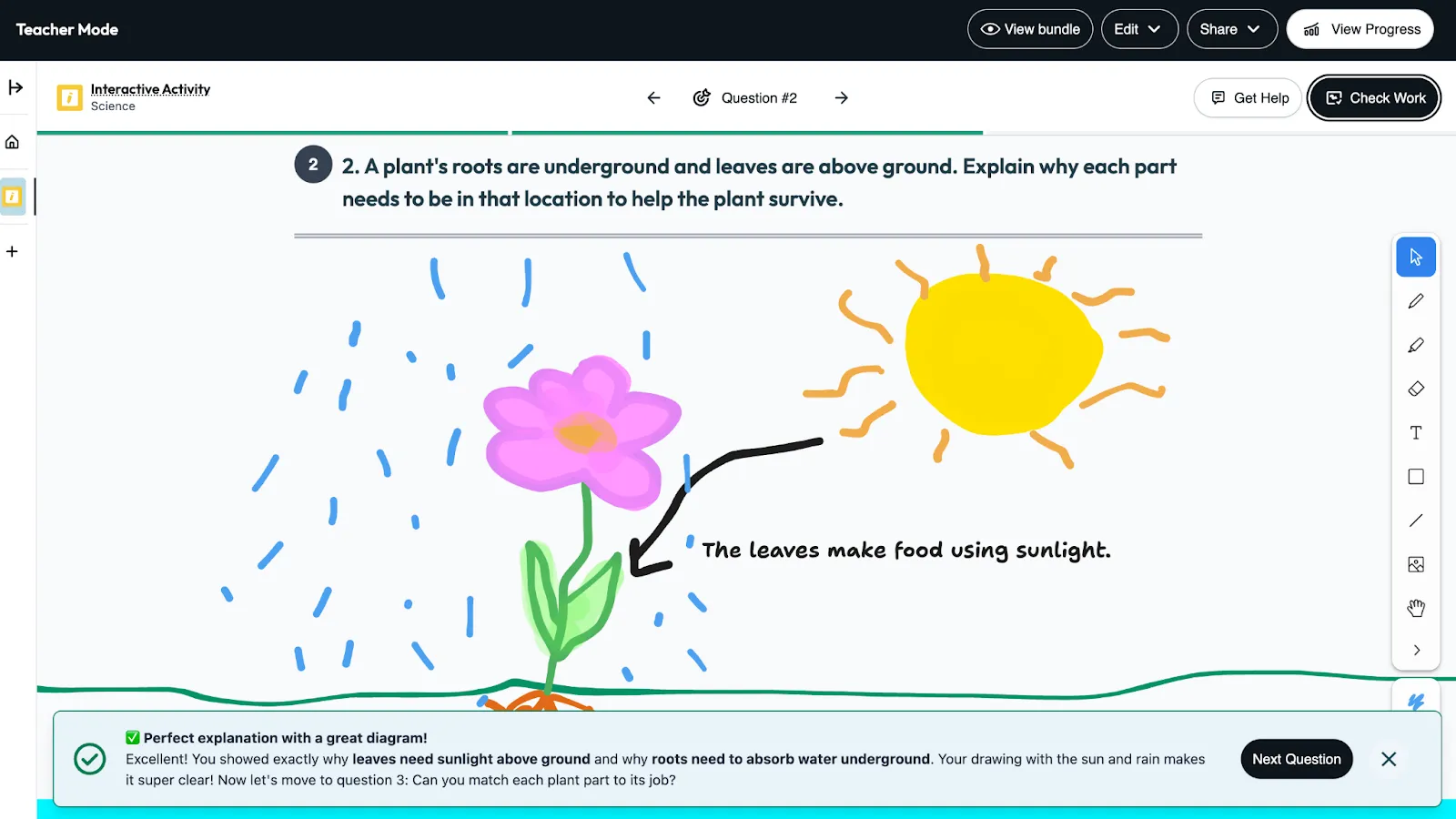
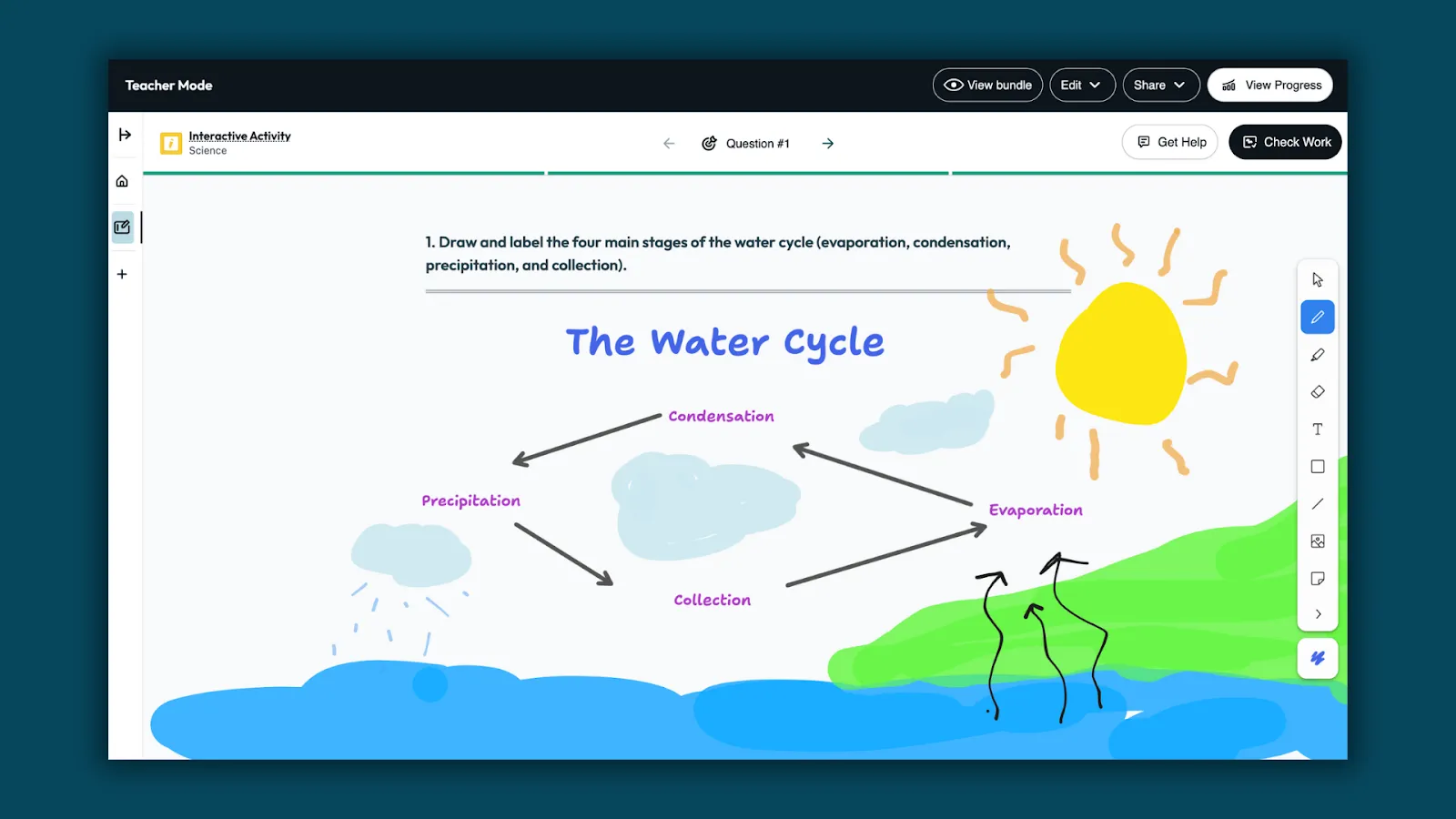
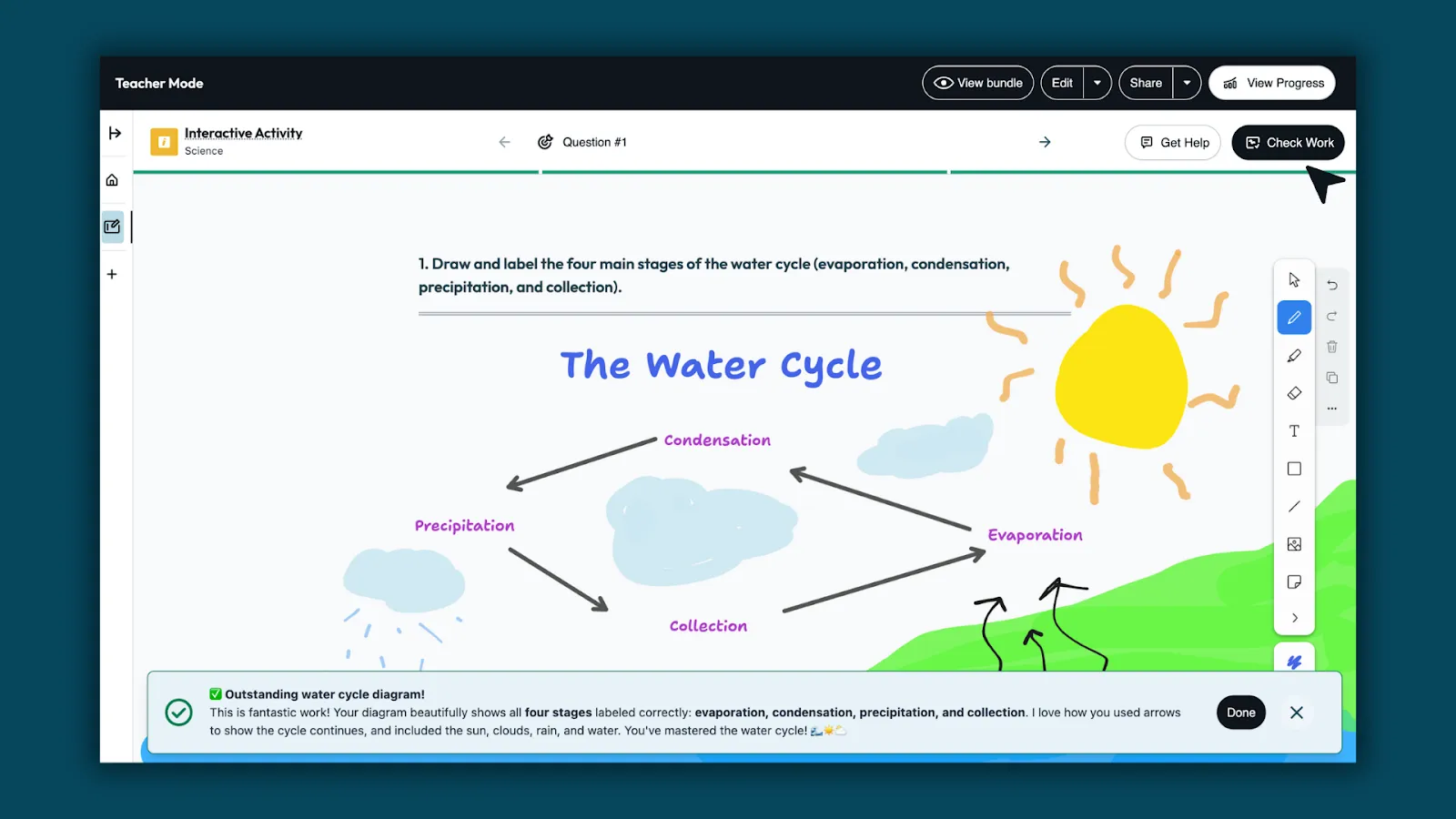
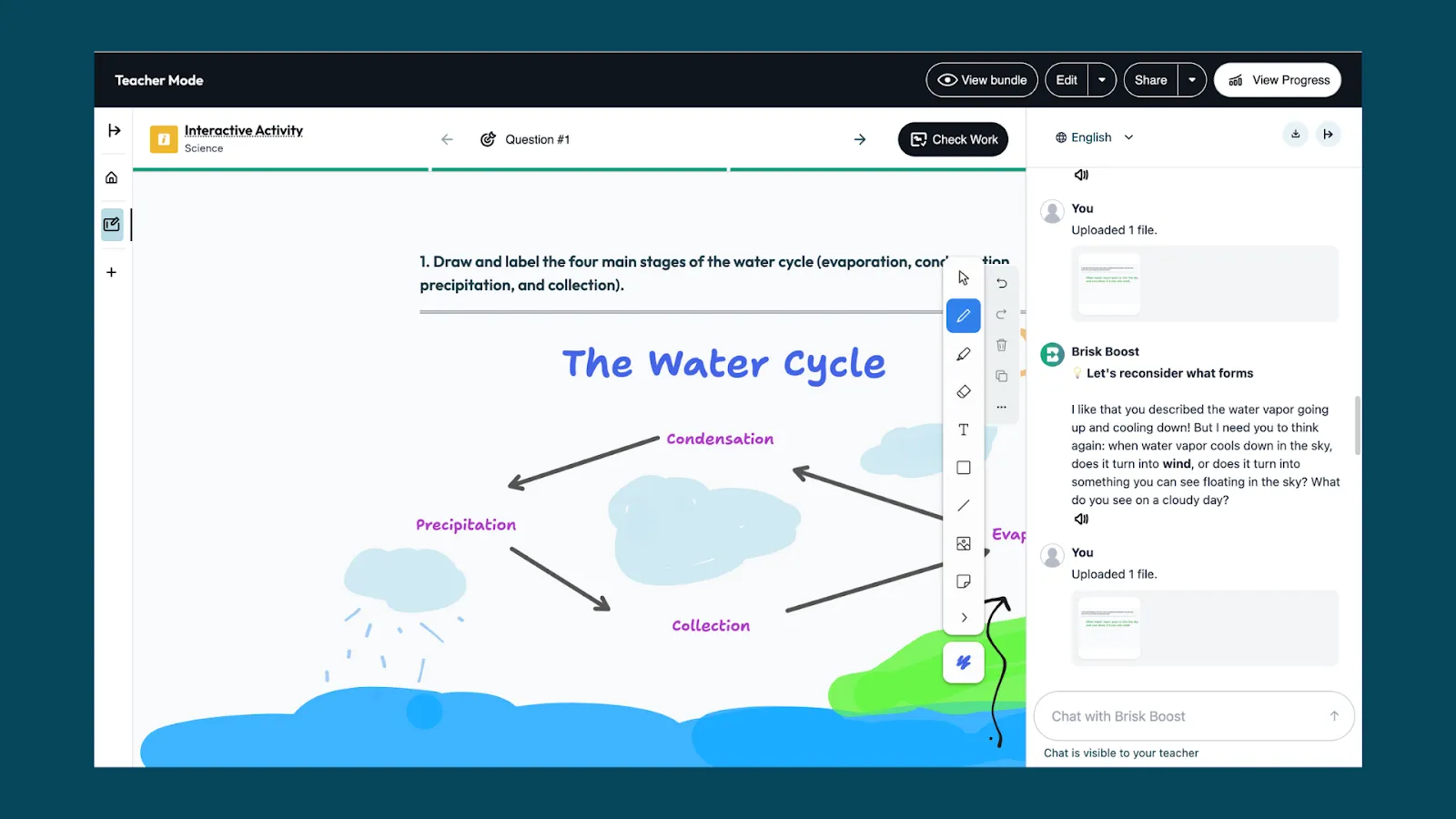
Students sketch, label, and annotate directly on a digital whiteboard in response to a prompt you set. Student engagement-focused AI tools like Boost Whiteboard allow you to watch students work through ideas while built-in support helps them stay engaged.
This works particularly well for concepts that are hard to capture in writing alone: scientific diagrams, mathematical models, timelines, and cause-and-effect maps.
Sample prompt
"Draw and label a diagram showing [concept].”
How to have students show their thinking with Boost Whiteboard
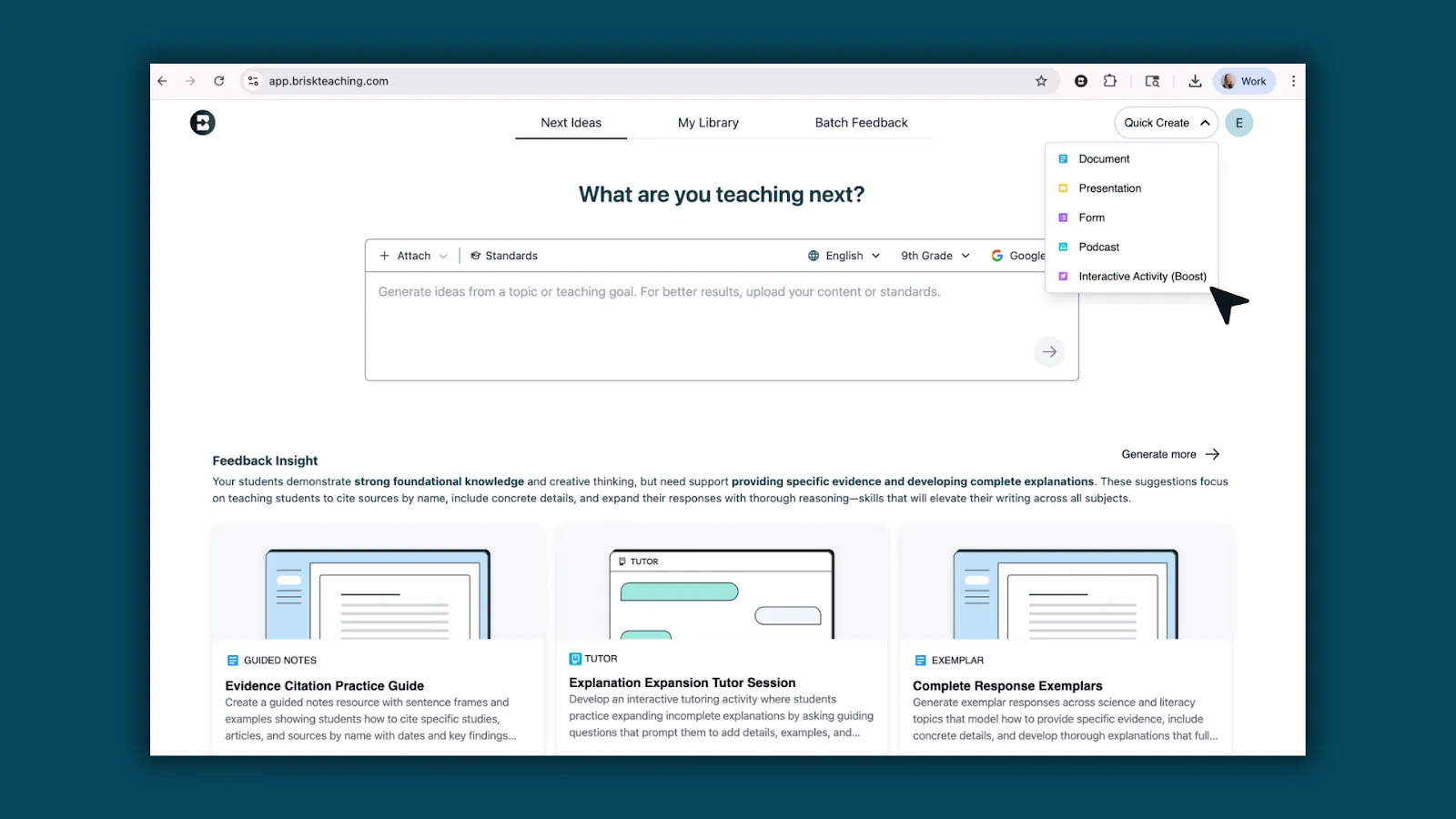
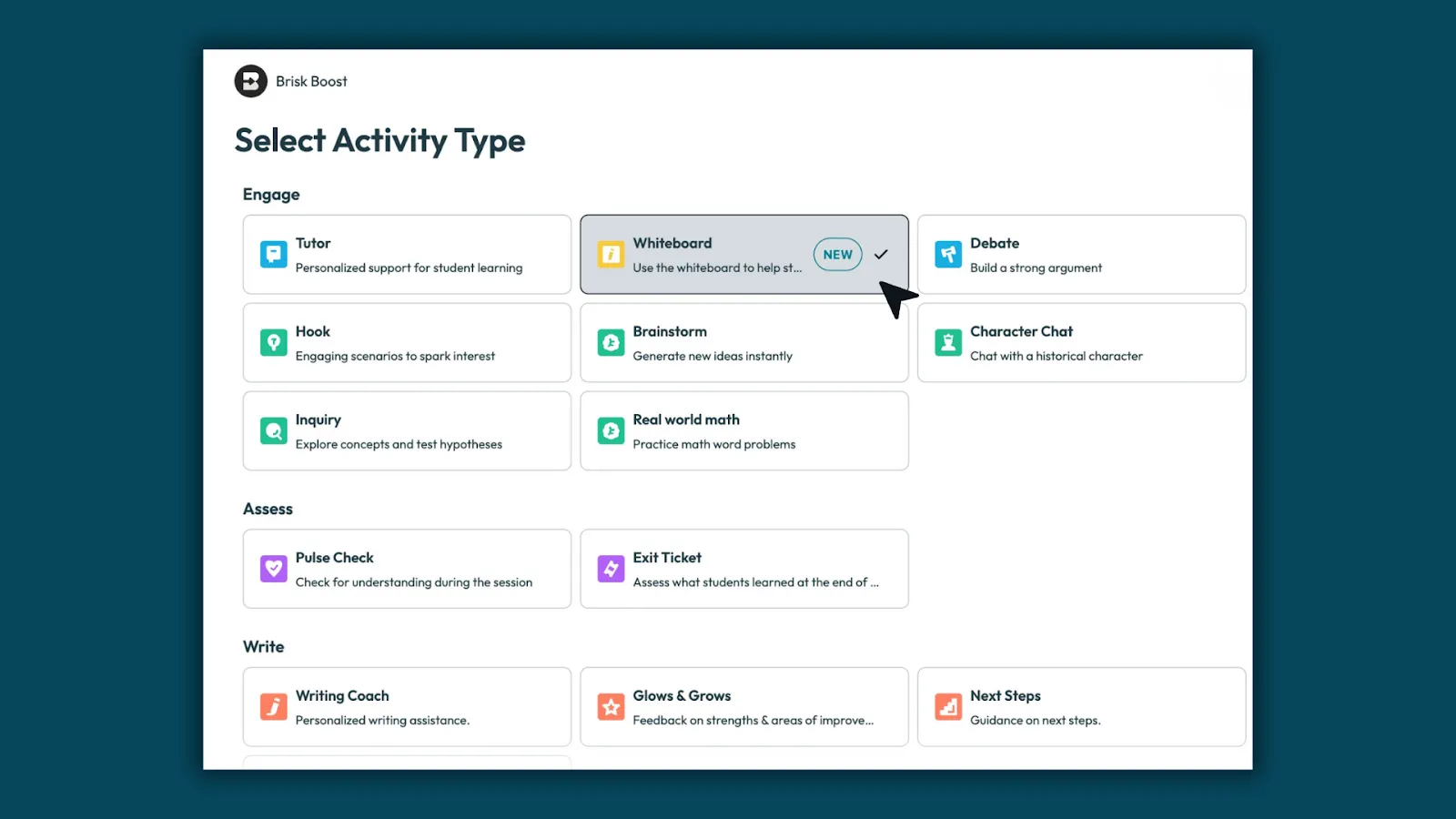
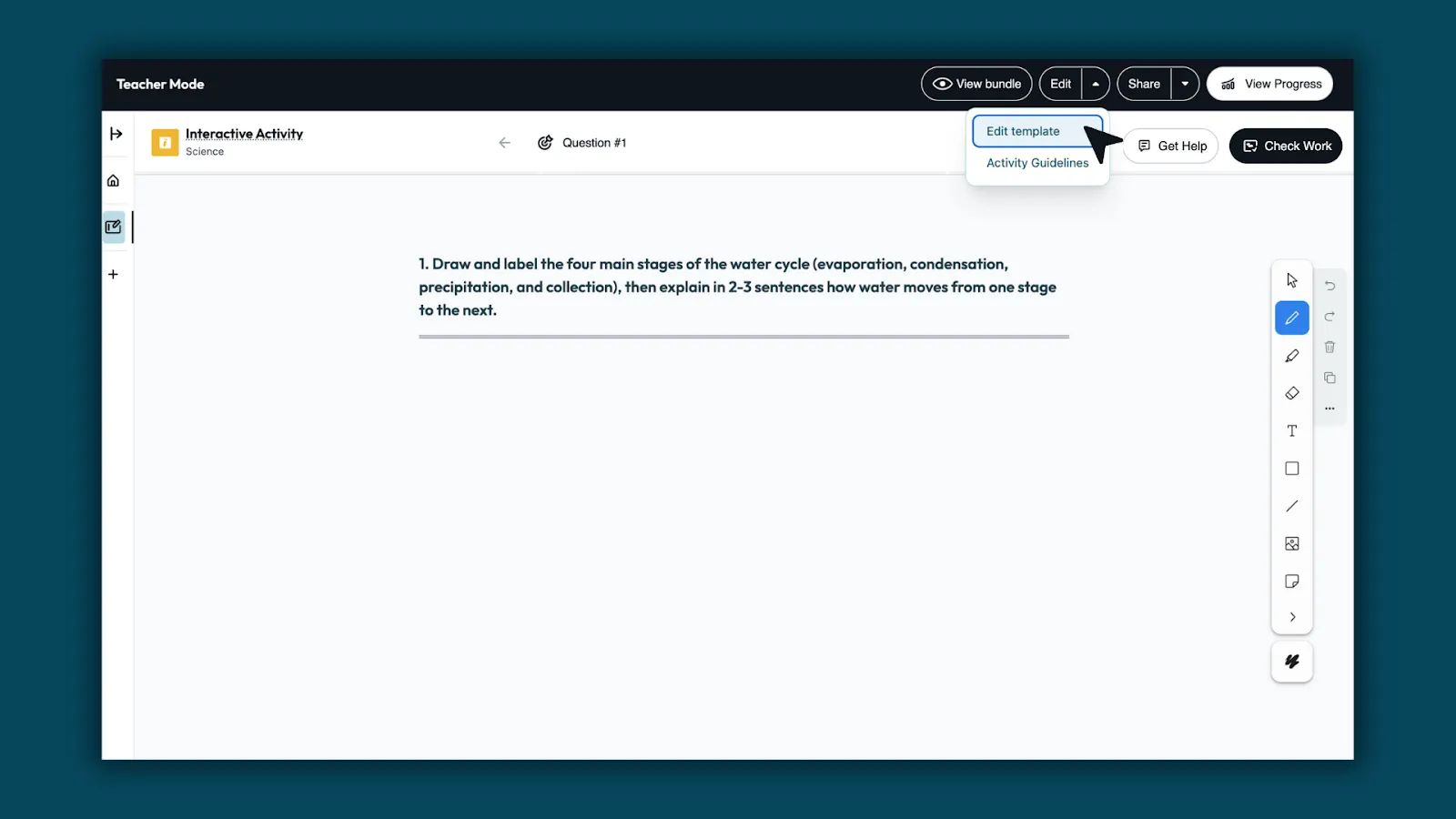
- Open Brisk and click Boost Student Activity, then select Whiteboard.
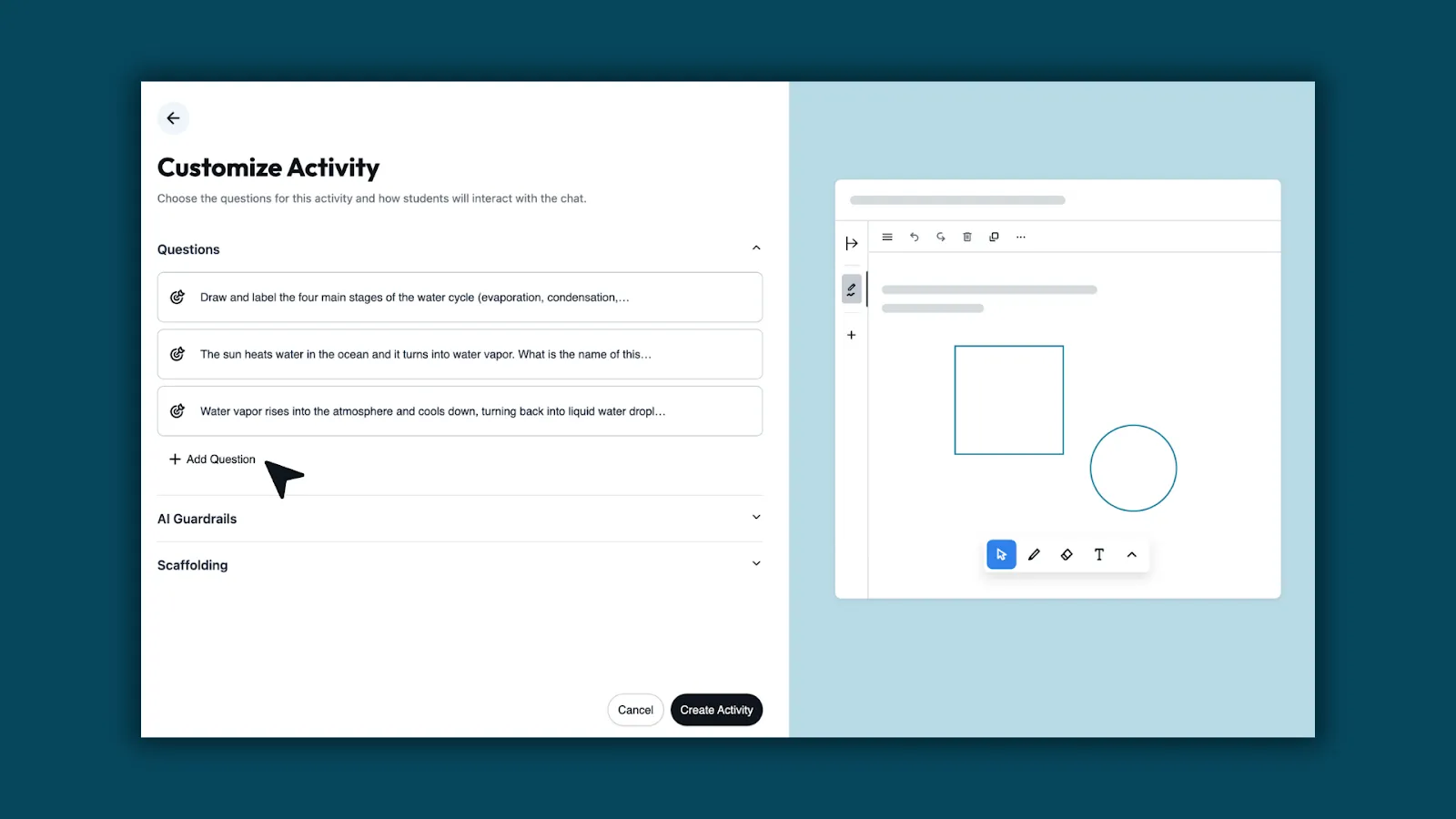
- Enter your prompt and set grade level, standards, and language. Brisk generates a template based on your input.
- Customize if needed: refine the question or adjust the guardrails.
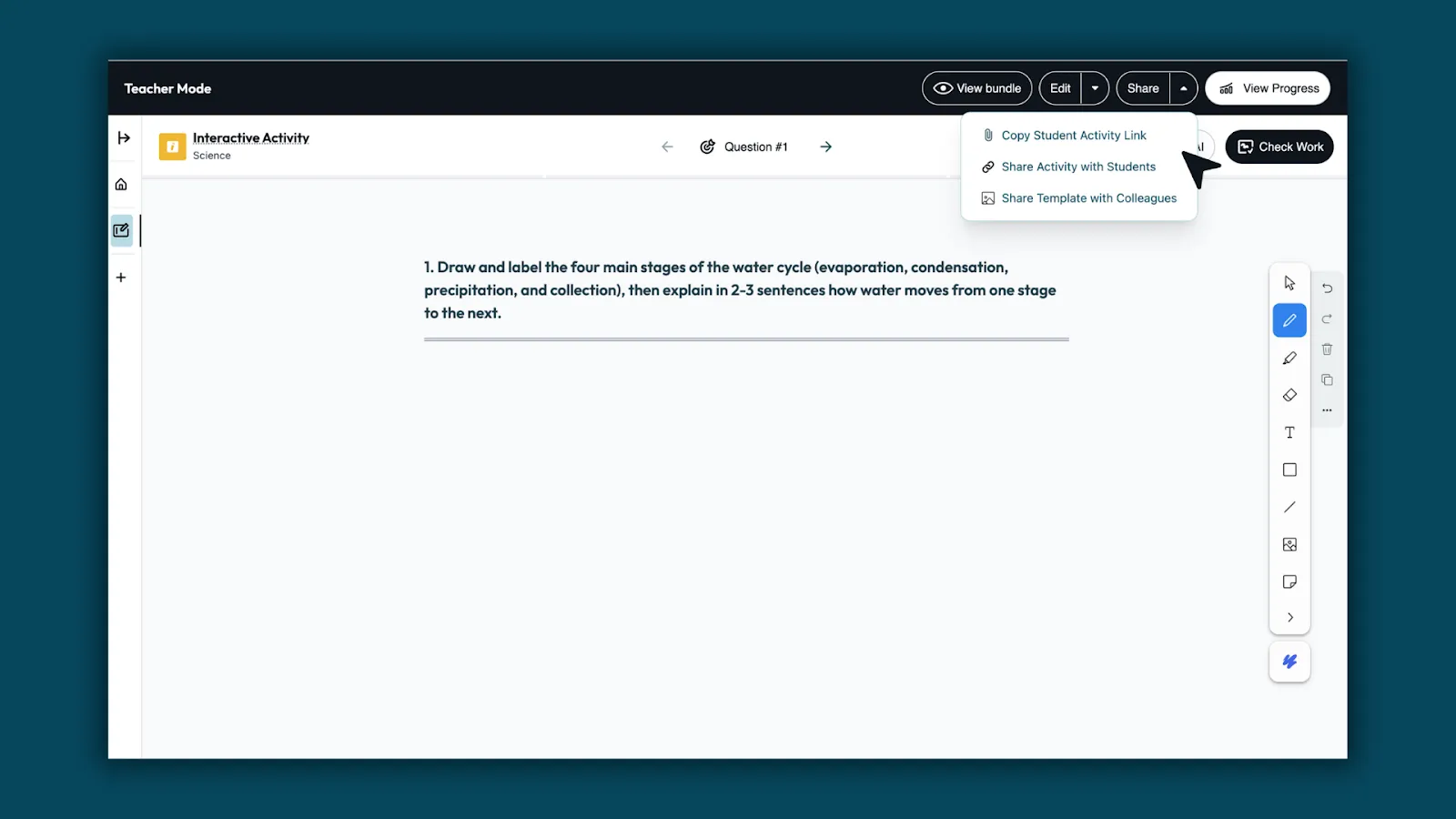
- Share the link. Students open the whiteboard and start working. No student accounts required.
- Watch thinking develop and use what you see to decide what to address.
Learn more about Boost Whiteboard →
TURN ANY RESOURCE INTO AN INTERACTIVE INQUIRY
AI makes it possible to turn any reading material into a genuine back-and-forth where students have to explain what they understand and be pushed on what they don't.
Activity overview
Students read an article, watch a video, or work through a document, then interact with an AI chatbot that asks them to explain, justify, and question what they encountered. The chatbot doesn't move forward until the student gives a substantive answer. If their response is vague, it asks them to be specific. If they miss something important, the chatbot asks for a follow-up that points them back to the text.
This works across subject areas:
- Science: Students explain a concept back to the AI after watching a video, and the AI identifies gaps in their explanation
- Social studies: students engage with a primary source and the AI asks them what the author would think about a current event.
- Math: Students walk the AI through their problem-solving process step by step.
Sample prompt
"The student just read [source]. Ask them one open-ended question about what they read. When they respond, ask for a follow-up that requires them to point to something specific in the text. After two exchanges, ask: 'What question does this source leave unanswered?'"
How to use Brisk Boost for interactive inquiry activities
- Open your source — any article, PDF, Google Doc, or YouTube video — and click the Brisk extension.
- Select Boost Student Activity, and choose Inquiry.
- Set your learning objective, add your prompt, and share the link.
- Students work through the source alongside the AI, and you see every conversation in your monitoring dashboard.
HOOK STUDENTS WITH AN AI-GENERATED SCENARIO
The first five minutes of a lesson can often determine whether students are actually engaging with the rest of it. An interesting hypothetical scenario creates the kind of cognitive engagement that makes new content stick.
AI makes it fast to generate hooks that are specific to your content, your students' grade level, and their interests. Rather than opening with the textbook definition of a concept, you open with a situation that requires understanding that concept to resolve.
Activity overview
Tell the AI your topic, your grade level, and something about what your students find interesting or relevant. Ask it to generate three different hook scenarios. Pick the one that best fits your class. Run the scenario as a brief whole-class discussion before introducing the lesson content to get students primed for the lesson.
Sample prompt
"I'm teaching [topic] to [grade] students. Generate three short, provocative scenarios that would make students want to understand [concept] in order to resolve the situation. Make the scenarios feel current and relevant to teenagers."
How to use Brisk Boost to hook students with scenarios
- Use the Hook activity type to turn the scenario into an interactive experience.
- Students engage with the setup individually or in pairs before the whole-class discussion, which means everyone arrives with a position rather than waiting to hear what someone else says first.
PERSONALIZE PRACTICE WITHOUT MULTIPLYING YOUR PREP
Differentiation is one of the most persistently difficult demands of classroom teaching. Most teachers want to reach every student where they are but don’t have time to build three different versions of every activity.
AI makes differentiated practice achievable without tripling the workload.
Activity overview
Differentiation works best when the task itself stays rigorous and what changes is the level of support students receive getting there. Rather than building separate activities for different learners, configure the AI’s scaffolding around a single task: students who need more structure get smaller steps, vocabulary support, and more frequent check-ins. Students who are ready to go further get fewer prompts and more independence.
Sample prompt
For a student who needs more support, your scaffolding instruction might read: "Break the task into smaller steps. After each step, ask the student to confirm their understanding before moving on. Define any unfamiliar terms using simple language."
For a student ready to go further: "Minimize step-by-step guidance. Push the student to make independent decisions and explain their reasoning before moving on."
How to differentiate activities with Brisk Boost
- Create any Boost activity. Choose your activity type, add your source or prompt, and set your learning objective.
- In the scaffolding settings, review the guidelines Brisk has auto-populated based on your prompt.
- Adapt them for each group: more checkpoints and vocabulary support for students who need it and less hand-holding for students who don't.
GIVE EVERY STUDENT A RELIABLE STUDY PARTNER
Peer study has well-documented limitations: students overestimate what they know, conversations drift off-topic, and the student who already understands the material ends up doing most of the explaining. An AI study partner doesn't have these problems. If tailor-made for the classroom, it will only give hints, not answers.
Activity overview
Instead of having the AI explain content to students, students explain content to the AI. The AI listens, identifies what's incomplete or incorrect in the student's explanation, and asks follow-up questions. Students are forced to surface and address their own gaps rather than passively receive information.
Sample prompt
"Have the student explain [concept] to you. If they get something wrong or seem confused about part of it, ask them a follow-up question that helps them find the problem in their own explanation. Don't tell them the answer; ask them a question that helps them figure it out."
How to use Brisk Boost to help students learn
- Select the Tutor activity type, set your learning objective, configure the chatbot to ask guiding questions rather than give answers, and share the link.
- Students who finish early, need review, or are working at home have access to personalized support on demand without needing a teacher present.
💡 Ottawa Catholic School Board, which deployed Brisk Boost to 53,000 students across 90 schools, heard this from a student: "Now that there's Boost, I don't have to wait for the teacher." Another student added: "It helps you improve and learn instead of just getting the answers." Read the full story.
CHECK FOR UNDERSTANDING IN REAL TIME
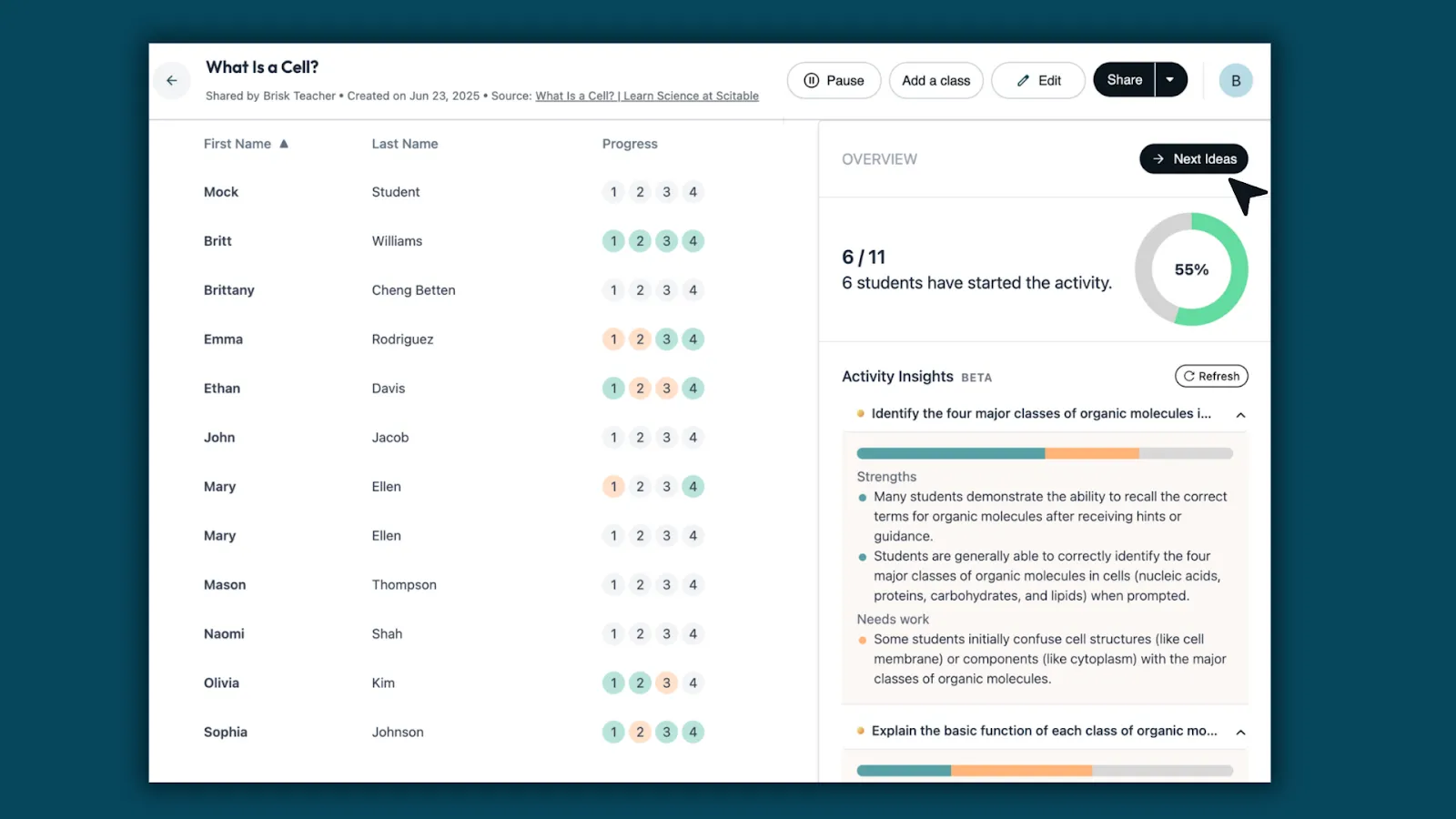
Formative assessment is most useful when it happens during learning, not after. But traditional check-in methods like asking the class, circulating to read student work, and polls only tell you roughly how the class is doing, not specifically what each student understands. AI-powered formative checks give you student-level data in real time.
Activity overview
Students interact with a chatbot configured to probe their understanding of a specific concept. You know exactly which students are ready to move on, which ones have misconceptions, and which ones need your help.
Sample prompt
"Ask the student to explain [concept] in their own words. If their explanation is missing something important, don't tell them what's missing — ask a question that helps them find it. After two exchanges, ask: 'What part of this are you still least sure about?'"
How to check for understanding with Brisk Boost
- Use Pulse Check for mid-lesson formative checks or Exit Ticket for end-of-class assessments. Both give you individual student data without requiring a grade.
- The conversation logs show you not just whether a student got it right, but how they reasoned their way to an answer.
WHAT MAKES AI ENGAGEMENT ACTIVITIES WORK?
Across all of these activities, the same principle holds: AI engages students when it creates a feedback loop that requires them to think again. The student produces something, the AI responds with specificity, and the student has to decide what to do with that feedback.
When students use AI to skip the hard part, they complete the task without doing the learning. The activities above are designed so that's not possible. The AI is configured to ask questions, not give answers.
The other factor is teacher oversight. The teachers getting the most out of AI-powered activities aren't stepping back and hoping for the best – they're watching what's happening and using data. AI gives teachers more visibility into student thinking than most traditional activities do.
FAQs
How do I keep students on task when using AI tools in the classroom?
Task design matters more than monitoring. Students go off-task when the AI activity is open-ended. Every activity above is structured around a required output; when the task has that kind of structure, staying on task and doing the task are the same thing.
That said, real-time visibility helps. Tools like Brisk Boost let you see every student's conversation from your dashboard as it's happening, so you can redirect a student who's gone sideways before the period is over rather than after. Brisk Boost also sets guardrails, meaning that the AI doesn’t permit the student to go rogue.
How can I use AI for student engagement without compromising academic integrity?
The key is configuring AI as a thinking partner rather than a production tool. In every activity above, the AI's role is to ask questions, give targeted feedback, or push back on reasoning – not to generate content the student submits as their own. When students have to respond to the AI's questions in their own words, there's nothing to plagiarize. What they produce is the product of their own thinking.
Is AI safe to use with students? What about data privacy?
This depends on the tool. General-purpose AI tools like ChatGPT, Gemini, and Claude may not meet K–12 data privacy requirements (FERPA, COPPA). Purpose-built tools for education handle this differently. Brisk Boost, for example, is SOC 2, FERPA, and COPPA compliant. Student conversations are not used to train AI models. Students access activities through a link – no account creation with personal information required.
What AI tools are teachers using to engage students?
Commonly cited tools include Brisk Teaching (particularly Brisk Boost for student-facing activities), Curipod, Kahoot, Snorkl, and Diffit.
The right tool depends on the activity: game-based engagement, AI tutoring, writing feedback, and formative assessment each have tools that are better suited to them. Brisk Boost is notable for combining several of these use cases (debate, writing coaching, inquiry, tutoring, and formative assessment) in a single platform with teacher oversight built in.


.webp)