%20(1).webp)
Teachers make constant instructional decisions: What needs reinforcement? Who needs support? What should come next?
Brisk already supports the first part of that work with Learning Insights, giving teachers clarity on student strengths and areas to grow based on completed Boost Learning Activities.
Now, Brisk takes the next step.
Introducing Next Ideas — personalized learning activities generated directly from Learning Insights. Next Ideas makes responsive instruction actionable. Instead of spending time analyzing insights and designing next steps, Brisk delivers targeted learning activities aligned to exactly where students are.
What is Next Ideas?
Next Ideas is a feature in Brisk that turns Learning Insights into tailored instructional activities.
- If students need review → Brisk generates foundational learning materials.
- If students are ready to apply and deepen their thinking → Brisk creates active learning experiences.
- If students are ready to demonstrate understanding → Brisk builds assessment-ready tasks.
This is more than activity creation, it’s instructional direction.
Next Ideas answers the question every teacher asks: What comes next based on where my students are now?
How It Works (with screenshots)
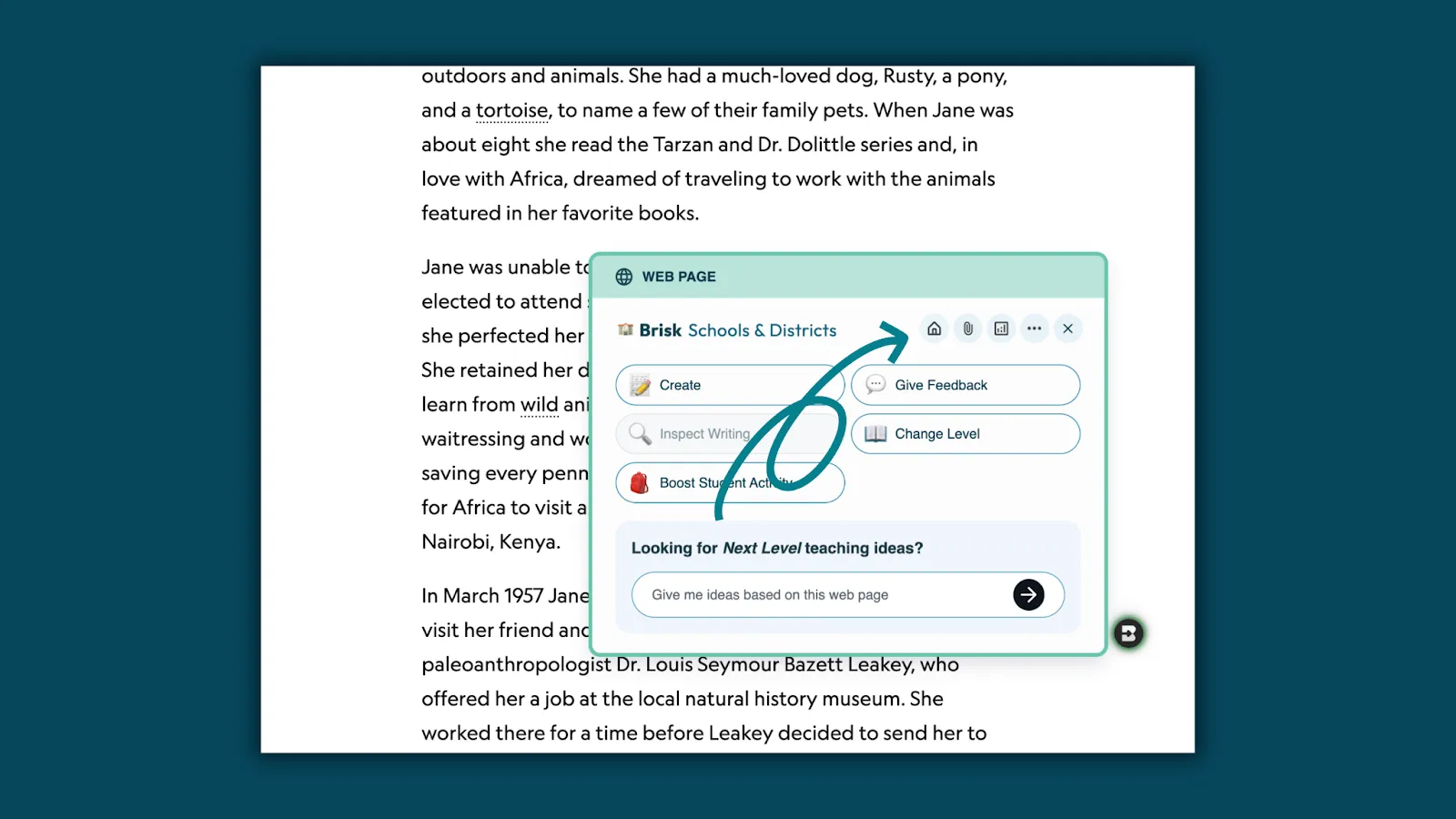
✅ Step 1: Open Brisk from any webpage
From the Brisk Extension, click the Home icon to open Brisk directly over the webpage, doc, or resource you're using.
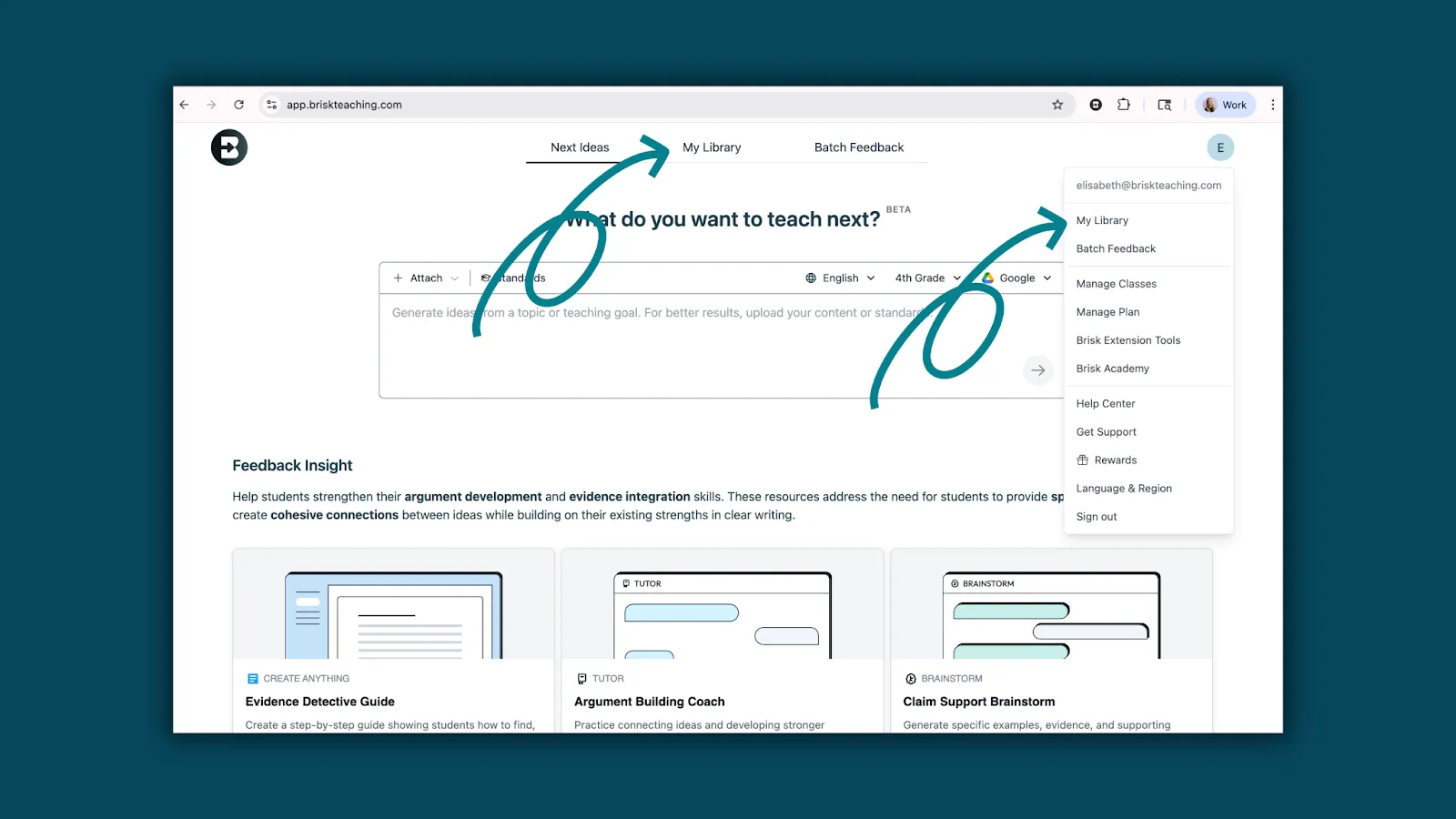
✅ Step 2: Go to Next Ideas in Brisk Next
At the top navigation of Brisk Next, select Next Ideas — or access it from your profile menu. Or continue to step 3 to use Learning Insights from Boost activities.
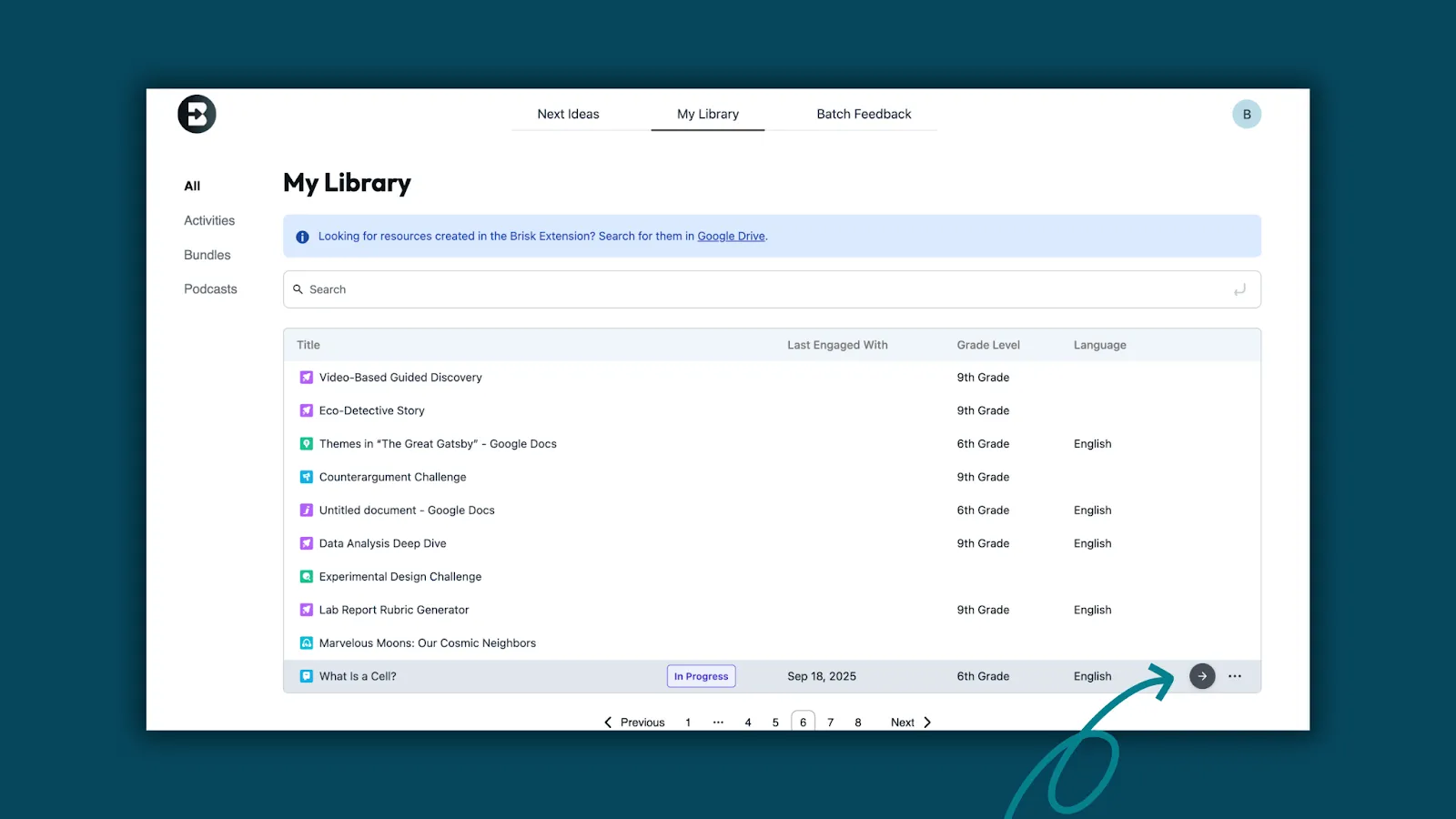
✅ Step 3: Open My Library
Everything teachers create or assign in Brisk is stored in My Library. Choose an assigned Boost Learning Activity to view student progress.
✅ Step 4: View Learning Insights
As students complete the activity, Brisk automatically surfaces:
- Strengths: what students already understand
- Areas to grow: where additional support is needed
These insights give teachers instant visibility into learning — without manually reviewing every student response.
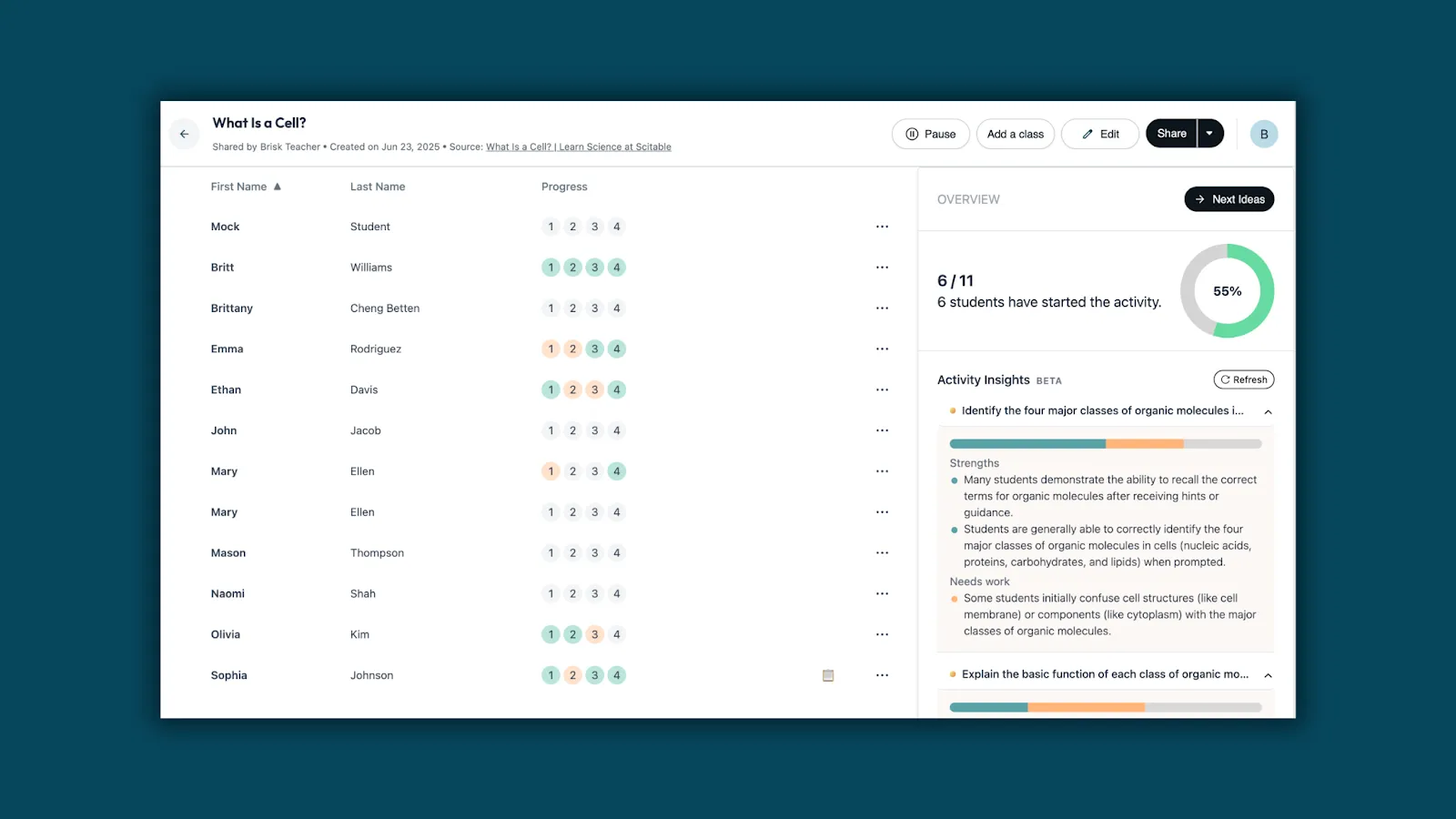
✅ Step 5: Click Next Ideas
At the top of the Learning Insights panel, click the Next Ideas button.
Brisk generates activity recommendations that directly respond to what the insights show. This is where insight becomes instruction.
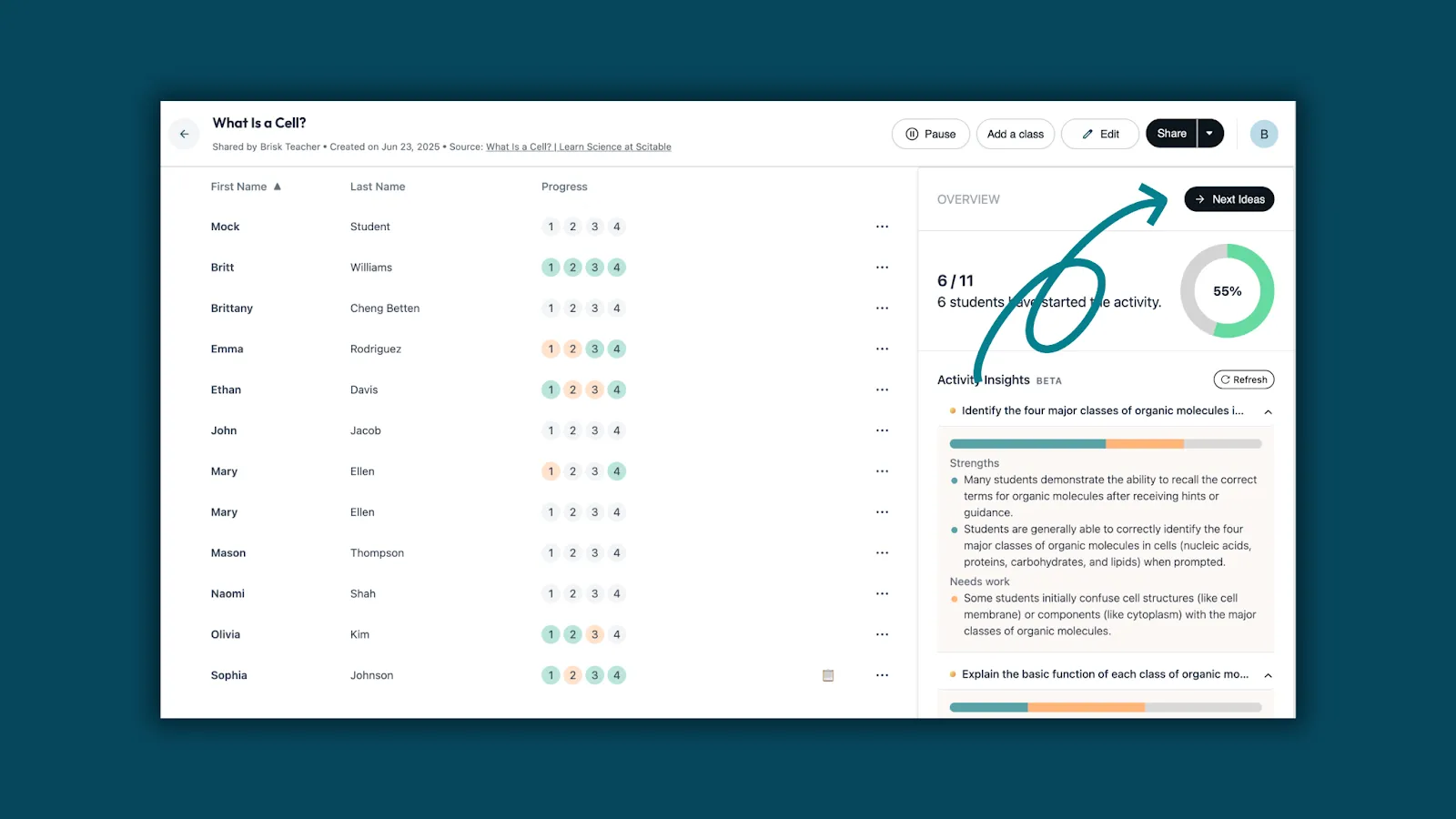
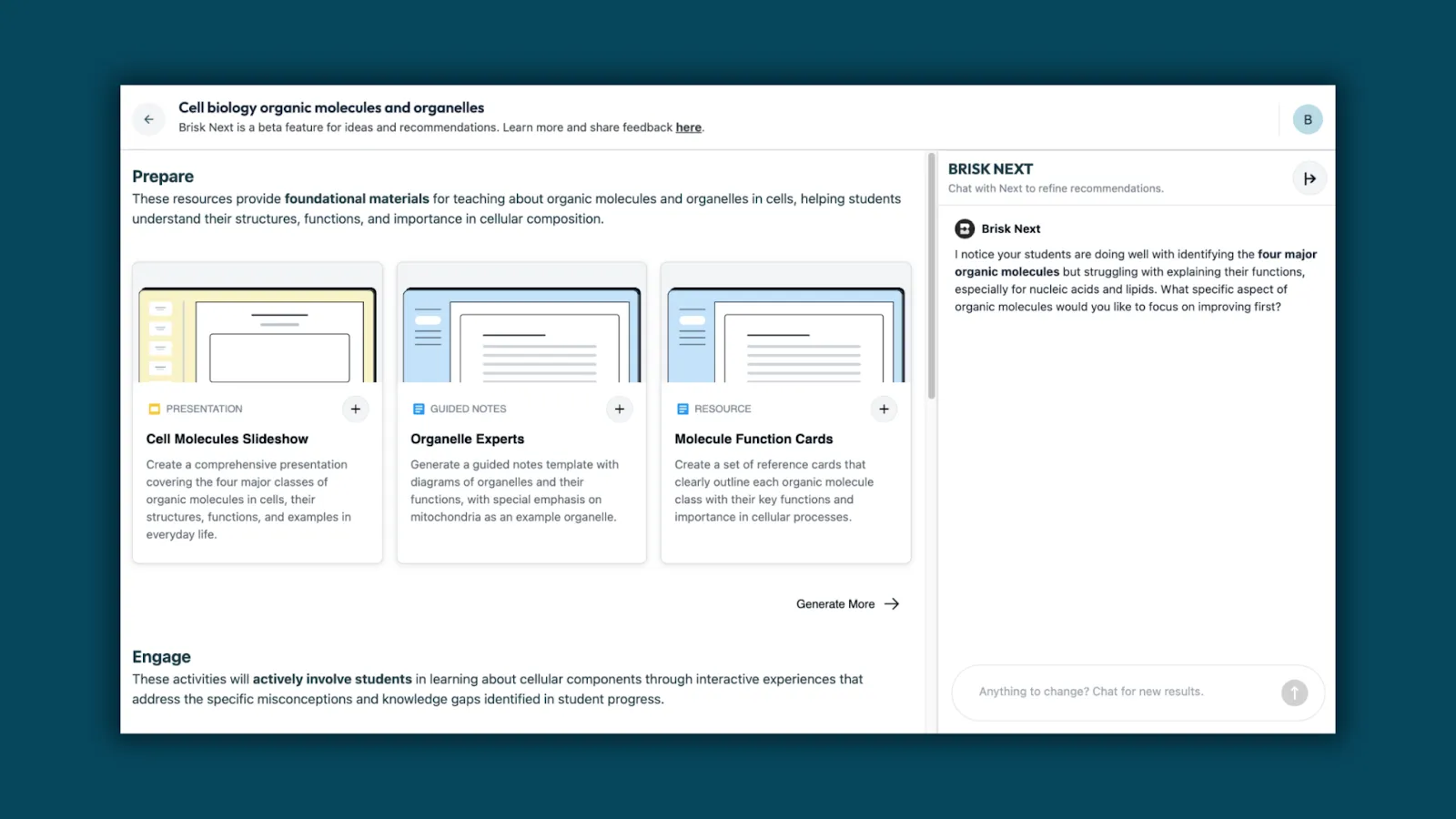
✅ Step 6: Select how you want students to learn next
Activities are organized into three instructional paths:
- Prepare — build background knowledge
- Engage — apply or explore learning
- Assess — demonstrate understanding
Teachers can preview, assign, or edit every activity — each one tailored to the student progress shown in Learning Insights.
The fastest path from insights to differentiation
Learning Insights show where students are. Next Ideas shows where to go next.
Brisk closes the loop:
- Students complete a Boost Learning Activity
- Learning Insights surface strengths and areas to grow
- Next Ideas generates the next instructional step
This is responsive instruction that keeps teachers in the moment and students moving forward. Because when you know what students need, the next step should already be there.
Try Next Ideas in Brisk today and meet students where they are — instantly.