.webp)
Finding great resources is easy. Turning them into meaningful instructional materials that actually work for your students, or creating something brand new from scratch, takes time.
Bundles from the Brisk Extension changes that.
You can create complete instructional materials right from your browser — whether you start with an article, online curriculum, a video, a PDF, or even a blank doc. Brisk takes care of the heavy lift, generating connected, high-quality materials like guided notes, presentations, and podcasts that you can easily adapt for every learner — all from the same place.
From One Great Resource to a Full Lesson Set
With Bundles from the Extension, you can take any article, video, or PDF and turn it into a complete set of connected instructional materials.
Whether you’re building guided notes, a presentation, or a podcast, Brisk transforms your chosen resource into ready-to-teach materials — so you can spend less time creating and more time teaching.
Here’s how it works:
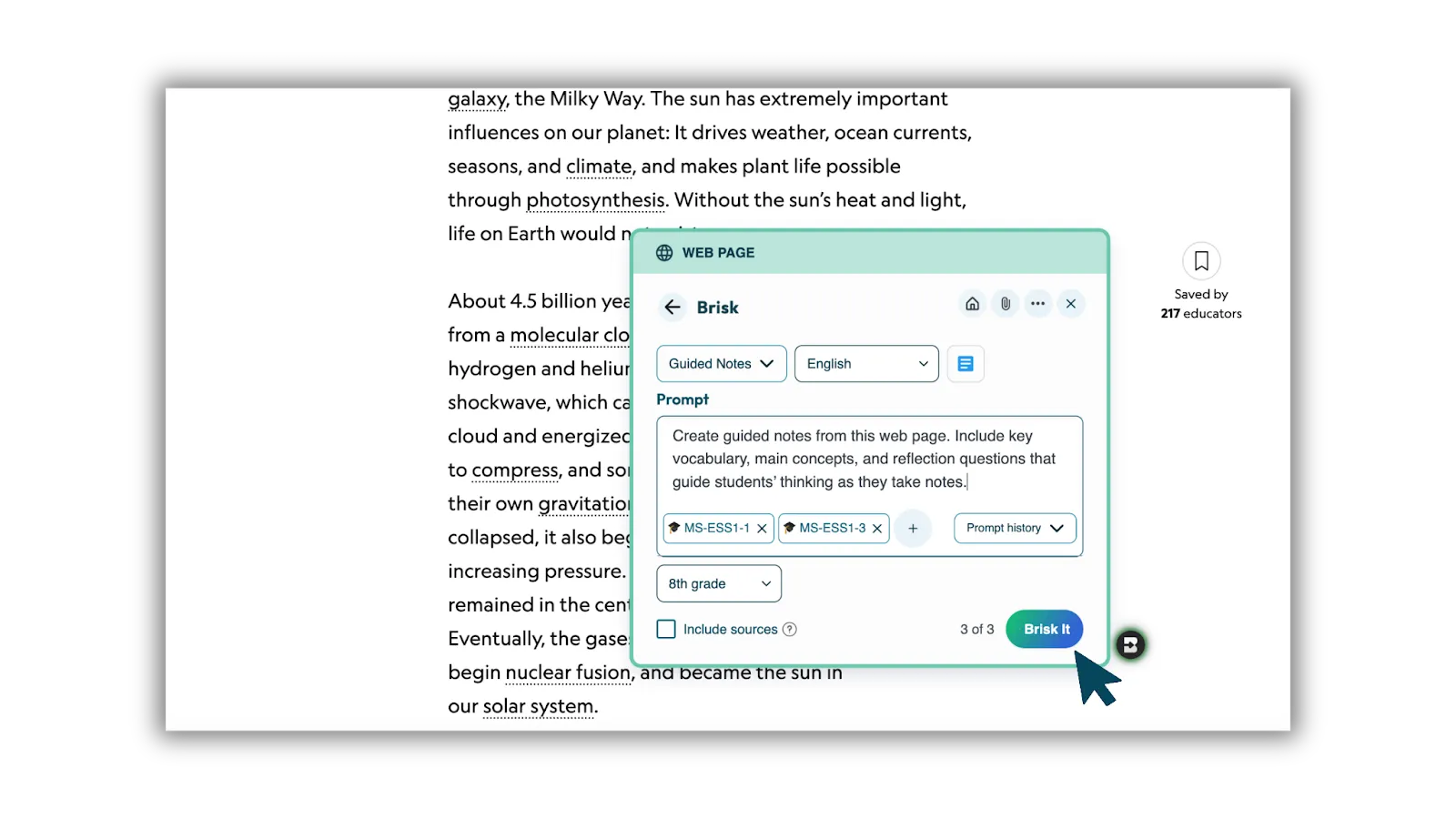
1. Open Brisk over any resource of your choice and click Create.
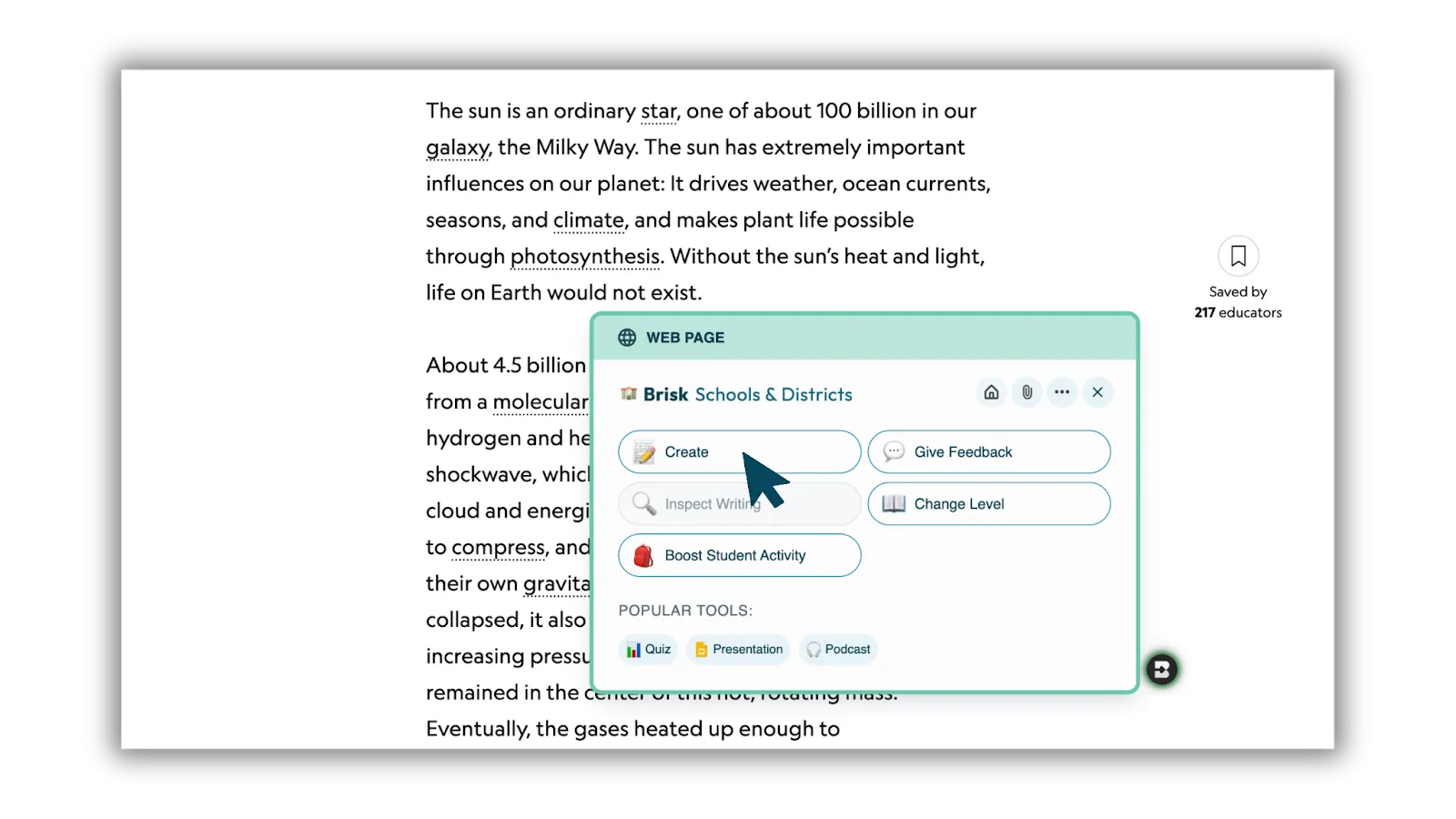
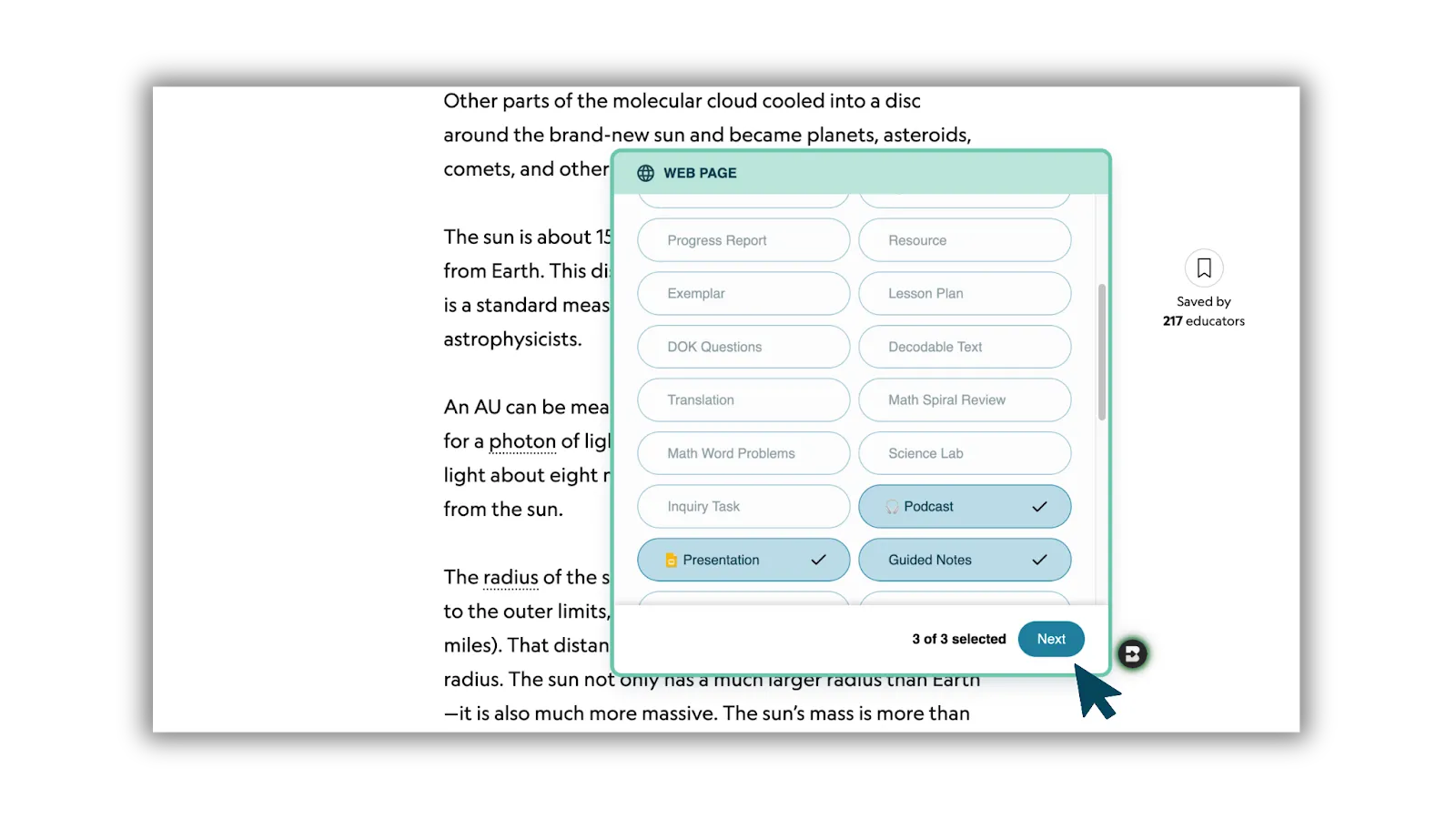
2. Select up to three instructional materials to generate at once.
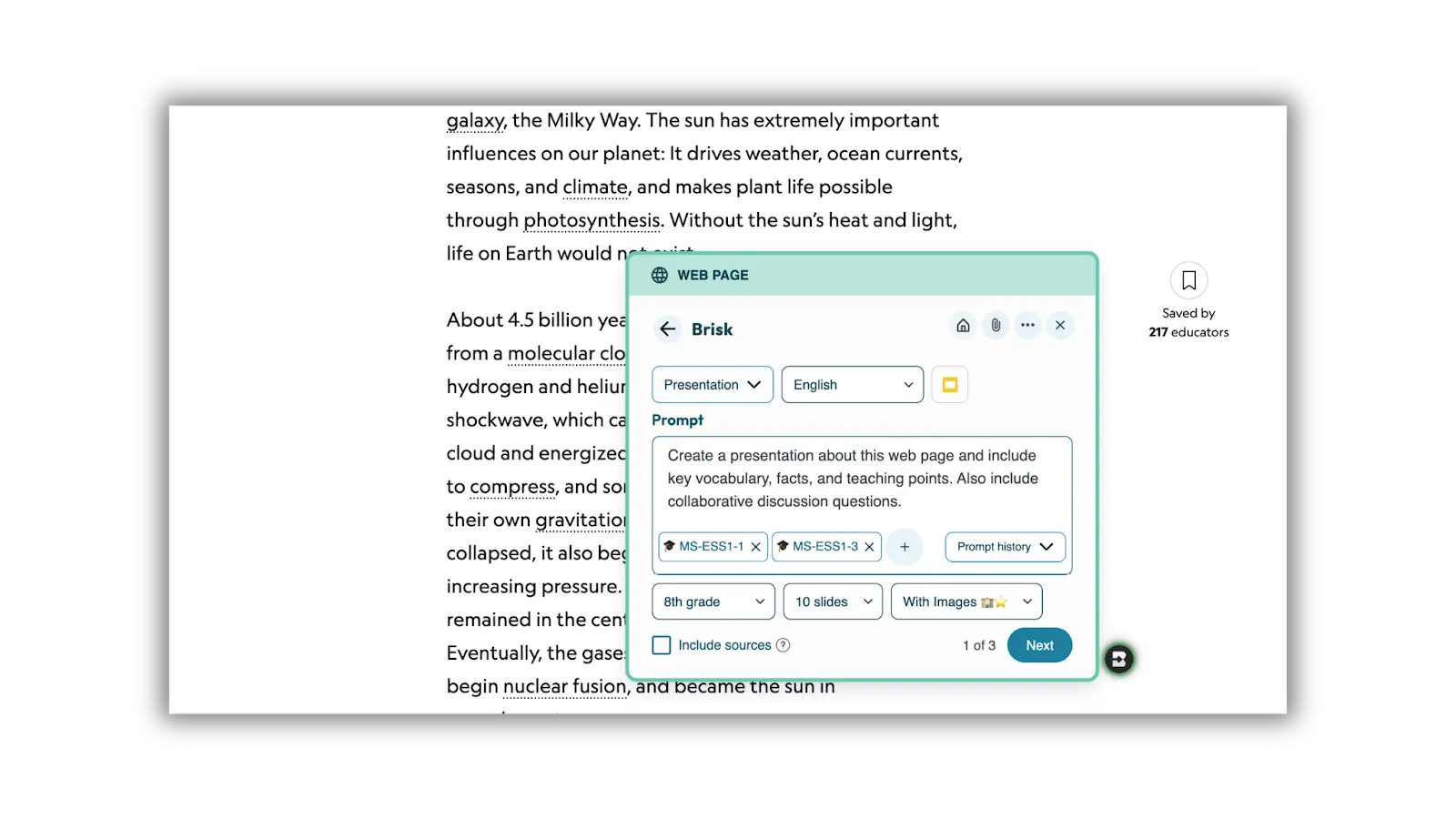
3. Add your details. Include standards, grade level, language, and customize each prompt to fit your students.
4. Click “Brisk It.” Brisk generates classroom-ready instructional materials designed for flexibility and quality
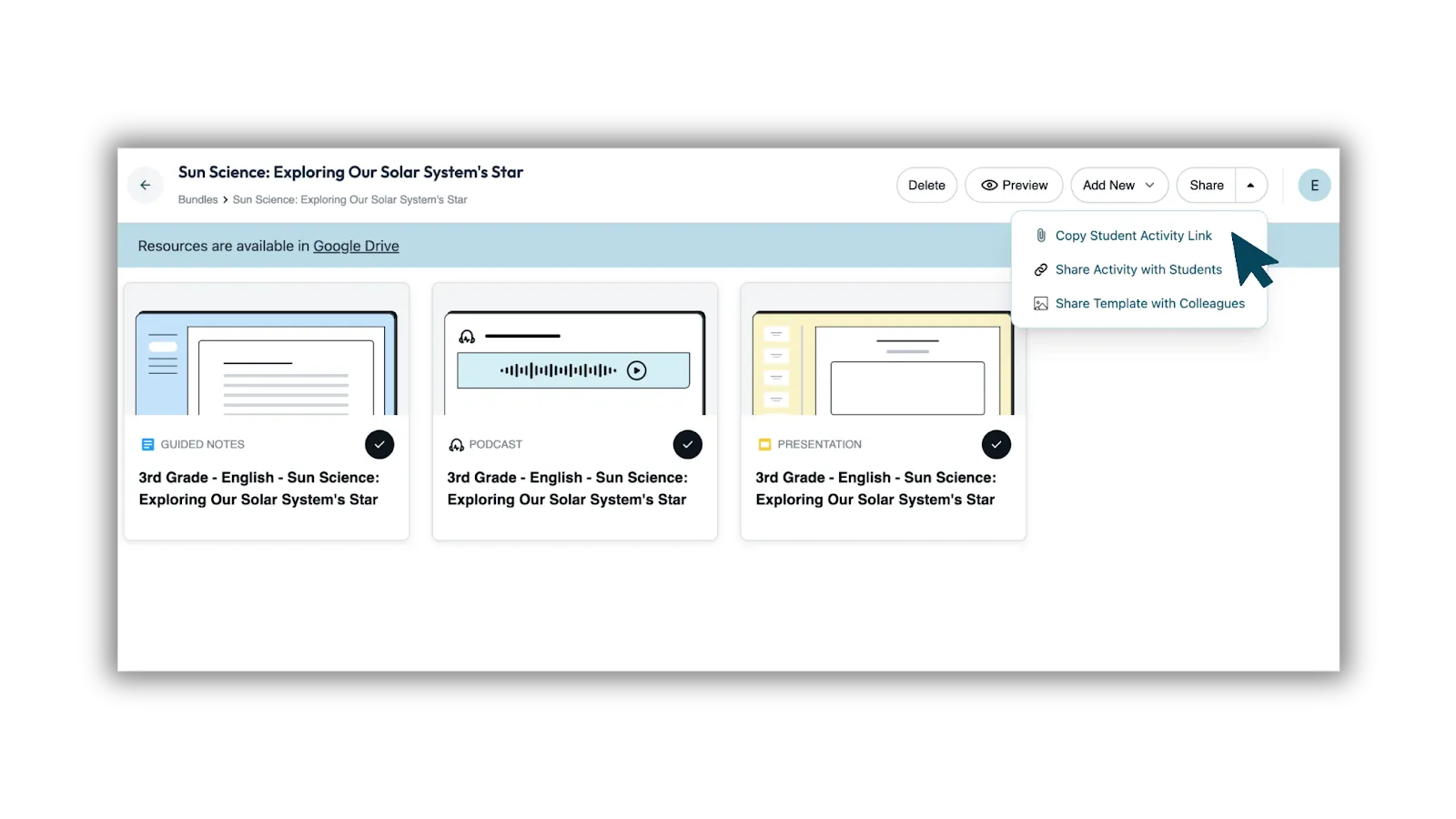
5. Review and refine. Everything saves together as one organized bundle in Google Drive — ready to teach, share, or make your own.
Meeting Every Learner Where They Are
Every classroom is different — and your materials should meet every student where they are.
Once you’ve created a resource, Brisk makes it simple to adapt it for your learners. You can use Change Level to adjust reading levels across up to three grades, or Translate into up to three languages to support multilingual students.
You can do this as you’re creating a single resource from Create, or later using Change Level on any file.
Step-by-step:
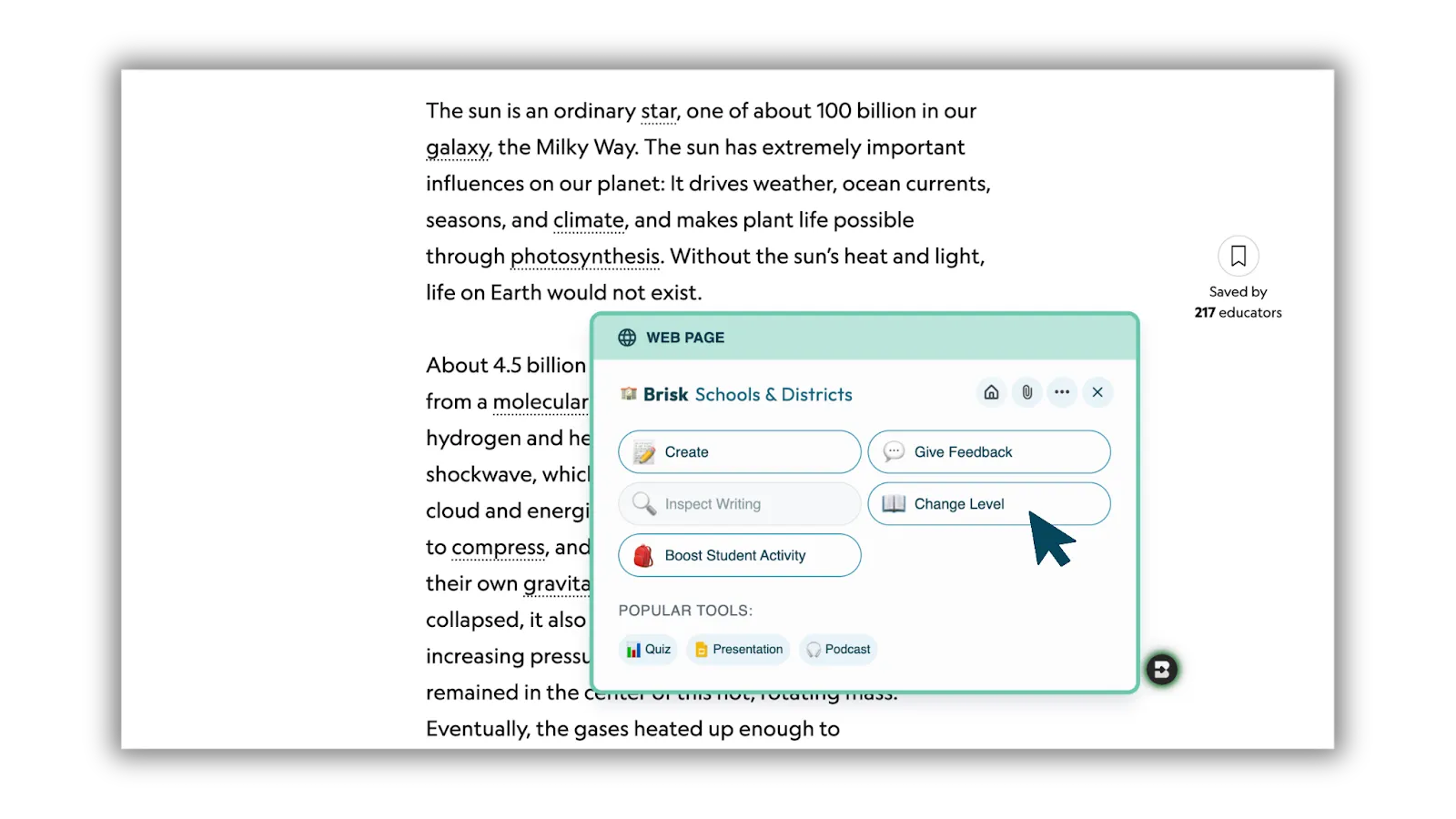
1. Open your resource. Choose the file you want to adapt and select Change Level.
2. Adjust reading level. Pick up to three grade levels to change the complexity.
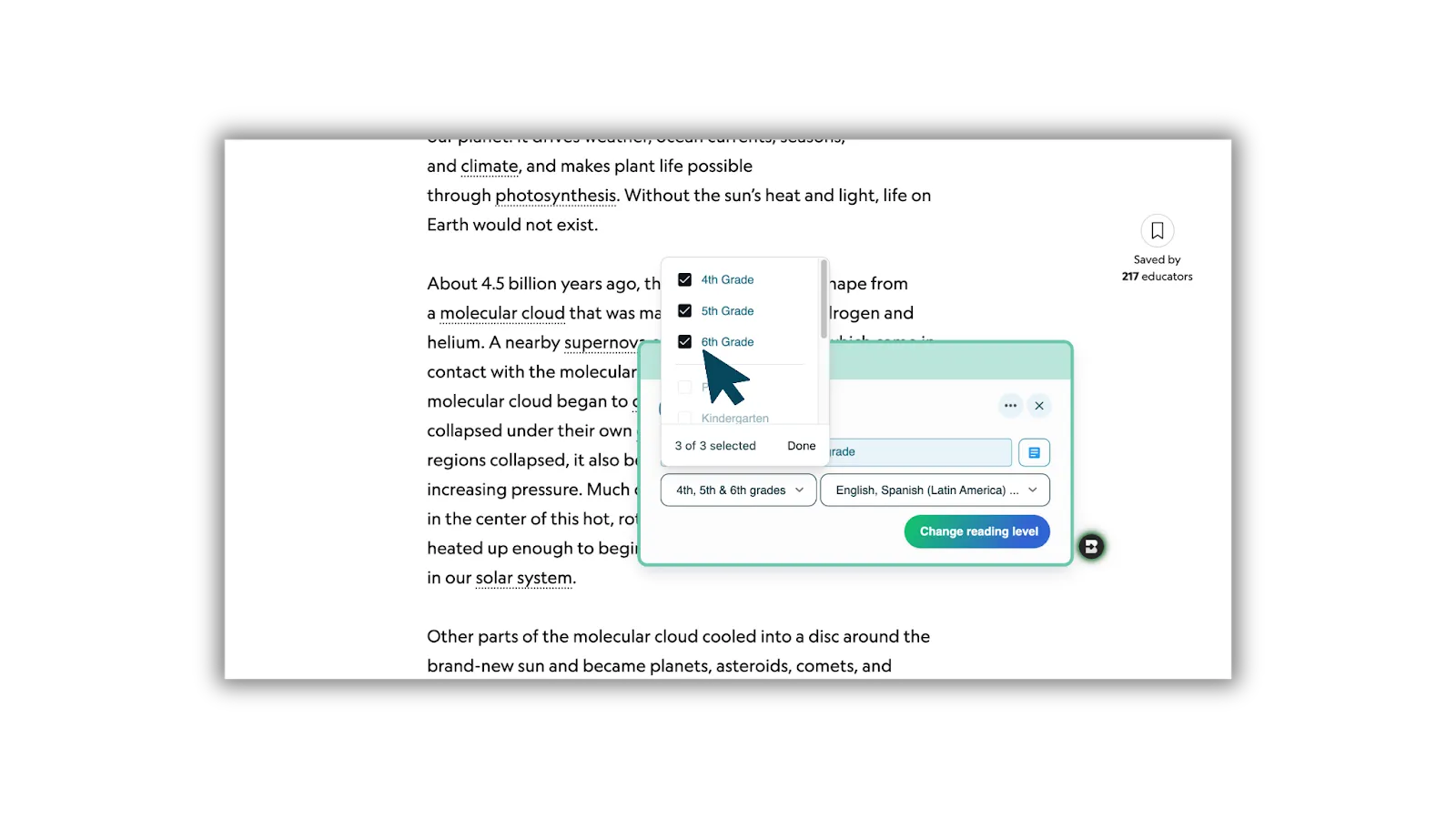
3. Translate. Choose up to three languages to make the resource accessible for multilingual learners.
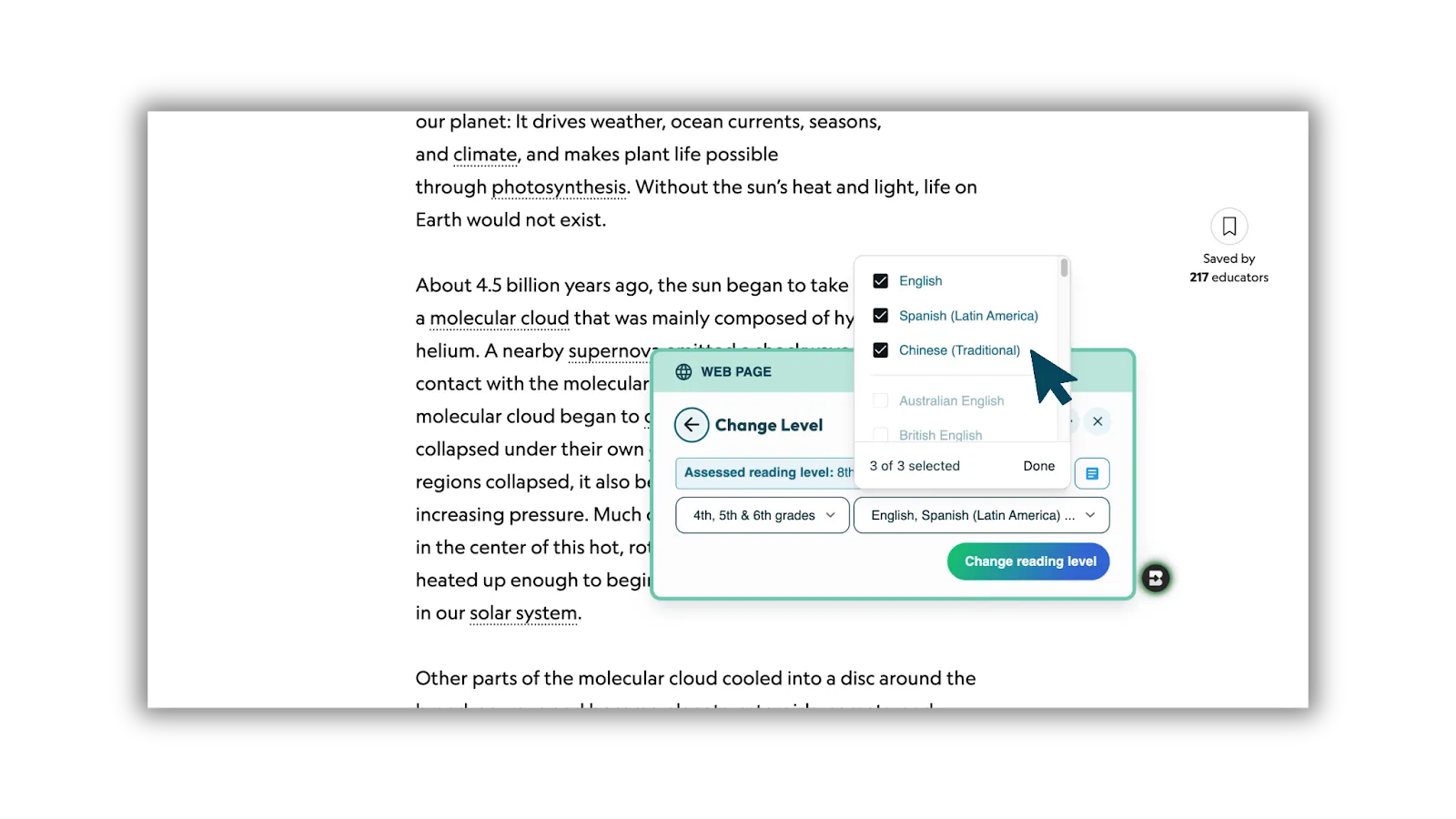
4. Change Level. Brisk instantly creates the new versions — all connected to your original.
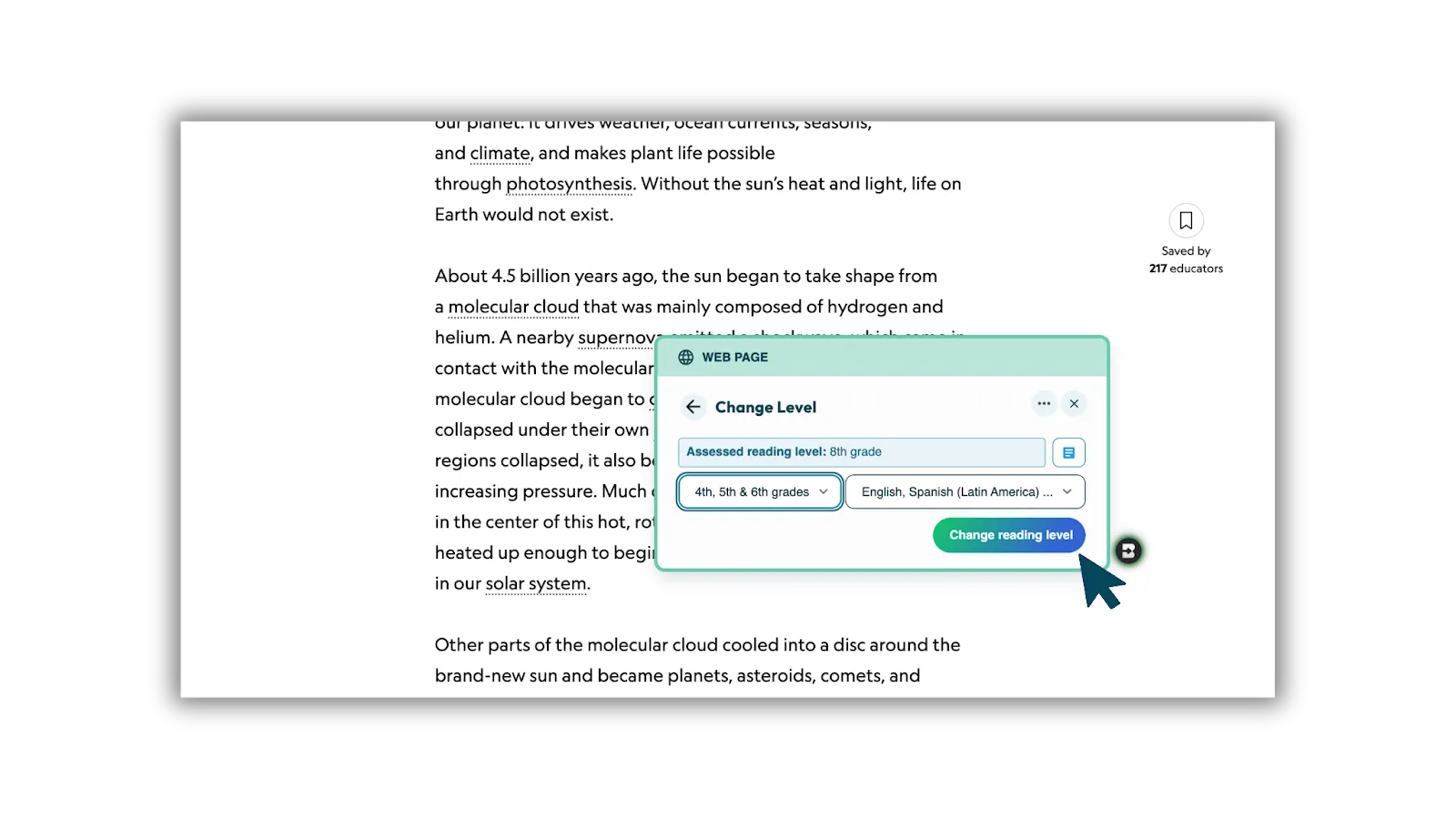
5. You can also Change Level and Translate directly from Create when building a single resource.
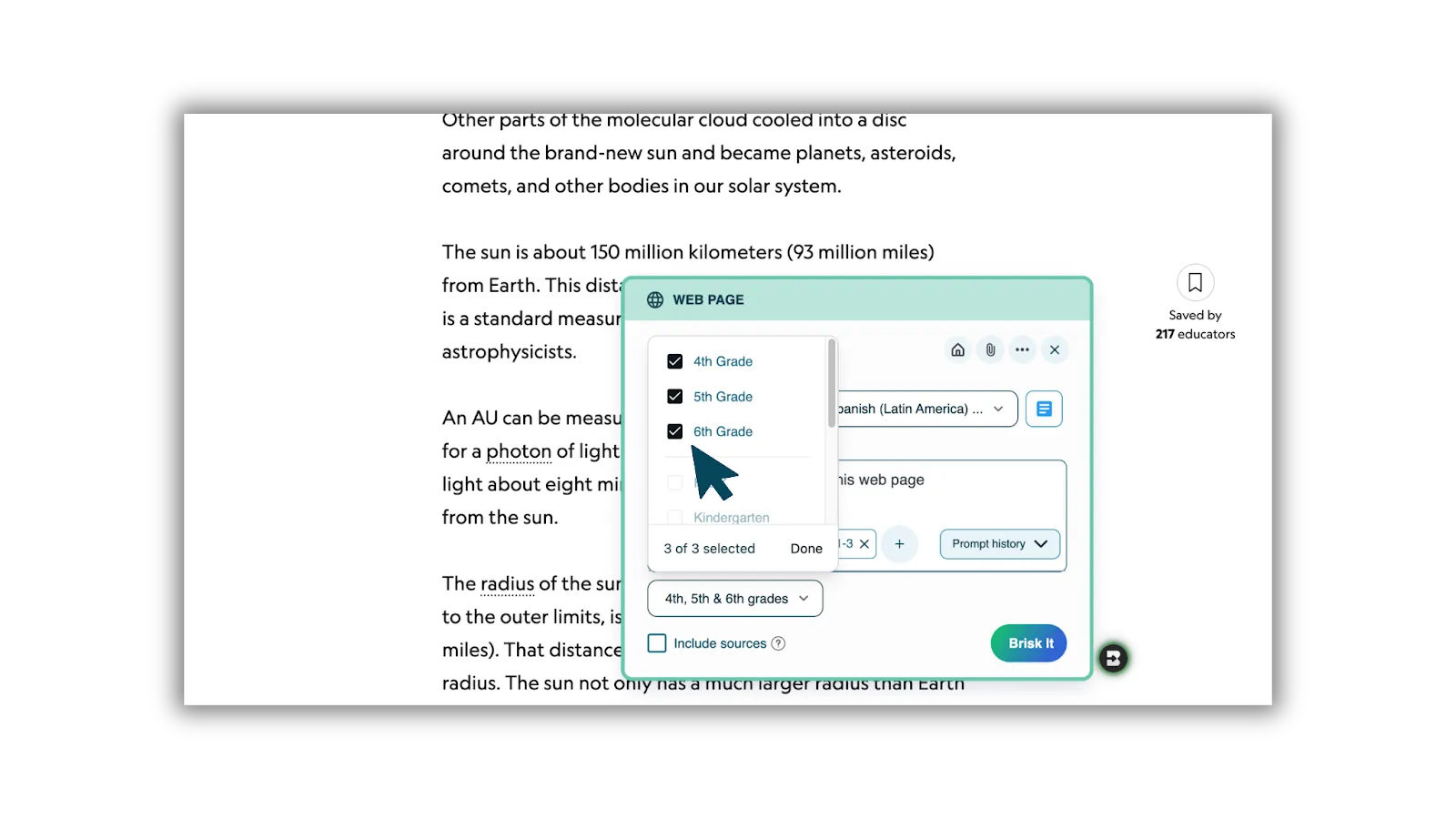
It’s a simple way to make sure every student can access the same high-quality learning experience — without starting over or managing separate versions.
Why Teachers Love It
Teachers who’ve tried Bundles from the Extension say it helps them:
- Create high-quality instructional materials from any resource and prompt.
- Keep lessons organized, consistent, and adaptable for diverse learners.
- Personalize learning with flexible tools that meet real classroom needs.
With Bundles from the Extension, you can create, adapt, and differentiate your materials — all from one trusted space.