

أنا مصدومة ولا أجد الكلمات للتعبير.
شكراً لك! لم أعد مضطرة لقضاء ساعات في محاولة إنشاء هذا. أخيراً سأحقق التوازن بين العمل والحياة!

AI Tools for Adjusting Levels and Languages
Change reading level in seconds.
Helping every student access grade-level content shouldn’t take all day. Brisk does it for you — in one click — with our AI Text Leveler Tool and AI Translate Text Tool.
Try it now
.png)
01
أنشئ ملاحظات تقييمية في ثوانٍ
قدّم ملاحظات تقييمية فعالة بست طرق مختلفة، واجعلها متوافقة مع نماذج التقييم (rubrics) التي ترفعها أو مع المعايير الحكومية، وشاركها بأكثر من 50 لغة.
02
خصص وعدّل
يتولى Brisk المهام الشاقة — لتتمكن أنت من التخصيص والتعديل والمشاركة بكل ثقة.
03
حافظ على سيطرتك الكاملة دائماً
تظل الملاحظات التقييمية مخفية عن الطلاب حتى تقوم بمراجعتها والموافقة على نشرها.
Adjust reading levels with Brisk
Use Brisk to adjust the reading level of any online article or text to suit your students' needs, fostering accessible learning environments. Brisk identifies the original grade level of the content and enables you to modify it for 1st through 12th grade levels.
.png)
Translate tools for online materials
Effortlessly translate online texts, articles, and webpages into more than 58 languages to meet the varied needs of your multilingual classroom. With Brisk, ensure all students have equal access to resources, boosting inclusivity and participation.
%20(1).png)
Transform adapted texts into engaging classroom materials
Easily share adjusted texts with your students or turn them into high-quality classroom resources. With Brisk, adjusting reading levels is a breeze, allowing you to create a variety of engaging educational materials quickly, making lesson planning simpler and keeping students engaged.
%20(1).png)
Create content in 50+ languages — in just a click
Need a reading passage in Spanish? A science warm-up in Tagalog? Directions in Ukrainian?
Brisk AI Tools have you covered.
With Brisk, you can generate lessons, feedback, and activities in over 50 languages - no translating line-by-line, no awkward phrasing, and no extra tools.
.png)
كيفية الترجمة وتغيير مستوى القراءة باستخدام Brisk
توجد Brisk هنا لدعم جميع المعلمين والمتعلمين دون تعقيدات تقنية.
إليك الطريقة:
01
02
03
04
01
افتح إضافة Brisk.
02
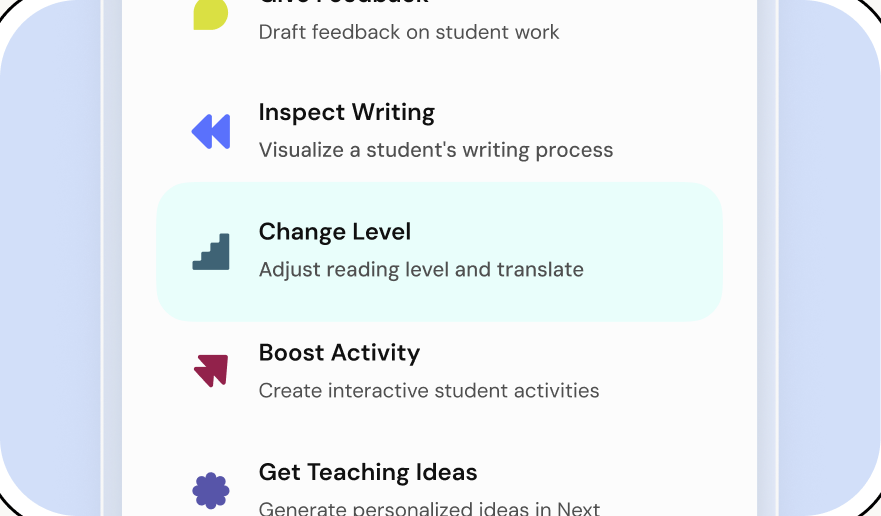
انقر على زر تغيير المستوى (Change Level).
03
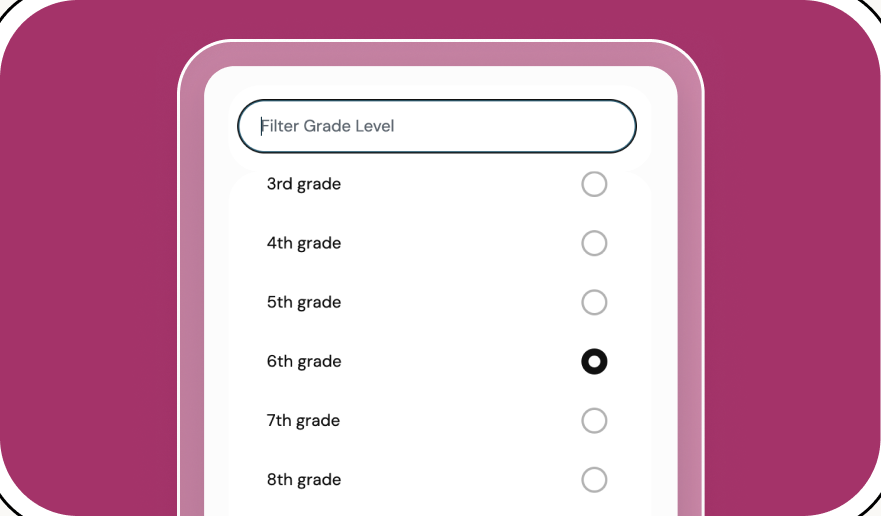
حدد المستوى الدراسي للمورد الجديد الخاص بك.
04
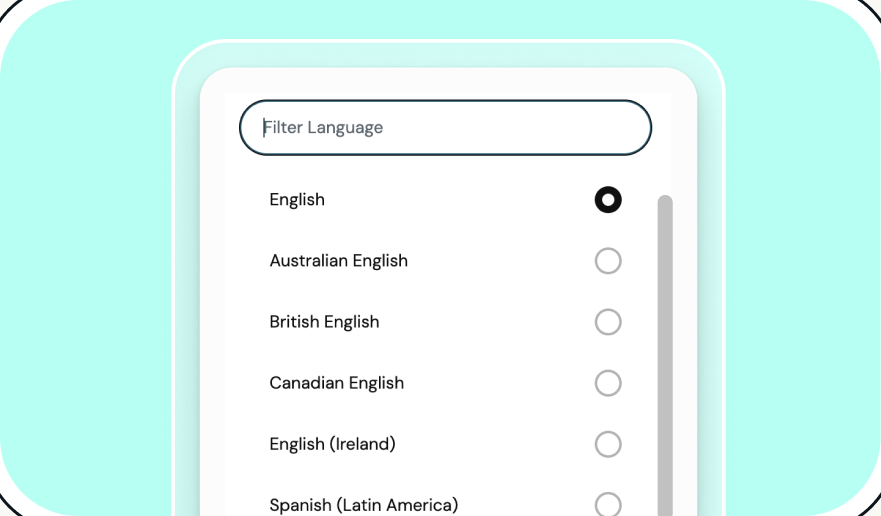
اختر لغتك (أو لغاتك) المفضلة.


خفف أعباء يومك مع Brisk
شكراً لك! لقد تم استلام طلبك بنجاح.
عذراً! حدث خطأ ما أثناء إرسال النموذج.