.webp)
.webp)
What’s New
Bookmark this page to see all of Brisk's updates in one place. Every week, new features go live and you won't want to miss them!

Batch Feedback Insights: See Classwide Patterns at a Glance
January 15, 2026
Batch Feedback Insights adds a new way for teachers to understand patterns across student work.
After feedback is generated, Brisk summarizes classwide strengths, growth areas, and — when rubric scoring is used — performance trends, so teachers can decide what to do next without opening every document.
How it works
- Run Batch Feedback on a set of student submissions.
- Reopen the assignment after Batch Feedback has been run.
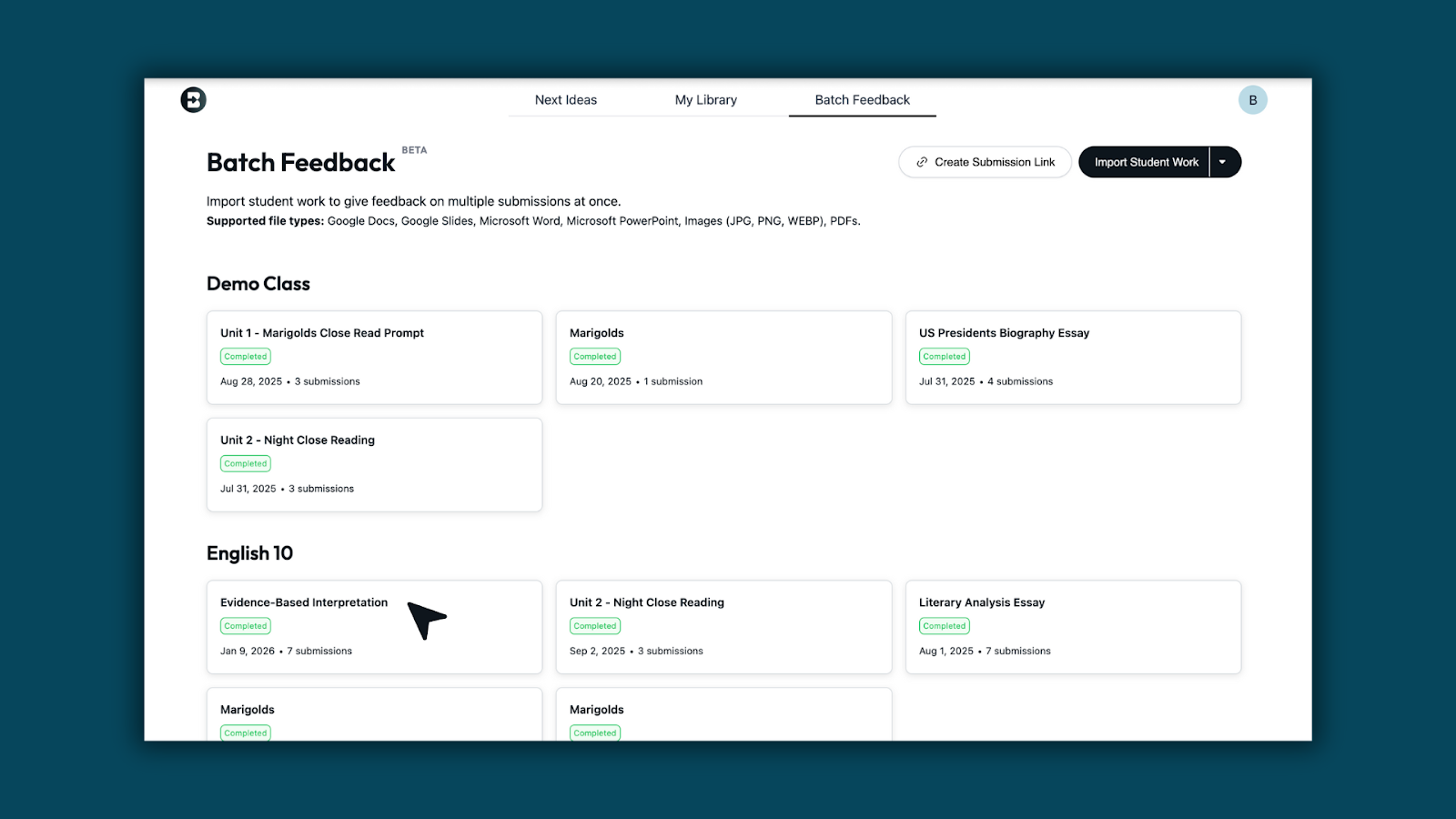
- View the Insights Summary panel on the right to see class-level patterns based on the feedback.
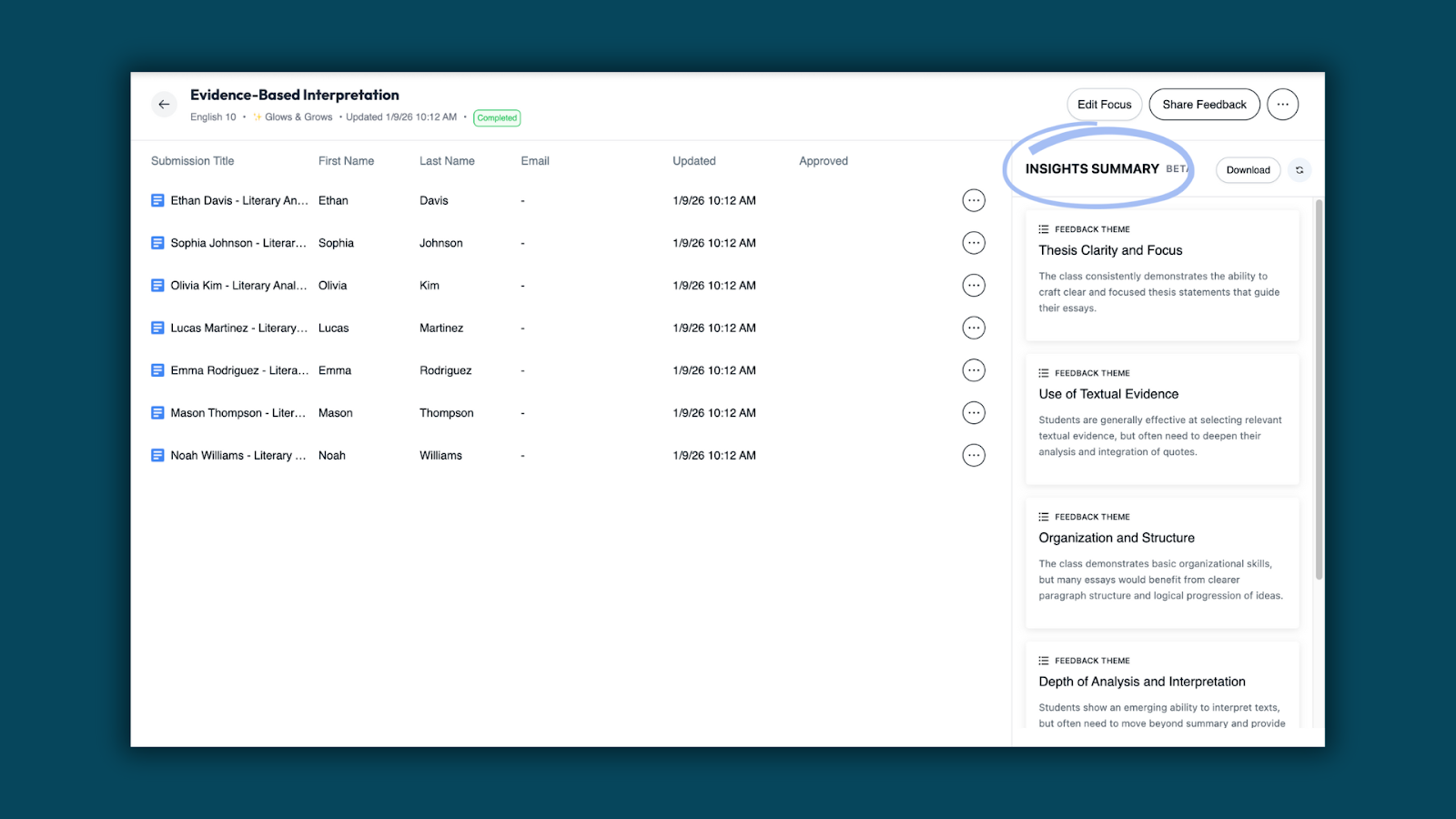
What teachers can see
Class-wide insights from feedback
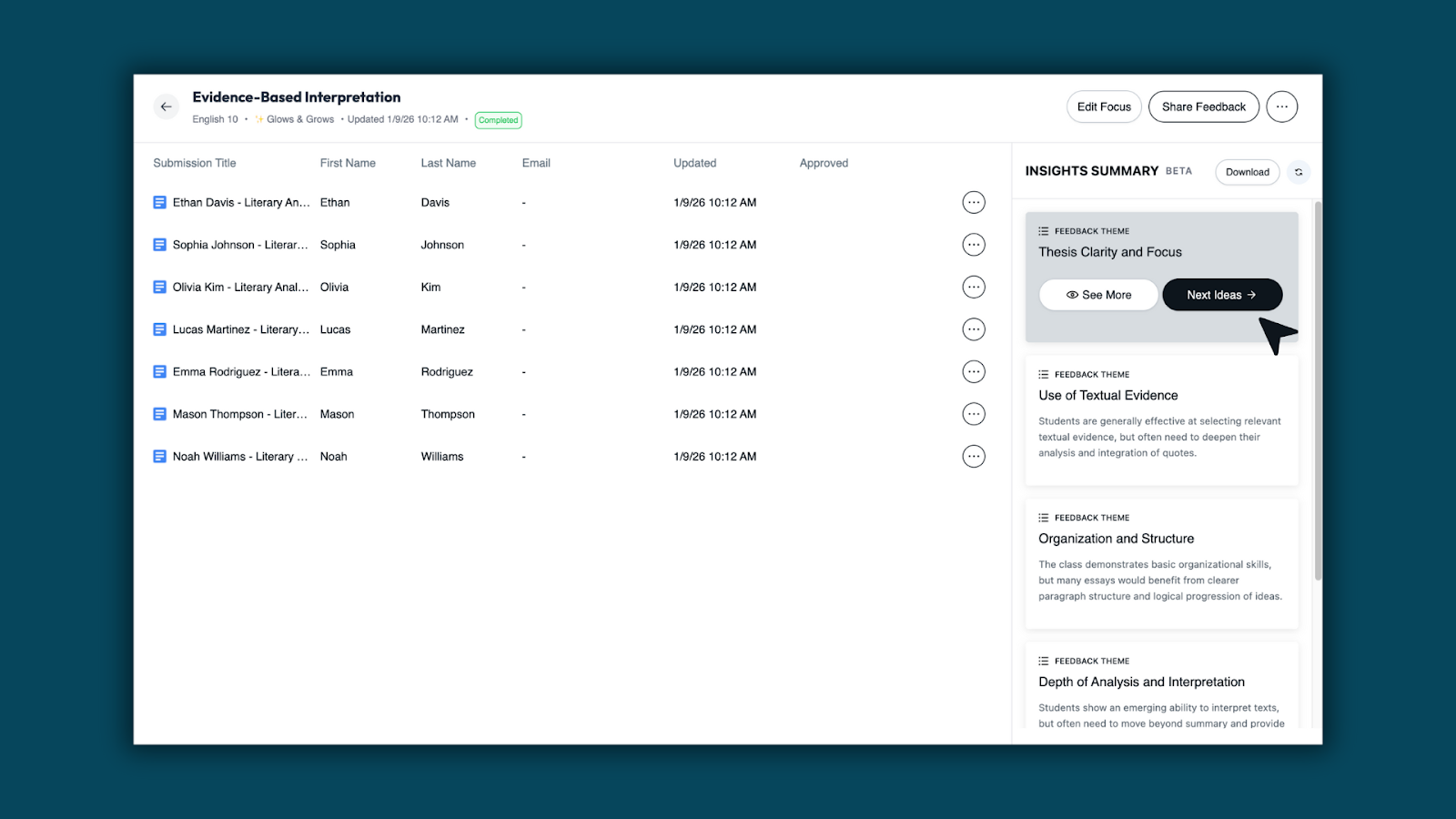
When no rubric is attached, Brisk analyzes the feedback generated and surfaces general feedback themes across the class. Teachers see high-level strengths and growth areas drawn directly from the feedback — without reviewing individual submissions.
Go deeper when needed
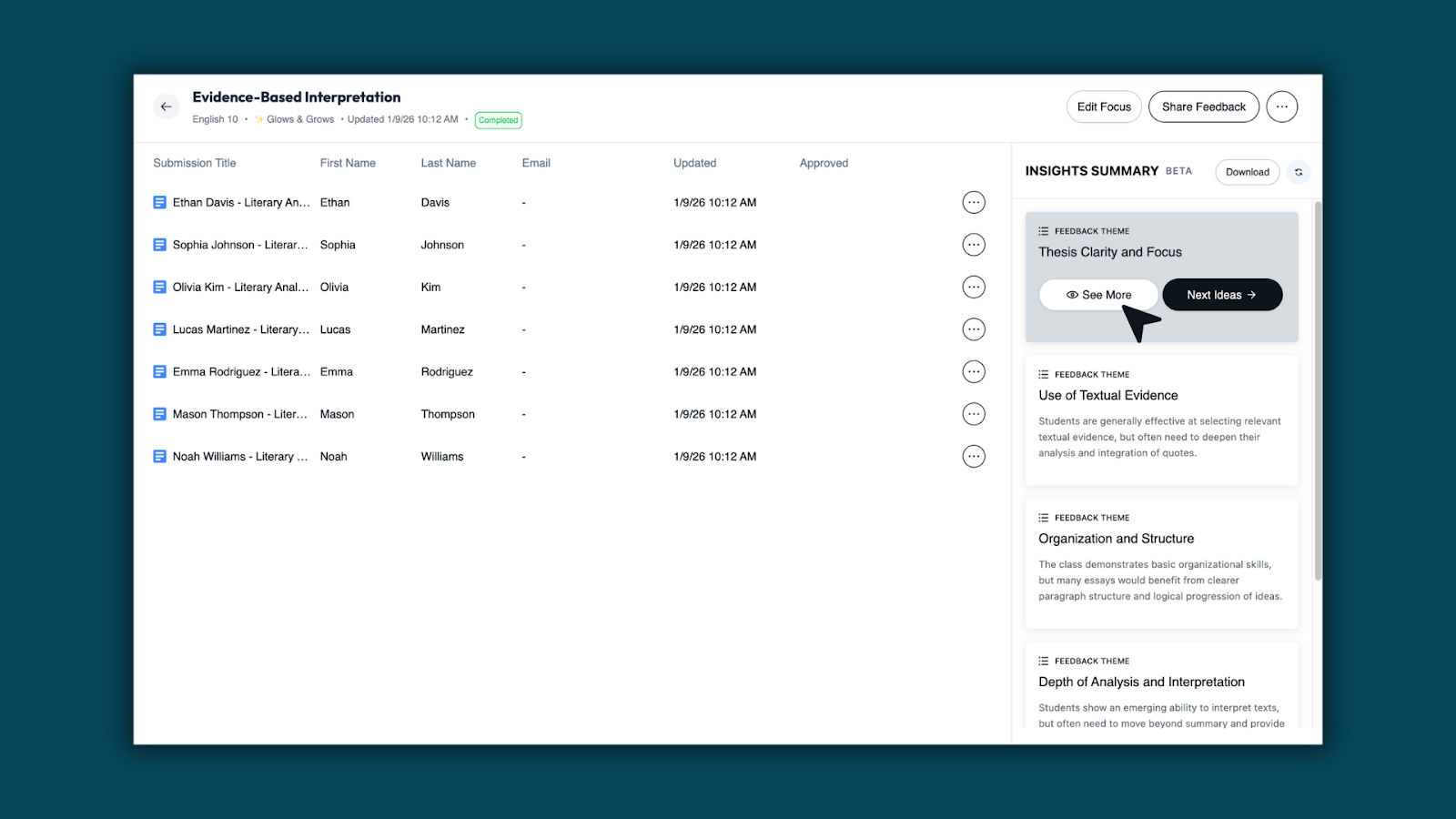
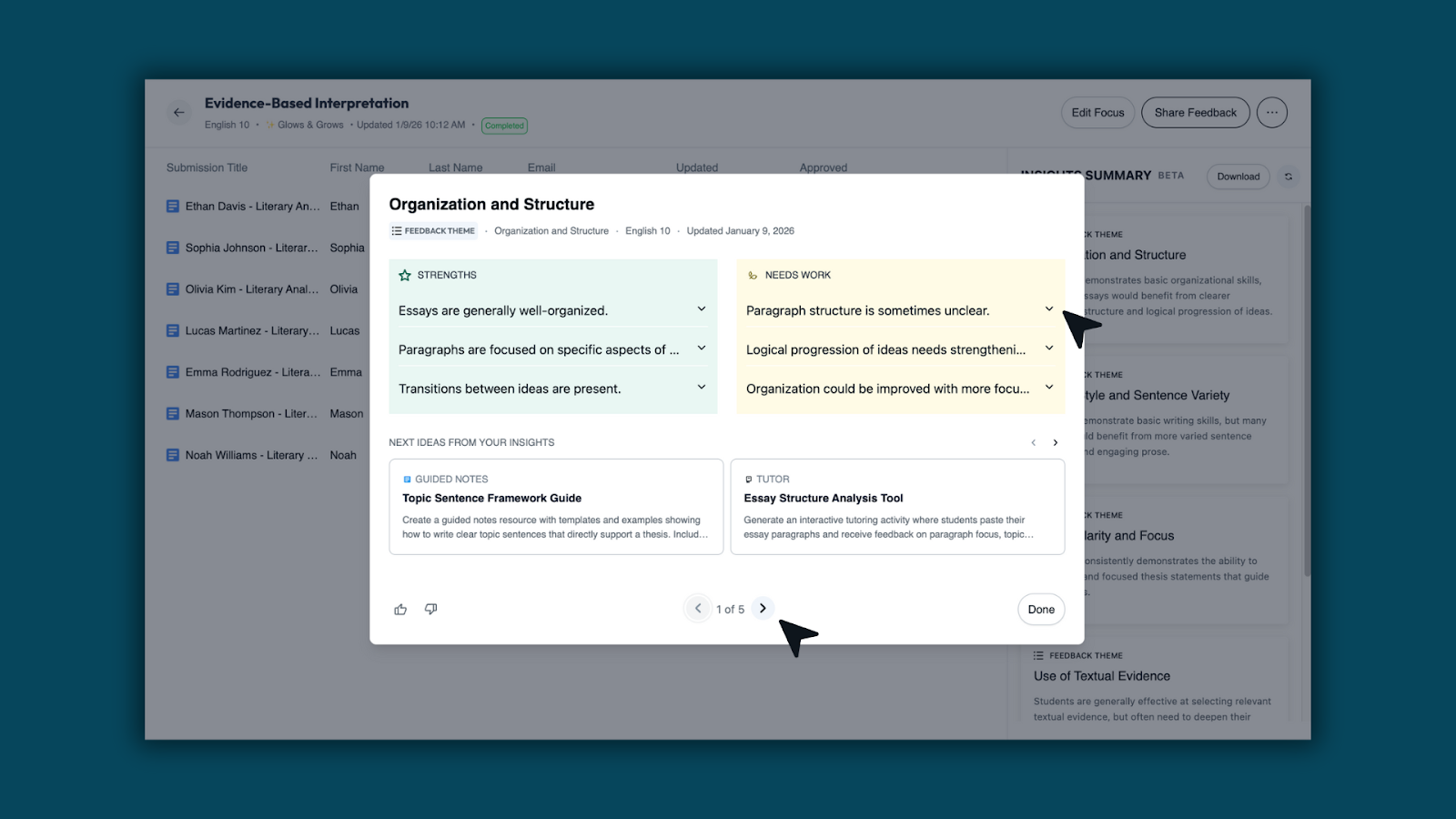
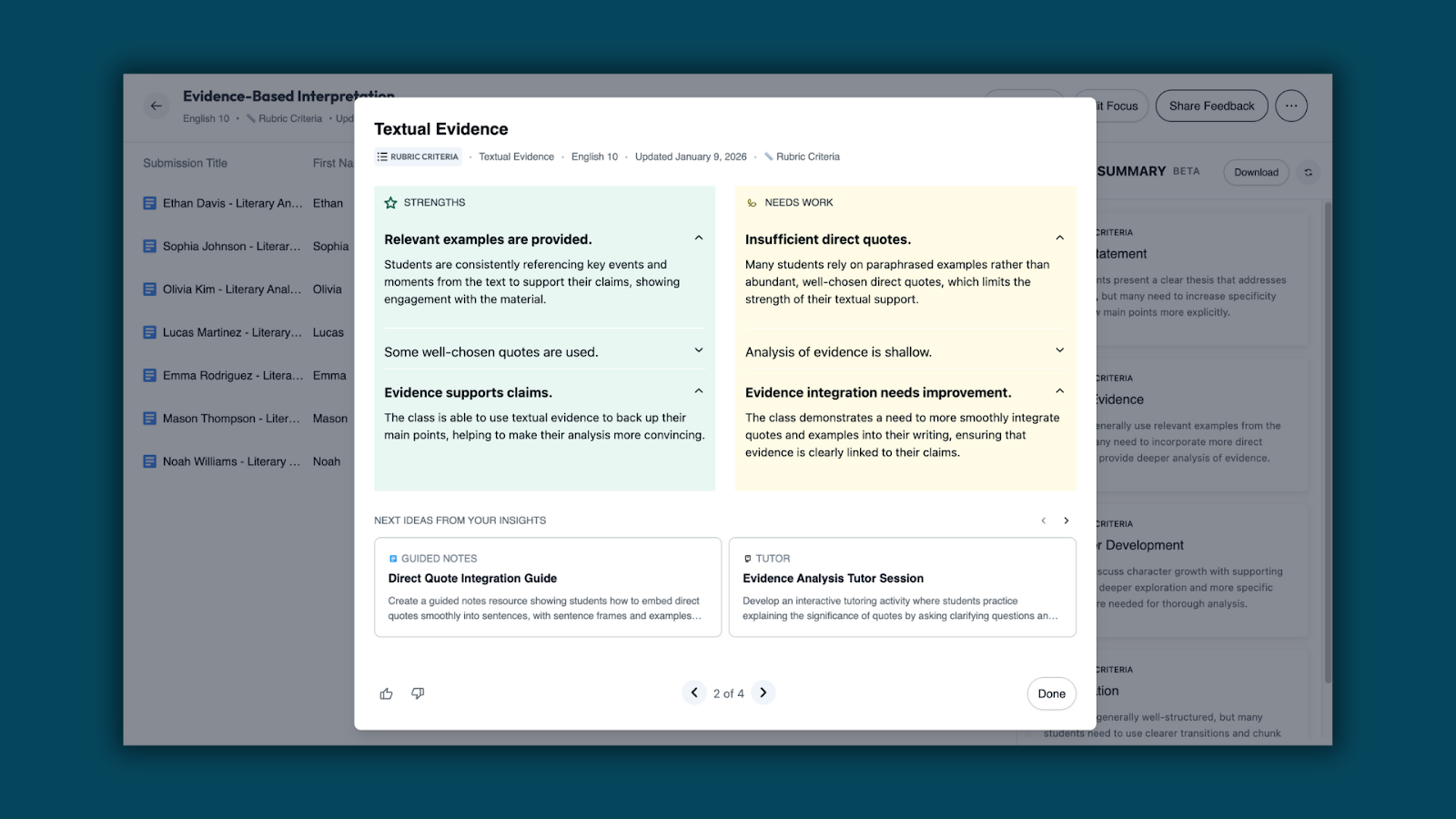
Select See More on any insight to open a detailed view with expanded strengths, growth areas, and options to generate next steps — all without leaving the assignment.
Teachers can click through each section of the expanded view to review patterns in more detail.
Rubric-aligned insights (when a rubric is used)
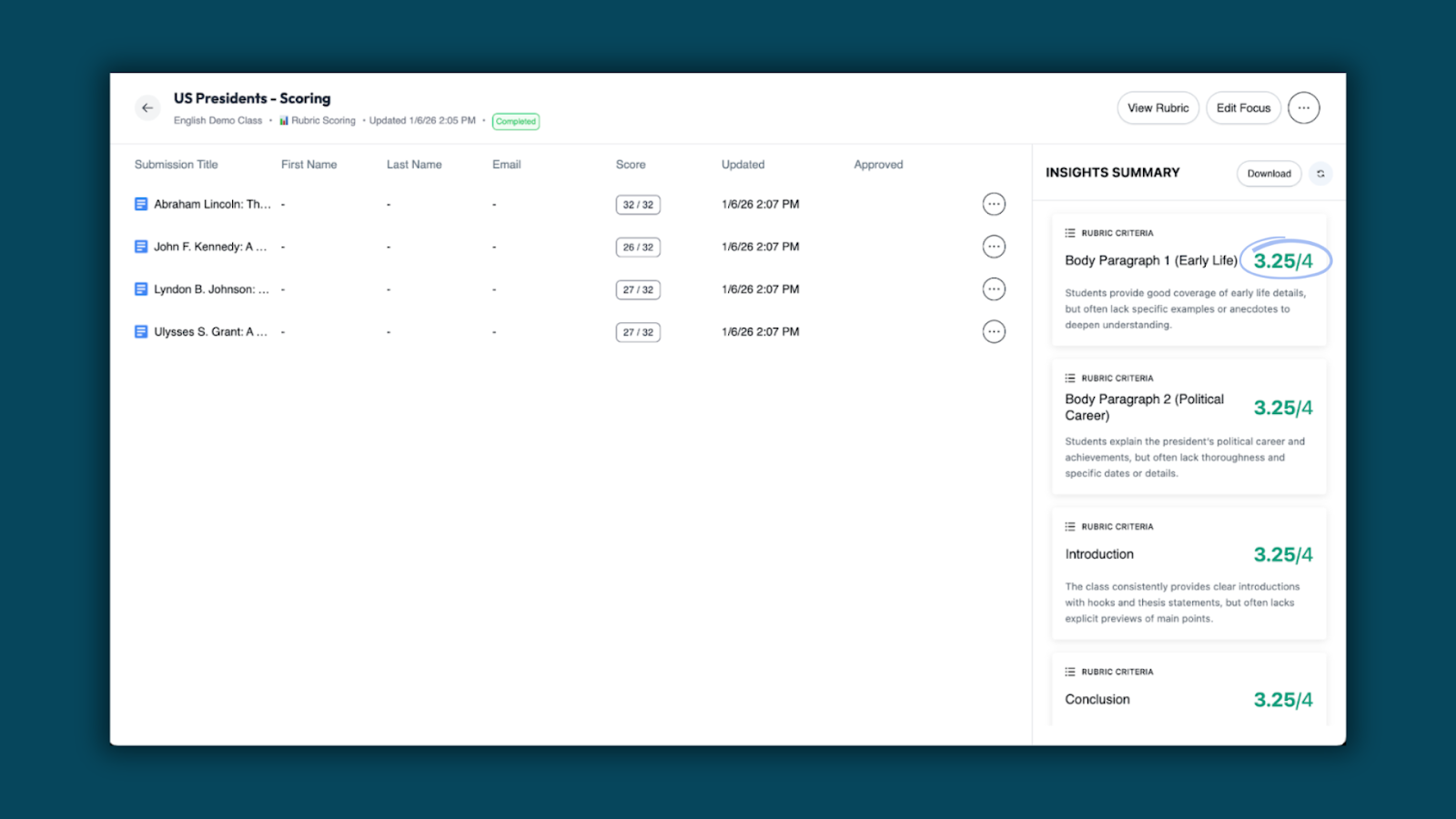
When a rubric is attached, insights are organized by rubric criteria, showing strengths and growth areas for each skill or standard.
Score distribution for rubric scoring
For assignments using rubric scoring, teachers also see a score distribution to quickly understand overall performance across the class.
Turn insights into action
From the Insights Summary or any detailed view, teachers can generate Next Recommendations tied directly to the patterns they’re seeing — making it easier to plan follow-up instruction, reteaching, or enrichment.
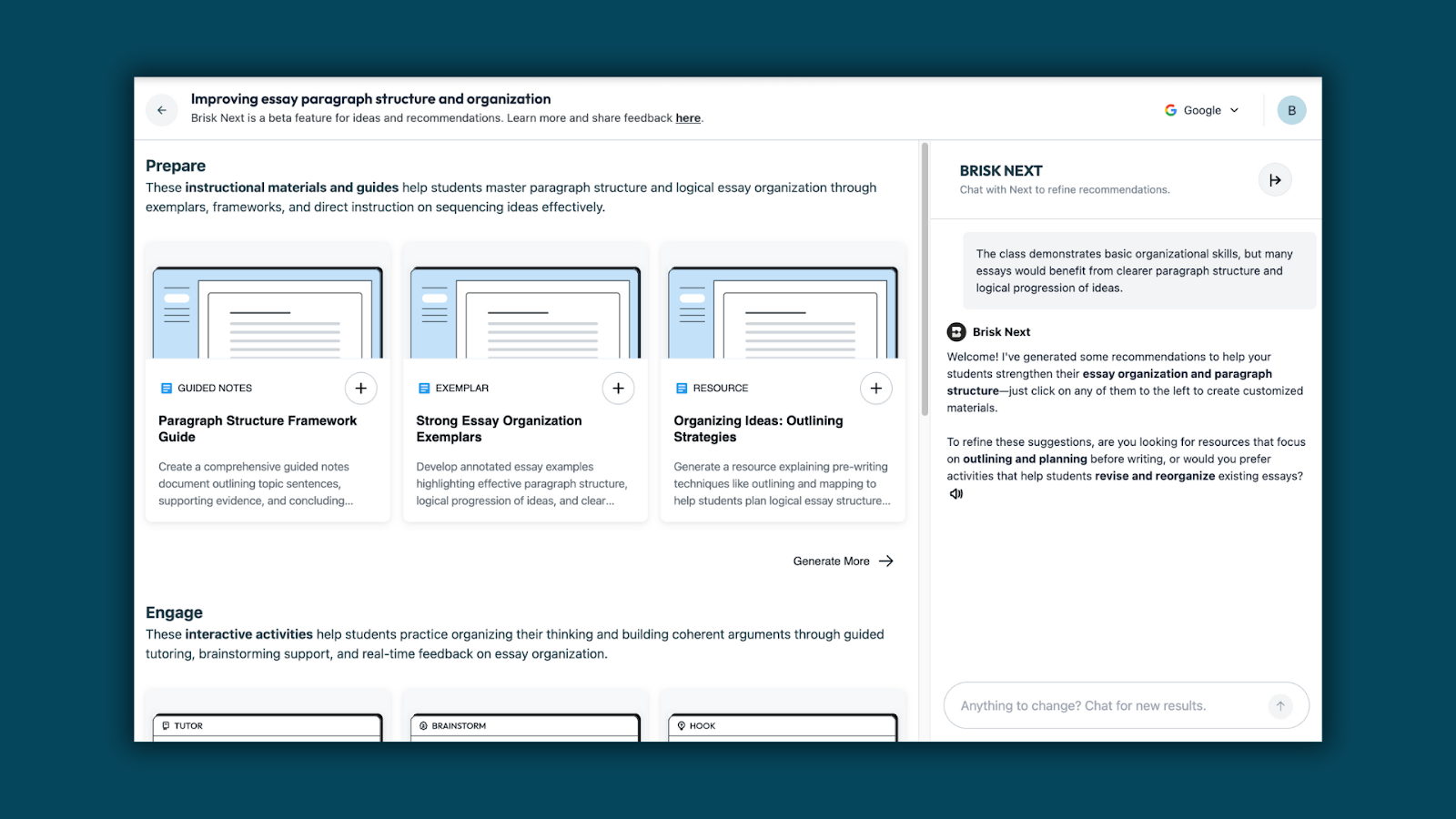
Once recommendations are generated, teachers can:
- Refine materials using Brisk Next chat
- Edit individual activities
- Build a bundle of teaching materials to share with students from the Brisk Next page
Batch Feedback Insights transforms feedback into instructional insight. Teachers can see classwide strengths, growth areas, and rubric trends — then generate next steps to support learning, all from Brisk.
*Currently available for School and District Users

Boost School Hours: Manage When Students Can Engage with Boost
January 9, 2026
Manage when students can engage with Boost — based on your district’s expectations for safe, supervised AI use.
Boost School Hours gives district administrators control over when students can engage with Boost. Admins can navigate to the Admin Dashboard to set a timezone and enable or disable specific days and hours, ensuring Boost is available only during approved windows.
Outside of designated School Hours, Boost student activity is automatically paused.
What Admins Can Do
- Define when Boost is accessible for students
- Set access by day and time, aligned to school schedules
- Apply settings district-wide with consistent expectations
- Align Boost use with times when adults are available or aware
For example, an admin can fully turn off weekend Boost usage by toggling Saturday and Sunday off.
*Available for School and District Users
Translate Existing Forms and Quizzes Created by Brisk
December 4, 2025
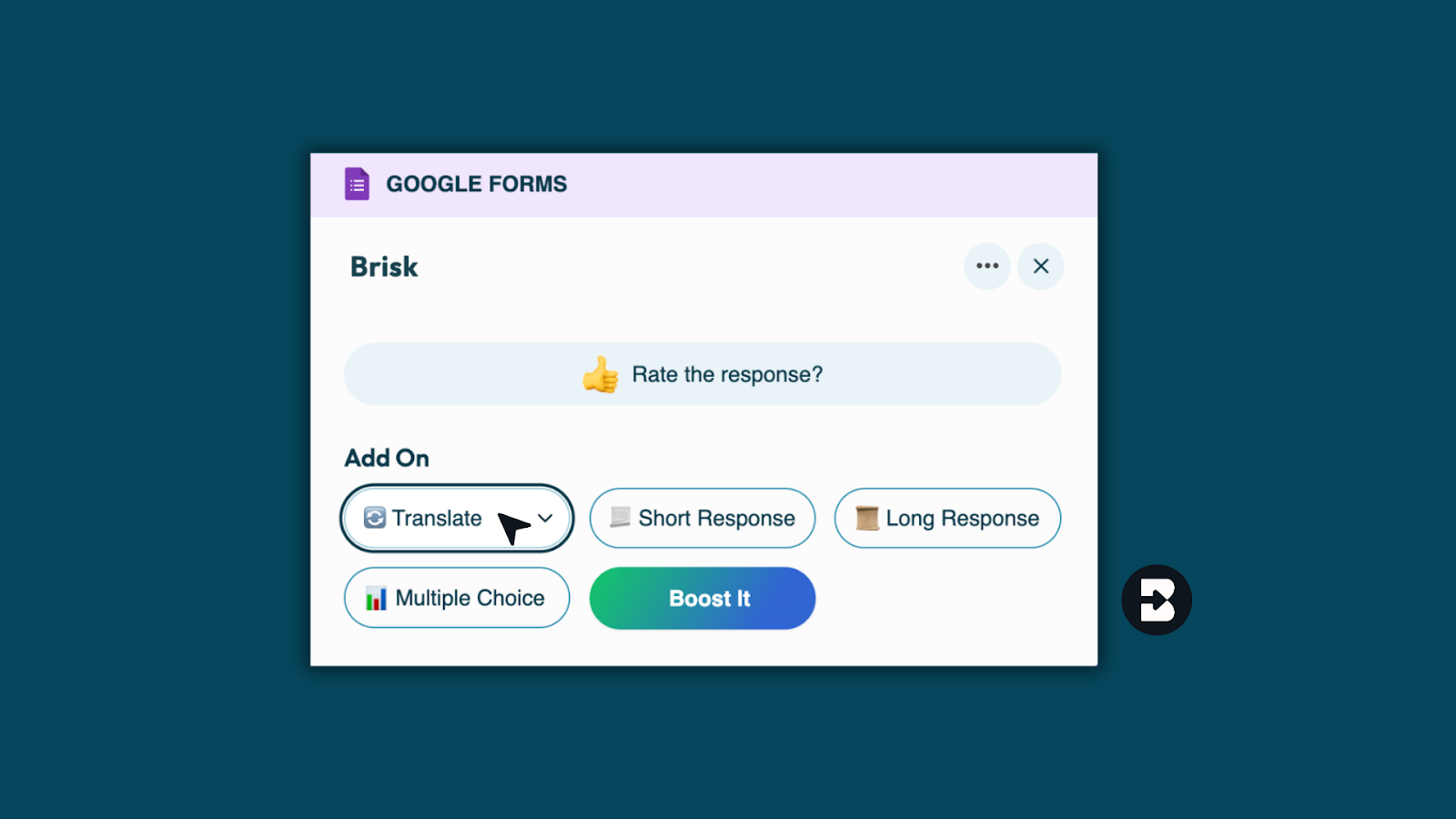
- Once your form or quiz is generated by Brisk, select Translate.
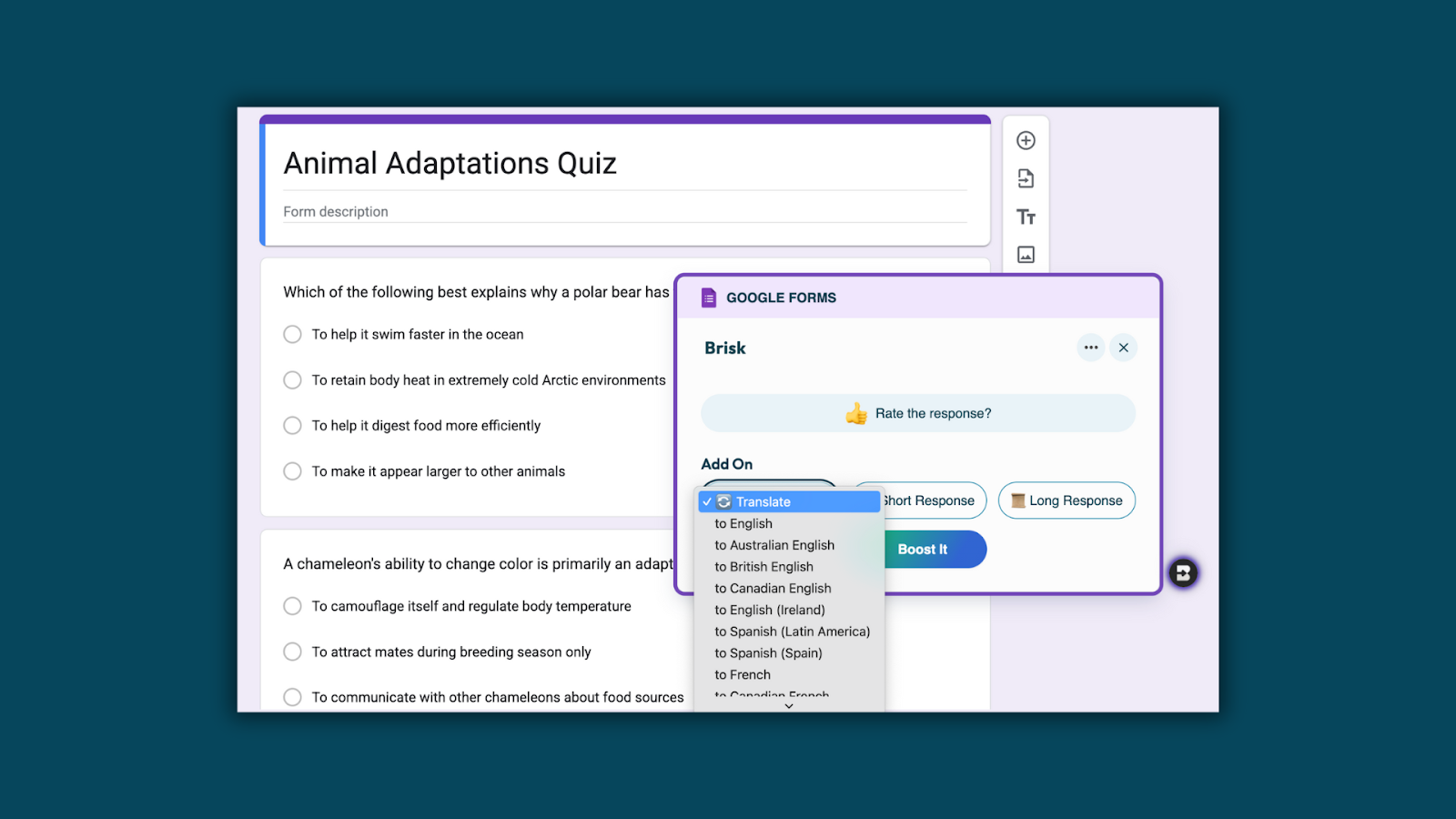
- Next, select the language you’d like to translate to.
Batch Feedback with Microsoft OneDrive
December 4, 2025
1. Go to app.briskteaching.com/next
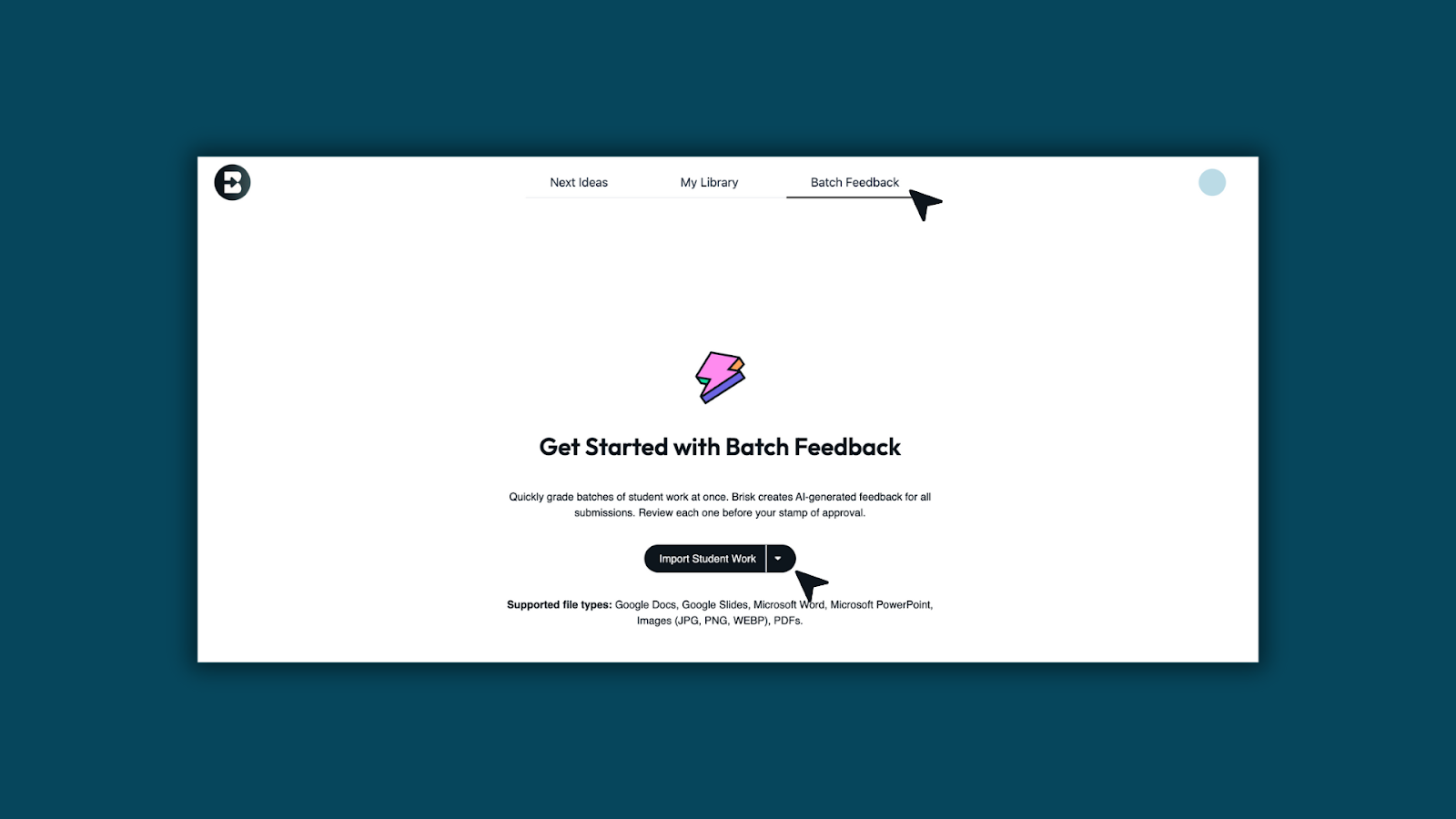
- Open Batch Feedback in Brisk.
- Click Import Student Work
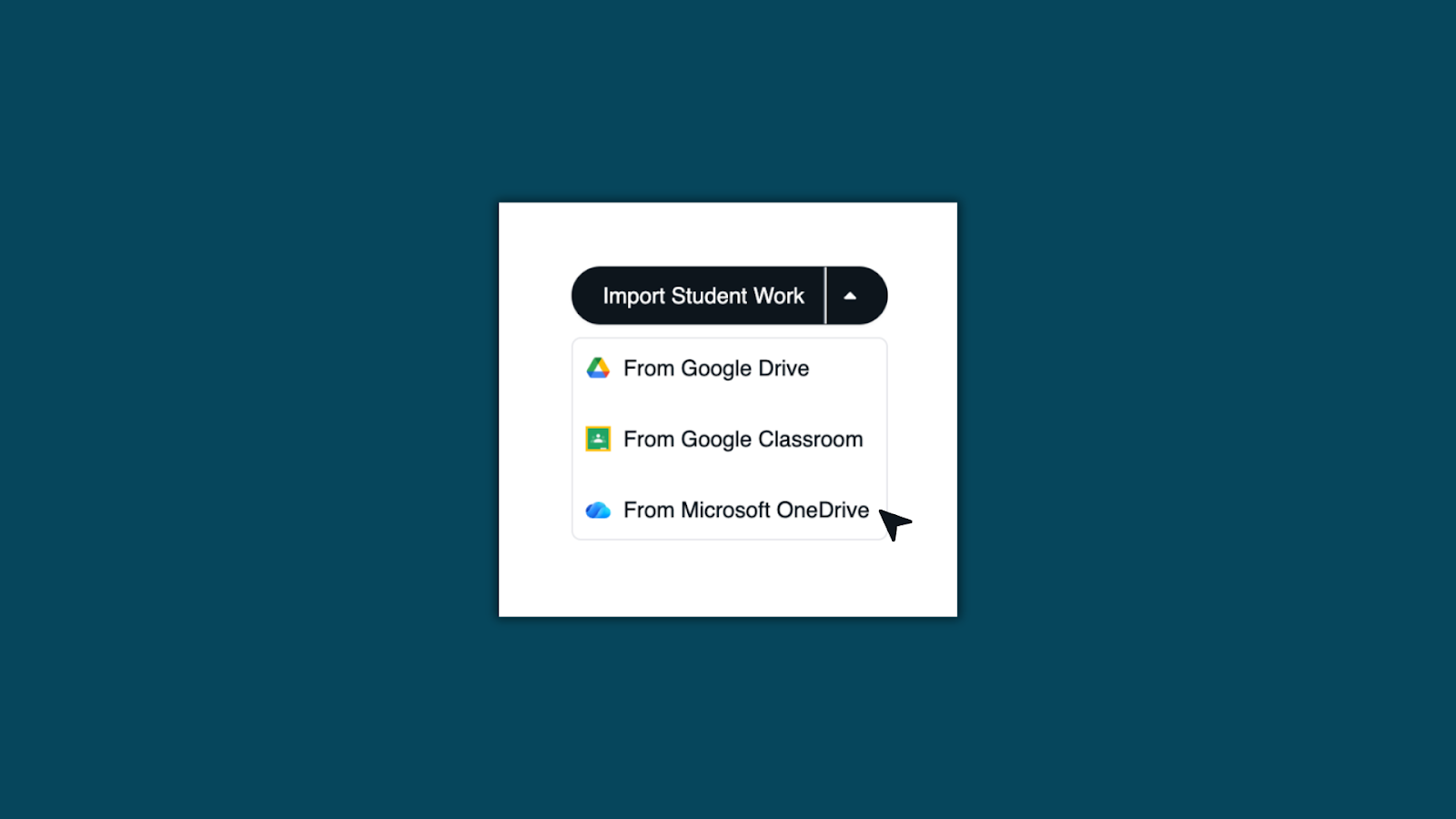
- Select, Microsoft OneDrive.
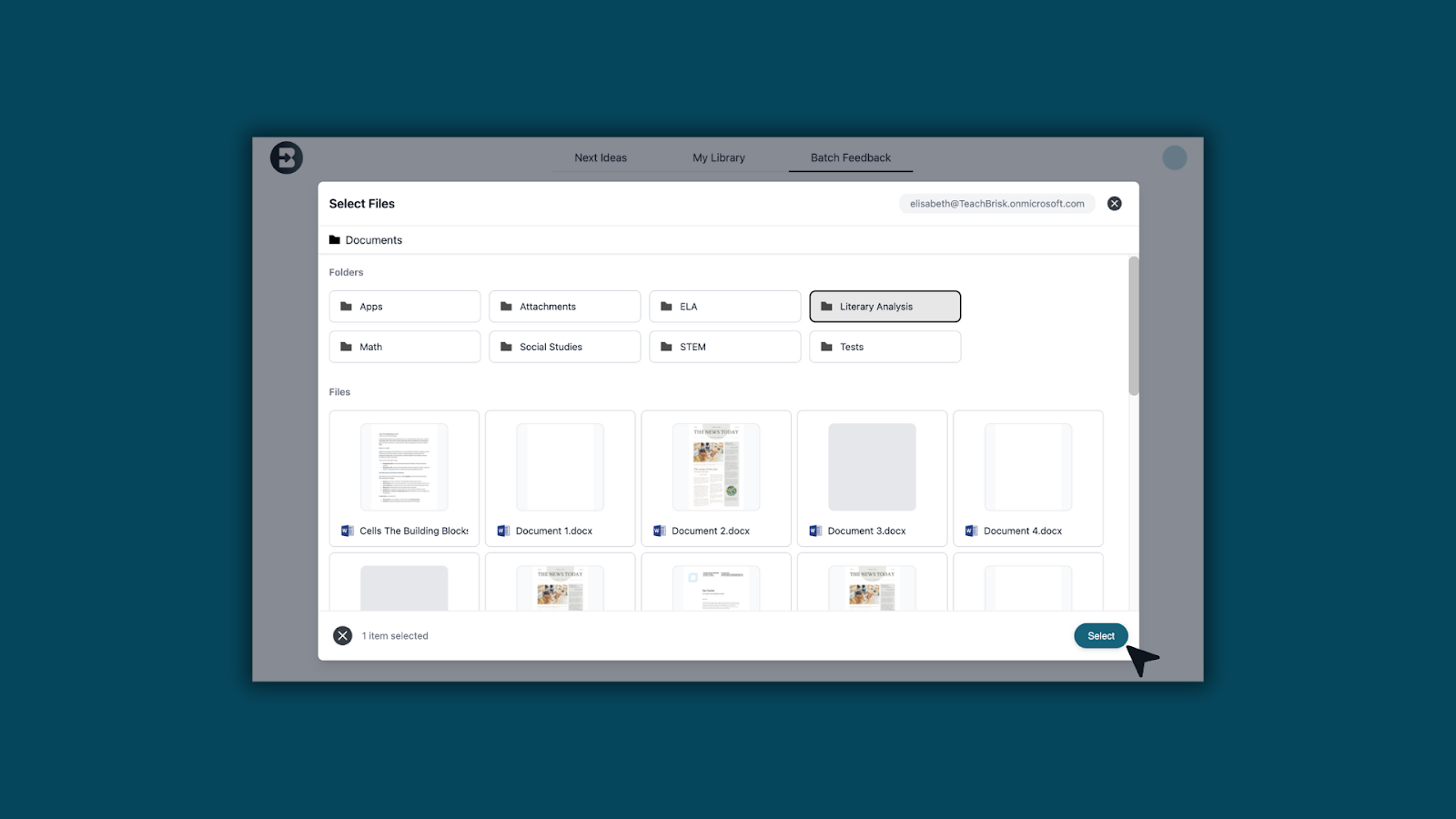
- Choose the folder and select your students’ files.
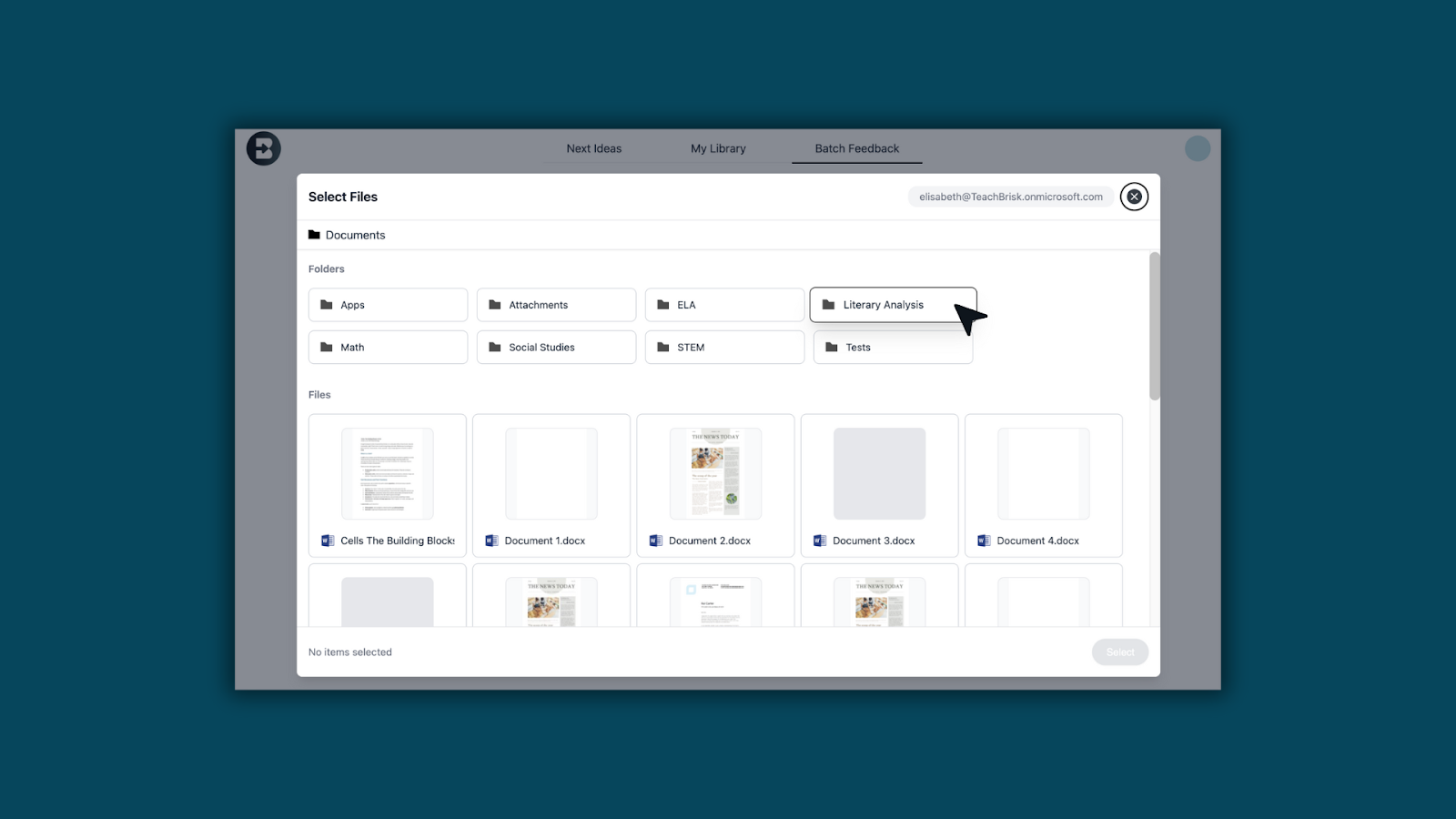
- Then click Select
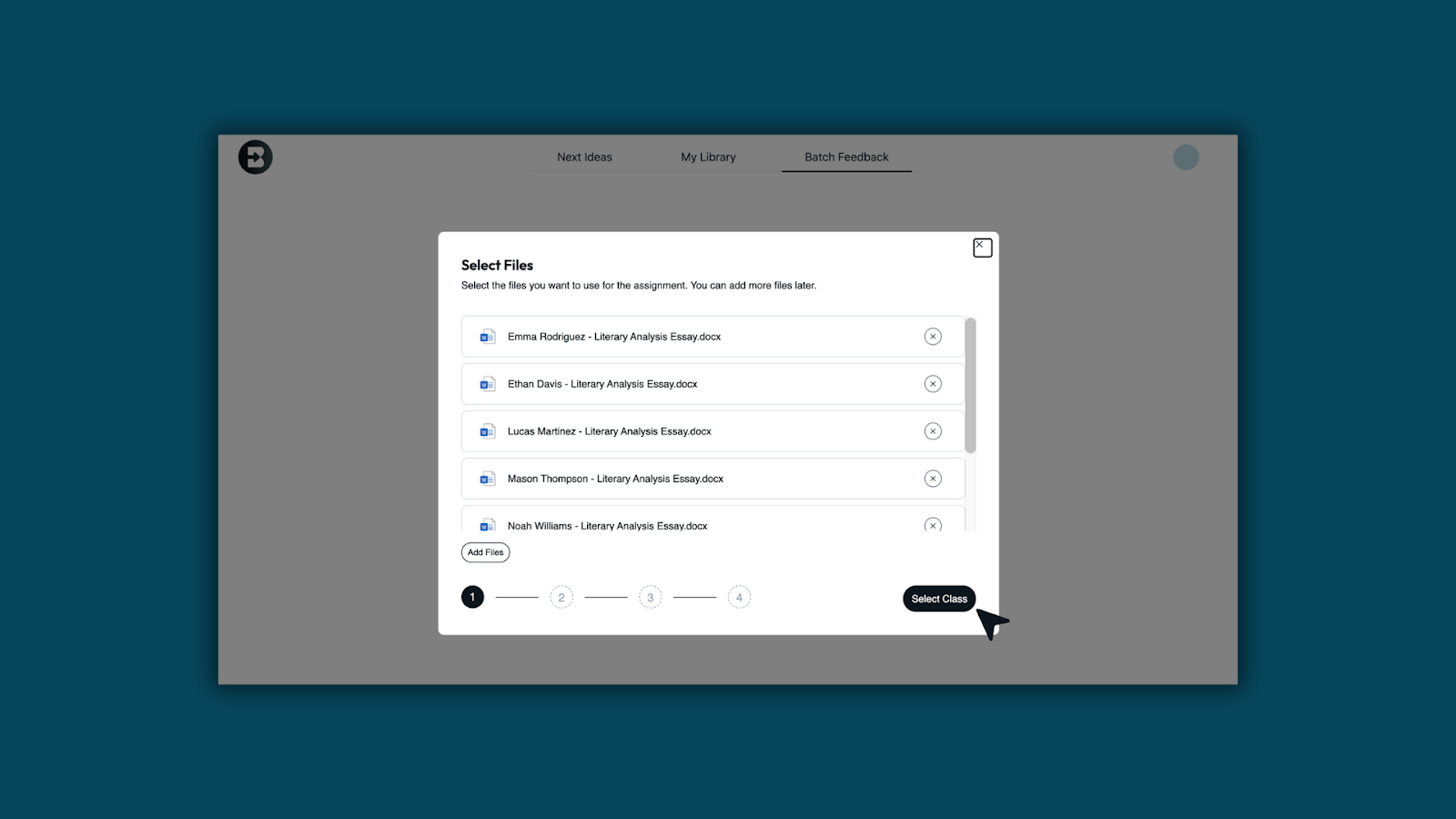
2. Set up Batch Feedback
- Review the file list and click Select Class.
- Choose your feedback style: Glows & Grows, Next Steps, or Rubric Criteria.
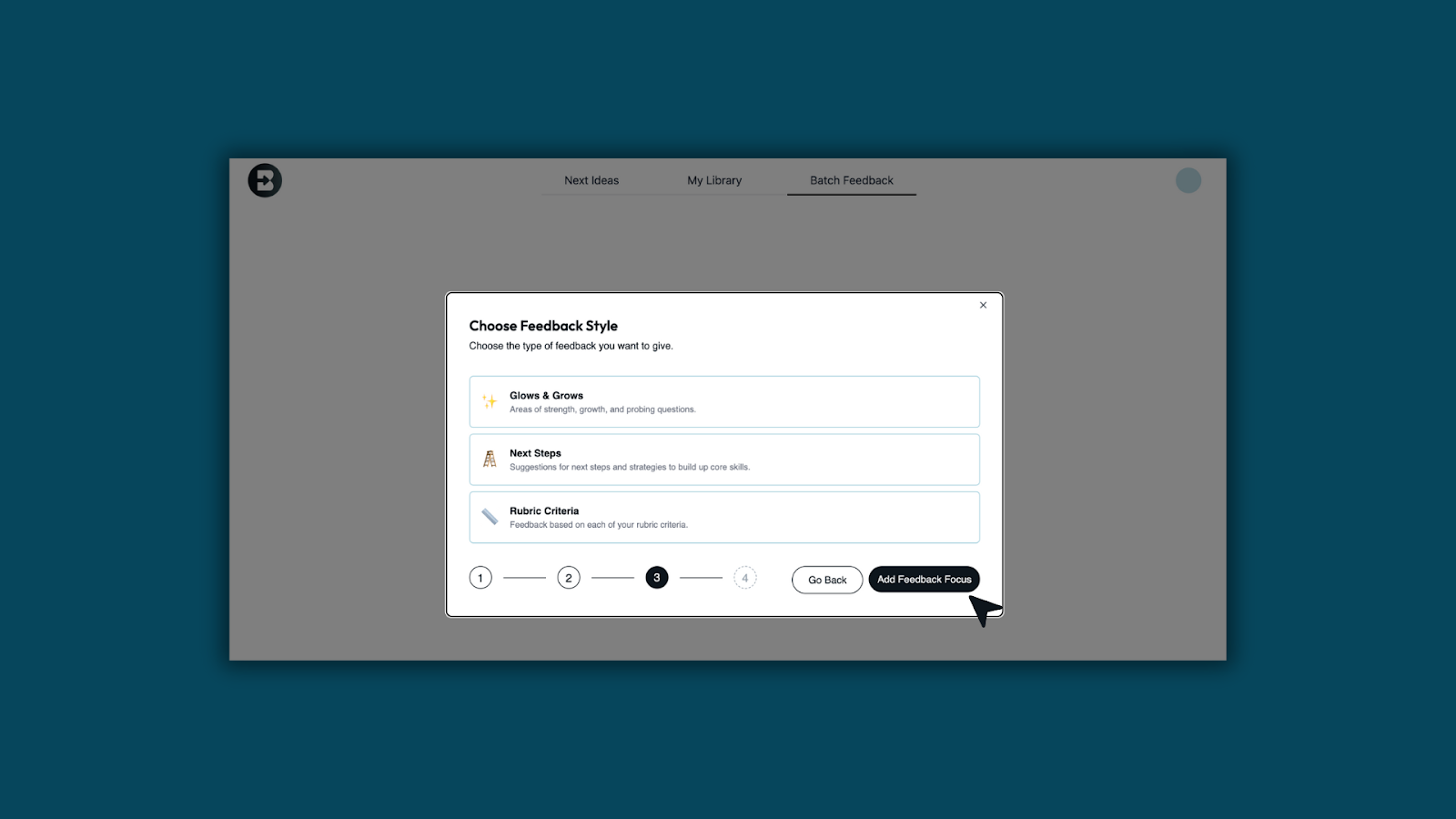
- Add your feedback focus (rubric, grade level, standards, and prompt). Then click, Create Assignment.

3. Review and approve
- Open each student’s file to view the AI-generated feedback.
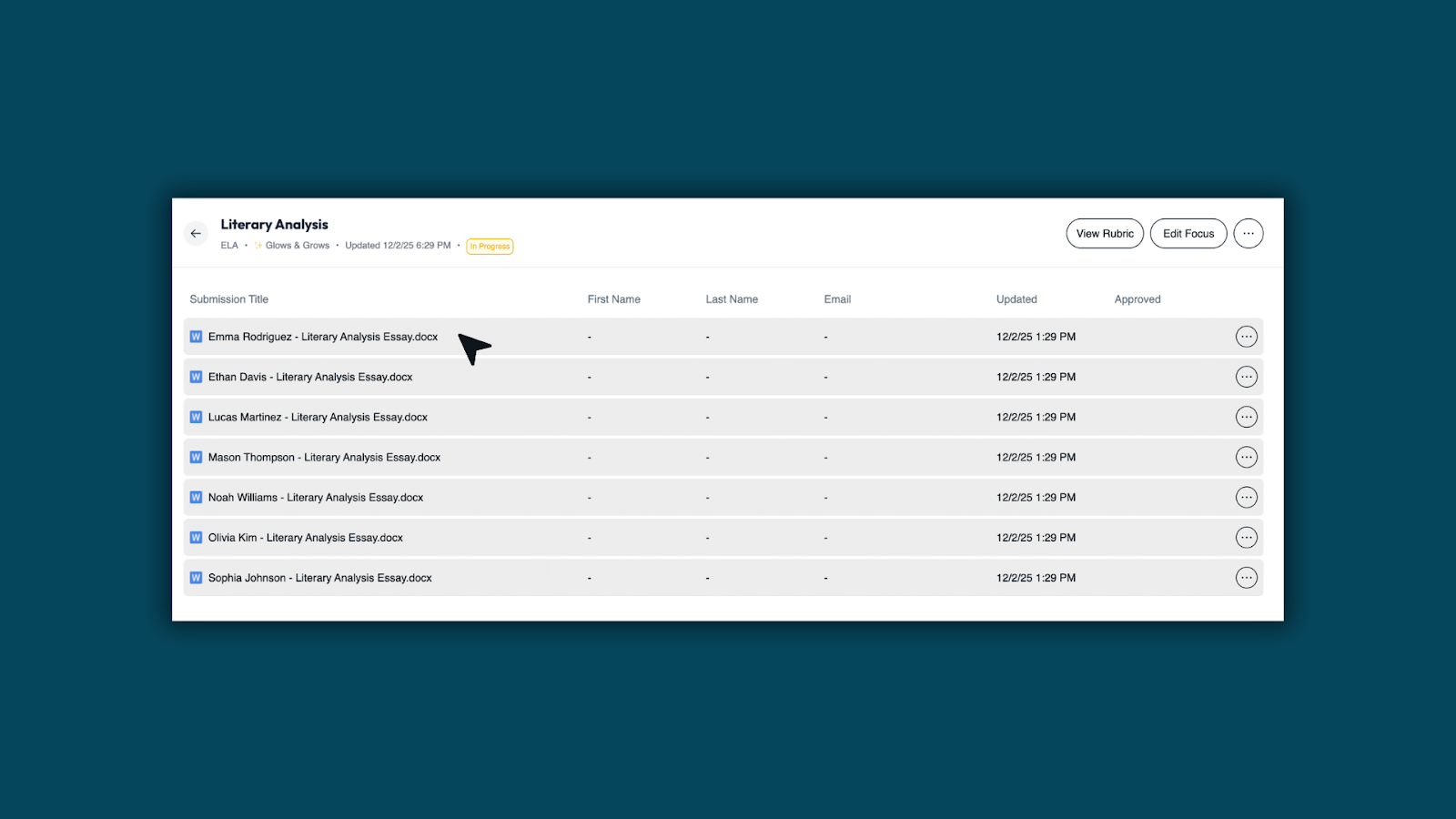
- Edit as needed and check Approve Feedback.
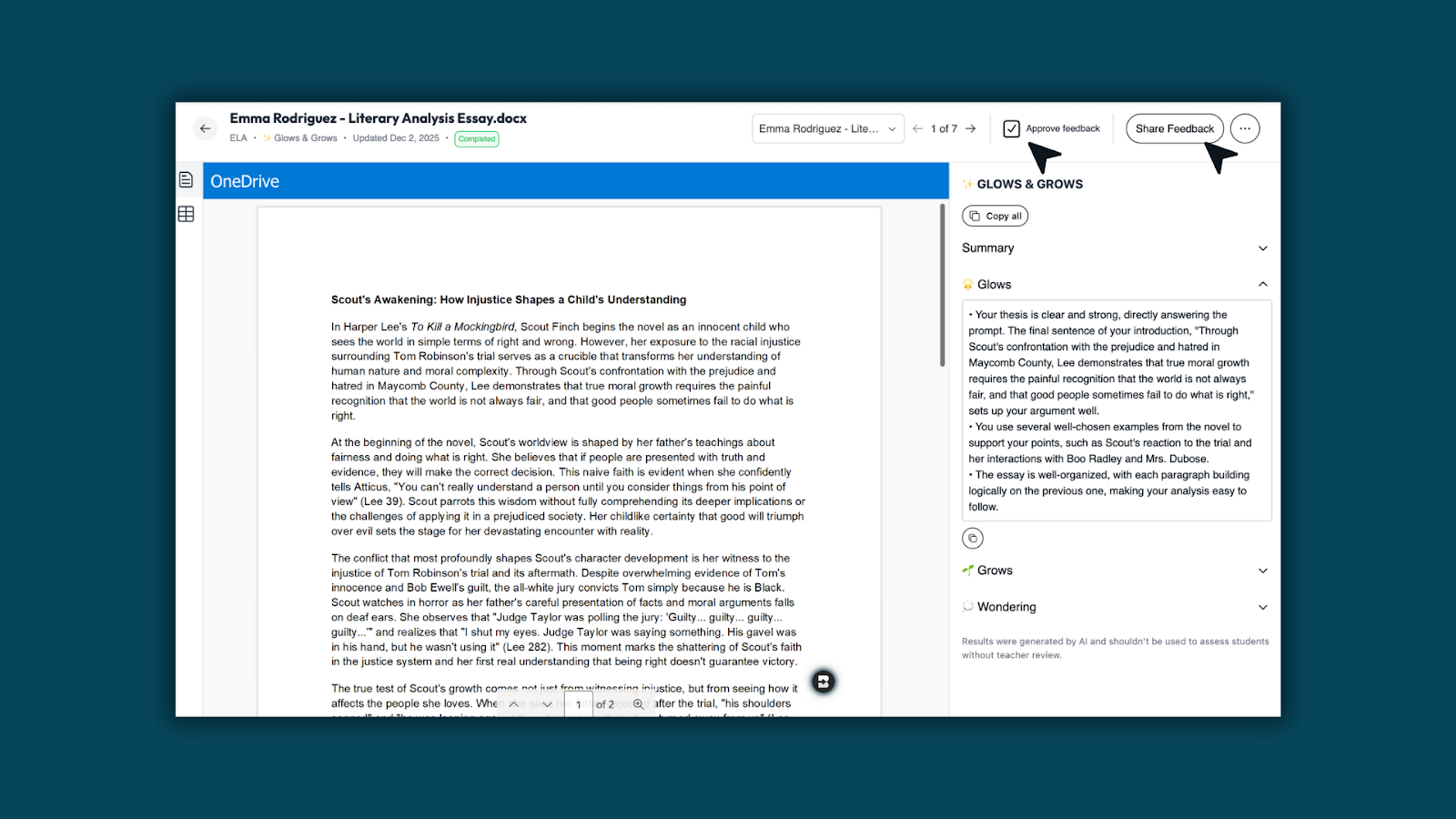
4. Share with students
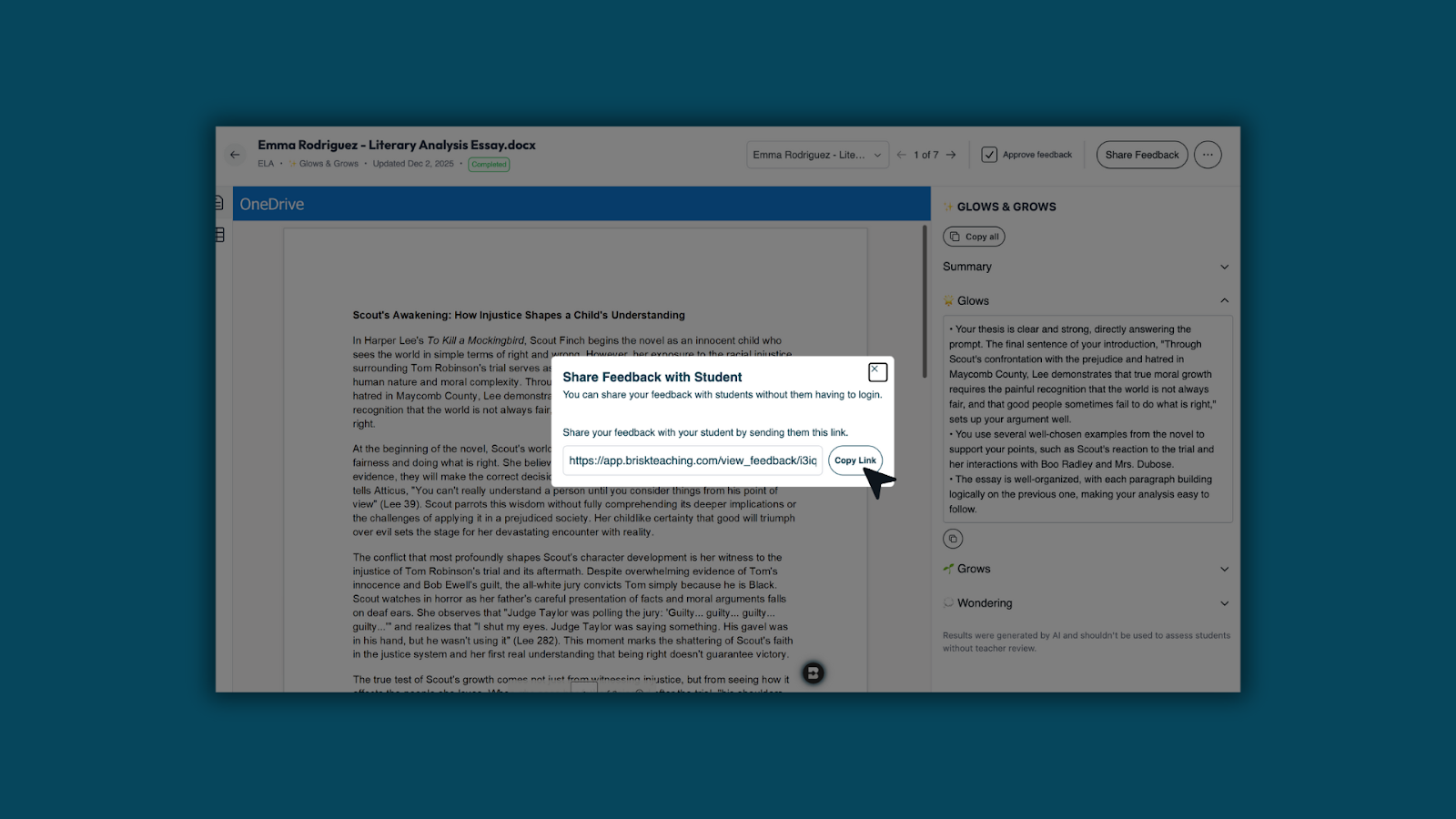
- Click Share Feedback and Copy Link. You can send the link through Teams, email, or your LMS.
My Library: Everything You Create, All in One Place
December 3, 2025
The My Library page (formerly Recent) has been upgraded to make it easier to find and manage everything you create with Brisk.
What’s New
1. See all your Brisk-created content in one place: Resources now appear directly in My Library, including anything created through the Brisk Extension.
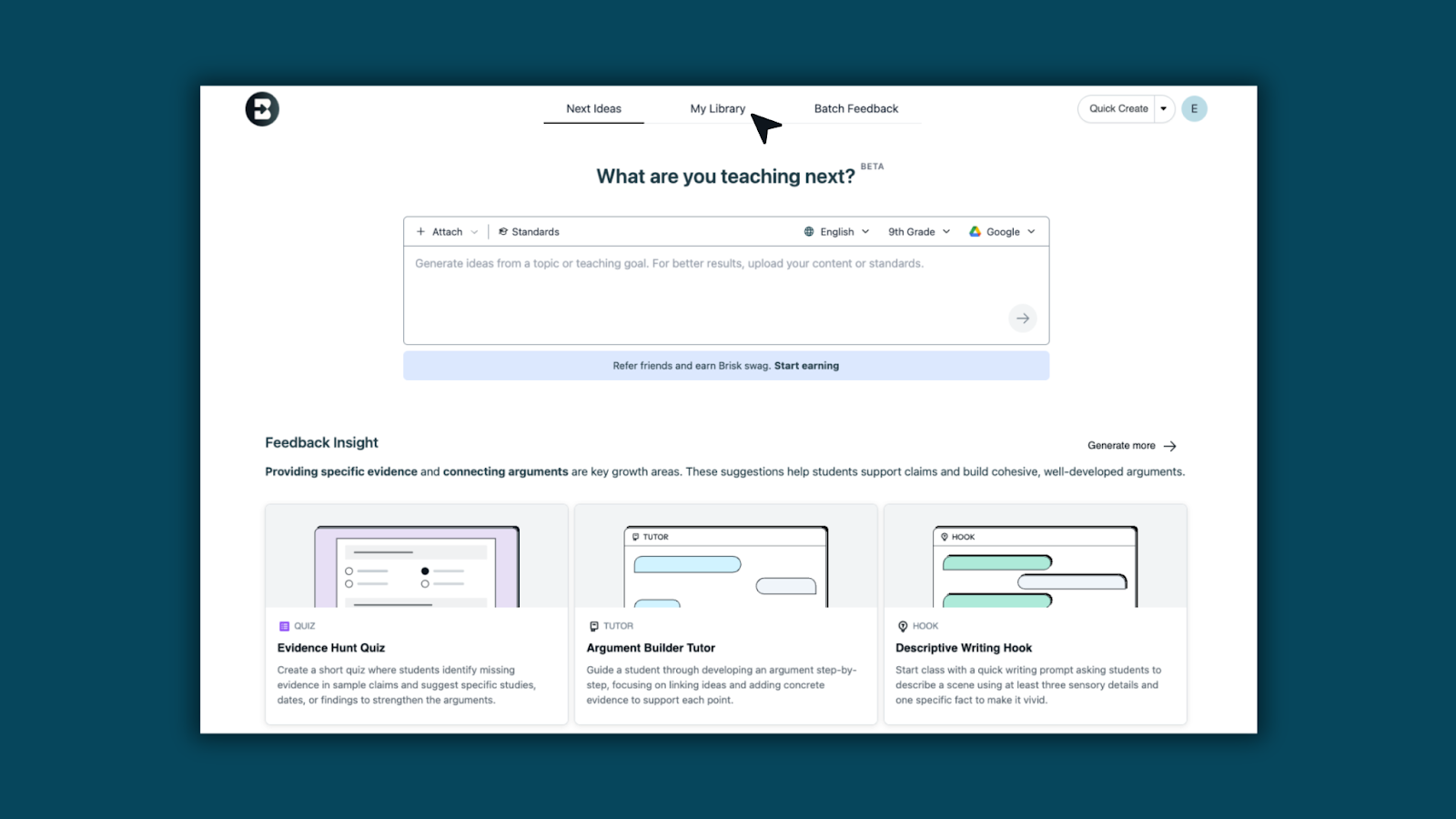
2. View all Brisk materials: All your Brisk-created content — Class Activities, Bundles, Podcasts, Documents, Presentations, and Forms — now live together in one streamlined view.
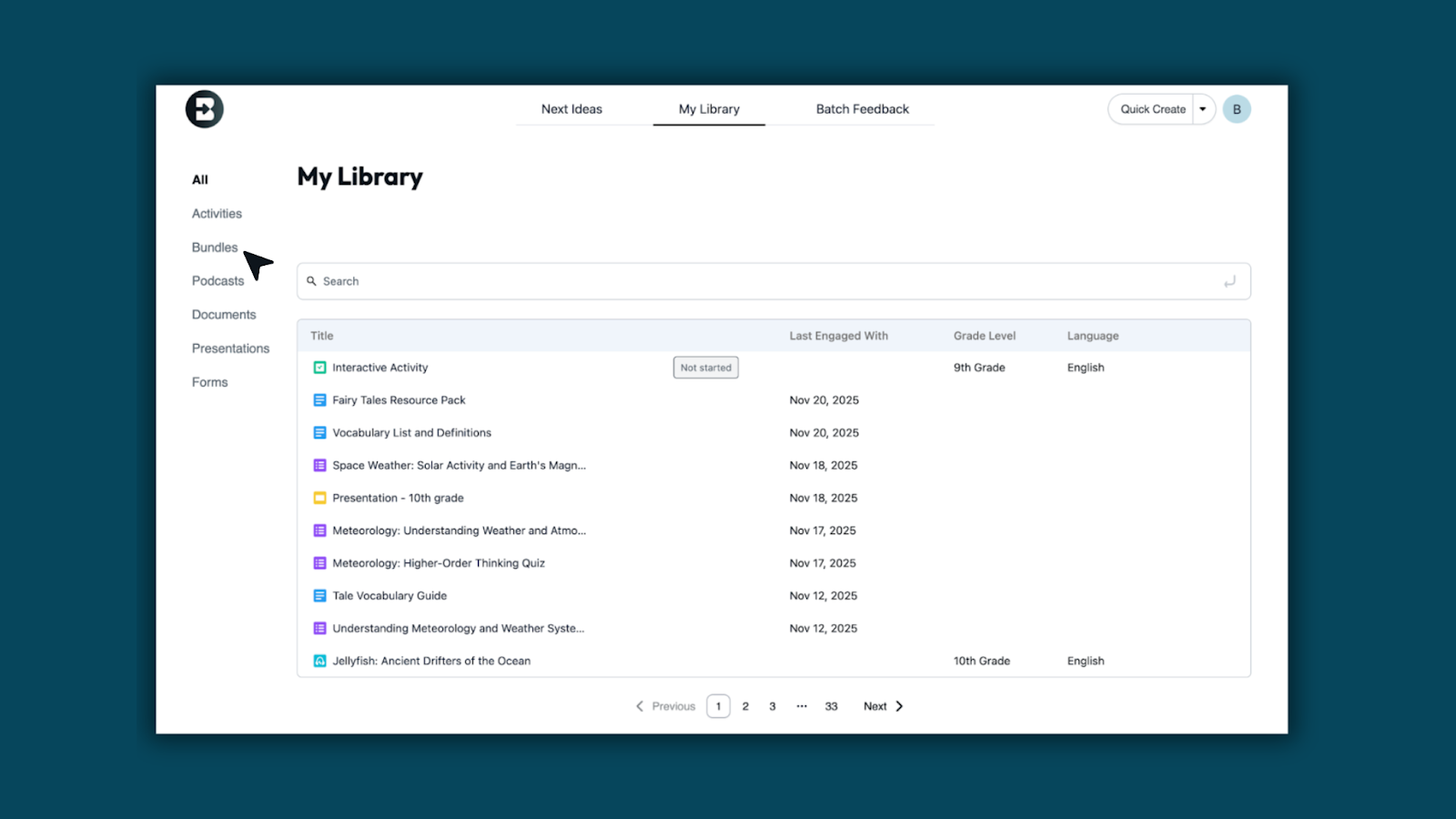
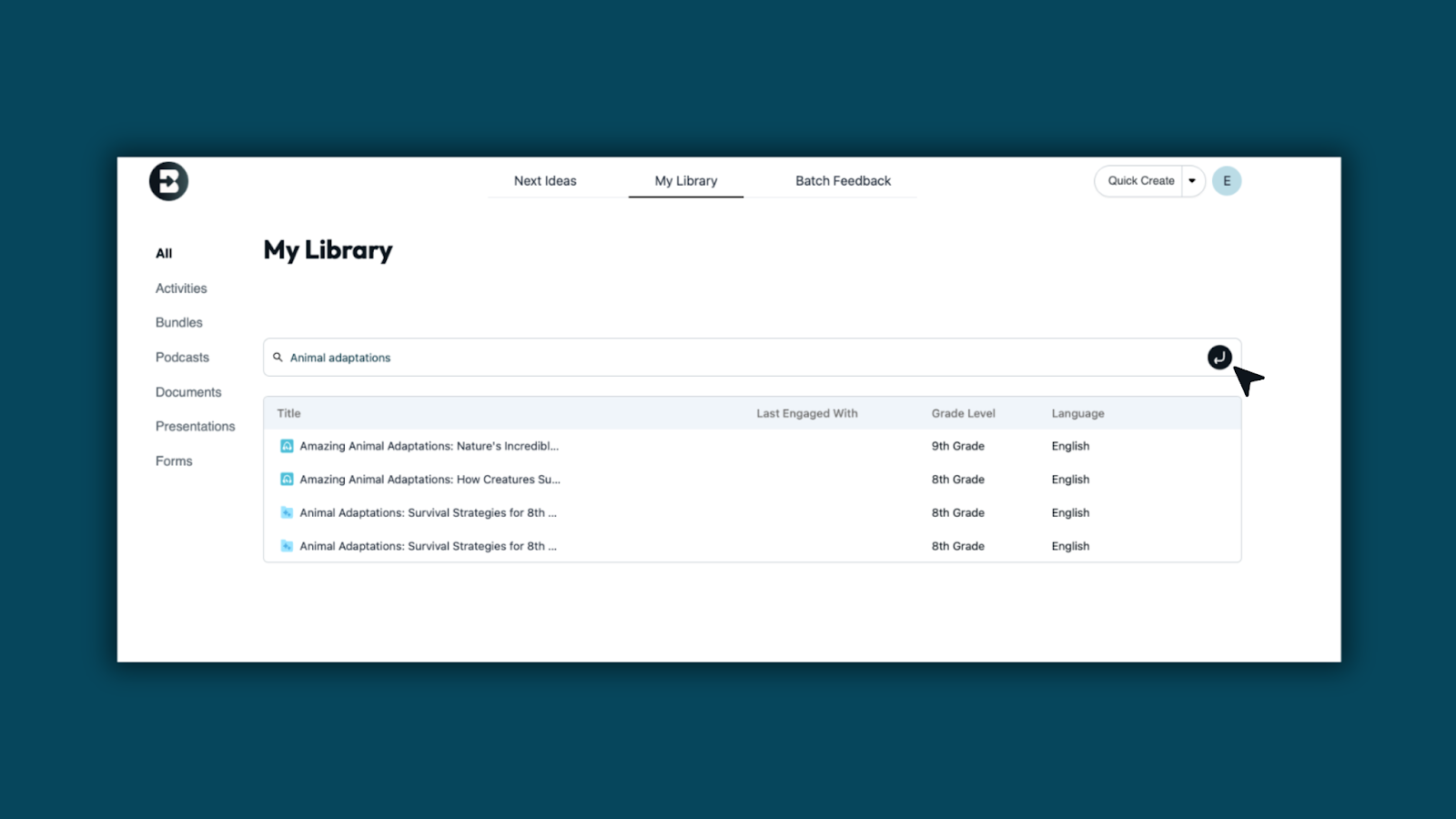
3. Search and load content more quickly: Search for any of your Brisk Creations to easily access resources.
4. Manage content without leaving the page: Use the three-dots menu on any item to open, rename, move, or edit in just one click.

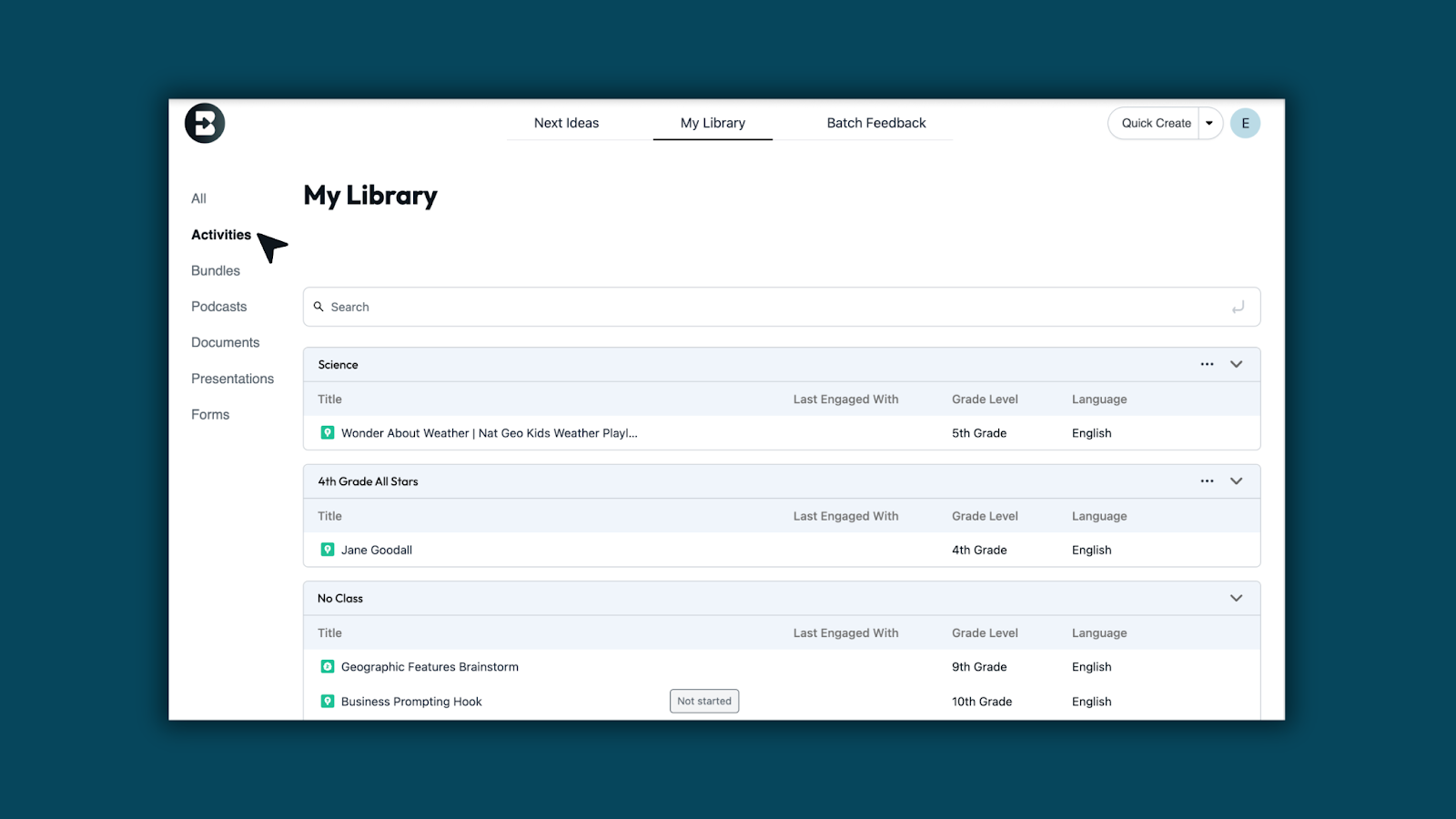
5. Prefer Activities by class? No problem: You can still access class-organized Activities under the Activities tab. Bookmark the direct link if helpful: https://app.briskteaching.com/my_library?tab=activities
Quick Create From Web — Now in Brisk Next
December 3, 2025
Brisk Next is built for generating multiple resources at once to bundle and share — but some teachers just want to create one specific resource quickly.
The new Quick Create dropdown makes that easy.
How it works:
- Click Quick Create.

- Choose Document, Presentation, Form, Podcast, or Boost Activity.

- Enter your prompt, then select standards, language, and grade level.

Brisk Rewards Program
November 11, 2025
We launched our very first Brisk Rewards Program, a new way for teachers to earn swag just by sharing Brisk. When someone signs up through your link, you earn a point. At ten points, you unlock the Brisk Rewards Store filled with exclusive merch, classroom goodies, and fun surprises. Get started today!
.png)
Go from insight to instruction in one click with Next Ideas
November 7, 2025
You already know what students need from Boost Learning Insights — now you get the how.
Meet Next Ideas: classroom-ready activities generated from student strengths and areas to grow, right within Brisk Next.
Turn insights into tailored learning experiences you can launch instantly, designed for the students in front of you.
How to access Next Ideas:
- From the Brisk Extension, click the Home icon.
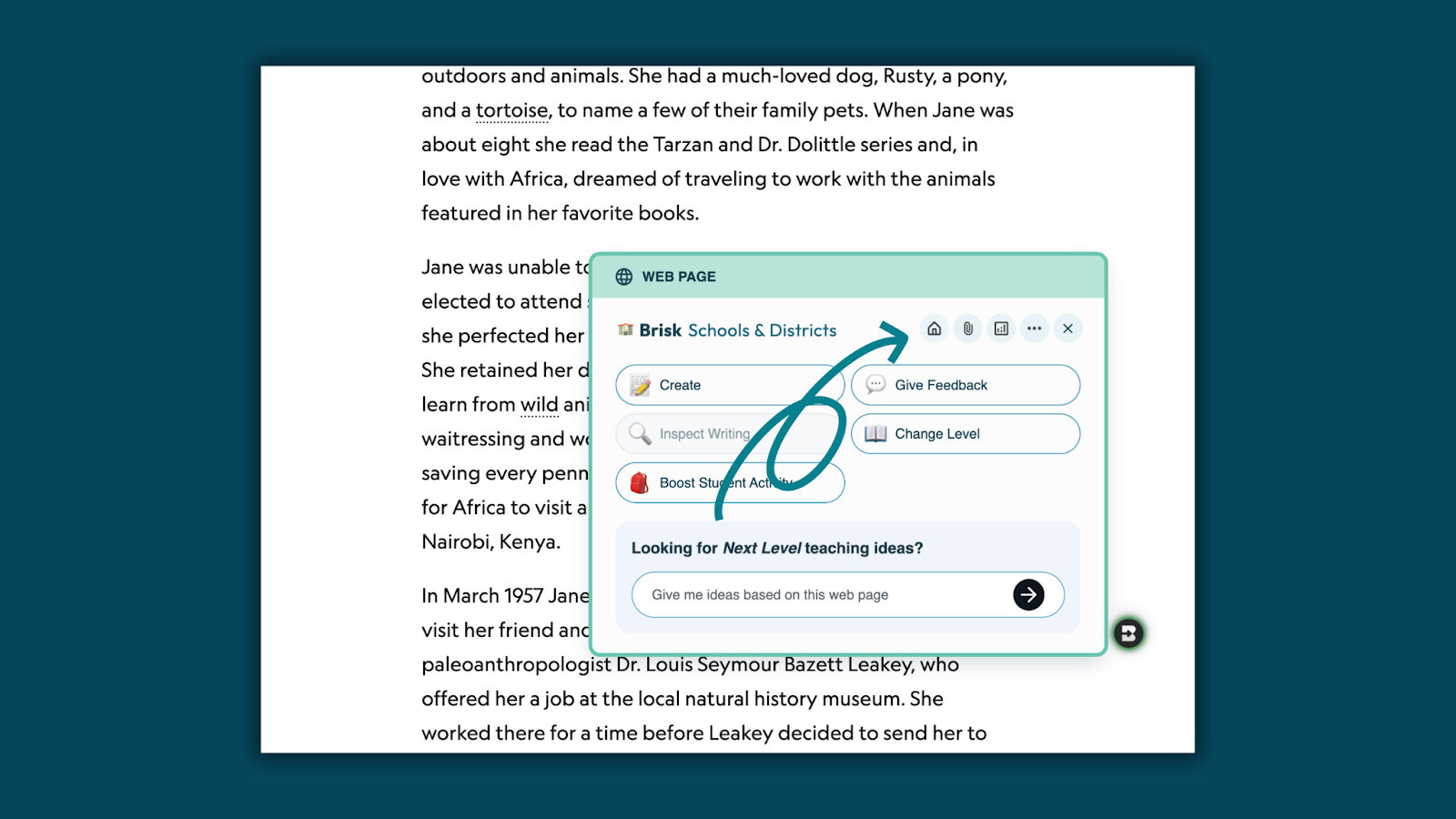
- Select My Library from the top navigation in Brisk Next or the dropdown menu.

- Open any Boost Activity and select Learning Insights.
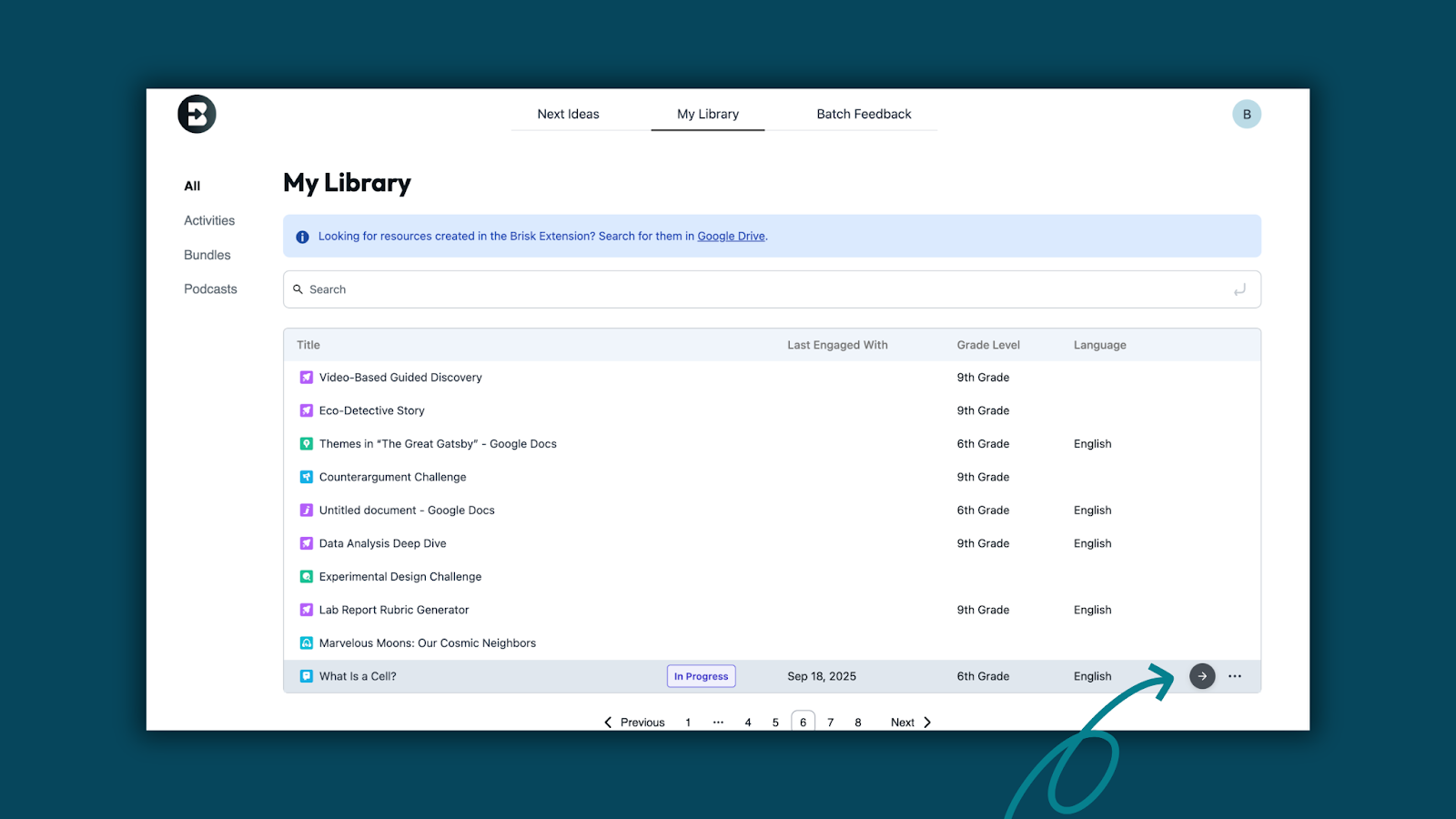
- Click Next Ideas to reveal targeted activities Brisk created based on students’ strengths and growth areas.

- Explore ready-to-use instructional materials to Prepare, Engage, and Assess student learning.

Learn how:
Next Level Ideas: Your Thought Partner at Your Fingertips
October 30, 2025
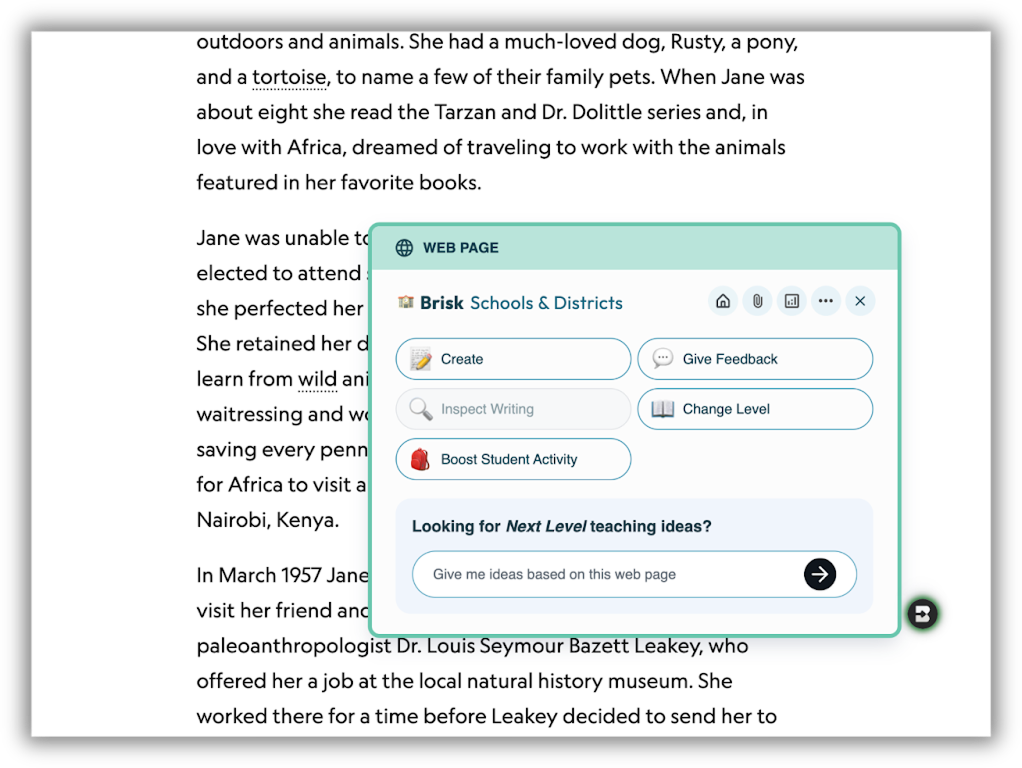
Looking for next-level teaching ideas? The Brisk extension just got a refresh! Now you can chat with Brisk to brainstorm and refine ideas from the content on any web page.
Learn how:
Boost Enhancements
October 30, 2025
More control. More personal. Same speed.
Creating Boost student activities just got even better. With enhanced personalization options and added teacher controls, you can now fine-tune each activity to fit your class — without slowing down your workflow. Boost still gives you the same one-click ease you love, now with even more ways to make learning personal.
What’s new:
- More granular controls during activity creation
- Expanded personalization options
- A smoother, more seamless creation experience
Learn more about the new Boost experience: